
Kupu Whakataki
Welcome to the GUHUAVMI GT4 Pro Smartwatch user manual. This guide provides detailed instructions on how to set up, operate, and maintain your new smartwatch. The GT4 Pro combines advanced health monitoring, comprehensive fitness tracking, and smart connectivity features in a durable, stylish design. Please read this manual carefully to ensure optimal performance and longevity of your device.
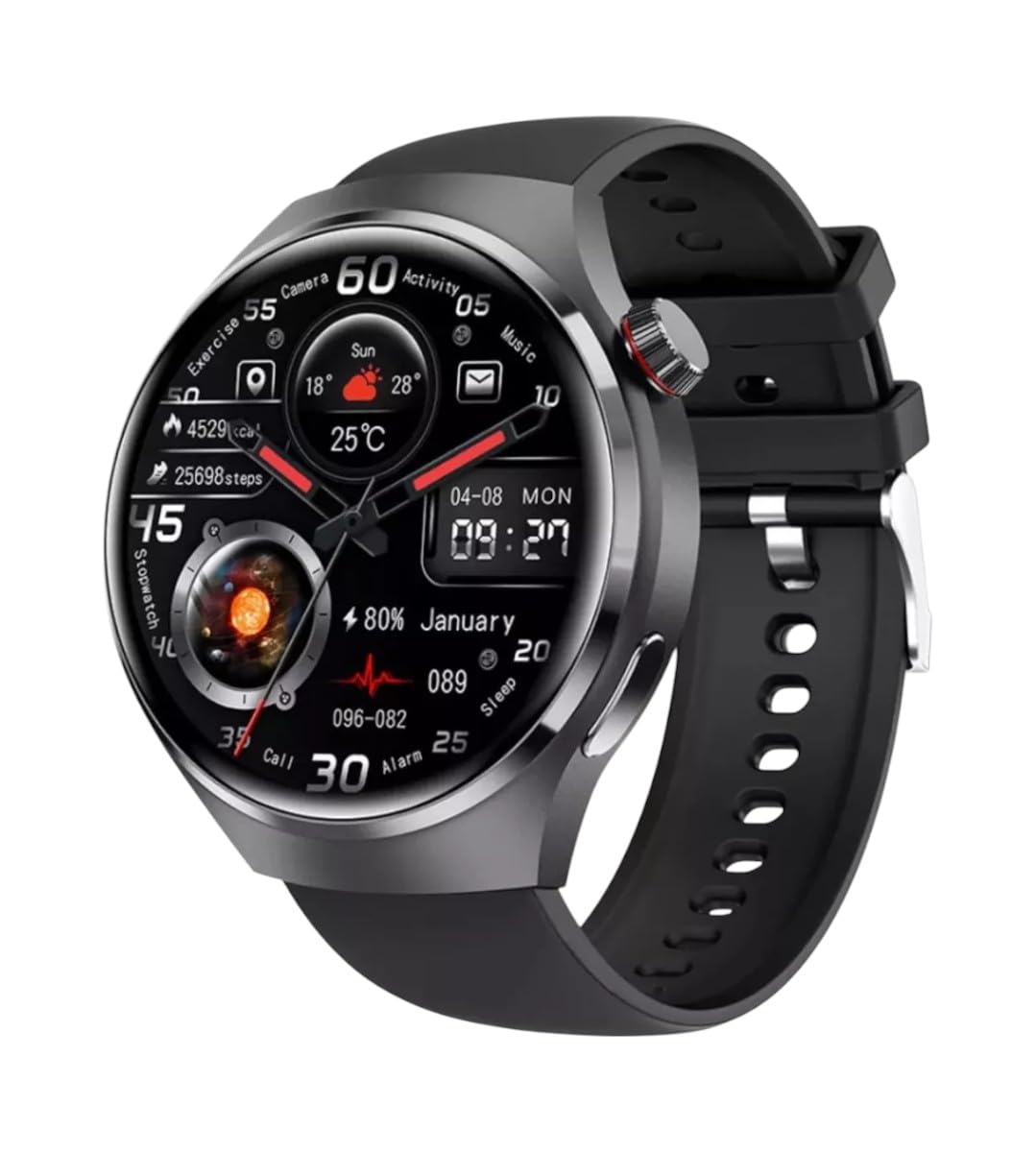
Whakaahua: Mua view of the GUHUAVMI GT4 Pro Smartwatch, showcasing tona hoahoa kiko me te whakaatu.
Tatūnga
1. Wewete pouaka me nga Waahanga
I mua i te tīmatanga, kia tino mohio kei roto i te kete ngā wāhanga katoa:
- GUHUAVMI GT4 Pro Smartwatch
- Kaitohu Ahokore
- Pukapuka Kaiwhakamahi (tenei tuhinga)
2. Ka tohatohahia te Waati Ataata
For first-time use, fully charge your GT4 Pro Smartwatch. Connect the wireless charger to a USB power adapter (not included) and place the smartwatch onto the magnetic charging base. The watch will indicate charging status on its screen.
- Wā Whakataki: Tata ki te 3 haora mo te utu katoa.
- Ora Pūhiko: Typical usage provides 5-7 days of battery life.

Image: The GUHUAVMI GT4 Pro Smartwatch placed on its magnetic wireless charger, displaying battery life and charging time information.
3. Te Hiko / Whakaweto
- Whakahiko: Pēhia me te pupuri i te pātene taha kia mārama ra ano te mata.
- Weto Whakakore: Patohia me te pupuri i te paatene taha, ka kowhiri i te kōwhiringa 'Power Off' i runga i te mata.
4. Taupānga Tikiake me te Tauhoa
To unlock the full potential of your GT4 Pro, download the companion app on your smartphone. Scan the QR code provided in the watch's initial setup screen or search for the app name (usually indicated on the watch or packaging) in your phone's app store.
- Whakahohehia te Nihokikorangi i runga i to waea atamai.
- Whakatuwheratia te taupānga hoa, ka whai i ngā tohutohu kei te mata hei waihanga i tētahi pūkete, hei takiuru rānei.
- In the app, select 'Add Device' or 'Pair Device' and choose 'GT4 Pro' from the list of available devices.
- Whakaūhia te tono takirua i runga i to waea atamai me to maataki atamai.
Nga Tohutohu Whakahaere
1. Whakaterenga Taketake
The GT4 Pro features a 1.6-inch HD AMOLED touchscreen and a side crown button for navigation.
- Swipe Runga/Whakararo: Panuku i roto i nga tahua me nga whakamohiotanga.
- Swipe Mauī/Matau: Uru ki nga widget tere, ki nga kanohi mataaratanga rereke ranei.
- Tap: Tīpakohia tētahi tūemi, whakatuwherahia rānei he tono.
- Pēhi Pātene Taha: Hoki atu ki te mata kāinga, uru atu rānei ki te rārangi taupānga.
2. Kaiawhina reo AI
Your GT4 Pro is equipped with an integrated AI voice assistant for hands-free operation.
- Whakahohenga: Tap the voice assistant icon on the watch face or use a designated gesture/button press (refer to watch settings).
- Tono: Speak clearly to ask questions, set reminders, make calls, or control music.
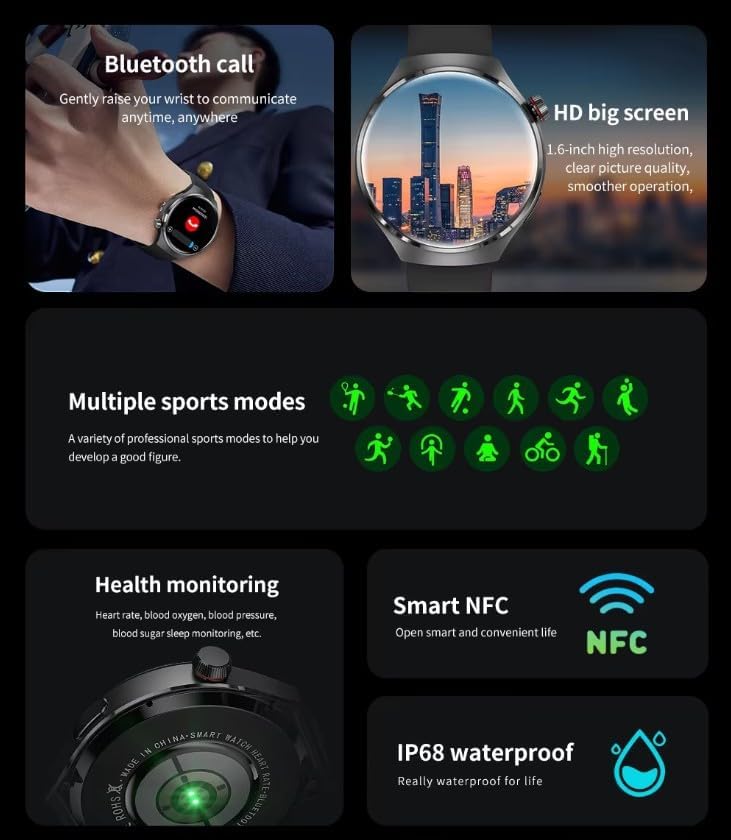
Image: The GUHUAVMI GT4 Pro Smartwatch displaying the AI voice assistant interface, showing exampiti iho o ngā whakahau reo.
3. Waea Nihokikorangi
Once paired with your smartphone, you can make and receive calls directly from your smartwatch.
- Waeatanga: Access the dialer or contacts list on your watch.
- Whiwhi Waea: Whakautuhia, whakakorehia ranei nga waea taumai tika mai i te mata mataara.
4. Te Aroturuki Hauora
The GT4 Pro provides real-time health data to help you monitor your well-being.
- Tere Manawa: Continuous monitoring throughout the day.
- Toto hāora (SpO2): Te ine i o taumata hauhautanga toto.
- Blood Sugar: Provides estimated blood sugar readings.
- Aroturuki Moe: Aroturuki moe stages me te kounga.
View detailed health reports in the companion app.
5. Aroturuki tinana
Track your workouts and daily activity with precision.
- Ngā Aratau Hākinakina Maha: Select from various activities like running, cycling, swimming, and more for accurate data.
- GPS-i roto: Records your route, distance, and pace during outdoor activities.
- Kāpehu: Provides directional guidance for outdoor adventures.

Image: The GUHUAVMI GT4 Pro Smartwatch showcasing icons for NFC, GPS, compass, heart rate, and Bluetooth call, highlighting its comprehensive features.
6. NFC Features
The GT4 Pro supports NFC for convenient interactions.
- Mana Uru: Use your watch for compatible access systems.
- Find My iPhone: Utilize NFC to locate your paired iPhone.
7. Dynamic Island Function
Experience enhanced interactive displays for notifications, music, and charging status.
- Interactive Displays: Smart displays adapt to show relevant information dynamically.
- Whakapai ake OTA: New functional interactive displays may be added through future over-the-air updates.
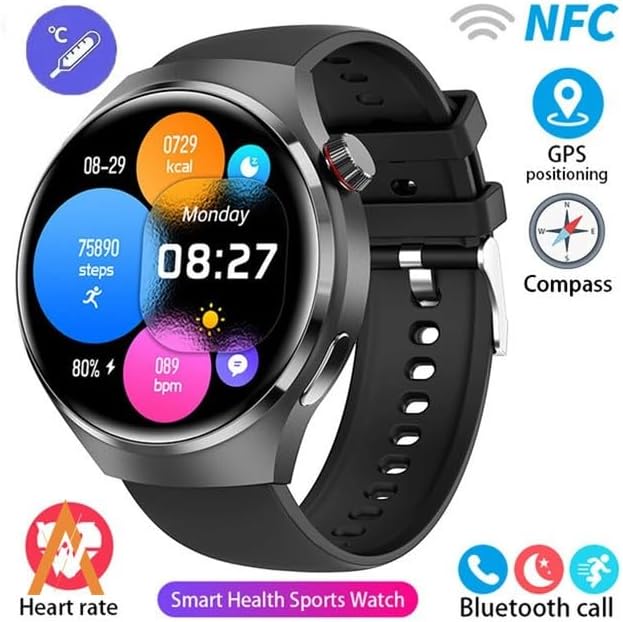
Image: The GUHUAVMI GT4 Pro Smartwatch screen demonstrating the Dynamic Island function, showing notifications and active processes.
8. Other Utility Features
The smartwatch includes several convenient tools:
- Kāmera Mamao: Whakahaerehia te kāmera o tō waea atamai mai i tawhiti.
- Karaka Whakaoho: Whakatakotoria ngā whakaoho tika mai i tō ringaringa.
- Mataaratanga me te Taima: Mō te pupuri i te wā tika.
- Ine inenga: Monitor ambient temperature.
- Multi-Time Zone Settings: Keep track of different time zones.
- Mana Whakahoki Waiata: Manage music on your paired smartphone.
Te tiaki
1. Ātete Wai (IP68)
The GT4 Pro has an IP68 waterproof rating, meaning it is resistant to dust and can withstand immersion in water up to 1.5 meters for 30 minutes. It is suitable for swimming and use in rainy conditions.
- Do not use in hot water, saunas, or steam rooms.
- Avoid exposure to high-velocity water.
- After exposure to water, wipe the watch dry with a soft cloth.
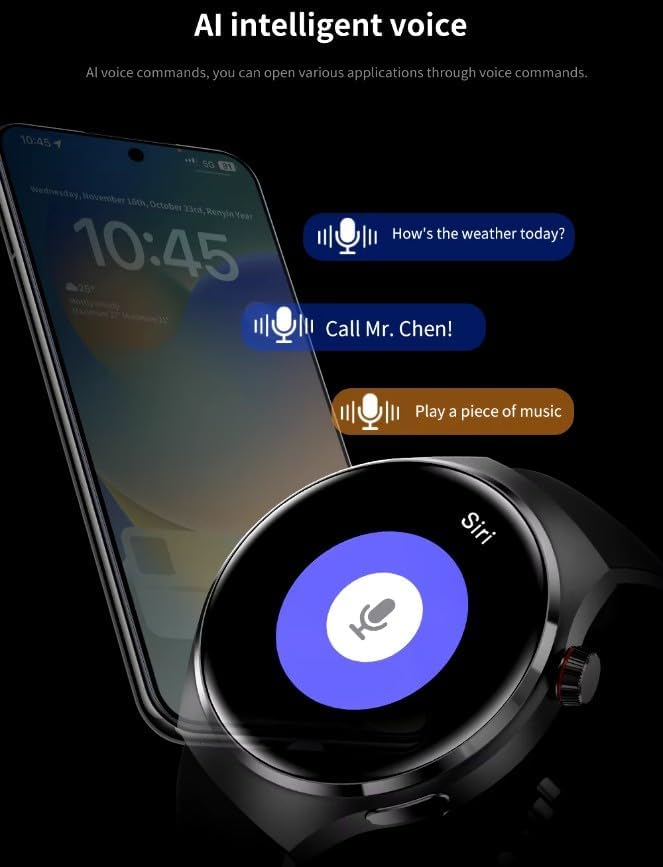
Image: Two GUHUAVMI GT4 Pro Smartwatches shown with water droplets, illustrating their IP68 waterproof capability.
2. Te horoi
Regularly clean your smartwatch to maintain its appearance and sensor accuracy.
- Horoia te mata me te tinana ki te ngohengohe, damp, he kakahu kore.
- Clean the charging contacts and heart rate sensor on the back of the watch to ensure proper function.
- A ape i te whakamahi i nga matū kino, i nga taonga abrasive ranei.
3. Whakahōu Pūmanawa
Periodically check for software updates through the companion app. Updates can provide new features, performance improvements, and bug fixes.
Raparongoā
- Kia mataara kia kaua e huri: Me whakarite kua whakakiia te mataaratanga. Honoa ki te rihi mo te iti rawa 30 meneti.
- Kaore e taea te hono ki te waea atamai:
- Me mohio kei te whakahohea te Nihokikorangi i runga i to waea me te mataaratanga.
- Me mohio kei roto te mataaratanga i to waea.
- Tīmatahia te mataaratanga me to waea.
- Tirohia mēnā kua whakahoutia te taupānga hoa ki te putanga hou rawa.
- Raraunga hauora hē:
- Me whakarite kia mau te wati ki runga i to ringaringa, kia kaua e piri rawa, kia kore rawa ranei.
- Horoia nga pūoko kei muri o te mataaratanga.
- A ape i te korikori nui i te wa e ine ana.
- Ora pūhiko poto:
- Whakaitihia te kanapa o te mata.
- Disable unnecessary notifications or features.
- Whakaitihia te aro turuki i te tere o te ngakau ki te kore e hiahiatia.
Whakatakotoranga
| Āhuahira | Whakaahuatanga |
|---|---|
| Tau tauira | GT4 Pro |
| Whakaatu | 1.6-inch HD AMOLED, 360x360 resolution |
| Hononga | Nihokikorangi 5.0 |
| Whakatauranga parewai | IP68 |
| Te Aroturuki Hauora | Heart Rate, Blood Oxygen, Blood Sugar, Sleep Tracking |
| Aroturuki tinana | Built-in GPS, Compass, Multiple Sports Modes |
| Kaiāwhina reo | AI Voice Assistant Integrated |
| NFC | Supported (e.g., Find My iPhone, Access Control) |
| Momo utu | Ukume Whakatau Ahokore |
| Ora Pūhiko Angamaheni | 5-7 ra |
| Waa Whakatau | Approx. 3 haora |
| Nga Waahanga kei roto | Smartwatch, User Manual, Wireless Charger |
Pūtāhui me te Tautoko
Nga korero Whakaputanga
The GUHUAVMI GT4 Pro Smartwatch comes with a 6-marama whakamana mai i te ra o te hokonga. Ka kapi tenei whakamana i nga hapa hangahanga i raro i te whakamahinga noa. Kaore e kapi i te kino na te whakamahi hee, nga aitua, nga whakarereketanga kore mana, me nga kakahu me nga roimata noa.
Tautoko Kiritaki
If you encounter any issues or have questions regarding your GUHUAVMI GT4 Pro Smartwatch, please refer to the troubleshooting section of this manual. For further assistance, contact your retailer or the manufacturer's customer support channel. Please have your purchase receipt and product model number (GT4 Pro) ready when contacting support.