
Jectse Jectsesikcd0et3w-11
Jectse Digital Camera User Manual
Model: Jectsesikcd0et3w-11
Kupu Whakataki
Mauruuru koe mo te hokoasing the Jectse Digital Camera. This compact and portable camera is designed to capture high-quality photos and videos, offering features such as 5K video resolution, 80MP photo resolution, and 18X digital zoom. This manual provides detailed instructions on how to set up, operate, and maintain your camera to ensure optimal performance and longevity.
Nga korero haumaru
- Kaua e tukuna te kamera ki te wai, ki te makuku nui ranei.
- A ape i te tuku i te kamera, te tuku ranei ki nga paanga kaha.
- Puritia te kāmera kia matara atu i te rā tika me ngā pāmahana tiketike.
- Whakamahia anake te taura utu me te urutau hiko.
- Kaua e ngana ki te wetewete, ki te whakatika rānei i te kāmera māu ake. Whakapā atu ki te ratonga kiritaki mō te āwhina.
- Kaua e taea e nga tamariki iti.
Ihirangi mokete
Tena koa tirohia kei roto katoa nga taonga kei roto i to kete:
- 1 x Jectse Digital Camera
- 1 x Momo-C Uira Kaiha
- 1 x Riki Ringa
- 1 x Pukapuka Kaiwhakamahi
- Note: Small Memory Card is not included.

Image: The Jectse Digital Camera shown alongside its included Type-C charging cable and hand strap, illustrating the complete package contents.
Ka mutu te huaview
Familiarize yourself with the various parts and controls of your Jectse Digital Camera.

Whakaahua: Mua view of the Jectse Digital Camera, highlighting the lens and flash.

Whakaahua: Hoki view of the Jectse Digital Camera, showing the 2.8-inch display screen and control buttons.
Wae matua:
- Arotahi: F/2.2 f=3.83mm wide angle lens with 18X digital zoom capability.
- Kohiko: Kohikohiko-i roto mo nga ahuatanga iti-marama.
- Whakaatu Mata: 2.8-inch screen for framing shots and reviewte ihirangi.
- W/T Key: Used for zooming in (W) and out (T).
- Shutter Key: Press to capture photos or start/stop video recording.
- OK/Mode Button: Confirms selections and switches between modes.
- Patene Tahua: Ka uru ki nga tautuhinga kamera me nga whiringa.
- Pātene DISP: Changes display information on the screen.
- Wāhanga Pūhiko: Houses the built-in 750mAh rechargeable battery.
- Momo-C Port: Mo te utu i te kamera.
- Mokamoka Kaari Pumahara: Supports Small Memory Cards up to 256GB (not included).
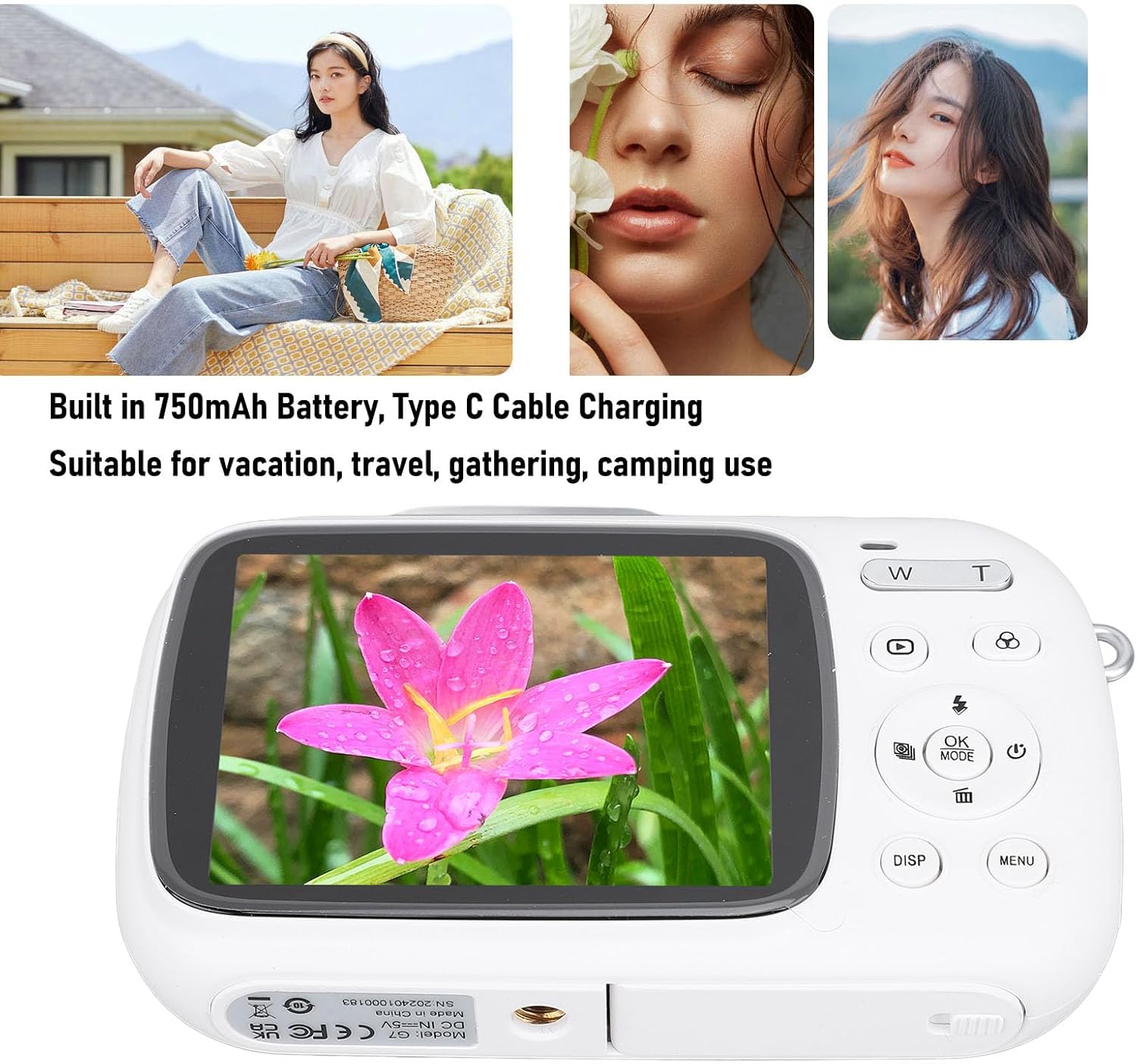
Image: Visual representation of key camera features including 80MP photo pixels, 5K HD video recording, 18X digital zoom, auto focusing, beauty filter, smiling selfie, continuous photo taking, built-in flash, and 2.8-inch display.
Tatūnga
1. Te Whakataki i te Pūhiko
The camera has a built-in 750mAh rechargeable lithium-ion battery. Before first use, ensure the battery is fully charged.
- Connect the provided Type-C charging cable to the camera's Type-C port.
- Honoa te tahi pito o te taura ki te urutau hiko USB (kaore i whakauruhia), ki te tauranga USB rorohiko ranei.
- The charging indicator light will illuminate. Charging typically takes about 3 hours.
- Once fully charged, the indicator light may change or turn off. Disconnect the cable.
2. Te whakauru i te Kaari Mahara
A Small Memory Card (up to 256GB) is required to store photos and videos. It is not included in the package.
- Locate the memory card slot on the side or bottom of the camera.
- Insert the Small Memory Card into the slot with the metal contacts facing the correct direction (refer to the diagram near the slot if available).
- Pēhia mārire te kāri kia pāwhiritia rā anō ki tōna wāhi tika.
- To remove the card, push it in again until it springs out slightly, then pull it out.
3. Te Whakapiri i te Riu Ringa
Attach the included hand strap to prevent accidental drops.
- Thread the thin loop of the hand strap through the strap eyelet on the camera body.
- Pass the larger end of the strap through the loop you just created and pull tight to secure it.
Nga Tohutohu Whakahaere
1. Te Whakakaha/Weto
- To power on, press and hold the Power button (usually marked with a circle and a vertical line).
- Hei whakaweto i te mana, pēhia anō te pātene Mana kia whakaweto rā anō te mata.
2. Tango Whakaahua
- Turn on the camera. It will typically default to photo mode. If not, press the MODE button to switch to photo mode.
- Hangaia he anga mō tō whakaahua mā te whakamahi i te mata whakaatu 2.8-inihi.
- Whakamahia te W/T keys to zoom in or out (18X digital zoom).
- Pehia te Marumaru key halfway down to focus (if applicable).
- Pehia te Marumaru key fully down to capture the 80MP photo.
3. Hopu Ataata
- Turn on the camera. Press the MODE pātene hei huri ki te aratau tuhi ataata.
- Frame your video using the display screen.
- Pehia te Marumaru key to start recording 5K video. A recording indicator will appear on the screen.
- Pehia te Marumaru kī ano kia mutu te tuhi.
4. Using Special Functions
The camera offers several creative functions:
- Continuous Photography: Allows you to take multiple photos in quick succession. Access this setting via the MENU.
- Time Lapse Photography: Captures images at set intervals to create a time-lapse video. Configure in MENU.
- Ataata Ataata: Records video in segments, overwriting older footage when the memory card is full. Useful for continuous recording.
- Raina tito: Displays grid lines on the screen to help with framing and composition. Toggle with MAHI button or in MENU.
- Ahurangi kanohi: Automatically detects and focuses on faces in the frame. Enable/disable in MENU tautuhinga.
- Hiko-i roto: The flash will automatically activate in low-light conditions or can be manually controlled via the flash button or MENU.
5. Whakahoki me te Review
- Pehia te Whakahoki pātene (e tohuhia ana e te ata tapatoru) hei tomo ki te aratau purei.
- Whakamahia nga paatene ahunga ki te whakatere i o whakaahua me o ataata.
- Perehi OK ki view a video or zoom into a photo.
- Pehia te Whakahoki pēhi anō i te pātene hei puta atu i te aratau purei.
Te tiaki
Te horoi i te kamera
- Use a soft, lint-free cloth to wipe the camera body. Do not use liquid cleaners or solvents.
- For the lens and screen, use a specialized lens cleaning cloth or air blower to remove dust. Avoid touching the lens directly with your fingers.
- Me whakaweto te kāmera i mua i te horoinga.
Rokiroki
- Whakaorangia te kaamera ki te waahi makariri, maroke atu i te ra tika me te wera nui.
- Mena kei te rongoa mo te wa roa, me mohio kei te whakakiia te pākahiko (tata ki te 50%) ka whakakiia ia marama kia mau tonu te hauora o te pākahiko.
Raparongoā
| Raruraru | Te Take Taea / Rongoa |
|---|---|
| Karekau te kamera i te hiko. |
|
| Kāore e taea te tango whakaahua/te tuhi ataata. |
|
| Ko nga whakaahua kei te rangirua. |
|
| He poto te ora o te pākahiko. |
|
Whakatakotoranga
| Āhuahira | Taipitopito |
|---|---|
| Rauemi Hua | ABS |
| Whakatau Ataata | 5K (Maximum), 15FPS |
| Whakataunga Whakaahua | 80MP (Maximum) |
| Arotahi | F/2.2 f=3.83mm Wide Angle Lens |
| Huringa Mamati | 18X |
| Whakaatu Mata | 2.8 inihi |
| Rokiroki | Small Memory Card, up to 256GB (not included) |
| Pūhiko | 750mAh Lithium Ion Battery (built-in) |
| Tauranga Whakatau | Momo-C |
| Waa Whakatau | Approx. 3 haora |
| Te Taoretanga | Approx. 2 hours (usage dependent) |
| Taumaha Tūemi | 9.1 hekere |
| Tau tauira | Jectsesikcd0et3w-11 |
Pūtāhui me te Tautoko
Jectse products are manufactured to the highest quality standards. For information regarding warranty coverage, technical support, or service inquiries, please refer to the contact information provided with your purchase or visit the official Jectse webpae.
Tena koa pupurihia to tohu mo te hoko mo nga kereme whakamana.
Ask a question about this manual
Ask about setup, troubleshooting, compatibility, parts, safety, or missing instructions. Manuals+ will review the question and use this page’s manual context to help answer it.