
1. Aratohu Tatūnga
1.1 Ihirangi mokete
I mua i to tiimata, whakarite kei roto katoa nga taonga i to kete:
- Waeine turanga
- 3 Pukoro Ahokore
- 3 Pūurutau AC
- Waea Waea Waea
- 3 NiMH Batteries
- Taiapa-Maunga
- Abridged User’s Manual
- Aratohu Timata Tere

Image: The VTech CS5329-3 cordless phone system, showing the main base unit and three cordless handsets with their charging cradles.
1.2 Tāuta Pūhiko
Each cordless handset requires a NiMH battery for operation. To install:
- Whakatuwheratia te uhi o te wahanga pākahiko kei muri o te ringaringa.
- Honoa mau te mono o te pākahiko ki te hononga i roto i te wāhanga.
- Whakanohoia te putea pākahiko ki roto i te waahanga.
- Katia te uhi o te wahanga pākahiko.
1.3 Te Hononga i te Waeine Turanga
Connect the base unit to your telephone line and a power outlet:
- Monohia tetahi pito o te taura waea ki te hononga TEL LINE kei muri o te waeine turanga.
- Monohia tetahi pito o te taura waea ki roto i te hononga waea i te pakitara.
- Monohia te pito iti o te urutau AC ki te hononga POWER kei muri o te waeine turanga.
- Plug the large end of the AC adapter into a wall outlet not controlled by a wall switch.
1.4 Handset Charging
Place each handset in its respective charging cradle or the main base unit. The handsets will begin charging automatically. Allow at least 10-12 hours for the initial charge before first use to ensure optimal battery performance.
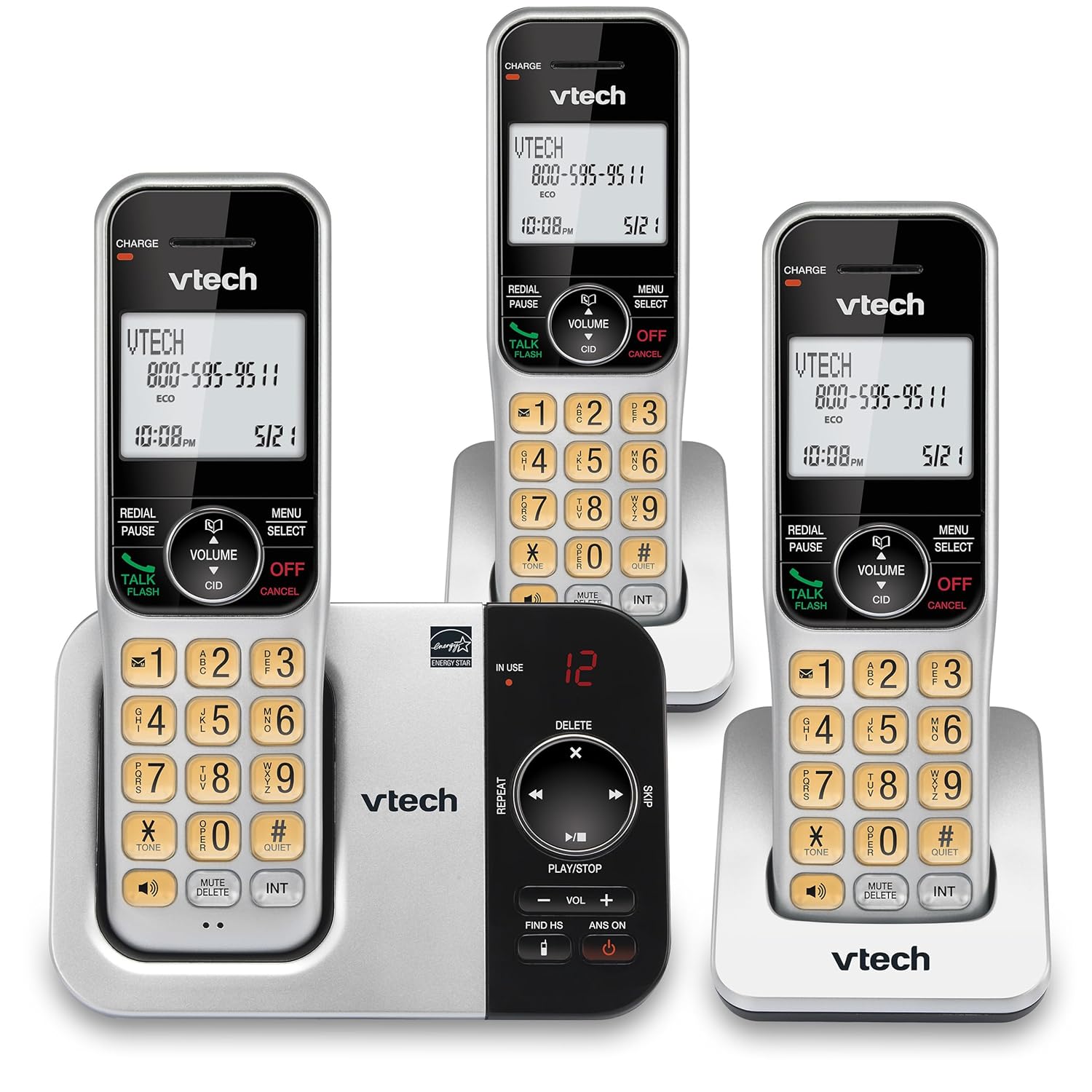
Whakaahua: He huarahi kē atu view of the VTech CS5329-3 phone system, highlighting the compact design of the handsets and charging cradles.
2. Nga Tohutohu Whakahaere
2.1 Te Waea me te Whiwhi Waea
Hei waea, pehia te KORERO / MAHI button, then dial the number. To receive a call, simply lift the handset from the cradle or press any key (except WHAKATOA/Whakakore).
2.2 Punaha Whakautu Mamati
The integrated digital answering system offers up to 23 minutes of recording time for incoming messages, announcements, and memos. You can play back messages directly from the base unit or any handset. The lighted display on the handset indicates the number of new messages waiting.
2.3 Full Duplex Speakerphone
Enjoy clear, natural conversations with the full-duplex handset speakerphone. This feature allows both parties to speak and be heard simultaneously, enhancing call quality and participation.
2.4 Kaiwaea ID
Caller ID entries are displayed on the large, backlit LCD screen of the handset, making it easy to identify callers even in low-light conditions. The screen provides high-contrast text for readability.
2.5 Call Block
Effectively manage unwanted calls by utilizing the Call Block feature. You can input and/or save up to 150 names and numbers in the call block directory to prevent them from ringing through.
2.6 Te Whakawhanui
The VTech CS5329-3 system is expandable up to 5 handsets using only one phone jack. Additional CS5309 accessory handsets (sold separately) can be placed anywhere in your home or office near an outlet, providing flexible and convenient communication throughout your space.

Image: Another perspective of the VTech CS5329-3 phone system, showcasing the sleek design and keypad layout of the handsets.
3. Tiaki
3.1 Te horoi i tō waea
Horoia te waea me te waeine turanga ki te wai ngohengohe, paku mākūkū.amp kakahu. Kaua e whakamahia he rehu horoi, he matū kino rānei, nā te mea ka kino pea te whakaotinga, ngā wāhanga hiko rānei.
3.2 Tiaki Pūhiko
To maintain optimal battery life, ensure handsets are placed on their charging cradles when not in use. Avoid exposing batteries to extreme temperatures.
4. Te Raru
If you experience issues with your VTech CS5329-3 phone system, try the following common troubleshooting steps:
- Kore oro Waea: Ensure the telephone line cord is securely connected to both the base unit and the wall jack. Check if other phones in your home have a dial tone.
- Kore Mana: Verify that the AC adapter is properly plugged into the base unit and a working electrical outlet.
- Kounga oro kino: Neke atu ki te waeine turanga. Kia tino mohio kāore he mea whakarewa nunui, he taputapu hiko rānei e whakararuraru ana i te tohu.
- Karekau te Pukoro i te utu: Make sure the handset is properly seated in the charging cradle and the charging contacts are clean.
- Answering System Not Recording: Check the recording time available. Ensure the answering system is turned ON.
For more detailed troubleshooting, refer to the Abridged User’s Manual included in your package.
5. Whakatakotoranga
| Āhuahira | Taipitopito |
|---|---|
| Hunga Hua | 5.54 x 7.31 x 2.99 inihi; 2.36 Pauna |
| Tauira Tuemi | CS5329-3 |
| Pūhiko | 3 pākahiko AAA e hiahiatia ana. (kei roto) |
| Kaihanga | VTech |
| Tae | Hiriwa/ Pango |
| Momo Waea | Ahokore |
| Rauemi | Kirihou |
| Puna Mana | Hiko Hiko |
| Momo Pūnaha Whakautu | Mamati |
| Taumaha Tūemi | 1.07 Kirokaramu |
| Pūrere Hototahi | PSTN Landline Connections |
6. Pūtāhui me te Tautoko
Your VTech CS5329-3 Cordless Phone System is covered by a manufacturer's warranty. Please refer to the warranty information provided in your Abridged User’s Manual for specific terms and conditions.
For technical support, product registration, or to purchase additional accessories, please visit the official VTech website or contact their customer service. Contact details can typically be found in your product documentation or on the VTech brand store page.
Mo etahi atu korero, ka toro atu koe ki te Toa VTech i runga i a Amazon.