
1. Kupu Whakataki
Mauruuru koe mo te hokoasing the HelloBaby HB6351Plus-2 Video Baby Monitor. This monitor is designed to provide a secure and reliable way to keep an eye on your baby, offering advanced features such as a large IPS screen, split-screen viewing, two-way audio, and night vision. This manual will guide you through the setup, operation, and maintenance of your new baby monitor.
For optimal performance and safety, please read this manual thoroughly before use and retain it for future reference.
2. Nga Korero Haumaru Nui
- Pūmate Kakaina: Keep all cords out of reach of children. Never place the camera or cords within 3 feet (1 meter) of the crib or playpen.
- Pūmate Koowao: Kei roto i tenei hua nga waahanga iti. Kaua e taea e nga tamariki.
- Puranga Wera: Do not place the monitor or camera near heat sources such as radiators, heat registers, stoves, or other appliances that produce heat.
- Te wai me te makuku: Kaua e tukua te hua ki te ua, ki te makuku rānei. Kaua e whakamahia ki te taha o te wai (hei tauira, te kaukau, te totohu).
- Puna Hiko: Use only the AC power adapters provided. Using other adapters may damage the product.
- Whakahau: Kaua e ārai i ngā pūaha hau. Me whakarite kia tika te rere o te hau huri noa i ngā waeine.
- pokanoa: This product operates on 2.4GHz frequency. Keep away from other 2.4GHz devices (e.g., Wi-Fi routers, microwaves) to avoid interference.
3. Ihirangi mokete
Tena koa tirohia nga ihirangi o te kete kia mohio kei te noho katoa nga taonga:
- Waeine Matua (Aroturuki)
- Baby Units (Cameras) x 2
- Power Adapters x 3 (one for monitor, two for cameras)
- Pukapuka Kaiwhakamahi
4. Hua Neke Atuview
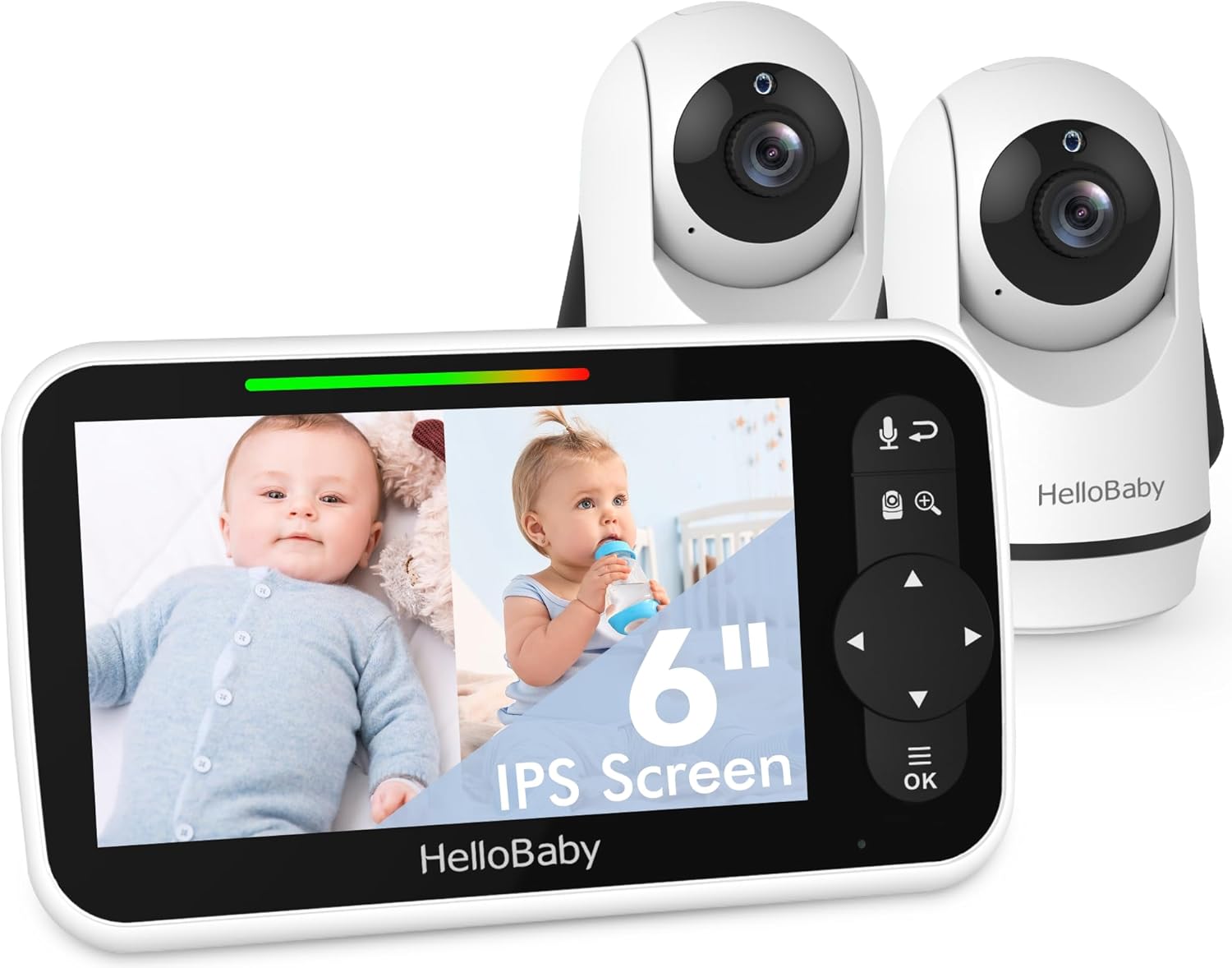
The HelloBaby HB6351Plus-2 Video Baby Monitor system, featuring the parent unit (monitor) and two baby units (cameras).
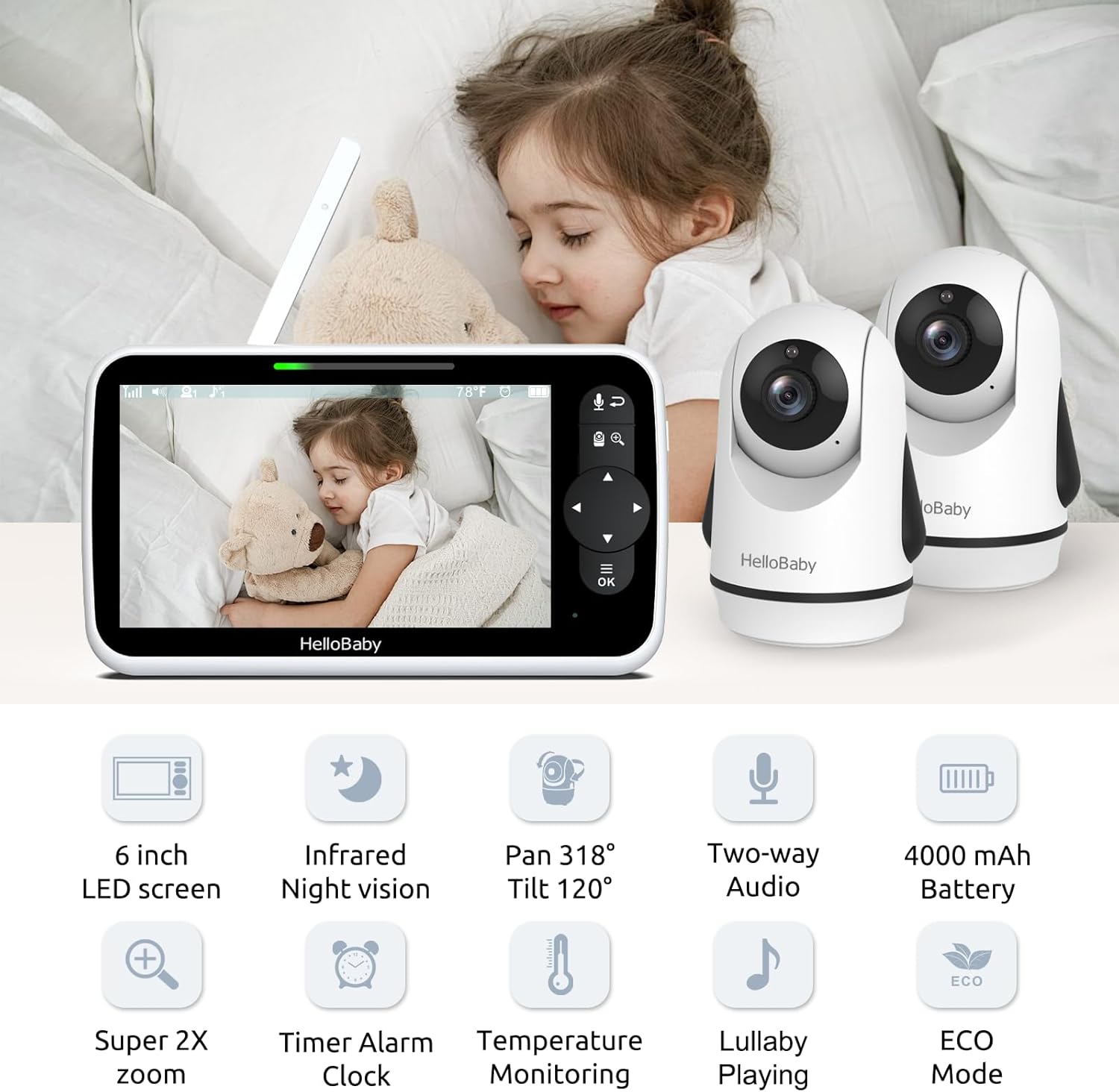
Ka mutuview of the monitor and camera features, including the 6-inch IPS screen, infrared night vision, pan/tilt/zoom capabilities, two-way audio, and 4000mAh battery.
4.1 Waeine Matua (Aroturuki)
- Mata IPS 6-inihi: Provides a clear and wide viewkoki.
- Patene Mana: For navigation, menu access, zoom, and two-way talk.
- Antenna: For wireless signal reception.
- Pūorooro me te Kaikōrero: Mo te whakawhitiwhiti korero oro-rua.
- Tohu Pūhiko: Ka whakaatu i te taumata pākahiko o naianei.
4.2 Waeine Pepe (Kamera)
- Arotahi kāmera: Ka hopu i te whāngai ataata.
- Nga LED Infrared: Mō te mahi a te tirohanga pō.
- Pūorooro me te Kaikōrero: For two-way audio and lullaby playback.
- Pūoko pāmahana: Monitors room temperature.
- Pan/Tilt Motor: Allows remote adjustment of camera angle.
5. Tatūnga
5.1 Te Whakataki i te Waeine Matua
Before first use, fully charge the parent unit for approximately 8 hours. Connect the small end of the power adapter to the parent unit's charging port and the other end to a power outlet. The battery indicator will show charging status.
5.2 Powering the Baby Units
Connect the small end of each camera's power adapter to the camera's power port and the other end to a power outlet. The camera will automatically power on.
5.3 Te Whakanohonga Kaimera
Position the baby unit(s) in a location that provides the best view of your baby. Ensure the camera is at least 3 feet (1 meter) away from the crib to prevent cord entanglement. The cameras can be placed on a flat surface, mounted on a wall, or attached using a bracket.

Flexible camera placement options: on a wall, on a table, or using a bracket for optimal viewing.
5.4 Te Hononga (Kua Hononga-mua)
Your HelloBaby monitor and cameras are pre-paired at the factory. Simply power on both units, and they should connect automatically. If you need to re-pair or add additional cameras, refer to the 'Add Camera' section in the monitor's menu.
6. Nga Tohutohu Whakahaere
6.1 Hiko / Whakaweto
- Waeine Matua: Press and hold the Power button until the screen turns on/off.
- Waeine Pepe: The camera powers on automatically when connected to power. Disconnect from power to turn off.
6.2 Ngā Āhuatanga Mata

The 6-inch IPS large screen provides a spacious and clear view for monitoring your baby.
The 6-inch IPS screen offers a wide viewing angle and clear image quality. Navigate through menus and options using the directional pad and OK button on the parent unit.
6.3 Mahi Wehewehe Mata
With two cameras, you can view both feeds simultaneously on the parent unit's screen. This feature is ideal for monitoring multiple children or different areas of a room.

The split screen function allows simultaneous viewing of two camera feeds on the monitor.
To activate split screen, access the menu and select the split screen option. You can also switch between cameras in single-view mode or use the loop mode to cycle through camera views.

Visual representation of split screen and loop modes for multi-camera monitoring.
6.4 Korero Rua-Waahi
The two-way talk feature allows you to communicate with your baby remotely. Press and hold the microphone button on the parent unit to speak, and release it to listen.

Engage with your baby using the two-way talk feature, allowing for remote communication.
6.5 Tirohanga Pō Whero
The camera automatically activates infrared night vision in low-light conditions, providing a clear black-and-white image of your baby, even in complete darkness.

Day and night vision capabilities ensure clear monitoring in all lighting conditions.
6.6 Pan-Tītaha-Whakanui Mamao (PTZ)
Use the directional buttons on the parent unit to remotely pan (318° horizontally) and tilt (120° vertically) the camera lens. The zoom function allows you to get a closer look at your baby.

The camera offers an all-round field of view with 318° pan and 120° tilt functionality.
6.7 Te Aroturuki Te Pawera
The baby unit includes a temperature sensor that displays the room temperature on the parent unit. You can set alerts for temperatures outside a desired range.

Monitor room temperature and play lullabies to soothe your baby.
6.8 Whakatangitangitangi
Select from a variety of pre-programmed lullabies to soothe your baby to sleep. Access this feature through the parent unit's menu.
6.9 Timer Alarm Clock
Set reminders for feeding times, diaper changes, or naps using the built-in timer alarm clock feature.

The timer alarm clock helps you manage feeding and nap schedules.
6.10 Aratau ECO me te Ora o te Pūhiko
The monitor features an ECO mode to conserve battery life. In ECO mode, the screen turns off and audio is muted when no sound is detected, reactivating when sound is picked up. The 4000mAh battery provides up to 18 hours in screen-on mode and 35 hours in ECO mode.

Energy-efficient design with 4000mAh battery, offering extended battery life in ECO mode.
7. Tiaki
- Te horoi: Use a soft, dry cloth to clean the surfaces of the monitor and cameras. Do not use abrasive cleaners or solvents.
- Rokiroki: If storing the product for an extended period, ensure both units are fully charged and then powered off. Store in a cool, dry place.
- Tiaki Pūhiko: To prolong battery life, avoid fully discharging the parent unit frequently. Charge it regularly.
8. Te Raru
| Raruraru | Take pea | Rongoā |
|---|---|---|
| No picture/sound on parent unit | Units are not powered on or connected. Out of range. Battery low. | Ensure both units are powered and connected to adapters. Move parent unit closer to baby unit. Charge parent unit. |
| Picture frozen or signal loss (shows 'X') | Out of range. Interference from other devices. | Move parent unit closer to baby unit. Relocate units away from other 2.4GHz devices (Wi-Fi routers, microwaves). Restart both units. |
| Karekau he oro, he oro mokowhiti ranei | Volume too low. ECO mode active. Out of range. | Increase parent unit volume. Adjust ECO mode sensitivity or disable it. Move units closer. |
| Poor picture quality/Night vision unclear | Lens is dirty. Insufficient light for color mode. | Clean camera lens with a soft cloth. Ensure room is dark enough for night vision to activate properly. |
| Ka tere te heke o te pākahiko wae matua | Constant screen-on use. Old battery. | Utilize ECO mode. Ensure full charge before use. If battery life significantly degrades, consider battery replacement. |
9. Whakatakotoranga
- Tauira: HB6351Plus-2
- Rahi Mata: 6-inihi IPS
- Hangarau Whakawhitiwhiti Ahokore: 2.4GHz FHSS
- Battery (Parent Unit): 4000mAh (P76 batteries included)
- Taumaha Tūemi: 2.31 pauna (1.05 Kirokaramu)
- Ahu mōkihi: 9.61 x 5.31 x 4.37 inihi
- Tae: Mā
- Nga waahanga motuhake: 2-Way Audio, Cry Detection, Night Vision, PTZ Technology, Portable
- Whakamahinga o roto/waho: Roto, Waho
- UPC: 190282014908
10. Pūtāhui me te Tautoko
HelloBaby products are designed and manufactured to the highest quality standards. For warranty information or technical support, please refer to the warranty card included with your product or visit the official HelloBaby website. You may also contact customer service through the retailer where the product was purchased.
Mo etahi atu awhina, tirohia te HelloBaby Store on Amazon.