
MILAGROW iMap 15 AI Plus
MILAGROW iMap 15 AI Plus Robotic Vacuum Cleaner
User Manual - Model: iMap 15 AI Plus
Kupu Whakataki
Welcome to the user manual for your MILAGROW iMap 15 AI Plus Robotic Vacuum Cleaner. This advanced device combines powerful suction, intelligent navigation, and a unique convertible function to provide a comprehensive cleaning solution for your home. Please read this manual thoroughly before operating the robot to ensure proper usage, maintenance, and to maximize its performance and lifespan.

Image: The MILAGROW iMap 15 AI Plus robotic vacuum cleaner, its self-empty dustbin, and various cleaning accessories including a hose pipe and crevice nozzle.
He aha kei roto i te Pouaka
I te wetewete pouaka, tirohia koa kei reira nga waahanga katoa kei raro nei:
- Wāhanga Rōpoti Matua
- Convertible Self-empty Dustbin Charging Station
- Mopping Attachment with 1 Microfiber mop (installed)
- Paraihe horoi
- 3 Dust bags (1 installed + 2 extra)
- 5" Long Hose Pipe and Crevice Nozzle
- 2 Paraihe Taha
- Rolling Main Brush
- HEPA Filter (1 installed + 1 extra)
- Pukapuka Tohutohu
- Installed Dustbin & Water Tank
Aratohu Tatūnga
- Te Wetewete me te Whakanoho: Carefully remove all packaging materials. Place the self-empty dustbin charging station against a wall in an open area, ensuring there are no obstacles within 1 meter to the sides and 1.5 meters in front. Connect the power cord to the station and plug it into a power outlet.
- Whakataunga Tuatahi: Place the robot onto the charging station. Ensure the charging contacts on the robot align with those on the station. The robot will begin charging automatically. For first use, fully charge the robot (approximately 4 hours).
- Tāuta Paraihe Taha: Press the left and right side brushes into their respective slots on the bottom of the robot until they click into place.
- Hononga Taupānga: Download the "Smart Life" app from your mobile device's app store. Follow the in-app instructions to connect your MILAGROW iMap 15 AI Plus. This will enable remote control, scheduling, and access to advanced features.
- Water Tank and Mopping Cloth (for Mopping): Fill the water tank with clean water. Attach the microfiber mopping cloth securely to the mopping attachment. Slide the assembled water tank and mopping attachment into the designated slot at the rear of the robot.

Image: Diagram illustrating the self-empty dustbin mechanism, showing automatic dust collection into a large 3.5-liter dust bag for up to 90 days of hands-free cleaning.
Nga Tohutohu Whakahaere
Your MILAGROW iMap 15 AI Plus offers various cleaning modes and smart features for efficient home cleaning.
Aratau Horoi:
- Whakapai Aunoa: Press the power button on the robot or select "Auto" in the app. The robot will intelligently map and clean your home using its LiDAR navigation.
- Te Wahi Ma: Place the robot in a specific dirty area and select "Spot Clean" in the app. The robot will clean in a concentrated spiral pattern.
- Tapa ma: Select "Edge Clean" in the app. The robot will clean along the perimeter of your rooms.
Āhuahira atamai:
- Te Whakatere me te Mahere LiDAR: The RT2R 3.0 LiDAR technology allows the robot to quickly map your home (in approximately 10 minutes) and navigate precisely, avoiding obstacles and providing real-time updates on cleaned areas via the app. It supports multi-floor mapping for up to 5 floors.
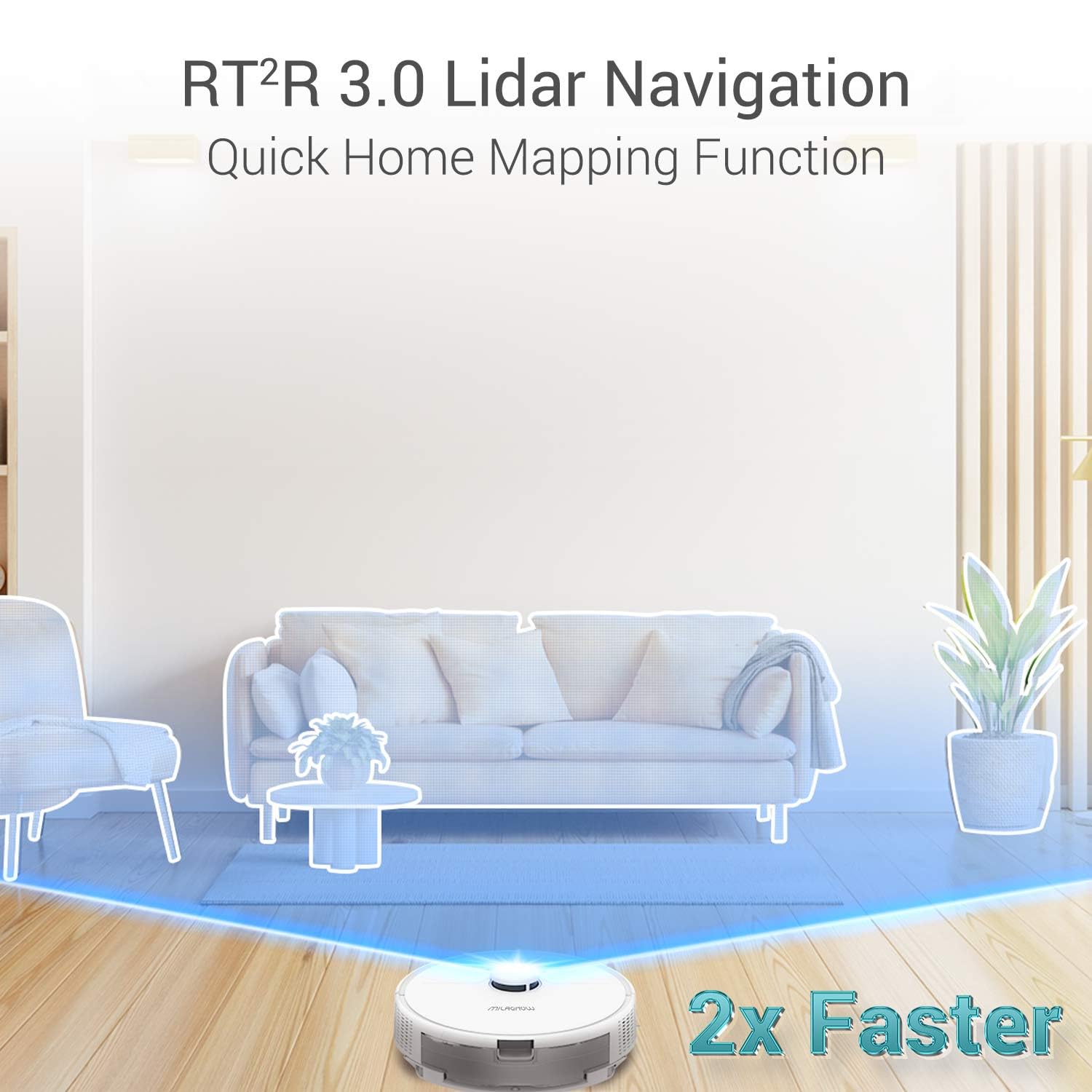
Image: The robotic vacuum cleaner utilizing RT2R 3.0 LiDAR navigation for quick and precise home mapping, indicating 2x faster mapping capabilities.
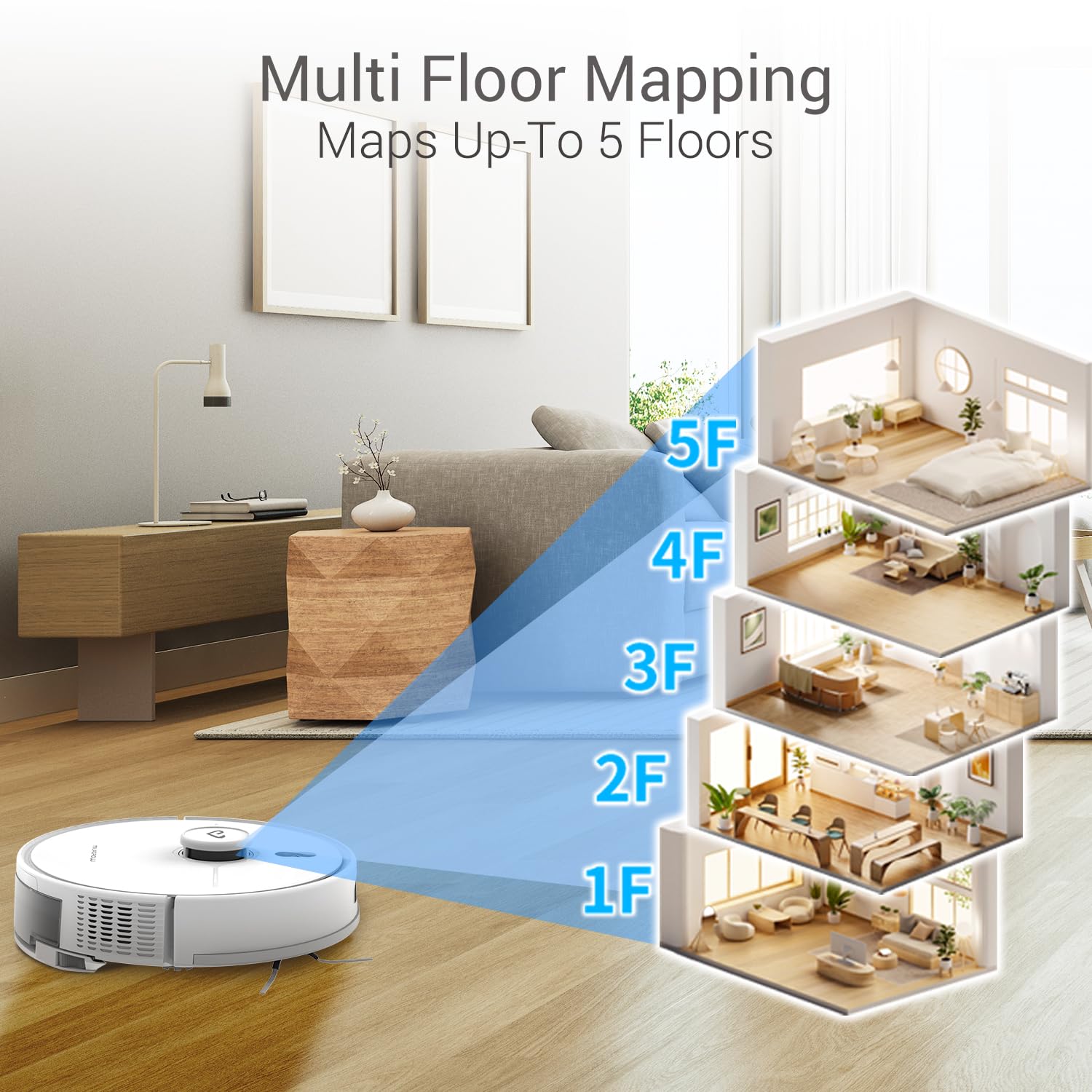
Image: Illustration of the MILAGROW iMap 15 AI Plus's multi-floor mapping capability, showing it can map up to 5 different floor plans.
- Mana Taupānga: Use the Smart Life app to adjust suction power, water flow, select cleaning modes, set schedules, define no-go zones, and monitor cleaning progress.
- Mana Reo: The robot is compatible with Amazon Alexa and Google Home. Link your device through the respective apps to control the robot with voice commands. The robot also speaks 6 Indian languages for commands.
- Convertible Function: The dust collector station can be detached and converted into a portable handheld vacuum using the included 5" long flexible hose pipe and crevice nozzle. This allows for manual cleaning of sofas, upholstery, window corners, and other hard-to-reach areas.

Image: Demonstrating the freely convertible function of the MILAGROW iMap 15 AI Plus, showing the self-empty dustbin transforming into a handheld vacuum with a 5-inch hose pipe for cleaning furniture.
- Momo Kaha: The brushless motor provides 10000Pa suction, effectively removing dust, debris, pet hair, and crumbs from various surfaces.

Image: Visual representation of the MILAGROW iMap 15 AI Plus's 10000Pa suction power, showing it effectively collecting various types of debris like dust, pet hair, and crumbs from the floor.
- Roa te Ora o te Pūhiko: Equipped with a 5200 mAh EV Grade battery, the robot can run for up to 260 minutes, covering up to 4000 sqft on a single charge. It automatically returns to the charging station when the battery is low and resumes cleaning once recharged.
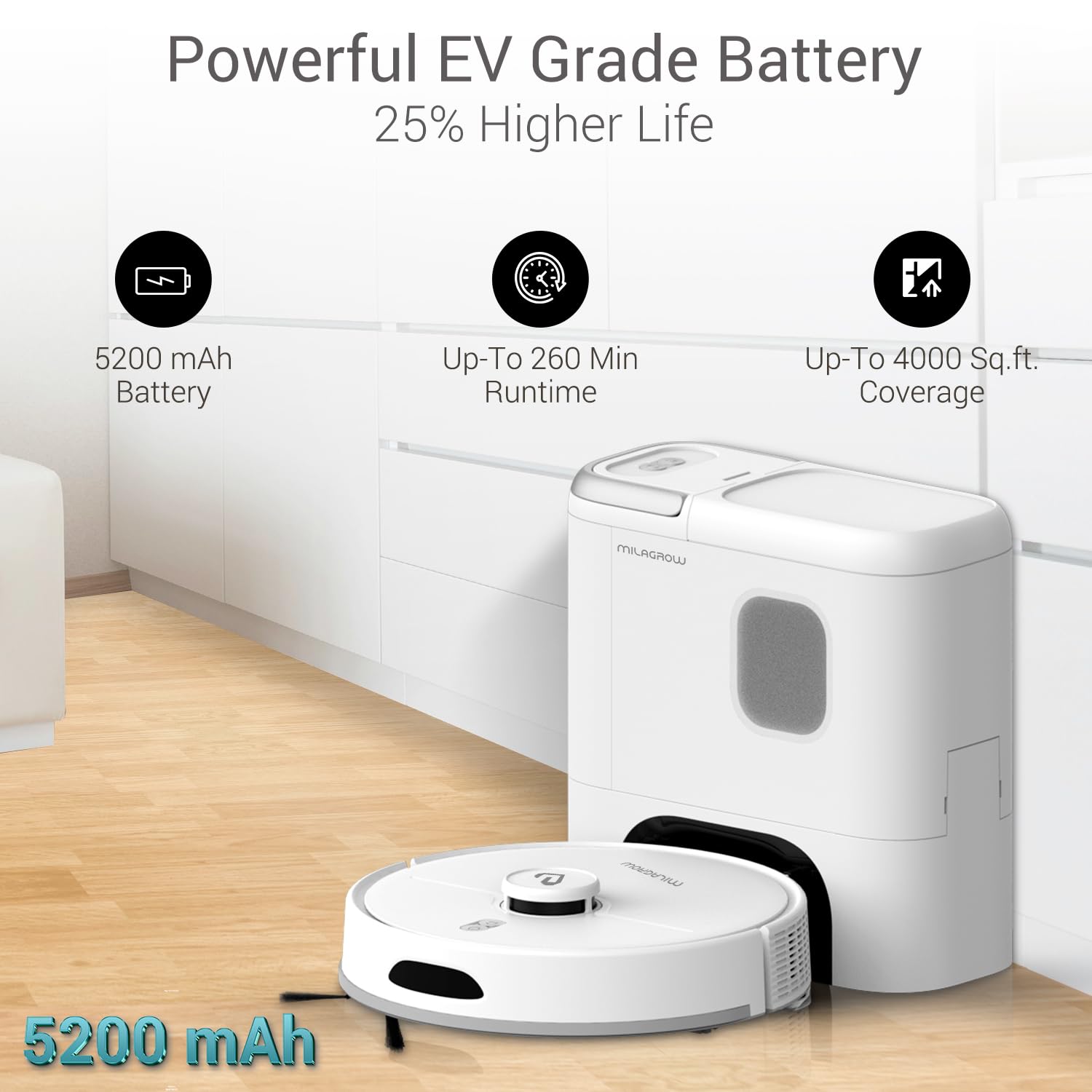
Image: Infographic highlighting the powerful EV Grade 5200 mAh battery of the MILAGROW iMap 15 AI Plus, offering up to 260 minutes runtime and covering up to 4000 sq.ft.
Te tiaki
Mā te tiaki auau ka tino pai te mahi, ā, ka roa ake te ora o tō horoi korehau karetao.
Ia Ra/I muri i ia Whakamahinga:
- Putua Puehu Putua: Although the self-empty dustbin can hold up to 90 days of debris, it is recommended to check the robot's internal dustbin and empty it if necessary, especially after heavy cleaning sessions.
- Clean Main Brush: Tangohia te paraihe matua, ka whakamahi i te taputapu horoi hei tapahi me te tango i ngā huruhuru me ngā paru kua raranga.

Image: Close-up of the MILAGROW iMap 15 AI Plus's upgraded Gen2 main brush, indicating 20% better performance in cleaning.
- Paraihe Taha Ma: Remove and clean any hair or debris from the side brushes.
- Clean Mopping Cloth: If used, remove the mopping cloth and wash it thoroughly.
Ia Wiki/Ia Rua Wiki:
- Tātari HEPA Horoi: Tap the HEPA filter gently to remove dust. Do not wash with water. Replace the filter every 3-6 months depending on usage. The HEPA 13 filter captures 99.97% of PM particles down to 0.3 microns.
- Pūoko Ma: Wipe the cliff sensors, wall sensors, and charging contacts on both the robot and the charging station with a clean, dry cloth.
Raparongoā
If you encounter issues with your MILAGROW iMap 15 AI Plus, refer to the following common problems and solutions. The robot's 6th sense also provides self-diagnosis capabilities, identifying malfunctions.
| Raruraru | Take pea | Rongoā |
|---|---|---|
| Karekau te karetao e utu. | Charging contacts are dirty or misaligned. Power cord is disconnected. | Clean charging contacts on both robot and station. Ensure power cord is securely plugged in. Reposition robot on station. |
| Ka mau te karetao i nga wa maha. | Obstacles (cables, rugs, small objects). Sensors are dirty. | Whakawāteahia ngā arai i te wāhi horoi. Horoia ngā pūoko katoa. |
| He ngoikore te mana momi. | Dustbin is full. Filter is clogged. Main brush is tangled. | Empty the dustbin. Clean or replace the HEPA filter. Clean the main brush. |
| Robot does not connect to Wi-Fi/App. | Incorrect Wi-Fi password. Router issues. Robot too far from router. | Verify Wi-Fi password. Restart router and robot. Move robot closer to router during setup. Ensure 2.4GHz network is used. |
| Mopping function is not working. | Water tank is empty. Mopping cloth is not properly attached. | Fill the water tank. Ensure mopping cloth is securely attached. |
For persistent issues or error messages not listed here, please refer to the "Warranty and Support" section for contact information.
Whakatakotoranga
| Āhuahira | Taipitopito |
|---|---|
| Waitohu | MILAGROW |
| Ingoa Tauira | iMap 15 AI Plus |
| Nga waahanga motuhake | 5" Hose Pipe, 6 Indian Languages Robotic Commands, Wet & Dry Cleaning, LiDAR Navigation, Multi-Floor Mapping, 3.5 L Quick Self-Emptying, Convertible Robotic Vacuum |
| Tae | Mā |
| Hunga Hua | 10L x 33W x 10H Henemita |
| Nga Waahanga kei roto | Mopping Attachment with 1 Microfiber mop Installed, Cleaning Brush, Convertible Self-empty Dustbin Charging Station with 3 Dust bags 1 Installed + 2 Extra, 5" Long Hose Pipe and Crevice Nozzle, 2 Side Brush, Rolling Main Brush, HEPA Filter 1 Installed +1 Extra, Instruction Manual, Main Robot Unit, Installed Dustbin & Water Tank |
| Momo Tātari | HEPA (HEPA 13) |
| Ora Pūhiko | Up to 4 Hours (260 Minutes) |
| Puna Mana | Pūhiko Powered |
| Pūrere Hototahi | Waea atamai, Amazon Echo, Papa, Google Home |
| Tauwehe Puka | Karetao |
| UPC | 663992590630 |
| Kaihanga | Pyramis Lifestyle India Pvt Ltd |
| Taumaha Tūemi | 3 kg 370 g |
Pūtāhui me te Tautoko
Your MILAGROW iMap 15 AI Plus Robotic Vacuum Cleaner comes with a 1-Tau Pūtāhui mai i te ra o te hokonga.
For any product-related queries, technical assistance, or warranty claims, please contact MILAGROW customer support:
- Toll Free Helpline: 9910019853
- Awhina: 011-49099819
- Ī-mēra: customercare@milagrow.in
Support is available Monday to Saturday, 9:30 am to 6:30 pm. MILAGROW offers a Pan India Service Network.

Image: MILAGROW's Pan India Service Network map with customer support contact details, including helpline numbers and email address.
Ask a question about this manual
Ask about setup, troubleshooting, compatibility, parts, safety, or missing instructions. Manuals+ will review the question and use this page’s manual context to help answer it.