
Sena SURGE-MBGB00L3
Sena Surge Mesh Intercom Enabled Open Face Smart Motorcycle Helmet Instruction Manual
Model: SURGE-MBGB00L3
Kupu Whakataki
The Sena Surge is a cutting-edge open-face smart helmet that combines retro styling with modern communication technology. It features an integrated communication system, HD speakers, and a microphone to keep riders connected. This manual provides essential information for setting up, operating, and maintaining your Sena Surge helmet.
Nga korero haumaru
The Sena Surge helmet complies with Federal Motor Vehicle Safety Standard 218 (FMVSS 218) and is DOT certified. Always ensure the helmet is properly fitted and secured before riding.

Image: Sena Surge Open Face Smart Motorcycle Helmet in Matte Black. This image displays the helmet's sleek design and integrated communication unit.
Ihirangi mokete
- Sena Surge Helmet
- Pukoro
- Cheek Pads
- Raina Upoko
- Neckroll
- Short Visor
- USB-C taura
- Kapu Taringa

Image: The Sena Surge helmet displayed with its various accessories, including the pouch, USB-C cable, and ear cups.
Tatūnga
Measuring for Correct Fit
To ensure optimal safety and comfort, it is crucial to select the correct helmet size. Measure your head circumference and refer to the size guide below.
Video: This video demonstrates how to properly measure your head to find the correct Sena helmet size, ensuring a snug and safe fit.
| Rahi | Porowhita mahunga (in) | Rahi Pōtae (inihi) |
|---|---|---|
| Iti | 21.6 - 22 | 6.9 - 7 |
| Waenga | 22.5 - 22.9 | 7.1 - 7.3 |
| Nui | 23.3 - 23.6 | 7.4 - 7.5 |
| X-Nui | 24 - 24.4 | 7.6 - 7.8 |
| XX-Nui | 24.8 - 25.1 | 7.9 - 8 |
Whakakaha ana
To power on the Sena Surge helmet, press and hold the Pātene Pokapū me te + Patene simultaneously for one second. A voice prompt will confirm activation and battery level.
Video: This segment from the Surge Tech Talk demonstrates how to power on the Sena Surge helmet and explains its basic features.
Tauira Nihokikorangi
Upon powering on, the helmet automatically enters phone pairing mode. You can connect your Bluetooth-equipped smartphone to listen to music, receive GPS navigation cues, or make hands-free calls.

Image: A smartphone screen showing the Sena Motorcycles app, indicating successful connection to the helmet and displaying various control options.
Operating the Sena Surge
Mesh Intercom Connectivity
The Sena Surge features integrated Mesh communication and Bluetooth connectivity. It supports two types of Mesh Intercom:
Open Mesh Technology
Open Mesh allows connection to any other Sena Mesh headset in the area with a single button press, enabling communication up to 0.8 miles away. It supports multiple channels (up to 6) for flexible group communication.
Group Mesh Intercom
Group Mesh supports a private group chat for up to 24 participants. Only invited users can join, ensuring privacy.
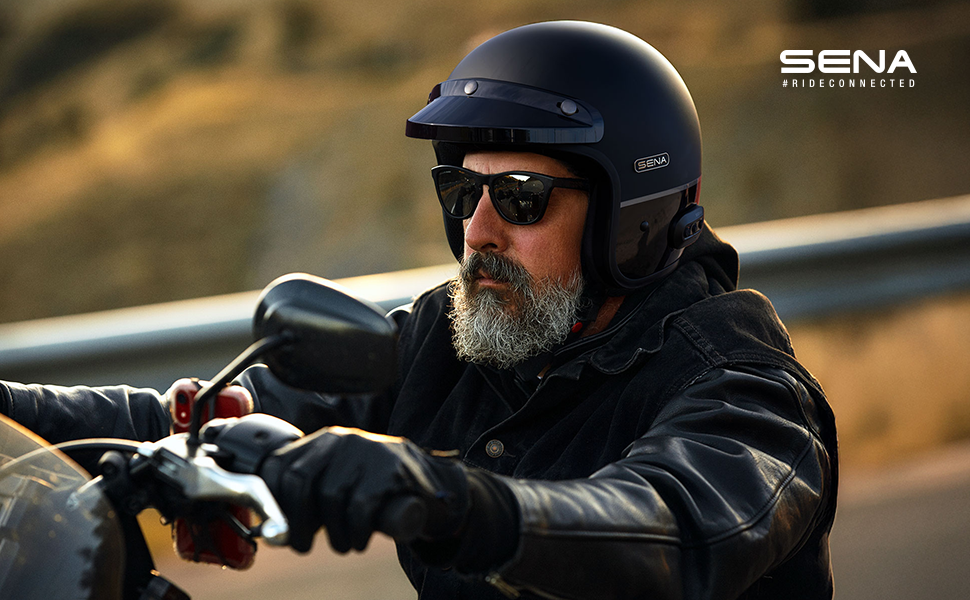
Image: An infographic highlighting key features of the Sena Surge helmet, including Mesh Intercom 3.0, built-in HD speakers and mic, over-the-air updates, multi-language voice prompts, and Sena Smartphone Apps.
Audio Quality and Noise Control
The helmet is built with advanced noise control to isolate your voice and eliminate wind noise and ambient sounds for crystal clear audio.
Mana Rōrahi
Volume is controlled using the front '+' button and the rear '-' button on the side of the helmet.
Wahangu hopuoro
To mute your microphone, long-press the Patene mata mo te hekona kotahi.
Sena Motopaika App
Manage settings, choose voice prompt languages (English, Spanish, French), and perform over-the-air firmware updates using the Sena Motorcycles App on your smartphone.

Image: A smartphone displaying the Sena Motorcycles App, showing options for managing helmet settings and firmware updates.
Te tiaki
Te horoi
The helmet's liner is removable and washable for easy cleaning. Refer to the full user manual for detailed cleaning instructions.
Te utu
The Sena Surge offers up to 18 hours of talk time and fully recharges in approximately 2.5 hours via the USB-C port. Ensure the helmet is fully charged before long rides.
Raparongoā
For common issues, refer to the Sena Motorcycles App for firmware updates, which often resolve performance issues. Ensure your helmet is fully charged. For further assistance, contact Sena customer support.
Whakatakotoranga
| Āhuahira | Taipitopito |
|---|---|
| Hākinakina | Te motopaika |
| Momo Whakatakotoranga | Ira |
| Hanga | Porotītaha |
| Kaihanga | Sena |
| Ingoa Tauira | Huringa |
| UPC | 885465021728 |
| Nama Wahi | SURGE-MBGB00L3 |
| Taumaha Tūemi | 3.7 pauna |
| Ahu mōkihi | 13.5 x 11 x 10.5 inihi |
| Tau tauira tūemi | SURGE-MBGB00L3 |
| Pūhiko | 1 nga pākahiko Lithium Polymer e hiahiatia ana. (kei roto) |
| Rahi | Nui |
| Te Rahi Paanui | 1 |
| Nga waahanga motuhake | Nihokikorangi |
| Nga Waahanga kei roto | Helmet / Pouch / Cheek Pads / Head Liner / Neckroll / Short Visor / USB-C cable / Ear Cup |
| Kei roto nga pākahiko? | Ae |
| Pikohiko e hiahiatia ana? | Ae |
| Momo Pūtau Pūhiko | Hikahiko Polymer |
| Tae | Matte Black/Gloss Black |
| Rauemi | Kaata kaata |
| Momo Ratonga Taikaha | Motopaika |
Pūtāhui me te Tautoko
Nga korero Whakaputanga
The Sena Surge helmet comes with a 3-tau pūtāhui covering helmet integrity and electronics.
Tautoko Kiritaki
Mo etahi atu tautoko, tirohia te Sena Store or refer to the detailed user manual available online.
Ask a question about this manual
Ask about setup, troubleshooting, compatibility, parts, safety, or missing instructions. Manuals+ will review the question and use this page’s manual context to help answer it.