
1. Kupu Whakataki me Nekeview
The VORTEX V18-Plus 18-inch Pedestal Fan is engineered for robust, reliable, and high-performance air circulation. Constructed with durable metal grilles, this fan ensures longevity and consistent operation, making it an excellent choice for both residential and commercial environments. Its powerful motor generates significant airflow, providing efficient cooling throughout any room. Key features include three adjustable speeds for personalized airflow and a sturdy build designed to withstand demanding conditions.
2. Waenga Hua
Before assembly, ensure all components are present and undamaged. The package includes the fan head with blades and grille, the adjustable height pole, and the stable base.

Whakaahua 1: Mua view of the VORTEX V18-Plus 18-inch Pedestal Fan, showcasing its metal grille and overall design.

Whakaahua 2: Taha view of the VORTEX V18-Plus 18-inch Pedestal Fan, highlighting its adjustable pole and sturdy base.
3. Tatūnga me te Runanga
- Whakapirihia te turanga: Place the fan base on a flat, stable surface. Insert the bottom section of the adjustable pole into the base and secure it firmly using the provided fasteners.
- Whakarite Teitei: Loosen the height adjustment collar on the pole, extend the pole to your desired height, and then tighten the collar securely.
- Maunga Upoko Pā: Carefully attach the fan head assembly to the top of the adjustable pole. Ensure it clicks into place or is securely fastened according to the instructions in the packaging.
- Tiihi Haumaru: Verify that the front and rear metal grilles are properly aligned and securely fastened to prevent accidental contact with the blades.
- Hononga Hiko: Plug the fan's power cord into a standard AC electrical outlet.
4. Nga Tohutohu Whakahaere
The VORTEX V18-Plus fan features tactile controls for ease of use.
- Hiko Whakaka/Weto: Rotate the tactile control knob located on the fan motor housing to turn the fan on or off.
- Whakarite Tere: The fan offers 3 adjustable speeds. Rotate the control knob to select your preferred airflow intensity (Low, Medium, High).
- Whakatairite: To activate the oscillation feature, press down the small pin located on top of the motor housing. To stop oscillation, pull the pin up. The fan oscillates up to 90 degrees to cover a wider area.
- Whakaritea Tita: The fan head can be manually tilted up or down to direct airflow precisely where needed. Gently push or pull the fan head to adjust its angle.

Figure 3: Close-up of the tactile control knob for power and speed selection.
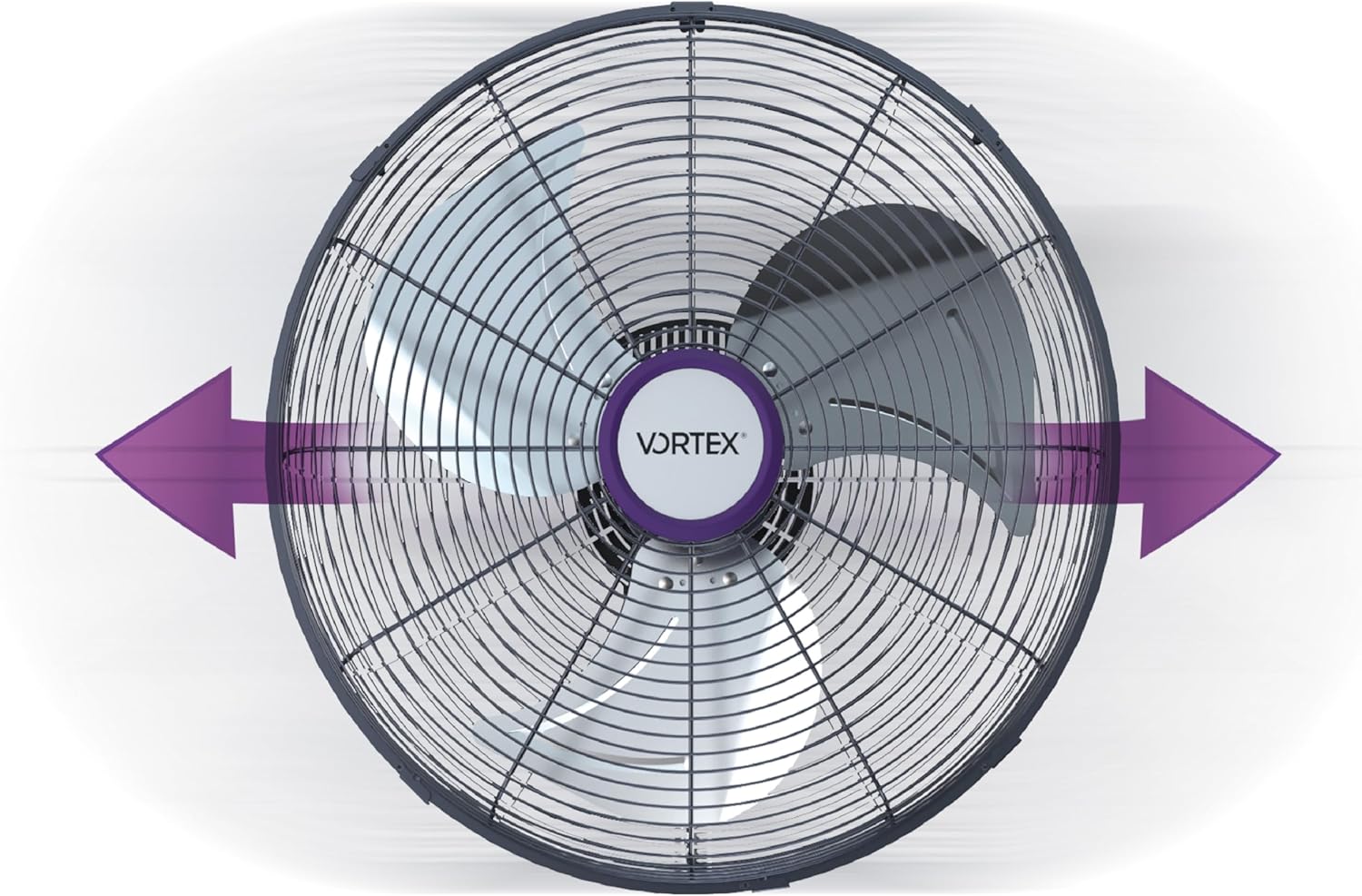
Whakaahua 4: Runga-raro view illustrating the fan's 90-degree oscillation capability.
5. Tiaki
Ko te tiaki i nga wa katoa ka whakarite i te mahi tino pai me te roa o to mea powhiriwhiri.
- Te horoi: Momotuhia te pū o te hau i mua i te horoinga. Whakamahia he hau ngohengohe, he hau wera.amp cloth to wipe down the exterior surfaces. For the grilles and blades, use a vacuum cleaner with a brush attachment or a soft brush to remove dust and debris. Do not use abrasive cleaners or solvents.
- Whakapai Mata: If necessary, the front grille can be removed (refer to assembly instructions in the full manual) to access and clean the fan blades more thoroughly. Ensure all parts are dry before reassembling.
- Rokiroki: Ki te kore e whakamahia mo te wa roa, penapena te powhiriwhiri ki tetahi wahi matao, maroke, pai ake ki roto i tana putunga taketake, hei tiaki i te puehu me te kino.

Figure 5: Close-up of the fan blades and protective metal grille, emphasizing the importance of regular cleaning.
6. Te Raru
If you encounter any issues with your VORTEX V18-Plus fan, refer to the following common problems and solutions:
| Raruraru | Take pea | Rongoā |
|---|---|---|
| Kare e huri te Fan | No power supply; Power cord not plugged in; Control knob is off | Check power outlet; Plug in power cord securely; Turn control knob to desired speed setting |
| He ngoikore, kore ranei te rere o te hau | Fan blades or grille are dirty; Incorrect speed setting | Clean fan blades and grille; Select a higher speed setting |
| Haruru rereke i te wa e mahi ana | Loose parts; Fan not on a stable surface; Debris caught in blades | Check for and tighten any loose parts; Place fan on a flat, stable surface; Unplug and remove any debris from blades |
7. Whakatakotoranga
- Waitohu: Puhiuhi
- Ingoa Tauira: V18 Tāpiri
- Hiko Hiko Hoahoa: Pedestal Fan / Floor Fan
- Puna Hiko: AC
- Kāhua: Hou
- Rahi Hua: 18 cm (Hohonu) x 60 cm (Whanui) x 51 cm (Teitei)
- Āhuahira Motuhake: E toru nga tere e taea te whakarite
- Momo Whakapuru: Maunga Papa
- Rauemi: Te whakarewa
- Te maha o nga tere: 3
- Tikanga Mana: Tactile
- Te kaha: Te Tino Pai
- Ahokore: Kao
- Te maha o nga taumata hiko: 3
- Momo Tāuta: Tukotahi
- Tae: Kerei
8. Pūtāhui me te Tautoko
Your VORTEX V18-Plus Pedestal Fan comes with a standard manufacturer's warranty. For specific warranty details and duration, please refer to the documentation included with your purchase or contact the retailer. Additionally, a 30-day free return policy is available through Amazon.
For further assistance, technical support, or to inquire about replacement parts, please visit the official Vortex website or contact their customer service department. You may also refer to the product's detail page on Amazon for additional information and support options.
Thank you for choosing VORTEX.


