1. Kupu Whakataki
Thank you for choosing the HBN Countdown Timer Sockets. This manual provides essential information for the safe and efficient operation of your device. Please read these instructions carefully before use and retain them for future reference.
The HBN Countdown Timer Socket is designed to automatically switch connected electrical appliances ON or OFF after a preset time, offering convenience and energy savings. It features a simple interface with multiple countdown options and a repeat function.
2. Nga Tohutohu Haumaru
- Whakamahi Roto anake: This device is intended for indoor use in dry locations. Do not expose to rain, moisture, or extreme temperatures.
- Whakatauranga hiko: Do not exceed the maximum load of 16 A / 3,680 W. Overloading can cause overheating and fire hazards.
- Maukati Tamariki: The device includes a child lock feature. Ensure it is engaged when not actively adjusting settings to prevent accidental changes.
- Whakauru Tika: Ensure the timer is fully inserted into the wall socket.
- Te horoi: Disconnect from power before cleaning. Use a dry, soft cloth. Do not use liquid cleaners.
- Whakatikatika: Kaua e ngana ki te wetewete, ki te whakatika ranei i te taputapu. Tukuna atu nga ratonga katoa ki nga kaimahi whai tohu.
- Whakahau: Ensure adequate ventilation around the timer. Do not cover.
3. Ihirangi mokete
- 2 x HBN Countdown Timer Sockets (Model 2xBNH-50/SG76)
- 1 x Pukapuka Tohutohu
4. Hua Neke Atuview
The HBN Countdown Timer Socket features a user-friendly design with clear indicators and control buttons.
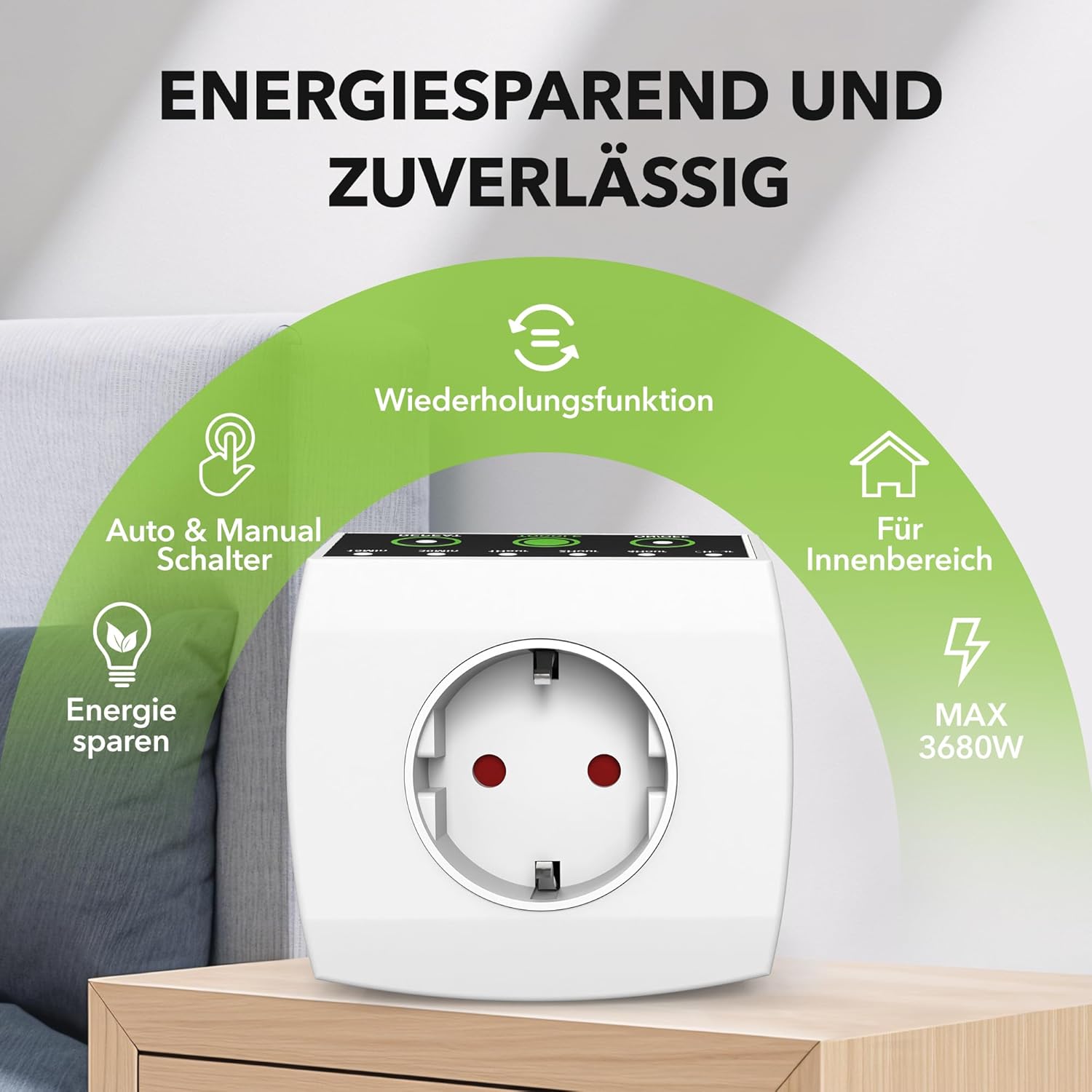
Whakaahua: Mua view of the HBN Countdown Timer Socket highlighting its energy-saving and reliable features, including repeat function, auto & manual switch, indoor use, and max 3680W capacity.
Wae me nga Mana:

Whakaahua: Taipitopito view of the timer's control panel, showing the 'REPEAT', 'TOGGLE', and 'ON/OFF' buttons, along with LED indicators for 15min, 30min, 1Hour, 2Hour, 4Hour, and 6Hour settings.
- Tohu LED: Six green LEDs indicate the selected countdown duration: 15 min, 30 min, 1 Hour, 2 Hours, 4 Hours, 6 Hours.
- Pātene TUARUA: Activates the daily repeat function for the currently set countdown.
- TOGGLE Button: Cycles through the available countdown durations (15 min, 30 min, 1H, 2H, 4H, 6H).
- Pātene ON/OFF: Initiates the selected countdown or switches the device to 'Always ON' mode.
5. Tatūnga
- Unpack the HBN Countdown Timer Socket.
- Plug the timer directly into a standard wall socket. Ensure it is securely seated.
- Monohia te taputapu e hiahia ana koe ki te whakahaere ki te putanga taima.
6. Nga Tohutohu Whakahaere
6.1 Setting a Countdown Timer
- Ensure the timer is plugged into a wall socket and an appliance is connected.
- Pehia te MAIHO button repeatedly to cycle through the desired countdown durations (15 min, 30 min, 1H, 2H, 4H, 6H). The corresponding LED will illuminate.
- Kia kowhiria te wa e hiahiatia ana, pehia te ON/OFF button to start the countdown. The appliance will turn ON and remain ON for the selected duration, then automatically switch OFF.

Image: A hand pressing the button on the HBN Countdown Timer Socket, which is plugged into a wall socket next to a bed, illustrating easy operation.
6.2 Using the Repeat Function
The repeat function allows the timer to activate daily at the same time it was initially started.
- First, set your desired countdown duration as described in Section 6.1.
- After starting the countdown with the ON/OFF pātene, pēhia te TUARUA button. The repeat function LED will illuminate, indicating that the timer will now repeat this cycle daily.
- Hei whakakore i te mahi tukurua, pehia te TUARUA patene ano. Ka whakaweto te LED.
6.3 Always ON Mode
To keep the connected appliance continuously powered without a timer function:
- Pehia te ON/OFF button without selecting a countdown duration. The appliance will receive continuous power.
- To exit 'Always ON' mode, press the ON/OFF button again, or select a countdown duration and start it.
6.4 Tono Putanga

Image: A collage showing the HBN Countdown Timer Socket in use with a fan, Christmas lights, a space heater, and a coffee machine, demonstrating its versatility.
This timer is ideal for:
- Rama: Christmas lights, floor lamps, string lights.
- Nga taputapu: Coffee makers, routers, fans, small heaters.
- Tiaki Pungao: Automatically turning off devices when not needed.
7. Tiaki
- Te horoi: Disconnect the timer from the power outlet before cleaning. Wipe the exterior with a dry, soft cloth. Do not use abrasive cleaners or immerse in water.
- Rokiroki: When not in use, store the timer in a cool, dry place away from direct sunlight and moisture.
8. Te Raru
- Kāore te taima e tahuri/weto: Ensure the timer is securely plugged into the wall socket and the appliance is correctly plugged into the timer. Check if the appliance itself is functioning. Verify the correct countdown duration is selected and activated.
- LEDs not lighting up: Check the power supply to the wall socket. Ensure the timer is properly inserted.
- Repeat function not working: Ensure the REPEAT button LED is illuminated after setting the initial countdown.
- Te wera nui: If the timer feels unusually hot, immediately unplug it and the connected appliance. Ensure the connected appliance's power consumption does not exceed the timer's maximum rating (16 A / 3,680 W).
9. Whakatakotoranga

Image: Side and front view of the HBN Countdown Timer Socket with dimensions indicated as 7.8 cm x 8 cm x 7.8 cm.
| Āhuahira | Taipitopito |
|---|---|
| Tauira | 2xBNH-50/SG76 |
| Waitohu | HOA |
| Rauemi | Kirihou |
| Hunga Hua | 7.8D x 8W x 7.8H cm |
| Taumaha Tūemi | 150 Karamu |
| Tautuhinga Kaute | 15 min, 30 min, 1 hour, 2 hours, 4 hours, 6 hours |
| Uta Max | 16 A / 3,680 W |
| Nga waahanga motuhake | Repeat Function, Child Lock, Always ON Mode |
| Nga Pikohiko e hiahiatia ana | Kao |
10. Pūtāhui me te Tautoko
HBN products are manufactured to high-quality standards. For warranty information or technical support, please refer to the contact details provided with your purchase or visit the official HBN website. Please have your model number (2xBNH-50/SG76) ready when contacting support.