
1. Kupu Whakataki
This manual provides detailed instructions for the installation, operation, and maintenance of your Ctronics 4K 8MP 30X Optical Zoom Outdoor WiFi Security Camera. Please read this manual thoroughly before using the product to ensure proper functionality and safety. This camera is designed for outdoor surveillance, offering advanced features such as 4K Ultra HD resolution, 30X optical zoom, AI-powered detection and tracking, auto-patrol capabilities, and robust night vision.
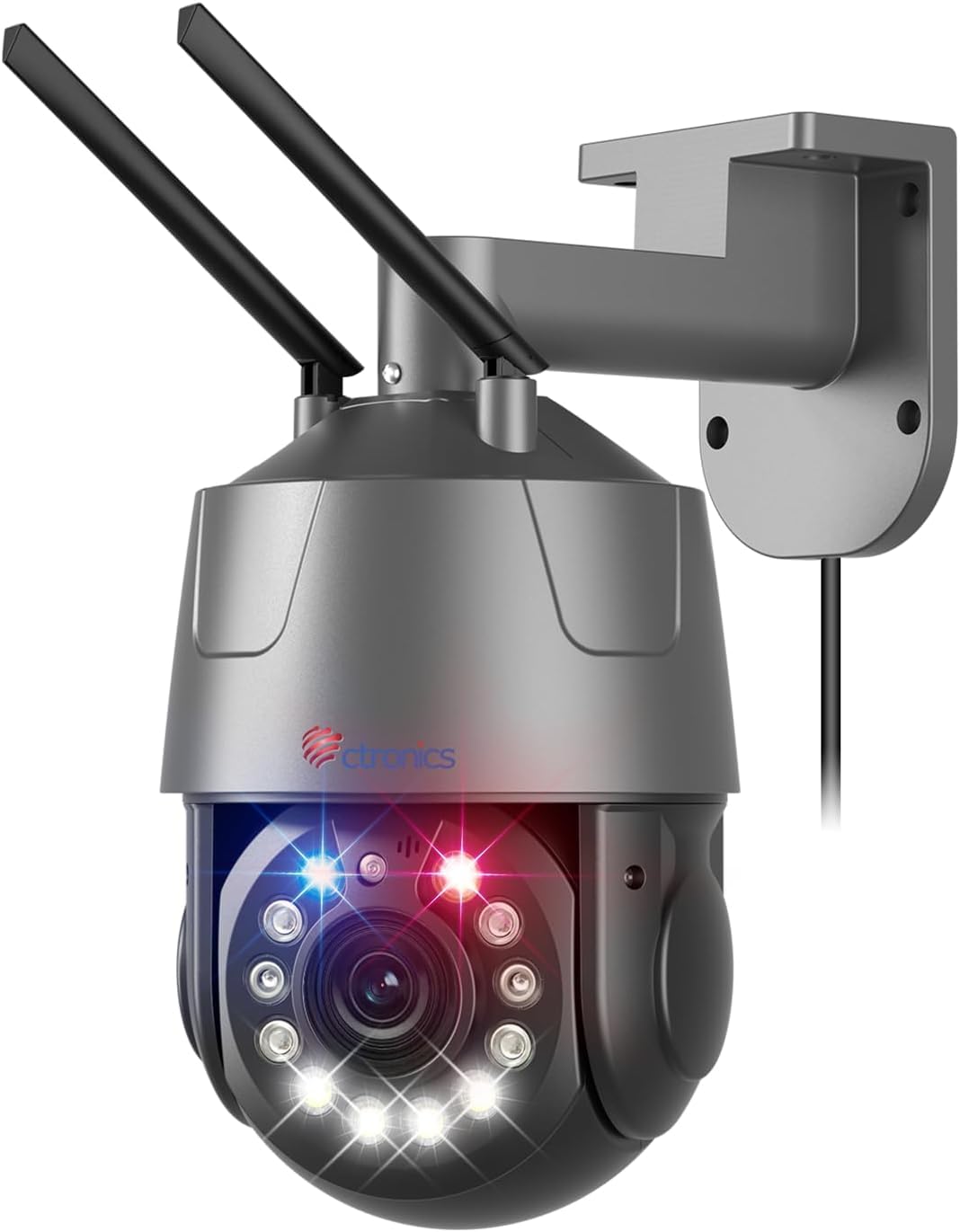
Figure 1: Ctronics 4K 8MP 30X Optical Zoom Outdoor WiFi Security Camera.
2. Ihirangi mokete
Verify that all items listed below are included in your package. If any items are missing or damaged, please contact Ctronics customer support.
- Ctronics 4K Security Camera (Model CTIPC-550C-Z30-4K)
- Pūurutau Hiko
- Tauira Itarangi
- Tauira Whakauru
- Whakaeke Tiu me Punga
- Waterproof Kit for Cable Connections
- Pukapuka Kaiwhakamahi
Video 1: Unboxing the Ctronics 4K 8MP 30X Optical Zoom Security Camera. This video demonstrates the contents of the product package, including the camera unit, power adapter, Ethernet cable, mounting hardware, and user manual.
3. Hua Neke Atuview
The Ctronics 4K 8MP 30X Optical Zoom Security Camera is a robust outdoor surveillance solution. It features a durable metal casing and advanced imaging capabilities.
3.1 Waenga Kaimera

Whakaahua 2: Mua view of the camera showing Blue Laser, Red Laser, and Infrared Lasers.

Figure 3: Camera dimensions (5.91 x 5.91 x 3.94 inches, 4.42 pounds).
3.2 Nga waahanga matua
- Taumira 4K 8MP Ultra HD: Delivers sharp 3840 x 2160 videos with exceptional detail.
- 30X Topa Matapihi: Powerful optical zoom for clear viewte tango i nga mea tawhiti.
- Matakitenga Ake Po: Up to 150m black and white IR night vision and 50m color night vision using Starlight technology.
- Te Kimi AI me te Aroturuki Aunoa: Intelligent detection of people, vehicles, and pets with automatic tracking and zooming.
- Auto-Patrol Function: Supports up to 30 preset positions and 2 customizable patrol routes.
- Red & Blue Light Alarm: Features bright red and blue warning lights combined with audiovisual alarms to deter intruders.
- Ororongo Ara-rua: Allows remote communication via the app for real-time interaction.
- Ipurangi Ahokore Takirua (2.4G/5G): Flexible connectivity options for stable network performance.
- Rokiroki Paetata & Kapua: Supports up to 256GB local storage (Micro SD card not included) and cloud storage (subscription required).
- Hanga Roa: IP66 weatherproof rating and metal housing for outdoor use.
4. Tatūnga
4.1 Tāutanga Tinana
The camera is designed for wall mounting. Use the provided mounting template to mark drilling positions. Ensure the mounting surface is strong enough to support the camera's weight. Connect the power adapter and Ethernet cable (if using wired connection) to the camera's ports, ensuring waterproof connections are properly sealed.

Figure 4: The camera features an IP66 weatherproof rating, suitable for outdoor installation in various weather conditions.
4.2 Hononga Whatunga
The camera supports dual-band Wi-Fi (2.4GHz and 5GHz) for flexible wireless connectivity. Alternatively, a wired Ethernet connection can be used for stable network access. Download the Ctronics APP from your device's app store to begin the setup process. Follow the in-app instructions to connect your camera to your home network.

Figure 5: Dual-Band WiFi Connection (2.4GHz/5GHz) for flexible and stable network access.
5. Nga Tohutohu Whakahaere
Operate your Ctronics camera using the dedicated Ctronics APP on your smartphone or tablet. The app provides access to live view, recording playback, settings, and advanced features.
Video 2: Ctronics 4K 8MP 30X Optical Zoom Security Camera Features Overview. This video highlights key functionalities including optical zoom, night vision, AI human tracking, auto patrol, red/blue light alarm, two-way audio, and IP66 weather resistance.
5.1 Ora View and Pan/Tilt/Zoom (PTZ)
Access the live feed through the app. Use the on-screen controls to pan (355°), tilt (90°), and zoom (30X optical) the camera to monitor different areas. The 30X optical zoom allows for clear magnification of distant details.

Figure 6: Demonstrating the 30X optical zoom to clearly identify details like a license plate from a distance.
5.2 Aratau Matakitenga Po
The camera offers powerful night vision. In complete darkness, it provides black and white infrared (IR) night vision up to 150 meters. With Starlight technology, it can also achieve color night vision up to 50 meters in low-light conditions.

Figure 7: Starlight Night Vision capabilities, showing both 150m IR black and white and 50m color night vision.
5.3 AI Detection and Auto Tracking
The camera's intelligent AI can accurately detect people, vehicles, and pets. Upon detection, it automatically tracks the subject and zooms in to capture detailed activity. Real-time alerts are sent to your app.

Figure 8: AI Detection and Auto-Tracking in action, highlighting detected person, vehicle, and pet.
5.4 Auto-Patrol and Presets
Configure up to 30 preset positions and 2 individually adjustable patrol routes. The camera will automatically tour these points, ensuring comprehensive coverage without blind spots. This feature is ideal for monitoring large areas.

Figure 9: Smart Auto-Cruise feature illustrating 2 patrol routes and 30 presets for extensive area monitoring.
5.5 Red & Blue Light Alarm and Two-Way Audio
When an intruder is detected, the camera can activate bright red and blue warning lights along with an audible alarm to deter them. The two-way audio feature allows you to speak through the camera's speaker and listen through its microphone via the app, enabling direct communication with visitors or intruders.

Figure 10: Red & Blue Strobe with Siren Alarm actively deterring an intruder.

Figure 11: The Ctronics app interface showing two-way audio functionality.
5.6 Kōwhiringa Rokiroki
Recordings can be stored locally on a Micro SD card (up to 256GB, not included) or via cloud storage (subscription required). Access recorded footage through the Ctronics APP.
6. Tiaki
- Te horoi: Me horoi i nga wa katoa te arotahi o te kamera ki te kakahu maeneene, maroke kia maamaa te ahua o te ahua. Kaua e whakamahia nga matū kino.
- Whakahōu Firmware: Check the Ctronics APP periodically for available firmware updates to ensure optimal performance and security.
- Tirohanga taura: Periodically inspect all cable connections for wear or damage, especially the waterproof seals, to maintain weather resistance.
7. Te Raru
- Kore Mana: Me mohio kei te hono pai te urutau hiko ki te kamera me te putanga hiko mahi.
- Kore Hononga Whatunga: Verify your Wi-Fi password and ensure the camera is within range of your router. For 5GHz Wi-Fi, ensure your router supports it. If using Ethernet, check the cable connection.
- Kounga Atahanga Kino: Horoia te arotahi kamera. Me whakarite karekau he arai i te mara o te kamera view. Check network bandwidth for streaming issues.
- Kaore i te Mahi te Motini: Check motion detection settings in the Ctronics APP. Ensure the detection area is correctly configured and sensitivity is appropriate.
- Nga Take Matakite Po: Ensure there are no strong light sources directly facing the camera at night, which can interfere with IR illumination.
8. Whakatakotoranga
| Āhuahira | Whakatakotoranga |
|---|---|
| Ingoa Tauira | CTIPC-550C-Z30-4K |
| Whakataunga Tonu Whaihua | 8 MP |
| Whakatau Ataata Whaihua | 3840 x 2160 (4K Ultra HD) |
| Topa Optical | 30x |
| Awhe Pan/Tilt | 355° Pan, 90° Hunga |
| Awhe Tirohanga Po | 150 Meters (IR), 50 Meters (Color Starlight) |
| Hangarau Hononga | Wireless (Wi-Fi 2.4G/5G) |
| Puna Mana | Hiko Hiko |
| Momo Kaiwhakahaere | Ctronics APP |
| Rokiroki | Micro SD (tae atu ki te 256GB), Cloud Storage |
| Whakatauranga Tiaki o te Ao | IP66 |
| Rauemi | Te whakarewa |
| Nga Ahua o te Tuemi L x W x H | 5.91 x 5.91 x 3.94 inihi |
| Taumaha Tūemi | 4.42 pauna |
9. Pūtāhui me te Tautoko
Ctronics products come with a standard manufacturer's warranty. For detailed warranty information, product support, or technical assistance, please visit the official Ctronics webpaetukutuku, whakapā atu ranei ki ta raatau ratonga kaihoko. Puritia to rihiti hoko mo nga kereme whakamana.
Official Ctronics Webpae: www.ctronics.com