
Kupu Whakataki
Thank you for choosing the JUNJIEUNVO BT1638 Over-Ear Wireless Headphones. This manual provides detailed instructions for the proper use, setup, and maintenance of your headphones. Please read this manual thoroughly before using the product to ensure optimal performance and longevity.

Image: The JUNJIEUNVO BT1638 Over-Ear Wireless Headphones in blue, showcasing their design and padded headband.
Ihirangi mokete
Tena koa tirohia te kete mo nga mea e whai ake nei:
- JUNJIEUNVO BT1638 Over-Ear Wireless Headphones
- USB-C Uira Whakatau
- 3.5mm AUX Waea Ororongo
- Pukapuka Kaiwhakamahi (tenei tuhinga)
Tatūnga
1. Te Whakataki i nga Paneoro
I mua i te whakamahinga tuatahi, kia whakakiia katoatia o taringa. He 2 haora te roa o te utu katoa.
- Honoa te taura utu USB-C ki te tauranga utu i runga i nga taringa.
- Honoa te pito kē atu o te taura USB-C ki tētahi pūtake hiko USB hototahi (hei tauira, te tauranga USB rorohiko, te urutau pakitara).
- The indicator light will show charging status (e.g., red for charging, blue/off for fully charged). Refer to the LED indicator section for details.
2. Te Whakakaha/Weto
- Whakahiko: Pēhia me te pupuri i te pātene Mana mō te 3 hēkona pea tae noa ki te mura o te rama tohu.
- Weto Whakakore: Pēhia me te pupuri i te pātene Mana mō te 3 hēkona pea tae noa ki te wā e mate ai te rama tohu.
3. Takirua Nihokikorangi
The headphones use Bluetooth 5.0 for wireless connectivity, offering a range of up to 33 feet (10 meters).
- Me mohio kua weto nga taringa.
- Pēhia me te pupuri i te pātene Mana mō te 5-7 hēkona tae noa ki te mura whero me te kikorangi o te rama tohu, e tohu ana i te aratau takirua.
- I runga i to taputapu (smartphone, tablet, pona), whakaahei i te Nihokikorangi me te rapu mo nga taputapu e waatea ana.
- Select "BT1638" or "JUNJIEUNVO BT1638" from the list of found devices.
- Once connected, the indicator light will typically flash blue slowly or remain solid blue.
- Mena ka tonohia he kupuhipa, whakauruhia "0000".
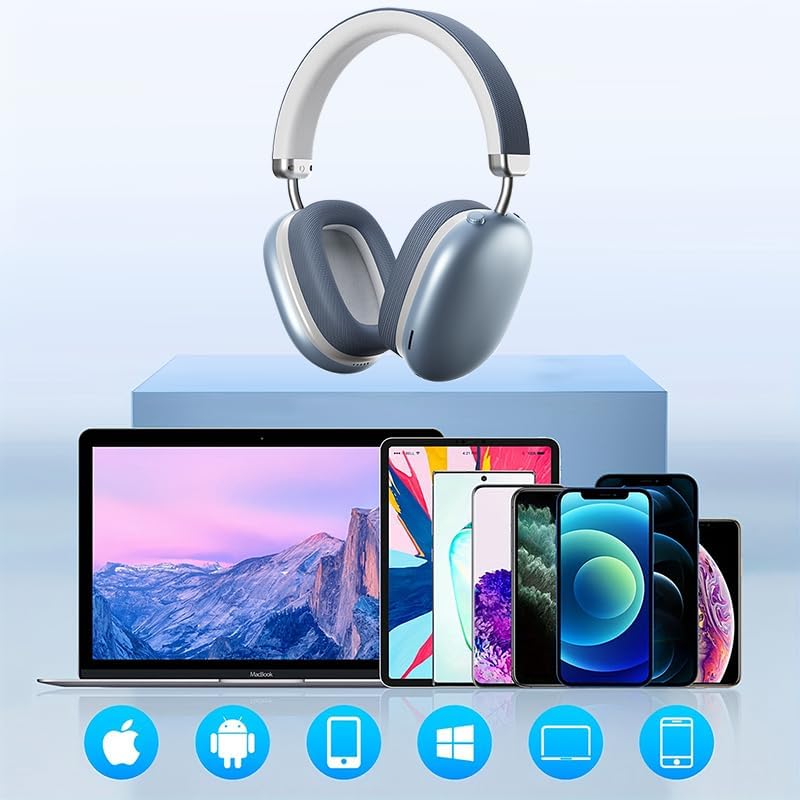
Image: The BT1638 headphones shown with a variety of compatible devices including laptops, smartphones, and tablets, illustrating broad connectivity.
Nga Tohutohu Whakahaere
1. Mana Taketake
The headphones feature button and touch controls for various functions.
- Pātene Hiko: Whakakā/whakaweto, tomo ki te aratau takirua.
- Runga Rawa / Panuku Panuku: Pehi poto mo te rōrahi ake, pehi roa mo te riu e whai ake nei.
- Raro Raro / Riu o Mua: Pihi poto mo te ruri whakaheke, pehi roa mo te riu o mua.
- Multi-function Button (MFB) / Touch Control:
- Purei/Tatari: Perehi kotahi.
- Whakautu/Whakamutu Waea: Single press during an incoming call.
- Whakakore Waea: Pēhi me te pupuri mō te 2 hēkona i te wā e waea mai ana.
- Whakahohe i te Kaiawhina Reo: Perehi rua.
2. Purei Ororongo
Enjoy high-fidelity (HIFI) sound quality and immersive surround sound with your BT1638 headphones.

Image: The BT1638 headphones, emphasizing their HIFI sound quality and extended battery life of up to 40 hours.
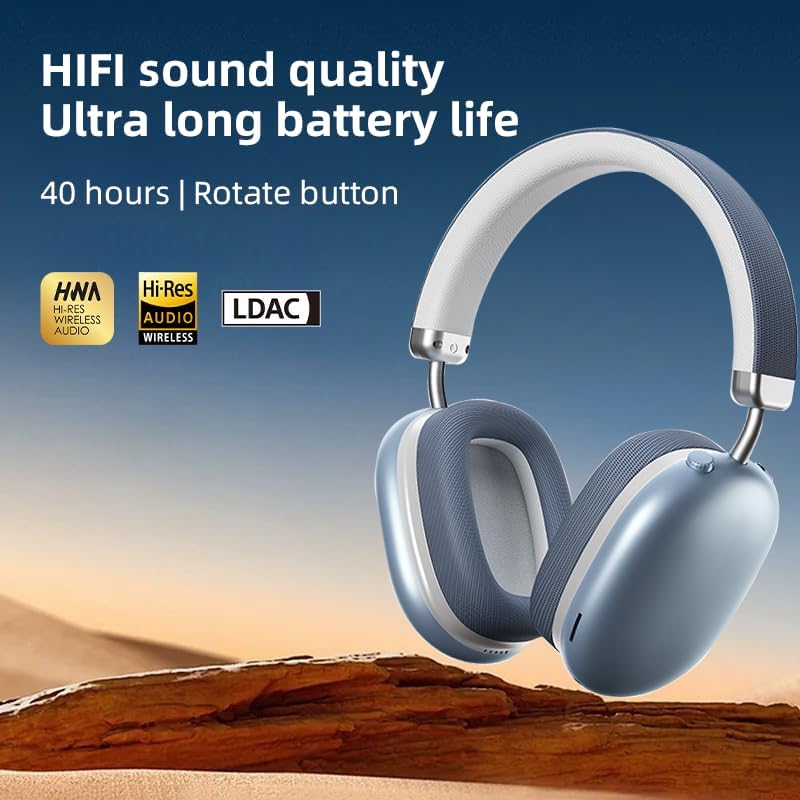
Image: The BT1638 headphones displaying Hi-Res Wireless Audio and LDAC compatibility, indicating advanced audio capabilities.
3. Whakakore Haruru Āhuakore
The over-ear design and cushioned ear cups provide passive noise cancellation, reducing ambient sounds for a more focused listening experience.

Image: A visual representation comparing sound waveforms before and after noise reduction, demonstrating the effectiveness of the headphones' passive noise cancellation.
4. Hononga Waea (AUX)
For situations where Bluetooth is not available or preferred, you can connect the headphones using an AUX cable.
- Plug one end of the 3.5mm AUX cable into the headphone's AUX port.
- Plug the other end into your audio source's 3.5mm audio jack.
- Ka huri aunoa nga taringa ki te aratau waea.
5. Te Whakamarie me te Taurite
The BT1638 headphones feature an adjustable headband and rotatable earcups for a comfortable and secure fit.

Whakaahua: Kati-ake view illustrating the adjustable telescopic headband and earcups that can rotate 90 degrees, allowing for a customized and comfortable fit.

Image: The soft earmuffs of the BT1638 headphones, designed for comfortable and smooth listening experiences.
Te tiaki
Mā te tiaki tika ka roa ake te ora me te mahi a ō paneoro.
- Te horoi: Use a soft, dry, lint-free cloth to clean the surfaces of the headphones. Do not use harsh chemicals, cleaning solvents, or strong detergents.
- Uinga Taringa: The memory foam and fabric ear cushions can be gently wiped with a slightly damp te kakahu mēnā e tika ana, kātahi ka tukua kia maroke rawa i te hau.
- Rokiroki: Ki te kore e whakamahia, penapenahia nga taringa ki tetahi waahi makariri, maroke, kia matara atu i te ra me te wera nui.
- Aukati i te makuku: Ko enei taringa kaore i te wai-atete. A ape i te pa ki te wai, te ua, te makuku nui ranei.
- Te hapai me te tiaki: A ape i te tuku i nga taringa, te tuku ranei ki nga paanga kaha.
Raparongoā
| Raruraru | Take pea | Rongoā |
|---|---|---|
| Karekau e kaha ana nga waea. | He iti te pākahiko. | Whakautua ngā pane whakarongo mō te 30 meneti pea te roa. |
| Kaore e taea te hono ki te taputapu. | Ko nga taringa kaore i te aratau takirua; Ka mutu te Nihokikorangi i runga i te taputapu; tawhiti rawa te taputapu. | Ensure headphones are in pairing mode (flashing red/blue). Turn on Bluetooth on your device. Move device closer to headphones (within 33 feet). |
| Karekau he oro, he iti te reo. | He iti rawa te rōrahi; puna ororongo hē; nga taringa kaore i te hono. | Increase volume on both headphones and connected device. Ensure headphones are properly paired or AUX cable is fully inserted. |
| Hononga mokowhiti. | Te pokanoa; tawhiti rawa te taputapu; iti pūhiko. | Move closer to the connected device. Avoid strong electromagnetic interference. Ensure headphones are sufficiently charged. |
Whakatakotoranga
| Āhuahira | Taipitopito |
|---|---|
| Ingoa Tauira | SY-BT1638 |
| Hangarau Hononga | Nihokikorangi, AUX |
| Hangarau Whakawhitiwhiti Ahokore | Nihokikorangi, Ahokore |
| Putanga Nihokikorangi | 5.0 |
| Awhe Nihokikorangi | 33 Puawai (10 mita) |
| Momo Atekōkiri Ororongo | Atekōkiri Hihiko |
| Rahi Atekōkiri Ororongo | 40 Mirimita |
| Whakautu auau | 20 Hz (herenga whakararo) |
| Te tairongo | 102 dB |
| Te aukati | 32 Aue |
| Mana Haruru | Whakakahoretanga Noise Haangai |
| Momo Mana | Ahokore |
| Tikanga Mana | Pa, Patene |
| Waa Whakatau | 2 haora |
| Ora Pūhiko | Tae atu ki te 40 Hāora (tākaro anō) |
| Rauemi | Fabric, Memory Foam, Metal |
| Taumaha Tūemi | 12 hekere (tata ki te 340g) |
| Taumata Atete Wai | Ehara i te wai ātete |
| Pūrere Hototahi | Rorohiko, Waea atamai, Papa |
Nga korero Whakaputanga
Specific warranty details for the JUNJIEUNVO BT1638 headphones are typically provided with your purchase documentation or on the manufacturer's official webpae. Tena koa pupurihia to tohu mo te hoko mo etahi kereme whakamana.
Generally, products are covered against defects in materials and workmanship for a specified period from the date of purchase. This warranty usually does not cover damage caused by misuse, accidents, unauthorized modifications, or normal wear and tear.
Tautoko Kiritaki
If you encounter any issues or have questions not covered in this manual, please contact JUNJIEUNVO customer support. You can typically find contact information on the product packaging, the official JUNJIEUNVO webpae, ma to kaihokohoko ranei.
When contacting support, please have your product model (SY-BT1638) and proof of purchase readily available.