
1. Kupu Whakataki
This manual provides detailed instructions for the installation, operation, and maintenance of your Ctronics 2K 100% Wireless Battery Indoor Security Camera, model CTIPC-920. This camera is designed for indoor surveillance, offering 2K resolution, infrared night vision, and flexible storage options. Please read this manual thoroughly before using the product to ensure proper function and safety.
2. Ihirangi mokete
Manatokohia ko nga mea katoa kei raro nei kei roto i to kete:
- Ctronics 2K Wireless Battery Indoor Security Camera (CTIPC-920)
- Uera Whakatau
- Pukapuka Tohutohu
3. Hua Neke Atuview
The Ctronics CTIPC-920 camera features a compact, dome-shaped design for discreet indoor placement. It includes a high-resolution lens, infrared LEDs for night vision, a PIR motion sensor, a microphone, and a speaker for two-way audio. A reset button and a Micro SD card slot are also integrated.

Whakaahua 3.1: Mua view of the Ctronics CTIPC-920 camera, showing the lens and status indicator.
4. Aratohu Tatūnga
4.1 Te Whakataki i te Kaamera
Before initial use, fully charge the camera using the provided charging cable. The camera is 100% wire-free and battery-powered, allowing flexible placement without power outlets.

Whakaahua 4.1: The camera is designed for 100% wire-free operation, powered by a rechargeable battery.
4.2 Taupānga Tāuta me te Tauhoa
- Tikiake te Ctronics Pro taupānga mai i te toa taupānga o to waea atamai (iOS, Android ranei).
- Waihangahia he kaute ka takiuru.
- Follow the in-app instructions to add your camera. The camera supports Bluetooth setup for quick and easy pairing.
- Ensure your camera is within range of your 2.4GHz Wi-Fi network during setup.

Whakaahua 4.2: Bluetooth setup facilitates fast and easy connection of the camera to your device.
4.3 Micro SD Card Installation (Optional)
For local storage, insert a Micro SD card (up to 128GB, not included) into the designated slot on the camera. Ensure the camera is powered off before inserting or removing the card.

Whakaahua 4.3: The camera supports Micro SD cards up to 128GB for local video storage.
4.4 Te Whakanohonga Kaimera
Place the camera on a flat surface or mount it on a wall using appropriate hardware (not included). Position it to cover the desired indoor area. The camera's compact size allows for versatile placement.

Whakaahua 4.4: The camera can be placed in various indoor locations, ready for use in seconds.
5. Nga Tohutohu Whakahaere
5.1 Ora View me te Uru Mamao
Access the live video feed from your camera via the Ctronics Pro app on your smartphone or tablet, or through the PC client (HiP2P Client). This allows you to monitor your indoor space from anywhere.

Whakaahua 5.1: Remote access is available via the Ctronics Pro app for mobile devices and the HiP2P Client for PC.
5.2 Te Kounga Ataata me te Tirohanga Pō
The camera provides clear 2K (2304x1296P) video resolution. It features infrared night vision with a range of up to 20 meters, ensuring visibility in low-light or dark conditions without disturbing white lights.

Whakaahua 5.2: The camera offers smooth and sharp 2K video with infrared night vision up to 20m.
5.3 PIR Motion Detection and Matohi
The integrated Passive Infrared (PIR) sensor detects human movement, minimizing false alarms. When motion is detected, you will receive instant notifications on your connected device. Sensitivity settings can be adjusted in the app.

Whakaahua 5.3: Smart PIR motion detection alerts you only when relevant movement is detected.
5.4 Ororongo Waa-rua
Utilize the built-in microphone and speaker to communicate remotely with individuals near the camera. This feature is useful for checking on family members or pets.

Whakaahua 5.4: The camera allows you to feel close and communicate with those at home, no matter the distance.
5.5 Kōwhiringa Rokiroki Ataata
Recordings can be stored in multiple ways:
- Kaari SD Micro: Ka tautokohia ki te 128GB mo te rokiroki rohe.
- Rokiroki Kapua: Penapenahia te kai kia haumarutage in the cloud (subscription may be required).
- Tūmau FTP: Tukuake ngā rekoata ki tētahi tūmau FTP.

Whakaahua 5.5: Kia mau ki to footage safe with flexible storage options including TF card, FTP, or cloud.
5.6 Custom Alarm Sounds
The Ctronics Pro app allows you to customize alarm sounds, providing flexibility for different environments or preferences.
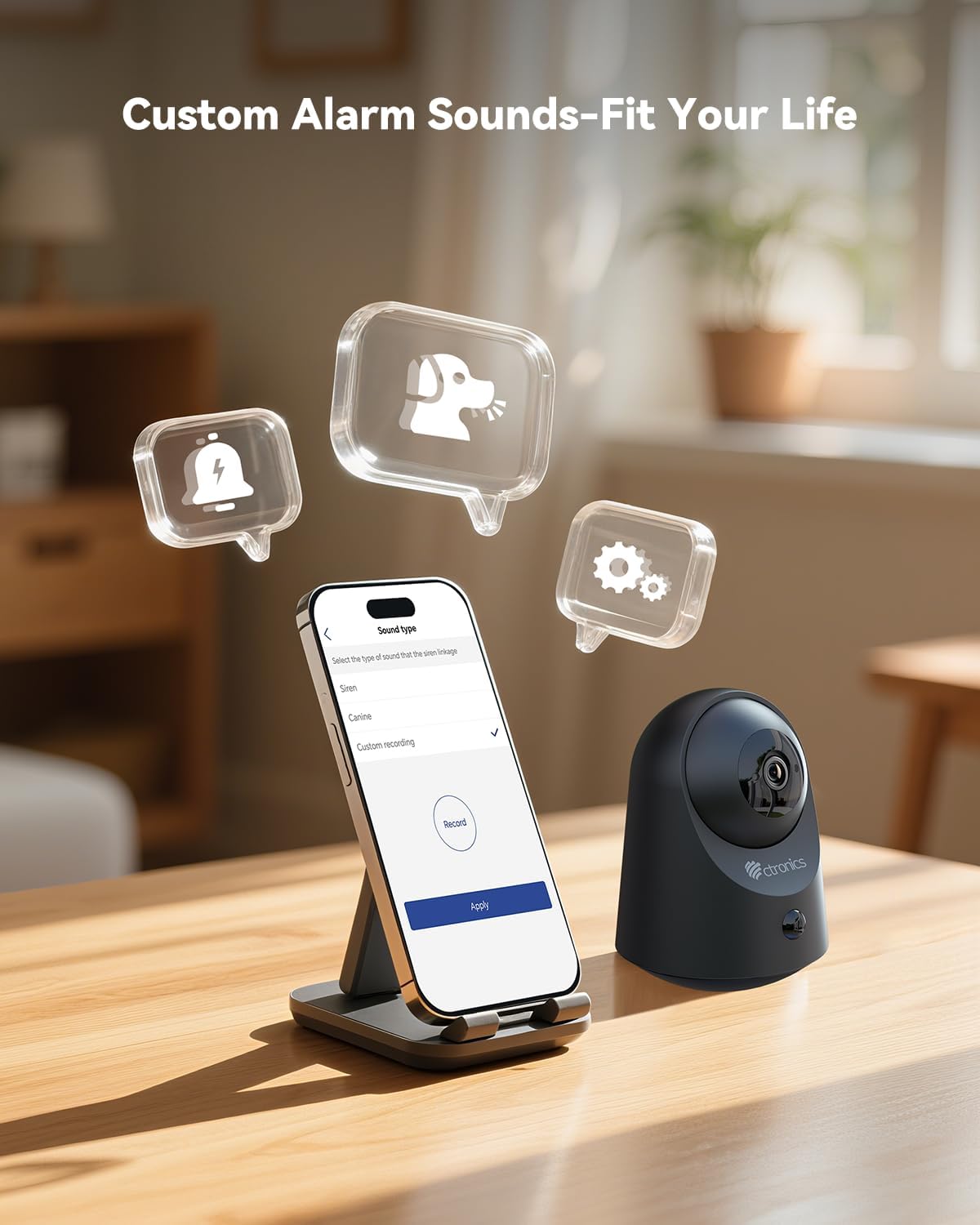
Whakaahua 5.6: Customize alarm sounds to fit your specific needs and environment.
6. Tiaki
6.1 Whakahaere Pūhiko
Regularly check the battery level via the app. Recharge the camera promptly when the battery is low to ensure continuous operation. Use only the provided charging cable or a compatible 5V power adapter.
6.2 Te horoi
Wipe the camera lens and body with a soft, dry cloth. Avoid using liquid cleaners or abrasive materials that could damage the device.
6.3 Whakahoutanga Firmware
Periodically check the Ctronics Pro app for available firmware updates. Keeping your camera's firmware up-to-date ensures optimal performance and access to new features.
7. Te Raru
| Raruraru | Take pea | Rongoā |
|---|---|---|
| Karekau te kamera e hono ana ki te Wi-Fi | Incorrect Wi-Fi password, 5GHz network, camera too far from router. | Kia tika te kupuhipa Wi-Fi 2.4GHz. Whakatata atu te kamera ki te pouara. Tautuhi ano te kamera ka ngana ki te hono ano. |
| Karekau he matohi kitenga nekehanga | He iti rawa te aro o te PIR, kaore i whakaritea te rohe rapu, kua monoa nga whakamohiotanga taupānga. | Adjust PIR sensitivity in the app. Check detection zone settings. Enable notifications for the Ctronics Pro app. |
| Te kounga ataata kino | He ngoikore te tohu Wi-Fi, he paru te karu. | Ensure strong Wi-Fi signal. Clean the camera lens with a soft cloth. |
| Ko te ororongo rua-ara kaore e mahi | Microphone/speaker muted in app, volume too low. | Tirohia ngā tautuhinga o te taupānga kia mōhio ai kua whakahohea te hopuoro me te kaikorero, ā, kia tika hoki te oro. |
| Micro SD card not recording | Card full, corrupted, or not formatted correctly. | Format the SD card via the app. Replace with a new card if corrupted. Ensure recording settings are enabled. |
8. Whakatakotoranga
| Āhuahira | Taipitopito |
|---|---|
| Tau tauira | CTIPC-920 |
| Mahinga o roto/waho | Roo-roto |
| Whakataunga Hopu Ataata | 2K (2304x1296P) |
| Whakataunga Tonu Whaihua | 3 MP |
| Puna Mana | Pūhiko Powered |
| Kawa Hononga | Wi-Fi (2.4GHz) |
| Momo Kaiwhakahaere | Ctronics APP |
| Awhe Tirohanga Po | 20 Meters (Infrared) |
| PIR Motion Detection | Ae |
| Ororongo Waa-rua | Ae |
| Kōwhiringa Rokiroki | Micro SD (up to 128GB), Cloud, FTP |
| Rauemi | Acrylonitrile Butadiene Styrene (ABS) |
| Ahu (L x W x H) | 5.12 x 2.36 x 5.12 inihi |
| Taumaha Tūemi | 15.8 hekere |
| Tae | Pango |
9. Ataata Hua Whaimana
Watch the official product video for a visual guide on the Ctronics 2K 3MP Indoor Security Camera's features and usage.
Whakaahuatanga Ataata: Ko tenei ataata e whakarato ana i te mutungaview of the Ctronics 2K 3MP Indoor Security Camera, demonstrating its wire-free installation, night vision capabilities, two-way audio, and remote monitoring features. It shows the camera in various home settings, highlighting its use for monitoring children and pets, and its ease of setup and access via mobile app and PC.
10. Pūtāhui me te Tautoko
For warranty information, technical support, or any inquiries regarding your Ctronics product, please refer to the official Ctronics website or contact their customer service directly. Contact details are typically found on the product packaging or the official Ctronics support page.