
Kupu Whakataki
Thank you for choosing the ODK 48-Inch Gaming Desk. This manual provides essential information for the safe assembly, operation, and maintenance of your new desk. Please read these instructions carefully before beginning assembly and retain them for future reference.

Image: The ODK 48-inch gaming desk featuring LED lights, a monitor stand, and storage shelves.
Nga korero haumaru
- Always follow the assembly instructions provided to ensure structural integrity.
- Do not overload the desk or shelves beyond their recommended weight capacity.
- Keep electrical components (LED strip, power outlet) away from liquids to prevent electric shock.
- Ensure all connections for the power outlet and LED lights are secure before use.
- Whakanohoia te teepu ki runga i te mata papatairite kia kore ai e pakaru.
- Kia matara atu nga waahanga iti me nga taonga takai mai i nga tamariki.
Ihirangi mokete
I mua i te huihuinga, me whakaū kei te wātea ngā wāhanga katoa kua whakarārangihia i raro nei. Mena kei te ngaro, kei te pakaru rānei ētahi wāhanga, tēnā whakapā atu ki te tautoko kiritaki.
- Ngā Wāhanga Anga o te Tēpu Mahi
- Carbon Fiber Textured Tabletop
- Monitor Stand/Shelf
- Reversible Display Storage Shelf Components
- 2 Kaiutuutu papanga
- Tiri Maama LED me te Kaiwhakahaere
- Built-in Power Outlet (2 USB ports, 3 AC outlets)
- Matau Puoro
- Ngā taputapu huihuinga (ngā tīwiri, ngā pūtu, me ētahi atu)
- Utauta Huihuinga (hei tauira, kuihi Allen)
- Pukapuka Tohutohu
Tatūnga me te Runanga
The ODK Gaming Desk requires assembly. All necessary tools and detailed instructions are included in the package. Please follow the step-by-step guide provided with your product for proper assembly.
Nga Tohu Huinga Matua:
- Reversible Storage Shelf: The side storage shelf can be assembled on either the right or left side of the desk to suit your space and preference.
- Adjustable Shelf Height: The display storage shelf can be adjusted to a lower position to accommodate larger PC towers or other equipment.
- Kaiutuutu papanga: The two fabric drawers are designed for easy assembly and insertion into the desk frame.

Image: Detailed dimensions of the ODK 48-inch gaming desk, including the main desktop, monitor shelf, and side storage unit.

Image: Visual guide demonstrating the simple three-step assembly process for the fabric drawers.
Nga Tohutohu Whakahaere
Rarama LED
The gaming desk is equipped with an LED light strip located under the monitor shelf. This strip offers 10 static colors and 10 dynamic modes to customize your lighting ambiance.

Image: The ODK gaming desk illuminated by its integrated RGB LED light strip, showcasing various color options.

Image: Close-up of the LED light strip controller, detailing buttons for static color, dynamic mode, speed, brightness, and power.
Nga Mahi Kaiwhakahaere:
- Pātene Tae Pateko (C): Pēhia kia kotahi ki te huri ki te aratau tae pateko. Ko ia perehi ka huri te tae.
- Pātene Aratau Hihiko (M): Press once to switch to dynamic effect mode. Each subsequent press changes the dynamic mode. Press and hold for 3 seconds to enter demo mode, which cycles through various dynamic modes automatically.
- Speed & Brightness & Power Button (S/B/Power):
- I roto i te aratau pateko, pehia ki te whakatika i nga taumata kanapa.
- I roto i te aratau hihiri, pehia ki te whakatika i te tere aratau hihiri.
- Press and hold to turn off the strip when it is on. Press to turn it on when off.
- Whakamaumahara-Kore The strip will restore the last color, brightness, and mode settings upon next power-on.
Built-in Power Outlet
The desk features an integrated power outlet with 2 USB ports and 3 AC outlets for convenient device charging and power access.

Image: Close-up of the built-in power outlet on the desk, showing 3 AC outlets and 2 USB ports in use for charging a smartphone.
Reversible Display Storage Shelf
The large side shelf can be positioned on either the right or left side of the desk during assembly. It provides ample space for displaying items or storing a PC tower.

Image: The adjustable storage shelf shown in two configurations, demonstrating its reversibility and ability to accommodate different items like a PC tower or decorative models.
Kaiutuutu papanga
Two fabric drawers are included for organized storage of small items such as gamepads, CDs, or office supplies. They are designed for easy pulling and pushing.
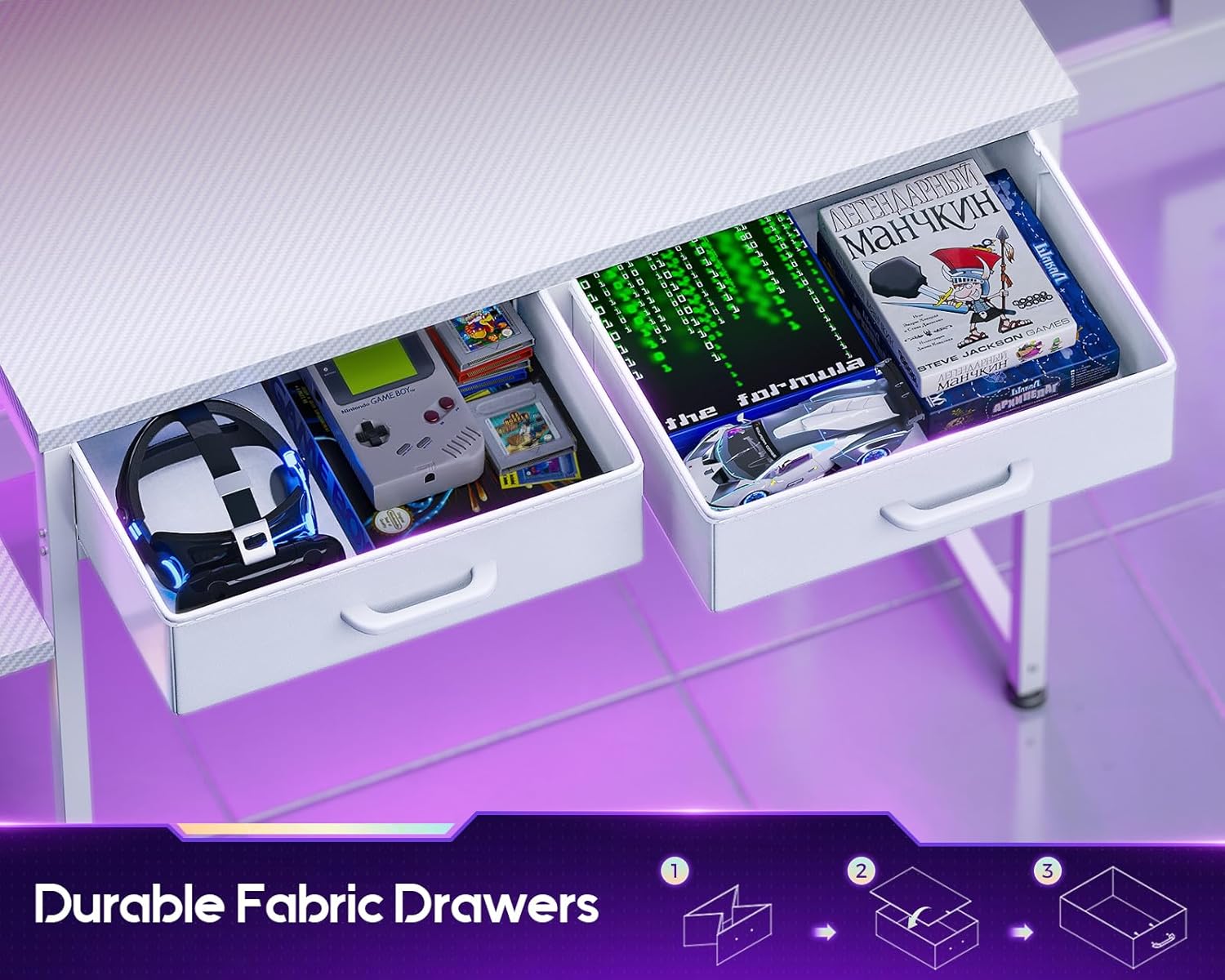
Image: The desk's two fabric drawers pulled open, revealing storage space for gaming accessories and other small items.
Matau Puoro
A convenient headphone hook is integrated into the desk design, allowing you to keep your headphones within reach and your workspace tidy.
Ataata Hua Whaimana
Ataata: He whakaaturanga ataata hua whai manacasing the ODK Gaming Desk's features, including the adjustable shelf, LED lights, power outlet, fabric drawers, and carbon fiber surface. This video demonstrates the desk's versatility and design.
Te tiaki
- Te horoi: Wipe the carbon fiber tabletop and metal frame with a soft, damp kakahu. A ape i nga kaihoroi awhiowhio me nga matū kino ka taea te pakaru i te otinga.
- Maringi: Immediately wipe up any spills to prevent staining or damage to the carbon fiber surface.
- Pūmārō: Takitaki ia ia nga wa katoa nga wiri me nga tutaki kia mau tonu. Whakapikihia ano e tika ana kia mau tonu.
- Wae Hiko: Ensure the power outlet and LED strip connections are clean and free from dust. Do not attempt to repair electrical components yourself.
Raparongoā
| Raruraru | Take pea | Rongoā |
|---|---|---|
| Ko nga rama LED e kore e ka ana. | Power connection loose or disconnected. Controller malfunction. | Check all power connections. Ensure the power button on the controller is pressed. If issues persist, contact support. |
| Ko nga putanga hiko kaore e mahi. | Desk power cord unplugged. Circuit breaker tripped. | Verify the desk's main power cord is securely plugged into a functional wall outlet. Check your home's circuit breaker. |
| Desk feels unstable. | Loose assembly hardware. Uneven floor. | Retighten all screws and bolts. Adjust the leveling feet on the desk legs if applicable. |
| Karekau nga utuutu e paheke pai. | Improper assembly of drawers or frame. Obstruction. | Ensure fabric drawers are correctly folded and inserted. Check for any obstructions in the drawer slots. |
Whakatakotoranga
| Āhuahira | Taipitopito |
|---|---|
| Waitohu | ODK |
| Tau tauira | B01171801001 |
| Rahi Hua (D x W x H) | 18.9" x 47.2" x 35" |
| Tae | Carbon Fiber White |
| Momo Rawa Runga | Waro Wao |
| Rauemi turanga | Te whakarewa |
| Tuhinga o nga Kaitoi | 2 (Nga Kaituku papanga) |
| Nga waahanga motuhake | Built-In USB Outlet, Monitor Stand, Reversible Storage Shelf, LED Lights |
| Nga Waahanga kei roto | Built-in Outlet, Built-in USB Port, Headphone Hook |
| Huihuinga e hiahiatia ana | Yes (Tools and instructions included) |
Pūtāhui me te Tautoko
For warranty information, please refer to the documentation included with your purchase or contact the retailer. If you encounter any issues or have questions regarding your ODK Gaming Desk, please reach out to ODK customer support for assistance.
He maha nga wa ka kitea e koe nga korero whakapiri tautoko i runga i te mana o te kaihanga webpae, na roto ranei i to turanga hoko.