
1. Hua Neke Atuview
The Baseus Mini MagSafe Powerbank 5000 mAh is a compact, Qi2 certified portable charger designed for convenience and efficiency. It features a 5000 mAh capacity, 20W Power Delivery (PD) via USB-C, and 15W wireless charging. The integrated foldable stand allows for hands-free viewing while charging. Its strong magnetic attachment ensures secure connection to compatible devices.
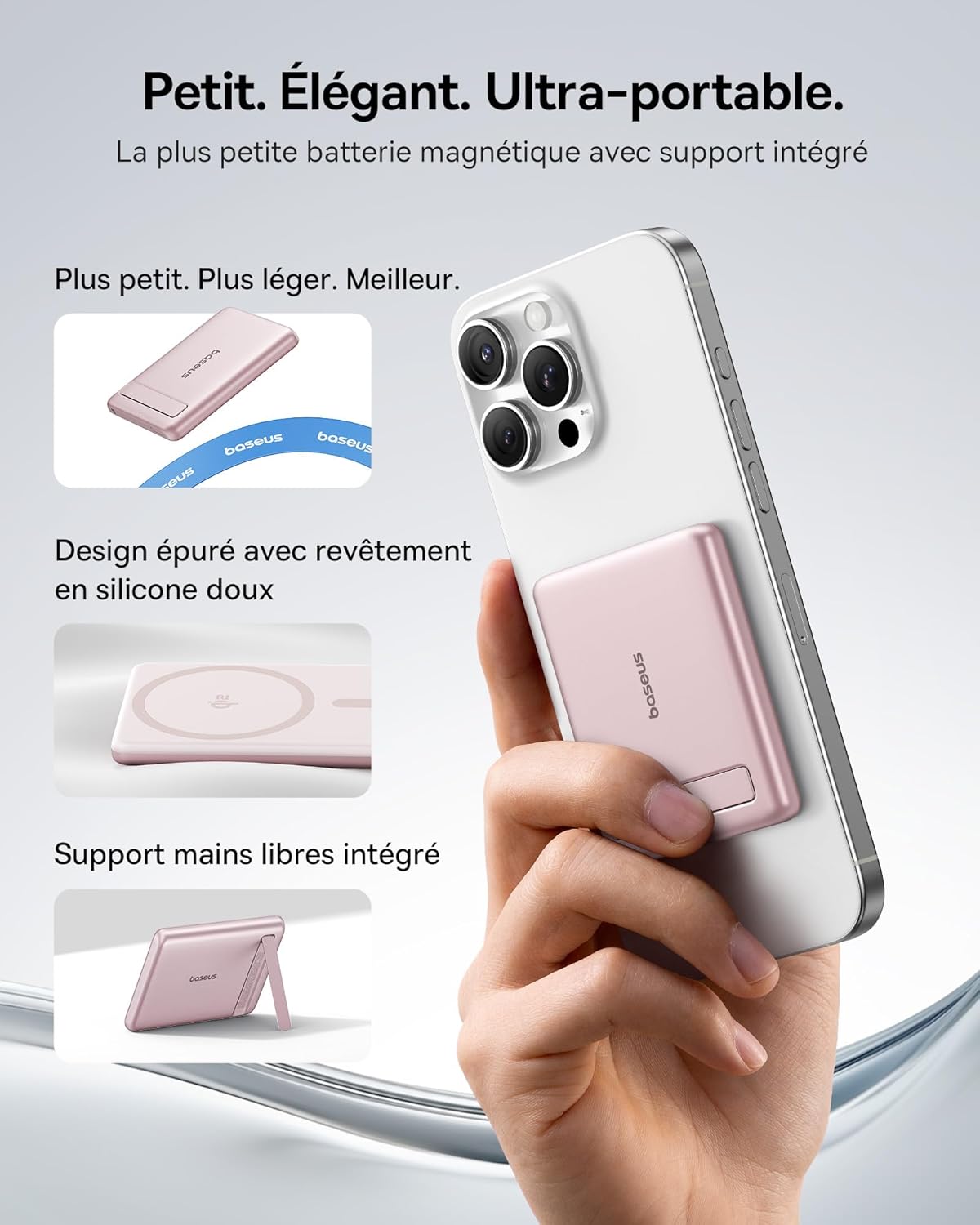
Image: The Baseus Mini MagSafe Powerbank securely attached to an iPhone, demonstrating its compact form factor and the convenience of the integrated kickstand for hands-free use.
2. Ihirangi mokete
- Baseus Mini MagSafe Powerbank (Model: PPKPC-0520S)
- USB-C to USB-C Charging Cable (30 cm)
- Pukapuka Kaiwhakamahi

Image: The Baseus Mini MagSafe Powerbank and its accompanying USB-C charging cable, highlighting the included accessories.
3. Nga Hua o te Hua
- Compact and Premium Design: Smaller than a credit card with a 5000 mAh capacity, featuring a thin aluminum casing and soft-touch silicone finish. Ergonomic curved edges enhance grip, and an LED display indicates battery status.
- Qi2 Fast Charging: Provides up to 15W wireless fast charging for iPhones and other Qi2-compatible devices. Qi2 technology ensures secure magnetic alignment for faster and more reliable power delivery.
- Tūnga Whakapiko Whakauru: The built-in aluminum kickstand allows for hands-free viewing in both portrait and landscape modes while your phone charges wirelessly.
- Āpitihanga Autō Kaha: Equipped with N52 rubidium magnets offering 3500 GS magnetic power, ensuring a secure lock for instant charging without obstructing the camera lens.
- Wired and Wireless Charging with Advanced Cooling: Charge two devices simultaneously via wireless and USB-C. A three-layer cooling system maintains optimal temperature during extended use.

Image: An iPhone receiving 15W wireless fast charging from the Baseus MagSafe Powerbank, demonstrating the Qi2 certification and efficient power transfer.
4. Tatūnga
- Akona Tuatahi: Before first use, fully charge the power bank using the included USB-C cable and a compatible power adapter (not included). The LED indicators will show the charging progress.
- Whakahiko: The power bank typically activates automatically when a device is attached or connected. Some models may have a power button to initiate charging.
5. Nga Tohutohu Whakahaere
5.1 Te Whakataki i te Peeke Hiko
- Connect the included USB-C cable to the power bank's USB-C port.
- Connect the other end of the cable to a USB-C power adapter (e.g., 20W PD charger) or a computer's USB-C port.
- The LED indicators will illuminate to show the current battery level and charging status.
5.2 Te Utu Ahokore (MagSafe/Qi2)
- Ensure your device is compatible with MagSafe or Qi2 wireless charging (e.g., iPhone 12 series and newer).
- Align the back of your compatible device with the magnetic surface of the power bank. The magnets will snap into place, ensuring proper alignment.
- Wireless charging will begin automatically. The LED indicators may show charging activity.
5.3 Te Utu Waea (USB-C)
- Connect your device to the power bank's USB-C port using a compatible USB-C to USB-C cable (or your device's charging cable).
- Wired charging will begin automatically, supporting up to 20W Power Delivery.
5.4 Te Whakamahi i te Tu Kopa
- Tōia mārire te tūāpapa whakauru mai i te tuarongo o te pēke hiko.
- Place your wirelessly charging device onto the power bank.
- Whakatikatikahia te tūnga kia rite ki tō hiahia viewing angle for portrait or landscape orientation.

Image: The Baseus MagSafe Powerbank simultaneously charging two iPhones, one via USB-C cable and another wirelessly, demonstrating its dual-charging capability.
6. Tiaki
- Te horoi: Horoia te pēke hiko ki te kakahu ngohengohe, maroke. Āta karohia te whakamahi i ngā matū kaha, i ngā mea whakakoi rānei.
- Rokiroki: Whakaorangia te peeke hiko ki te waahi makariri, maroke atu i te ra tika me te wera nui.
- Tiaki Pūhiko: Mō te roa o te ora o te pākahiko, whakakīia katoatia te pēke hiko, ka whakawetohia te wai i te iti rawa i te kotahi i ia toru marama mēnā ehara i te mea e whakamahia ana i ngā wā katoa.
- Aukati i nga Whakataka: Tiakihia te taputapu mai i nga topata me nga paanga, ka pakaru nga waahanga o roto.
7. Te Raru
- Kaore te taputapu e utu ana:
- Me whakarite kia tika te utu o te peeke hiko.
- Tirohia ngā hononga taura mō te utunga waea.
- For wireless charging, ensure proper alignment and that your device is Qi2/MagSafe compatible. Remove any thick phone cases that might interfere.
- Puturi te utu:
- Ensure you are using a compatible cable and power adapter for optimal charging speeds (e.g., PD 20W for wired, Qi2 for wireless).
- Ma te utu i nga taputapu maha i te wa kotahi ka whakaitihia te tere o te utu takitahi.
- Magnetic attachment is weak:
- Me whakarite kei te hototahi tō waea pūkoro, tō kete rānei ki a MagSafe.
- Remove any non-MagSafe compatible cases or accessories that might block the magnetic connection.
- Power bank overheating:
- While the power bank has advanced cooling, prolonged high-power usage can generate heat. If it becomes excessively hot, disconnect it and allow it to cool down.
- Āta karohia te utu i raro i te rā tika, i ngā wāhi kua kati rānei.
8. Whakatakotoranga
| Tau tauira | PPKPC-0520S |
| Momo Pūhiko | Hikahiko Polymer |
| Te kaha | 5000 mah |
| Putanga Waea (USB-C) | Tae atu ki te 20W Tukunga Hiko (PD) |
| Putanga Ahokore | Tae atu ki te 15W (Qi2 Tiwhikete) |
| Whakauru Voltage | 20 Volts (Mōrahi) |
| Ahu (L x W x H) | 10 x 6.7 x 0.9 cm |
| Taumaha | 180 karamu |
| Pūrere Hototahi | Smartphones (iPhone 12-17 Pro/Pro Max, Android compatible) |
| Paerewa Utu Ahokore | Qi |

Image: The Baseus Mini MagSafe Powerbank positioned next to an iPhone and a soda can, illustrating its ultra-compact and portable size.
9. Nga korero haumaru
Tena panuihia me te whai i enei aratohu haumaru hei aukati i te kino o te hua, i te whara ranei i a koe ano:
- Kaua e whakaatuhia te pēke hiko ki te wai, ki te makuku, ki ngā pāmahana tino kino rānei.
- Avoid disassembling, puncturing, or modifying the device.
- Kaua e taea e nga tamariki.
- Kaua e whakamahia mēnā kua pakaru, kua pupuhi rānei te pēke hiko.
- Whakakorehia te hua kia rite ki nga ture o te rohe.
10. Pūtāhui me te Tautoko
This Baseus Mini MagSafe Powerbank comes with a 2-tau pūtāhui mai i te ra o te hokonga. Ka kapi tenei whakamana i nga hapa o te hanga me te mahi i raro i te whakamahinga noa.
For technical support, warranty claims, or any product-related inquiries, please contact Baseus customer service through the retailer where you purchased the product or visit the official Baseus webpae mo nga korero whakapā.

Image: A display of various iPhone models and Android devices, all compatible with the Baseus MagSafe Powerbank, highlighting its broad device compatibility.