
Kupu Whakataki
This manual provides essential instructions for the setup, operation, and maintenance of your KKB 4G LTE Cellular Solar Security Camera. Designed for remote monitoring in areas without Wi-Fi access, this camera utilizes 4G LTE connectivity and solar power for continuous operation. Please read this manual thoroughly before using the product to ensure proper functionality and safety.
He aha kei roto i te Pouaka
- 1 x KKB 4G LTE Security Camera
- 1 x 5W Paewhiri Solar
- 1 x Taura Whakatau
- 1 x Pukapuka Kaiwhakamahi
- Installation Accessories (screws, wall anchors, mounting bracket)
Ka mutu te huaview
Nga waahanga matua
- Hononga 4G LTE: Operates independently without Wi-Fi, ideal for remote locations.
- Whakahikohia te Ra: Equipped with a 10400mAh rechargeable battery and a 5W solar panel for 365-day operation.
- 2K HD Taumira: Provides clear, crisp video footage.
- Pane 355° me te 90° Hoa: Offers comprehensive coverage and remote control via the iCam365 app.
- Tirohanga Po Tae: Te tirohanga pai ake i ngā āhuatanga mārama iti.
- Ororongo Ara-2: Allows for real-time communication.
- PIR Whakaoho Nekehanga: Advanced detection minimizes false alarms.
- IP65 parerangi: He hoahoa pakari mō te whakamahi i waho i ngā āhuatanga huarere rerekē.
- Kāri SIM kua whakauruhia: Comes with a pre-installed SIM card and trial data plan.
Wae Kāmera
The KKB 4G LTE Cellular Solar Security Camera consists of the main camera unit and a separate solar panel. The camera features a lens, infrared LEDs for night vision, a PIR motion sensor, a microphone, and a speaker for two-way audio. The solar panel connects to the camera to provide continuous power.
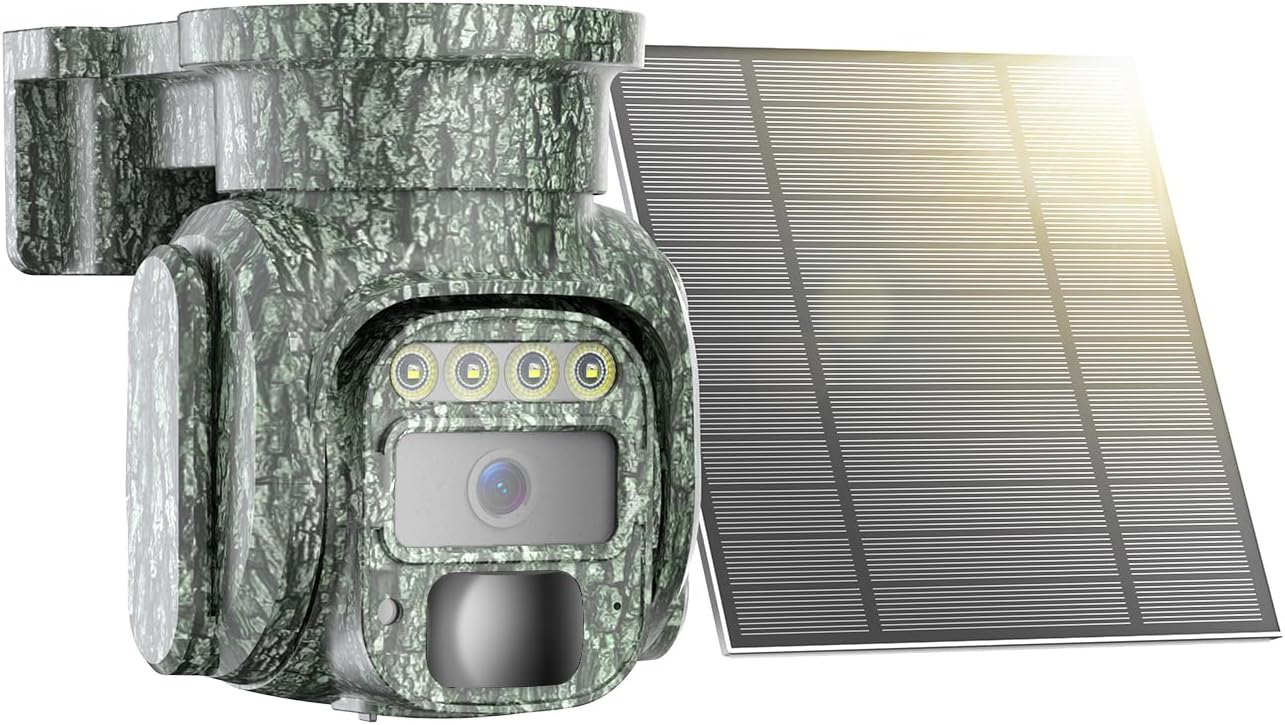
Image: The KKB 4G LTE Cellular Solar Security Camera with its accompanying solar panel.

Image: Illustration of the camera's 355-degree pan and 90-degree tilt capabilities, controlled via a smartphone app.
Tatūnga
- Whakataunga Tuatahi: Before first use, fully charge the camera's internal battery using the provided charging cable. This ensures the camera has sufficient power to begin operation, especially if solar charging is limited initially.
- SIM Card & MicroSD Card Installation: The camera comes with a built-in SIM card. Ensure it is activated according to the instructions provided with the camera. If using local storage, insert a MicroSD card (up to 128GB, not included) into the designated slot.
- App Download and Account Creation: Download the "iCam365" app from your smartphone's app store (Android or iOS). Follow the in-app instructions to create an account and register your camera.
- Paarua Whakaata: Power on the camera. Open the iCam365 app and follow the prompts to add your new device. This typically involves scanning a QR code on the camera or packaging.
- Mounting the Camera and Solar Panel: Kōwhiria he wāhi e pai ai te whiti o te rā mō te panera rā, me te wāhi mārama hoki view for the camera. Use the included installation accessories to securely mount both units. Ensure the solar panel is angled to receive maximum direct sunlight throughout the day.

Image: The KKB 4G LTE Cellular Solar Security Camera connected to its solar panel, ready for outdoor installation.
Nga Tohutohu Whakahaere
- Ora View and Pan/Tilt Control: Open the iCam365 app. Select your camera to access the live video feed. Use the on-screen controls to remotely pan (355°) and tilt (90°) the camera lens to adjust your viewkoki.
- Ororongo Ara-rua: I te wa e ora ana view, tap the microphone icon in the app to speak through the camera's speaker. Tap the speaker icon to listen to audio from the camera's location.
- Te Motini me nga Matohi: The camera's PIR motion sensor detects movement. When motion is detected, the camera will record video and send instant notifications to your smartphone via the iCam365 app. Sensitivity settings can be adjusted in the app to minimize false alarms.
- Aratau Matakite Po: The camera automatically switches to night vision in low light. It supports both color night vision and infrared night vision for clear visibility in the dark.
- Hopu Ataata me te Purei: Recorded videos are saved to the installed MicroSD card or to the cloud (subscription may be required). Access and playback recorded footage directly through the iCam365 app.
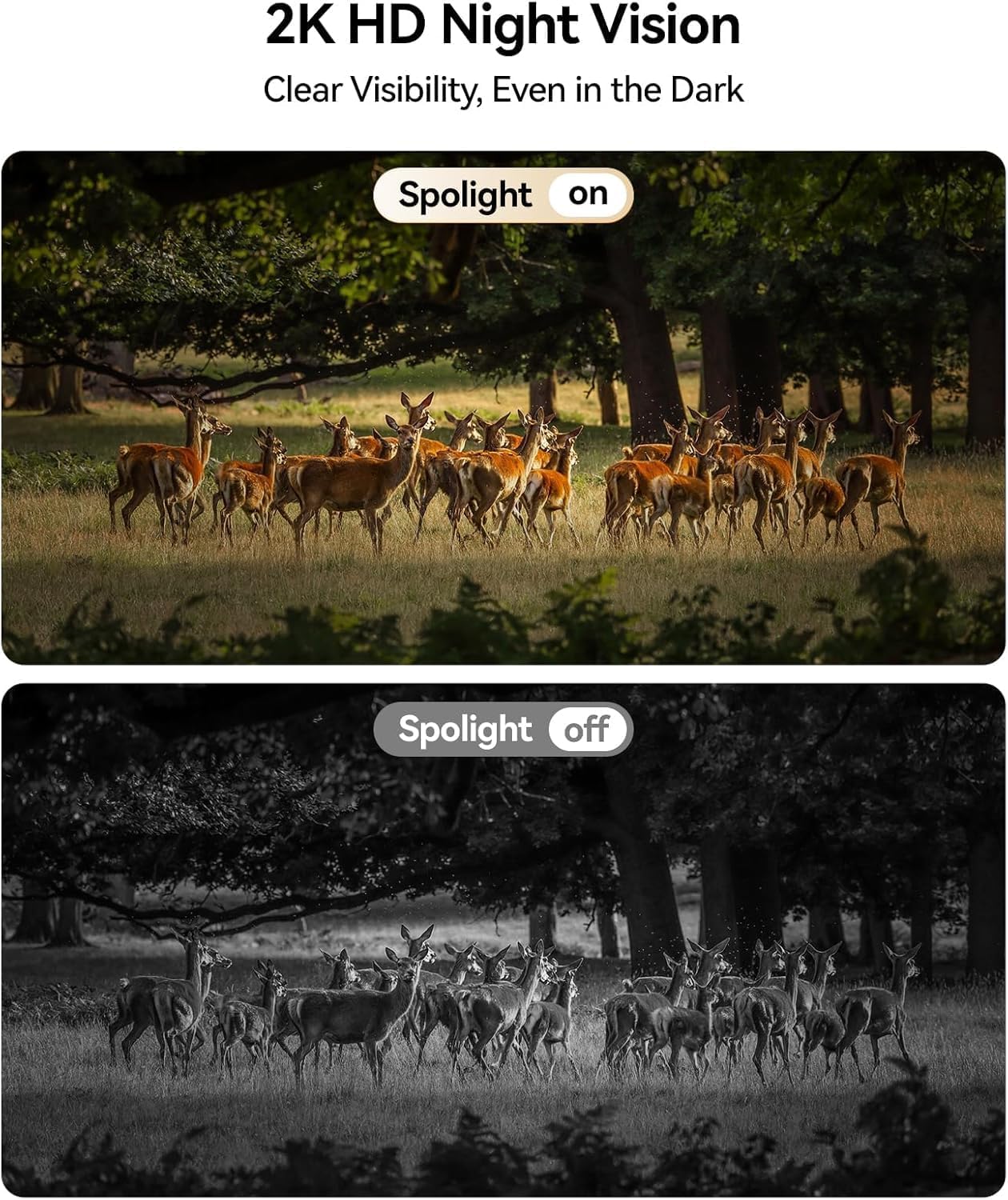
Image: Comparison of daytime and 2K HD night vision footage from the KKB camera, demonstrating clear visibility in darkness.

Image: The camera's intelligent tracking feature detecting a person and sending an instant notification to a smartphone.
Te tiaki
- Te horoi i te Paewhiri Solar: Regularly clean the surface of the solar panel to remove dust, dirt, and debris. A clean panel ensures maximum sunlight absorption and efficient battery charging.
- Whakahaere Pūhiko: While solar-powered, extreme weather or prolonged periods of low sunlight may affect battery levels. Monitor battery status via the app and manually charge if necessary.
- Whakahōu Firmware: Periodically check the iCam365 app for available firmware updates. Keeping your camera's firmware up-to-date ensures optimal performance, security, and access to new features.

Image: The KKB camera demonstrating its IP65 waterproof rating, suitable for all weather conditions.
Raparongoā
| Putanga | Take pea | Rongoā |
|---|---|---|
| No 4G Signal | Poor cellular coverage in the area. | Relocate the camera to an area with better 4G signal strength. Check with your cellular provider for coverage maps. |
| Ka Paheke te Pūhiko | Insufficient sunlight for solar panel; excessive motion detection; frequent live view uru. | Ensure solar panel is clean and optimally angled towards the sun. Adjust motion detection sensitivity. Limit frequent live view urunga. Utu ā-ringa mēnā e tika ana. |
| False Motion Alarms | High sensitivity settings; environmental factors (e.g., moving branches, insects). | Adjust PIR motion detection sensitivity in the iCam365 app. Ensure the camera is not pointed at areas with constant, non-threatening movement. |
| Kāore e taea te hono atu ki te Taupānga | Incorrect pairing process; app or camera firmware outdated; poor 4G signal. | Repeat the pairing process. Ensure the app and camera firmware are updated. Verify 4G signal strength. |
Whakatakotoranga
- Ingoa Tauira: 4G-RF-12
- Tau tauira: G220BM
- Hangarau Hononga: 4G LTE Cellular (No Wi-Fi support)
- Puna Hiko: Solar Powered (5W Solar Panel) with 10400mAh Rechargeable Battery
- Taumira Hopu Ataata: 2K
- Viewing Koki: 355° Pan, 90° Hunga
- Matakitenga po: Color Night Vision, Infrared
- Nga waahanga motuhake: 2-Way Audio, HD Resolution, PTZ Technology, PIR Motion Sensor
- Whakamahinga o roto/waho: Roto, Waho
- Whakatauranga parewai: IP65
- Rokiroki: Micro SD (tae atu ki te 128GB), Cloud Storage
- Tikanga Mana: iCam365 App (Android, iOS)
- Rauemi: Acrylonitrile Butadiene Styrene (ABS)
- Te rahi o te mea: 3.7 x 5.9 x 5.6 inihi
Pūtāhui me te Tautoko
KKB provides comprehensive customer support for its products. For detailed warranty information, please refer to the warranty card included in your product packaging or visit the official KKB website. For technical assistance, KKB offers 7x24 hours professional technical support through multi-channel services, including in-app contact and email.

Image: KKB customer support team ready to assist.