
1. Kupu Whakataki
Thank you for choosing the Wittime 2180 Weather Station. This device provides comprehensive indoor and outdoor weather information, including temperature, humidity, barometric pressure, and weather forecasts. It also features an atomic clock for precise timekeeping and dual alarms. This manual will guide you through the setup, operation, and maintenance of your new weather station.
Ihirangi mōkī:
- 1 x Wittime 2180 Main Weather Station Unit
- 1 x Ahokore Pūoko waho
- 1 x Pukapuka Kaiwhakamahi
2. Nga Hua o te Hua
The Wittime 2180 Weather Station is designed with a range of features to keep you informed about your environment:
- Whakaaturanga Mahi-maha: Shows weather forecast, indoor and outdoor temperature and humidity, barometric pressure, dew point, heat index, and mold indicator.
- Atomic Clock with Dual Alarms: Automatically updates time via WWVB signal (PST, MST, CST, EST time zones supported) and includes two customizable alarms.
- Te Kanapa o te Mata e Whakaritea ana: Press the snooze/light button for 10 seconds of bright illumination, improving readability.
- Matapae Huarere 12-Hāora: Provides a forecast based on barometric pressure changes (requires 7-10 days for initial calibration).
- Hītori Pēhanga Barometric: Displays historical pressure data and trends.
- Wide Range Wireless Sensor: Supports up to 3 sensors (one included) with a transmission distance of up to 328ft (open area). Data updates every 30 seconds.
- Whakatakotoranga maha: Can be wall-mounted or placed on a tabletop using the integrated stand.

Whakaatu 2.1: Neke Atuview of the weather station's display and sensor, highlighting various data points.

Figure 2.2: Explanation of the Mold, Dew, and Heat indices provided by the weather station.
3. Tatūnga
Follow these steps to set up your Wittime Weather Station:
- Install Batteries in Main Unit: Open the battery compartment on the back of the main unit. Insert 3 AA batteries, ensuring correct polarity (+/-).
- Install Batteries in Wireless Sensor: Open the battery compartment on the back of the wireless sensor. Insert 2 AA batteries, ensuring correct polarity (+/-).
- Te Hia me te Tauhoa: The main unit will automatically search for the outdoor sensor. Place the sensor within range (ideally near the main unit initially). The outdoor temperature and humidity should appear on the main unit's display within a few minutes. If not, press the 'CH' button on the main unit to initiate a manual search.
- Atomic Clock Synchronization: The weather station will automatically attempt to synchronize with the WWVB atomic clock signal. This process may take several hours, especially during initial setup or if the unit is moved. Ensure the unit is placed near a window for better signal reception. You can manually select your time zone (PST, MST, CST, EST) using the settings buttons.
- Turanga: The main unit can be placed on a flat surface using its integrated stand or mounted on a wall using the keyhole slot on the back. The outdoor sensor should be placed in a shaded, dry location away from direct sunlight and precipitation for accurate readings.

Figure 3.1: The weather station is battery-powered, requiring 3 AA batteries for the main unit and 2 AA batteries for the wireless sensor.
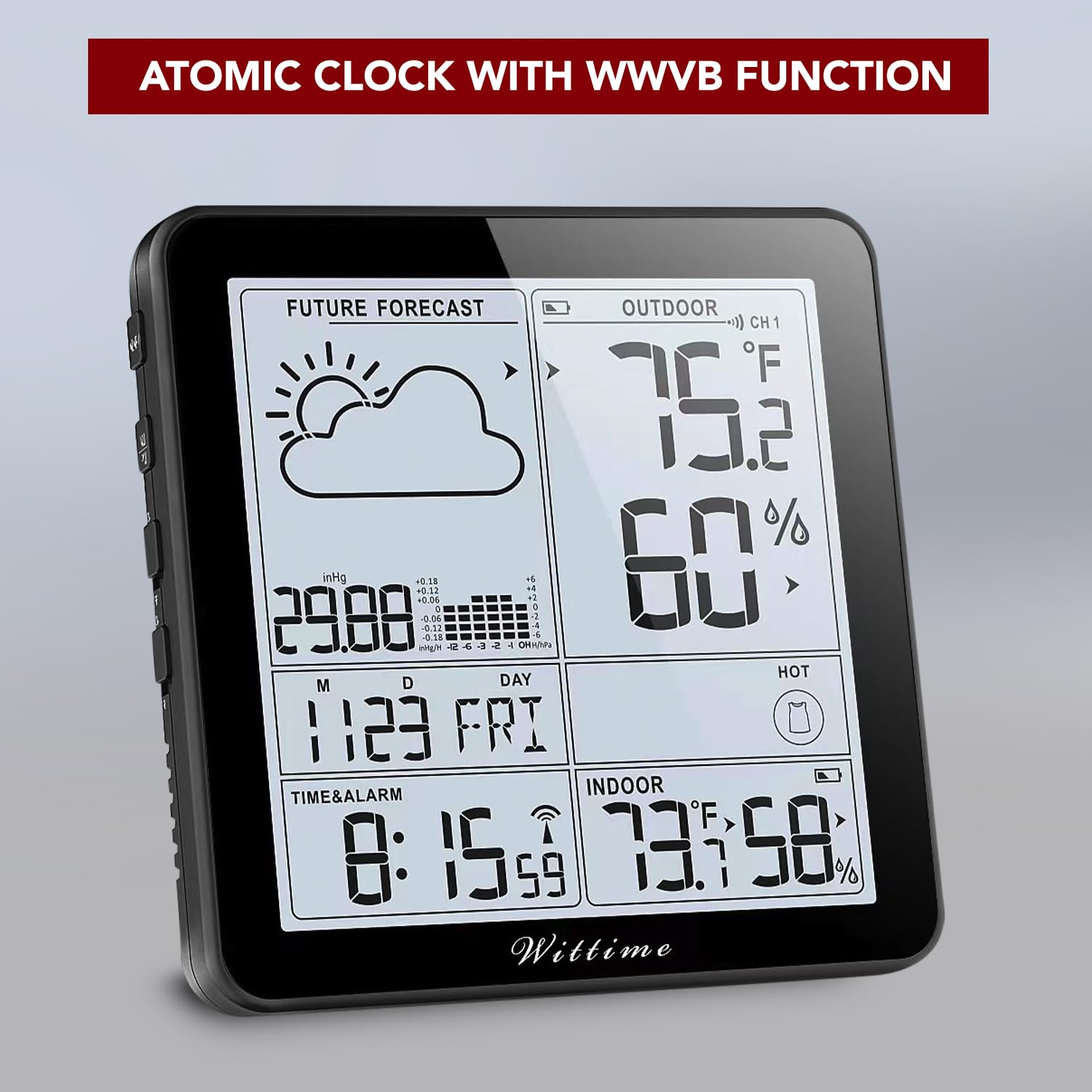
Figure 3.2: The atomic clock function automatically sets the time and date via WWVB signal.

Figure 3.3: The atomic clock feature ensures accurate time and date settings.
4. Nga Tohutohu Whakahaere
Understanding the display and controls of your weather station:

Figure 4.1: Main display layout of the Wittime 2180 Weather Station.
4.1 Whakaatu i rungaview
- Matapae ā-Mārama: Displays predicted weather conditions (sunny, cloudy, rainy, etc.).
- Wāhanga o Waho: Shows outdoor temperature and humidity, along with the active sensor channel.
- Te Taumaha Barometric: Displays current pressure and a historical graph.
- Wā me te Ra: Shows current time, day of the week, and date.
- Wāhanga o roto: Ka whakaatu te pāmahana me te haumākū o roto.
- Indices: Includes Mold, Dew, and Heat indices for environmental awareness.
4.2 Nga Mahi Patene
He maha ngā pātene whakahaere kei roto i te taputapu matua:
- AHUNGA: Cycles through display modes or enters setting mode.
- +: Increases values during setting, or changes display options.
- -: Decreases values during setting, or changes display options.
- CH: Changes the outdoor sensor channel (if multiple sensors are used) or initiates sensor search.
- PUKA / MAHI: Activates backlight for 10 seconds; functions as snooze during alarm.
- ALARM 1/ALARM 2 ON/OFF: Switches alarms on or off.
4.3 Setting Time and Alarms
- Patohia me te pupuri i te MODE pātene ki te tomo aratau tautuhinga wā.
- Whakamahia te + or - ngā pātene hei whakarerekē i te uara kanapa (hei tauira, hāora, meneti, tau, marama, rā).
- Perehi MODE again to confirm and move to the next setting.
- To set alarms, press MODE until 'AL1' or 'AL2' appears. Press and hold MODE to enter alarm setting. Adjust time using + or -.
- Toggle alarms ON/OFF using the dedicated ALARM switches on the side.
4.4 Understanding Weather Forecast
The weather station predicts weather based on barometric pressure changes. The forecast icons represent:
- paki
- Wahi Kapua
- Kapuapua
- Te ua
- Hukarere
Initial calibration for accurate forecasting takes 7 to 10 days. The barometric pressure display also includes a historical table and trend indicator for local pressure changes.
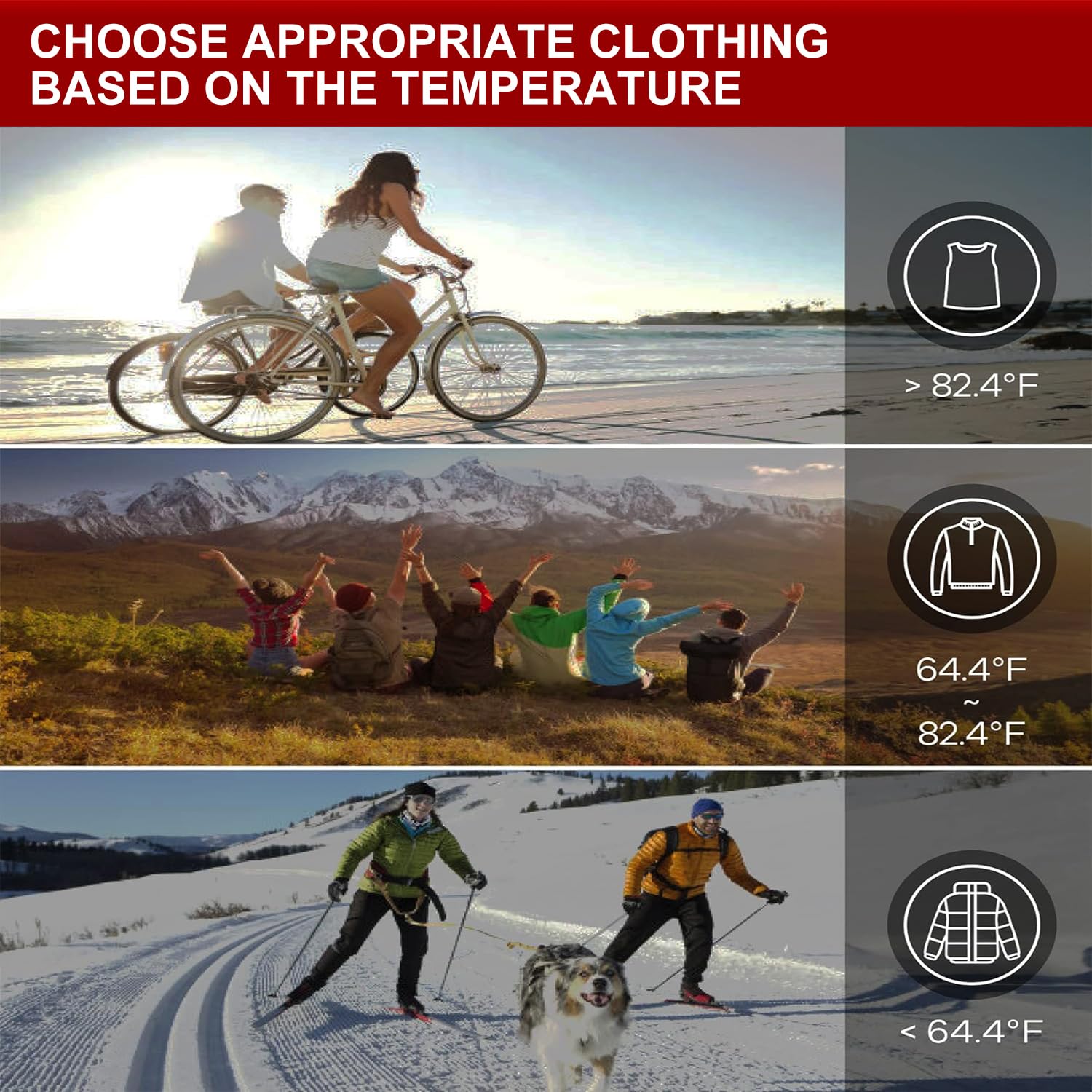
Figure 4.2: The weather station helps you choose appropriate clothing based on temperature.
5. Tiaki
To ensure optimal performance and longevity of your Wittime Weather Station:
- Whakakapinga Pūhiko: Replace batteries in both the main unit and the outdoor sensor when the low battery indicator appears on the display. Use fresh AA alkaline batteries.
- Te horoi: Horoia te mata me ngā mata o te waeine ki te wai ngohengohe,amp kakahu. Kaua e whakamahi i nga kai horoi me nga whakarewa.
- Whakanohonga Pūoko: Periodically check the outdoor sensor's location to ensure it remains protected from direct elements and has clear transmission to the main unit.
6. Te Raru
Mena ka pāngia koe e ngā raruraru me tō teihana huarere, tirohia ngā raruraru me ngā otinga e whai ake nei:
| Raruraru | Take pea | Rongoā |
|---|---|---|
| Karekau he panui pāmahana/makuku o waho. | Sensor out of range, low sensor battery, interference. | Move sensor closer to main unit. Replace sensor batteries. Press 'CH' button on main unit to re-sync. |
| Whakaatu wa hē. | Atomic clock signal not received, incorrect time zone. | Ensure unit is near a window. Allow time for synchronization. Check and set correct time zone. |
| Weather forecast inaccurate. | Initial calibration period not complete. | Allow 7-10 days for the station to calibrate to local barometric pressure changes. |
| He atarua, he putea ranei te whakaaturanga. | He iti te pākahiko o te waeine matua. | Whakakapia ngā pākahiko o te waeine matua. |
7. Whakatakotoranga
| Āhuahira | Taipitopito |
|---|---|
| Tau tauira | CASA-WT1-2180 |
| Hunga Hua | 2.2 x 6.1 x 8.7 inihi |
| Taumaha | 15.52 hekere |
| Puna Hiko (Waeine Matua) | 3 x AA pākahiko (kaore i whakauruhia) |
| Power Source (Wireless Sensor) | 2 x AA pākahiko (kaore i whakauruhia) |
| Te Tikanga o te Pamahana | ± 0.5°F |
| Te tika o te haumākū | ± 2% |
| Mokowoko Korekore | Up to 328ft (open area) |
| Rauemi | Kirihou |
| Hangarau Hononga | Ahokore |

Figure 7.1: Product dimensions of the Wittime 2180 Weather Station.
8. Hua Ataata
Tirohia tenei ataata hua whaimana mo te tirohangaview of the Wittime 2180 Weather Station's features and functionality:
Video 8.1: Wittime 2180 Weather Station Indoor Outdoor Thermometer Overview.
9. Pūtāhui me te Tautoko
Wittime offers a manufacturer warranty for 12 months from the date of purchase. In the event that you are not completely satisfied with your item or receive a defective product, please contact Wittime customer support for assistance. Please refer to the contact information provided with your product packaging or visit the official Wittime webpae mo nga taipitopito tautoko.