
1. Kupu Whakataki
This manual provides detailed instructions for the Xmenha SK40 Single Mini Invisible Earbud. Please read this guide thoroughly before using the product to ensure proper operation and to maximize its lifespan. This earbud is designed for discreet audio and communication, featuring a compact size and wireless Bluetooth connectivity.
2. Hua Neke Atuview
The Xmenha SK40 is a single, mini, invisible earbud designed for comfort and discreet use. It features Bluetooth 5.4 for stable connectivity and touch controls for easy operation.

Figure 1: Xmenha SK40 Single Mini Invisible Earbud and Charging Case.
Ko nga ahuatanga matua ko:
- Single Earbud Design: For hands-free convenience and situational awareness.
- Discreet & Invisible Fit: Ultra-small design for minimal visibility.
- Tuhonohono Nihokikorangi 5.4: Ensures stable and fast pairing.
- Whakamarie mo te ra katoa: Ergonomically shaped and lightweight for extended wear.
- Roa te Ora o te Pūhiko: Up to 4 hours of playtime, extended with the charging case.
- Ātete wai: He pai mo nga momo mahi.

Whakaatu 2: Neke Atuview of the Xmenha Mini Single Earbud and its charging case.
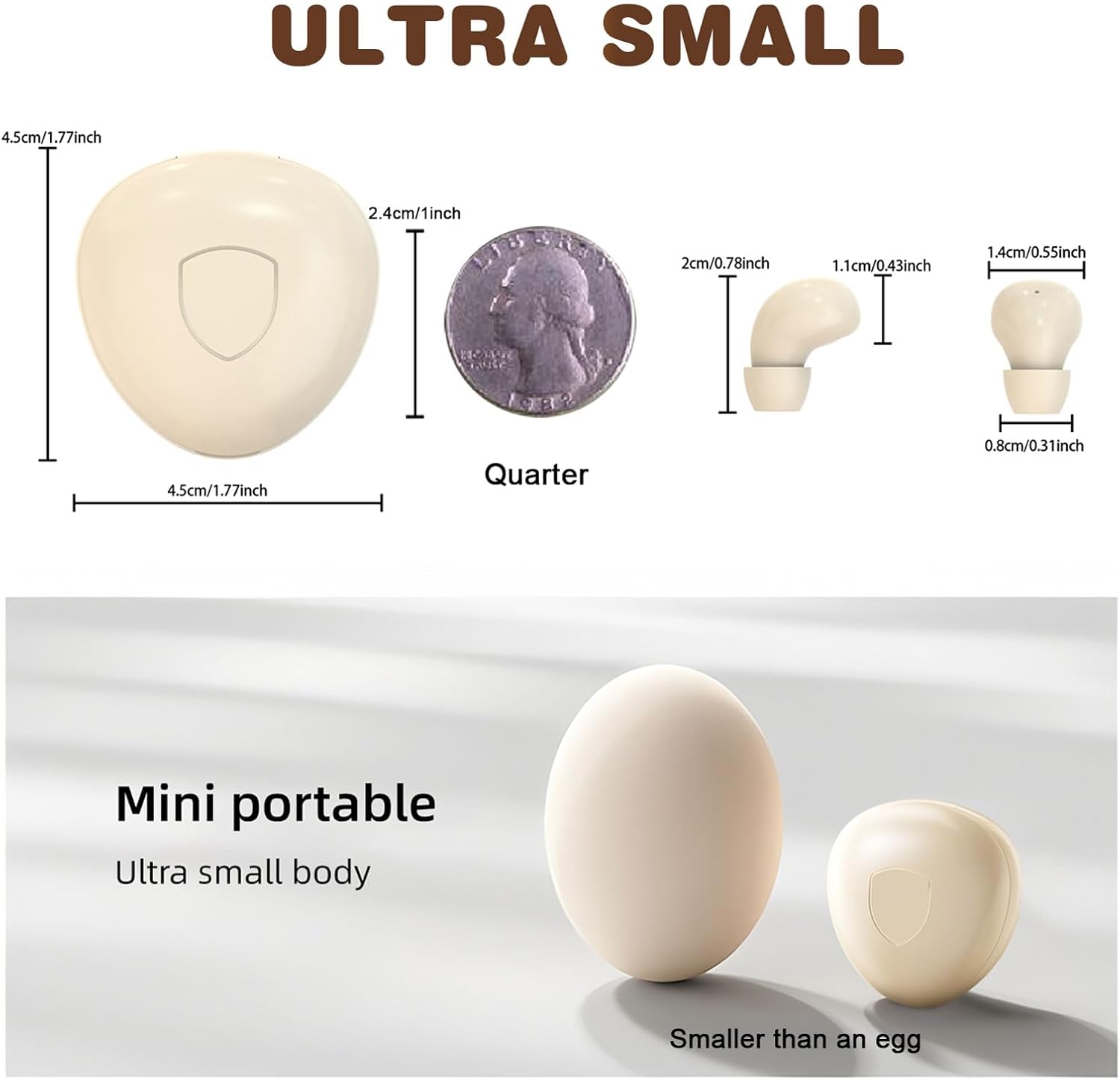
Figure 3: Size comparison of the earbud and charging case.
3. Ihirangi mokete
Manatokona kei roto katoa nga mea kei roto i te kete:
- 1 x Xmenha SK40 Single Mini Invisible Earbud
- 1 x Puhi utu
- 1 x USB Utaura Whakatau
- 1 x Ainga Taringa
- 1 x Manual Kaiwhakamahi (tenei tuhinga)
4. Tatūnga
4.1 Charging the Earbud and Case
Before first use, fully charge the earbud and its charging case. The charging case acts as a portable power bank for the earbud.
- Honoa te taura utu USB ki te tauranga utu i runga i te pouaka me te pūtake hiko USB hototahi.
- Ka whakaatuhia te āhua o te utunga e te rama tohu i runga i te pouaka. E rima hāora te roa o te utunga katoa mō te pouaka.
- Place the earbud into the charging case. The earbud will automatically begin charging.
Ensure the charging contacts on both the earbud and the case are clean and dry for efficient charging.
4.2 Takirua Nihokikorangi
The earbud is designed for quick and stable pairing with your device.
- Whakahiko: Take the earbud out of the charging case. It will automatically power on and enter pairing mode. You may hear an audible prompt.
- Whakahohe Nihokikorangi: On your smartphone, tablet, or other Bluetooth-enabled device, go to the Bluetooth settings and turn on Bluetooth.
- Tīpako Pūrere: Look for "SK40" (or similar name) in the list of available devices and select it to connect.
- Whakaū: Once connected, you will hear a confirmation sound from the earbud. The earbud is now ready for use.
The earbud will automatically reconnect to the last paired device when taken out of the case, provided Bluetooth is active on the device.

Figure 4: Discreet fit of the earbud for work or daily use.

Figure 5: Comfortable wearing for various ear sizes.
5. Nga Tohutohu Whakahaere
5.1 Mana Pa
The Xmenha SK40 earbud features intuitive touch controls on its surface:
- Purei/Tatari: Double-click the function key.
- Whakautu/Pehia Waea: Double-click the function key during an incoming or active call.
- Refuse Phone Call: Long press the function key for 1.5 seconds during an incoming call.
- Kaiawhina Reo: Press the function key four times.
- Waiata Panuku: Triple press the function key.
- Language Conversion (Chinese/English): Five presses of the function key.

Figure 6: Earbud Touch Control Functions.
5.2 Audio and Call Quality
The earbud provides clear audio for listening to content and making calls. It is equipped with an HD microphone for clear communication.

Figure 7: High-definition call and immersive listening experience.
6. Tiaki
To ensure the longevity and optimal performance of your Xmenha SK40 earbud, follow these maintenance guidelines:
- Te horoi: Regularly wipe the earbud and charging case with a soft, dry, lint-free cloth. Avoid using abrasive materials or harsh chemicals.
- Kei te utu Hoapā: Periodically clean the charging contacts on both the earbud and the case with a dry cotton swab to ensure a good connection.
- Rokiroki: Ina kore e whakamahia, rongoatia te taringaoro ki roto i tana pouaka utu hei tiaki i te puehu me te kino.
- Puranga wai: While the earbud is water resistant, avoid prolonged submersion in water. Dry the earbud thoroughly if it gets wet before placing it back in the charging case.
7. Te Raru
If you encounter issues with your Xmenha SK40 earbud, refer to the following common solutions:
| Raruraru | Rongoā |
|---|---|
| Earbud does not power on. | Ensure the earbud is charged. Place it in the charging case and check the charging indicator. |
| Kaore e taea te hono ki te taputapu. |
|
| Karekau he oro, he iti te reo. |
|
| Earbud not charging in case. |
|
8. Whakatakotoranga
| Āhuahira | Taipitopito |
|---|---|
| Waitohu | Xmenha |
| Tau tauira | SK40 |
| Hangarau Hononga | Ahokore (Nihokikorangi) |
| Putanga Nihokikorangi | 5.4 |
| Te Whakanoho Taringa | I te Taringa |
| Tikanga Mana | Paa |
| Battery Average Life (Earbud) | 4 haora |
| Battery Charge Time (Case) | 4 haora |
| Wā Takaro Tapeke (me te pouaka) | Tae atu ki te 24+ haora |
| Taumaha Tūemi | 0.64 hekere (tata ki te 18g) |
| Taumata Atete Wai | Wai Atete |
| Pūrere Hototahi | Smartphones, Tablets, Laptops, Desktops, Gaming Consoles, Televisions |
| Rauemi | Kirihou |
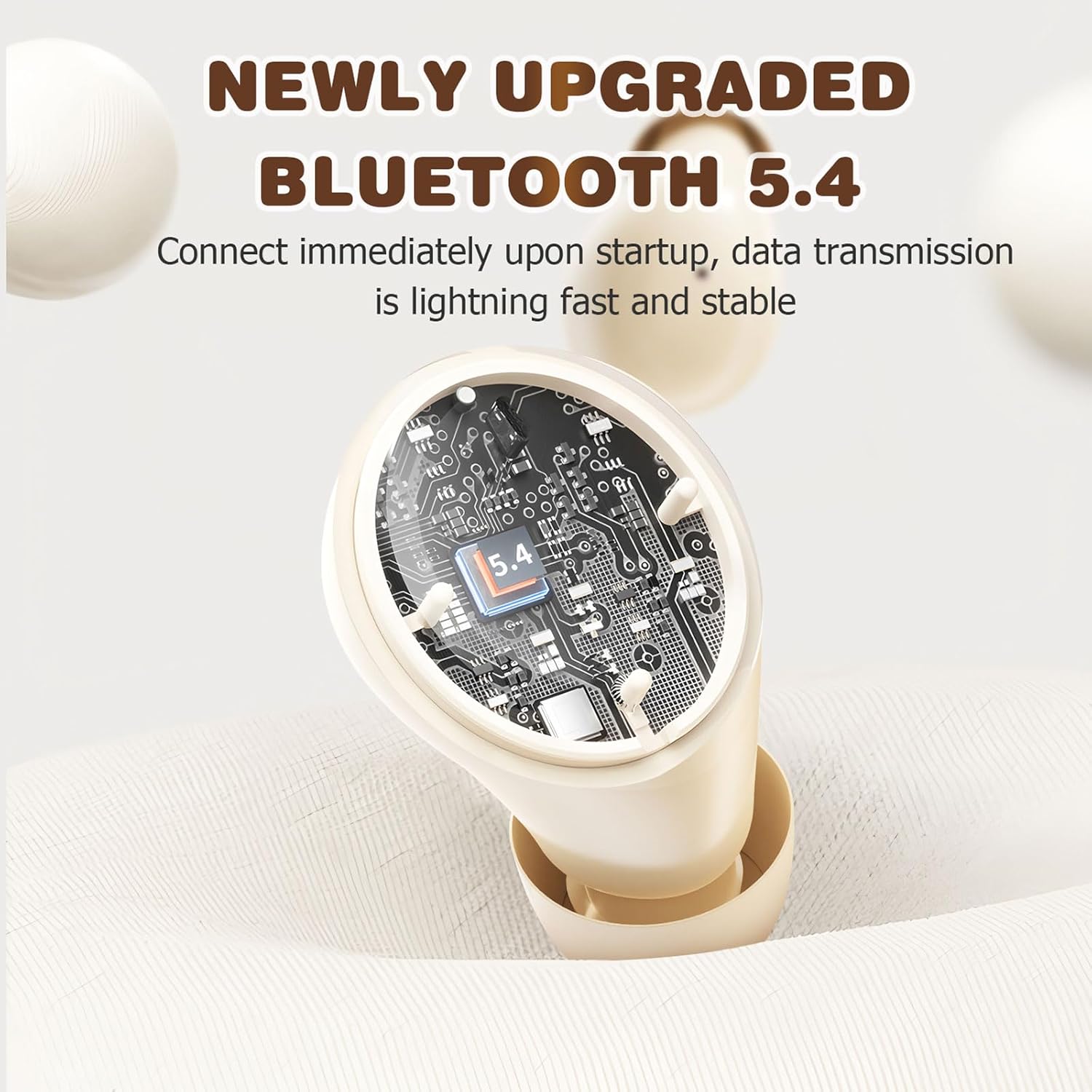
Figure 8: Bluetooth 5.4 Technology for stable connection.
9. Pūtāhui me te Tautoko
For warranty information or technical support, please refer to the retailer where the product was purchased or visit the official Xmenha store online. Keep your proof of purchase for any warranty claims.
Xmenha Store: https://www.amazon.com/stores/Xmenha/page/4E0E0BD2-8E21-4F83-81EB-7F717D07D829