
UYIKOO TB10
UYIKOO TB10 Mini Action Camera User Manual
Model: TB10 | Brand: UYIKOO
Kupu Whakataki
This manual provides detailed instructions for the UYIKOO TB10 Mini Action Camera. Please read this manual thoroughly before using the device to ensure proper operation and to maximize its features. Keep this manual for future reference.
The UYIKOO TB10 Mini Action Camera, a compact device designed for capturing high-definition video.
He aha kei roto i te Pouaka
Manatokohia ko nga mea katoa kei raro nei kei roto i to kete. Mena kei te ngaro, kua pakaru ranei etahi taonga, tena koa whakapiri atu ki te tautoko a nga kaihoko.
- UYIKOO TB10 Mini Action Camera
- 32 GB Micro SD Card
- Tautuhi Pene
- Te here a ringa
- Short Lanyard
- Taura-C USB Taura
- Bicycle Mount Set
- Tiu Whakapiki
- Magnetic Chest Mount
- Topenga Hurihuri 360°
- Screw Mount Adapter
- Long Lanyard
- Maunga Whakapiri Papatahi
- Maunga Piripiri Kopiko
- Tere Tuku Tere
- J-Hook Buckle Mount
- Kaihono Hiko

A visual representation of the camera and its comprehensive accessory kit.
Ka mutu te huaview
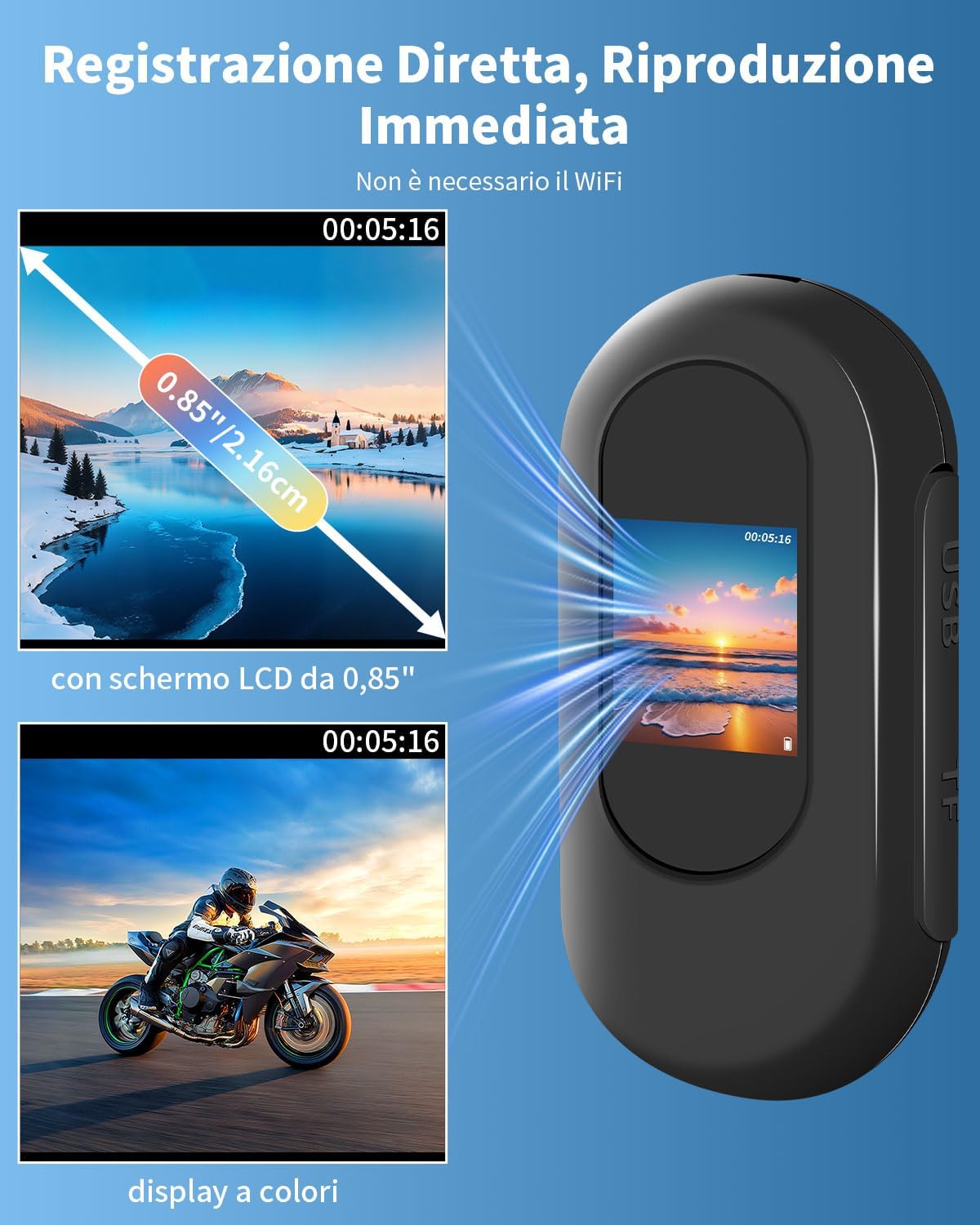
The UYIKOO TB10 is a compact and versatile action camera designed for various recording scenarios. It features a 0.85-inch display for instant playback and real-time viewing, 1080P HD video recording, and a 120° wide-angle lens.
Āhuatanga matua:
- Whakaaturanga 0.85": Mō te wā tūturu viewing and instant playback of recorded footage.
- Ataata HD 1080P: Captures high-definition video at a 120° wide-angle.
- Matakitenga po: Equipped with 6 high-intensity infrared LEDs for recording in low-light conditions up to 3 meters.
- Kei roto te Kāri Mahara 32GB: Supports long-term recording with loop recording functionality.
- Kiato me te Mamaa: Measures 6x2.8x2cm and weighs 27g, making it highly portable.
- 2-Hour Continuous Recording: Built-in battery provides extended usage. Supports recording while charging.
- Whakanuia Nga Mahi: Comes with various accessories for attachment to clothing, bicycles, helmets, and more.

The camera's display allows for immediate review of recordings.

The camera's small dimensions and integrated battery allow for extended recording.

The camera is suitable for a wide range of activities and applications.
Tatūnga
1. Te Whakataki i te Kamera
I mua i te whakamahinga tuatahi, whakakīia katoatia te kāmera.
- Connect the included Type-C USB cable to the camera's charging port.
- Honoa te tahi pito o te taura ki te urutau hiko USB (kaore i whakauruhia), ki te tauranga USB rorohiko ranei.
- Ka marama te rama tohu utu. Ka oti te whakakii (tata ki te 3 haora), ka huri te rama, ka weto ranei.
2. Te Whakauru i te Kāri Micro SD
The camera comes with a pre-formatted 32GB Micro SD card.
- Kimihia te mokamoka kāri Micro SD i te taha o te kamera.
- Gently insert the Micro SD card into the slot until it clicks into place. Ensure the card is inserted in the correct orientation.
- Hei tango, pēhia mārire anō te kāri ki roto kia pupū ake rā anō ki waho.
3. Te taapiri i nga taputapu
Utilize the various included accessories to mount the camera according to your activity.
- Magnetic Chest Mount: Attach the camera to the magnetic pendant for hands-free, first-person perspective recording.
- 360° Rotation Clip: Use this clip to attach the camera to clothing, backpacks, or other gear, allowing for flexible angle adjustments.
- Bicycle Mount Set: Securely attach the camera to bicycle handlebars for cycling footage.
- Helmet Mounts (Flat/Curved Adhesive Mounts, J-Hook Buckle Mount): Use these to affix the camera to helmets for action sports.
- Taiu ringa: Wear the camera on your wrist for convenient access and recording.

The camera can be mounted in diverse ways for different activities.

The accessory kit provides multiple options for mounting the camera in diverse scenarios.
Nga Tohutohu Whakahaere
Te Hiko / Whakaweto
- Whakahiko: Pēhia me te pupuri i te pātene Mana mō ētahi hēkona kia mārama ra ano te mata.
- Weto Whakakore: Pēhia anō te pātene Mana me te pupuri kia mate rā anō te mata.
Hopu Ataata
- Ensure the camera is powered on and a Micro SD card is inserted.
- Press the Record button (usually marked with "REC" or a red dot) to start recording. The recording indicator light will flash.
- Press the Record button again to stop recording. The indicator light will stop flashing.
- The camera supports 1080P HD video recording with a 120° wide-angle view.

The camera allows for hands-free recording from a first-person perspective.
Aratau Tirohanga Po
The camera automatically activates night vision in low-light conditions.
- The integrated 6 high-intensity infrared LEDs provide clear recording up to 3 meters in darkness.

Automatic night vision ensures clear footage even in dark environments.
Roopu Hopu
Ka tautoko te kāmera i te tuhi porowhita, e tuhirua aunoa ana i te mea tawhito rawa files ka ki tonu te kaari mahara.
- The included 32GB Micro SD card can store approximately 8 hours of continuous video.
- The camera supports Micro SD cards up to 256GB.

Loop recording ensures continuous capture by overwriting older files ka ki tonu te rokiroki.
Viewing Files
Ka taea e koe view recorded videos and images directly on the camera's 0.85-inch screen or by connecting to a computer.
- I runga i te kamera: Use the navigation buttons (if available, or follow on-screen prompts) to browse and play back files on the 0.85" LCD screen.
- Via Computer (Direct Connection):
- Connect the camera to your computer using the Type-C USB cable.
- The camera should appear as a removable disk drive.
- Open the drive to access your video (MP4) and image (JPEG) files.
- Via Computer (Micro SD Card Reader):
- Remove the Micro SD card from the camera.
- Insert the Micro SD card into a card reader (not included) connected to your computer.
- Uru ki te files directly from the card reader.

FileKa taea te reviewed on the camera's screen or transferred to a computer for viewing.
Te tiaki
- Te horoi: Use a soft, dry cloth to clean the camera body and lens. Avoid using harsh chemicals or abrasive materials.
- Rokiroki: Whakaorangia te kaamera ki te waahi makariri, maroke atu i te ra tika me te wera nui.
- Tiaki Pūhiko: Hei whakaroa i te ora o te pākahiko, karohia te tuku katoa i te pākahiko. Me utu te kaamera i nga wa katoa, ahakoa kaore i te whakamahia mo nga wa roa.
- Kaari SD Micro: Periodically back up your files and format the Micro SD card to maintain optimal performance.
- Ātete wai: He maera tenei kamera e kore te wai ātete. Avoid exposure to water or moisture.
Raparongoā
| Raruraru | Take pea | Rongoā |
|---|---|---|
| Karekau te kamera i te hiko. | He iti te pākahiko. | Whakakīia katoatia te kāmera. |
| Kaore e taea te tuhi ataata. | Micro SD card full or not inserted correctly. | Check Micro SD card insertion. Back up and format the card, or replace with a new one. |
| Te kounga ataata kino. | Lens is dirty; insufficient lighting. | Clean the lens. Ensure adequate lighting or utilize night vision feature. |
| Ka whakatio te kamera, ka kore ranei e aro. | Hapa o te rorohiko. | Use the reset pin to perform a soft reset. Insert the pin into the reset hole and gently press. |
| Kāore te rorohiko e mōhio ki te kāmera. | Faulty USB cable or port; driver issue. | Try a different USB cable or port. Ensure the camera is powered on when connected. Try connecting the Micro SD card directly via a card reader. |
Whakatakotoranga
| Āhuahira | Taipitopito |
|---|---|
| Waitohu | UYIKOO |
| Ingoa Tauira | TB10 |
| Momo Camcorder | Kāmera Mahi |
| Whakataunga Hopu Ataata | 1080p Katoa HD |
| Whakatau Ataata Whaihua | 1080 Pika |
| Viewing Koki | 120 Waeine |
| Hangarau Pūoko Whakaahua | CMOS |
| Hangarau Pūoko Optical | CMOS |
| Momo Arotahi | Koki-whanui |
| Momo Arotahi | Arotahi aunoa |
| Roa Arotahi Mōrahi | 2.94 mm |
| Min Roa Arotahi | 2.93 mm |
| Āhuahira Motuhake | Night Vision (6 IR LEDs, up to 3 meters) |
| Whakapumau Atahanga | Kao |
| Hangarau Hononga | None (Direct USB connection for data transfer) |
| Whakaatu | 0.85-inihi LCD Mata |
| Installed Flash Memory Size | 32 GB (Micro SD card included, supports up to 256GB) |
| Hōputu Hopu Ataata | H264 (MP4 file hōputu) |
| Hōputu Ororongo Tautokohia | AAC, MP3 |
| Hōputu Atahanga Tautoko | JPEG |
| Aspect Ratio | 16:9 |
| Aratau Whakapupuri | Action, Night, Landscape |
| Tauwehe Puka | Ultra compact (6x2.8x2cm, 27g) |
| Momo Pūhiko | Built-in, Non-standard (1 battery included) |
| Toharite Pūhiko Ora | 2 Hours (continuous recording) |
| Taumata Atete Wai | Ehara i te wai ātete |
| Pūrere Hototahi | Smartphone, Laptop, Personal Computer, Tablet |
| Whenua Taketake | Haina |
Pūtāhui me te Tautoko
The UYIKOO TB10 Mini Action Camera comes with a 1-tau iti pūtāhui mai i te ra o te hokonga. Ka kapi tenei whakamana i nga hapa o te hanga me te mahi. Kaore e kapi i te kino na te whakamahi hee, nga aitua, nga whakarereketanga kore mana, me nga kakahu me nga roimata noa.
For technical support, warranty claims, or any questions regarding your product, please contact UYIKOO customer service through the retailer where the product was purchased. Please have your purchase receipt and product model number (TB10) ready.
Nga korero haumaru
- Kaua e whakaatuhia te kāmera ki ngā pāmahana tino kino, ki te rā tika, ki te haumākū nui rānei.
- Puritia te kamera mai i nga papa autō kaha.
- Kaua e ngana ki te wetewete, ki te whakarereke ranei i te kamera. Ma tenei ka whakakore i te whakamana.
- Puritia kia kore e taea e ngā tamariki te toro atu. Tērā pea ka noho hei mōrearea mō te kōroke i ngā wāhanga iti.
- Dispose of the camera and its battery responsibly according to local regulations.
- He maera tenei kamera e kore e parewai. Avoid contact with water.
Ask a question about this manual
Ask about setup, troubleshooting, compatibility, parts, safety, or missing instructions. Manuals+ will review the question and use this page’s manual context to help answer it.