
1. Kupu Whakataki
This manual provides essential information for the safe and effective use of your VEVOR TS60H 60-inch Projector Screen with Stand. Please read it thoroughly before assembly and operation, and retain it for future reference.
Ka mutu te huaview
- Hoahoa Kawe: This 60-inch tripod-designed projector screen is lightweight and portable, ideal for various indoor and outdoor settings.
- Tuturu: Features a stable triangular stand made of premium metal, ensuring durability and enhanced stability, especially during outdoor use.
- Te Tino Whakatikatika: The screen securely locks to the stand, allowing height adjustment from 53.1 to 71.3 inches for optimal viewnga koki.
- Wrinkle-Resistant Screen: Made from foldable, washable polyester fabric, the screen remains smooth and clean, delivering high-resolution images with enhanced contrast. It supports 4K Ultra HD and 1080P projectors.
- Quick Setup & Storage: Designed for assembly in approximately 5 minutes. It offers a 160° wide viewing angle and weighs only 10.3 lbs, including a carry bag for easy transport and storage.
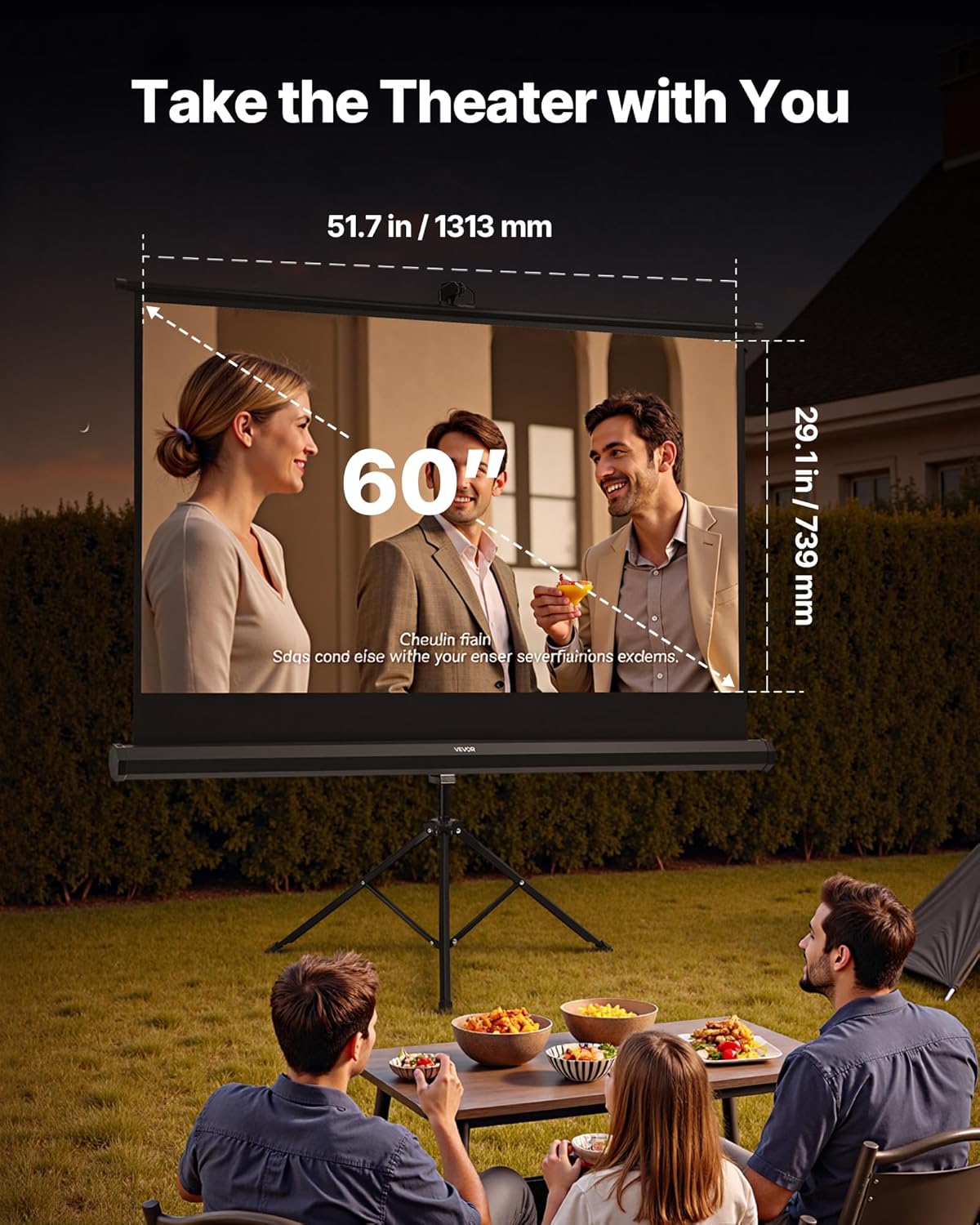
Image: The VEVOR 60-inch projector screen set up outdoors, displaying a movie for a family. The image highlights the screen's dimensions: 51.7 inches (1313 mm) width and 29.1 inches (739 mm) height.
2. Nga Tohutohu Haumaru
Hei whakarite i te mahi haumaru me te aukati i te kino, tirohia nga aratohu haumaru e whai ake nei:
- Always assemble the screen on a flat, stable surface to prevent tipping.
- When using outdoors, utilize the provided ground stakes and wind ropes to secure the stand against wind.
- Keep the screen away from open flames, heat sources, and direct sunlight for prolonged periods to prevent material damage.
- Do not expose the screen to heavy rain or extreme weather conditions.
- Handle the screen fabric with clean hands to avoid smudges and dirt.
- Keep all components out of reach of children and pets during assembly and storage.
- Avoid sharp objects near the screen fabric to prevent tears or punctures.
3. Ihirangi mokete
Manatokona kei te noho nga taonga katoa, kei te pai te ahua ina wetewetehia:
- 1 x Projector Screen Fabric
- 1 x Tripod Stand Assembly (legs, center pole, screen attachment mechanism)
- 1 x Kawea Puke
- 1 x Pukapuka Kaiwhakamahi
- Ground Stakes and Wind Ropes (for outdoor stability)
4. Tohutohu Tatūnga
Follow these steps to assemble your VEVOR TS60H projector screen:
-
Step 1: Extend the Tripod Legs. Place the tripod base on a flat, stable surface. Fully extend the tripod legs outwards until they are locked in position, forming a stable triangular structure.

Whakaahua: He tata view of the projector screen's tripod base, illustrating its stable triangular support structure.
-
Step 2: Attach the Screen to the Stand. Carefully attach the projector screen casing to the top of the center pole of the tripod stand. Ensure it is securely fastened using the quick connectors or locking mechanism provided.

Image: The VEVOR projector screen fully assembled on its tripod stand, ready for use, with the carry bag placed nearby.
-
Step 3: Extend and Adjust the Screen. Gently pull the screen fabric upwards from its casing. Use the height adjustment mechanism on the center pole to set the screen to your desired viewing height, typically between 53.1 and 71.3 inches. Ensure the screen is fully extended and taut to prevent wrinkles.

Image: A hand demonstrating the height adjustment feature of the projector screen, indicating an adjustable range of 53.1 to 71.3 inches.
- Step 4: Secure for Outdoor Use (Optional). If using the screen outdoors, attach the wind ropes to the designated points on the stand and secure them to the ground using the provided stakes. This enhances stability against wind.
5. Nga Tohutohu Whakahaere
Viewing Angle and Placement
The VEVOR TS60H screen offers a wide 160° viewte koki whakatō, e āhei ana ki te maha viewers to enjoy clear images from various positions. Position your projector directly in front of the screen for optimal image alignment. Adjust the screen height to ensure the bottom edge is comfortable for all viewKaatahi

Image: A group of people watching a movie on the VEVOR projector screen, demonstrating the wide 160-degree viewing angle from various seating positions.
Nga Tauari Whakamahi
- Whare Tapere: Enjoy movies, TV shows, and sports indoors.
- Whakangahau o waho: Perfect for backyard movie nights or campi nga haerenga.
- Whakaaturanga: Suitable for office meetings, conferences, or educational settings.
- petipeti: Experience immersive gaming on a large screen.
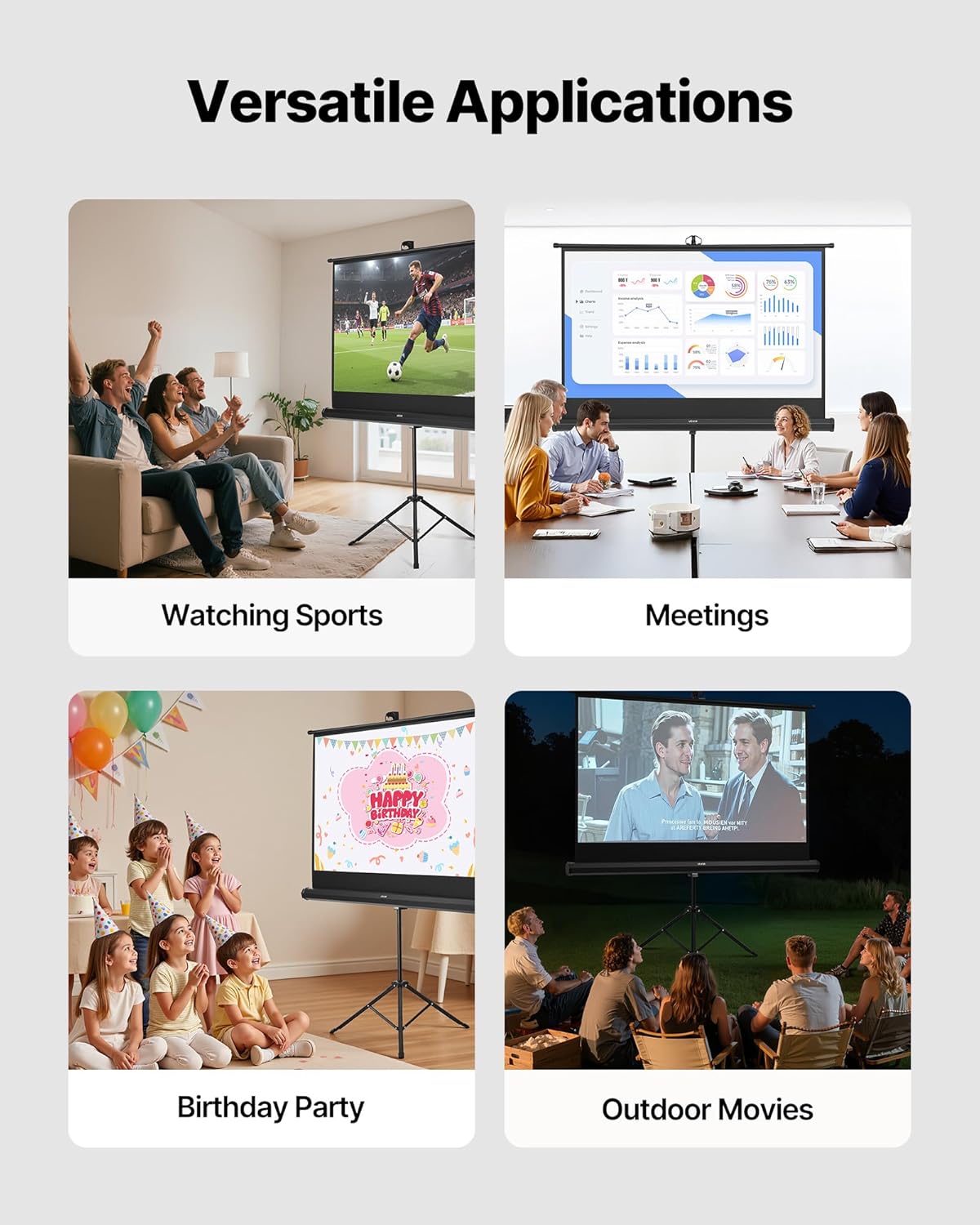
Whakaahua: He whakaaturanga toirau casing the versatile applications of the projector screen, including watching sports, business presentations, birthday parties, and outdoor movie screenings.
6. Tiaki
Te horoi i te Mata
The screen fabric is made of washable polyester. For cleaning:
- Me ata horoia te mata o te mata ki te ngohengohe, damp kakahu ma te hopi me te wai ngawari.
- Avoid abrasive cleaners or harsh chemicals, as these can damage the screen material.
- Allow the screen to air dry completely before rolling it up or storing it.
Rokiroki
When not in use, retract the screen into its casing and disassemble the stand. Store all components in the provided carry bag in a cool, dry place, away from direct sunlight and extreme temperatures.

Image: A person easily carrying the VEVOR projector screen in its compact carry bag, emphasizing its lightweight design (10.3 lbs) and portability for outdoor activities.
7. Te Raru
- Te āhua nei kua miro te mata: Ensure the screen is fully extended and taut. The wrinkle-resistant fabric should flatten out during use. If wrinkles persist, gently wipe with a damp cloth and allow to dry while extended.
- Tū Haukoretanga: Verify that all tripod legs are fully extended and locked. For outdoor use, ensure ground stakes and wind ropes are properly installed and secured.
- Kounga Atahanga Kino: Check your projector's focus and resolution settings. Ensure the projector is aligned correctly with the screen. The screen's 1.2 gain and matte finish are designed for optimal contrast and color reproduction.
- He uaua ki te whakatikatika teitei: Ensure the locking mechanism on the center pole is disengaged before attempting to adjust the height. Do not force the mechanism.

Image: A visual comparison highlighting the VEVOR screen's superior image quality, characterized by a 1.2 gain, high contrast, backlight suppression, and wrinkle-free surface, compared to other screens.
8. Whakatakotoranga
| Āhuahira | Whakatakotoranga |
|---|---|
| Tau tauira | TS60H |
| Rahi Mata | 60 inihi |
| Aspect Ratio | 16:9 |
| Projection Area (L x H) | 51.7 x 29.1 inihi / 1313 x 739 mm |
| Mata Mata | 1.2 |
| Viewing Koki | 160 Waeine |
| Rauemi | Q235 + ABS + PVC + Rubber |
| Taumaha Kupenga | 10.3 lbs / 4.65 kg |
| Rahi Tūemi (L x W x H) | 57.5 x 28.3 x (53.1-71.3) inch / 1460 x 720 x (1350-1810) mm |
| Tae | Pango |
| Momo Whakaeke | Floor Mount, Tripod Mount |

Image: A detailed diagram illustrating the key dimensions and specifications of the VEVOR TS60H projector screen, including screen size, projection area, and overall item dimensions.
9. Raihana me te Tautoko
Ko nga hua VEVOR i hangaia mo te roa me te mahi. Mo nga taipitopito whakamana, tirohia koa te kaari raihana kei roto i to hua me te toro atu ki te VEVOR mana website. If you encounter any issues or require technical assistance, please contact VEVOR customer support through their official channels. Have your model number (TS60H) and purchase information ready when contacting support.
Mo etahi atu korero, tirohia: www.vevor.com