1. Nga Tohutohu Haumaru Nui
Please read and save these safety instructions before using this heater. Failure to follow these instructions may result in fire, electric shock, injury, or property damage.
- Me hono tonu nga whakamahana ki roto i te putanga o te pakitara. Kaua rawa e whakamahi me te taura toronga, te paopao hiko ka taea te neke (putanga/tapa hiko).
- He wera tēnei whakamahana ina whakamahia. Hei karo i ngā wera, kaua e tukua te kiri tahanga kia pā ki ngā mata wera. Whakamahia ngā kakau ina nekehia tēnei whakamahana.
- Kia mau ki nga taonga ka wera, penei i nga taonga, urunga, moenga, pepa, kakahu, me nga arai i te iti rawa ki te 3 putu (0.9 m) mai i mua o te whakamahana me te wehe atu i nga taha me muri.
- Me tino tupato ki te whakamahia tetahi whakamahana e nga tamariki, e tata ana ranei ki nga tamariki, ki nga turoro ranei, me nga wa katoa e noho ana te whakamahana me te kore e tiakina.
- Wewetehia te whakamahana i nga wa katoa karekau e whakamahia.
- Kaua e whakahaere i tetahi whakamahana me te taura pakaru, te mono ranei i muri i nga mahi kino o te whakamahana, kua taka, kua pakaru ranei ahakoa he aha. Makahia te whakamahana, hoki mai ranei ki te waahi ratonga whai mana mo te tirotiro me te whakatika.
- Kaua e whakamahi i waho.
- Hei momotu i te whakamahana, whakawetohia nga mana whakahaere, katahi ka tango i te mono mai i te putanga.
- Kaua e kuhu, e tukua ranei nga mea ke ki te kuhu ki roto i te hau, i te tuwhera remu ranei na te mea ka puta he hikoi, he ahi ranei, ka pakaru ranei te whakamahana.
- Hei aukati i te ahi ka taea, kaua e aukati i te urunga o te hau me te ruha ranei ahakoa he aha. Kaua e whakamahia ki runga i nga papanga ngawari, penei i te moenga, ka purua nga tuwhera.
- This heater has an automatic overheat shutoff and tip-over protection for enhanced safety.
2. Hua Neke Atuview
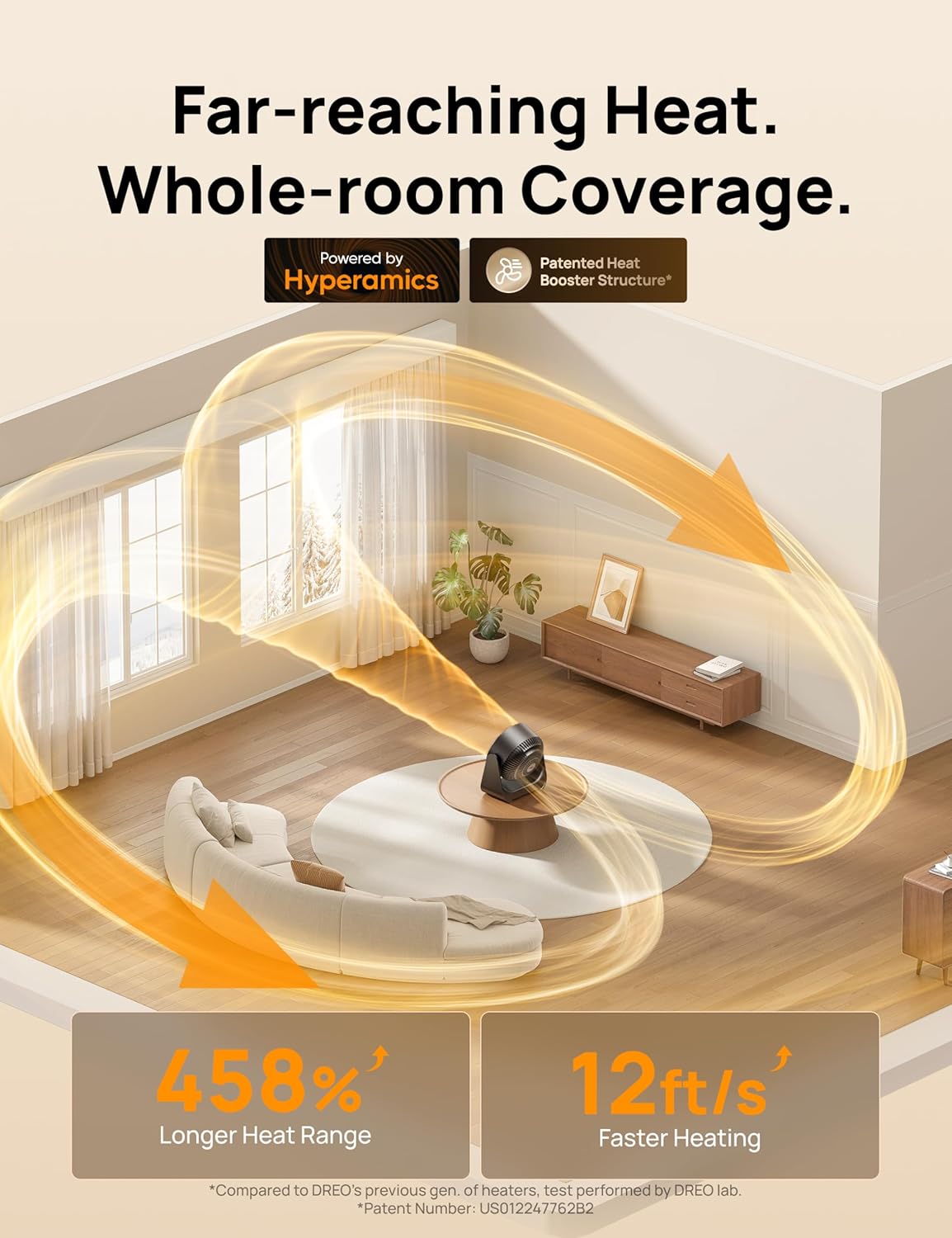
The Dreo Whole Room Heater 714 (Model DR-HSH034) is a 1500W PTC ceramic heater designed to provide efficient and widespread warmth for indoor spaces. It features advanced oscillation capabilities and multiple heat settings for customized comfort.

3. Tatūnga
- Wewete ana: Tangohia marietia te whakamahana i roto i tōna takai. Puritia te takai mō te rokiroki ā muri ake nei.
- Turanga: Place the heater on a firm, level surface. Ensure there is at least 3 feet (0.9 m) of clear space around the heater from walls, furniture, and other objects. Do not place it on soft surfaces like rugs or carpets that could block airflow.
- Hononga Hiko: Ensure the heater is turned off before plugging it into a 120V AC, 60Hz wall outlet. Do not use an extension cord or power strip.
4. Nga Tohutohu Whakahaere
The Dreo Whole Room Heater 714 offers various settings for optimal comfort and energy efficiency.
4.1 Paewhiri Mana me te Mana Mamao
The heater can be operated using the touch controls on the unit or the included remote control. The remote control requires 2 AAA batteries (included).
4.2 Hiko / Whakaweto
- Patohia te paatene Mana (U) ki te whakakā, whakaweto rānei i te whakamahana.
4.3 Heat and Fan Settings
The heater features 3 heat levels and 3 fan settings.
- Pēhia te pātene Aratau (M) to cycle through heat modes (Low, Medium, High) or fan-only mode.
- In fan-only mode, you can adjust fan speed.
4.4 Whakatairite
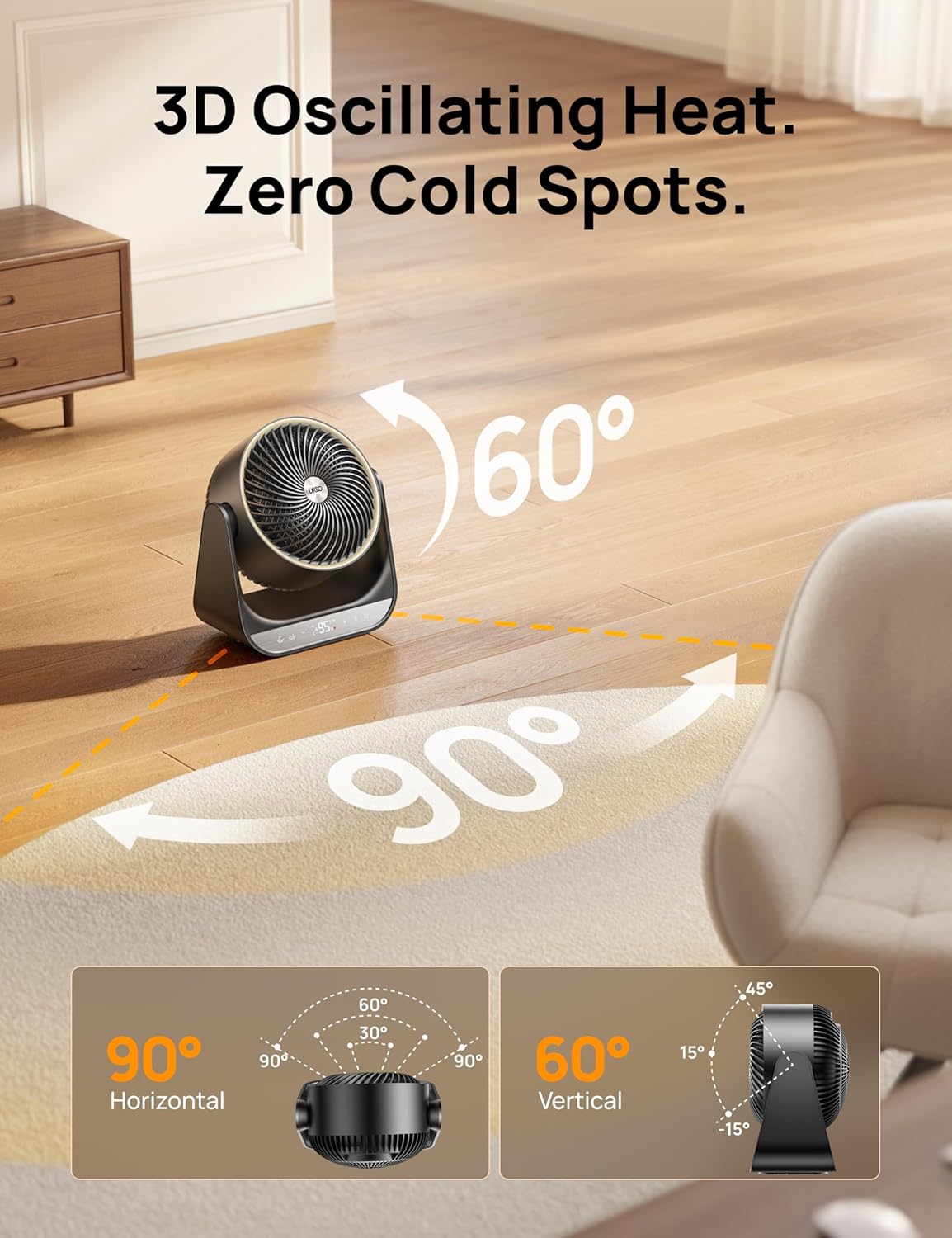
The heater provides 3D oscillation for wide heat distribution.
- Press the Horizontal Oscillation button (↔) for 90-degree horizontal movement.
- Press the Vertical Oscillation button (↕) for 60-degree vertical movement.
- Both oscillation modes can be activated simultaneously.
4.5 Aratau ECO
ECO mode helps maintain a desired temperature while optimizing energy consumption.
- Press the ECO button (ECO) to activate this mode.
- In ECO mode, the heater will automatically adjust its power output to maintain the set temperature between 41°F and 95°F.
4.6 Te Mana Pawera
Set your desired temperature with precision.
- Use the '+' and '-' buttons to adjust the target temperature in 1°F increments, ranging from 41°F to 95°F.
- The heater will automatically turn on or off to maintain the set temperature.

4.7 Mahi Matama
Set the heater to operate for a specific duration.
- Pēhia te pātene Matawā (T) to set the operating time from 1 to 12 hours.
- The heater will automatically turn off once the set time has elapsed.
4.8 Maukati Tamariki
Hei ārai i ngā huringa tūpono ki ngā tautuhinga.
- Press and hold the Child Lock button (often represented by a lock icon) for 3 seconds to activate or deactivate the child lock.
- Ina whakahohehia, ka kore e aro mai nga paatene paewhiri mana.
5. Tiaki
Ko te tiaki i nga wa katoa ka tino pai te mahi me te roa o to whakamahana.
5.1 Te horoi
- I mua i te horoi: Always turn off the heater and unplug it from the power outlet. Allow it to cool down completely.
- Horoi o waho: Whakamahia he ngohengohe, damp he kakahu hei muru i nga mata o waho o te whakamahana. Kaua e whakamahi i nga kai horoi me nga whakarewa.
- Kouru/Putanga Hau: Whakamahia he mīhini whakakore puehu me te paraihe hei tango mārire i te puehu mai i ngā matapihi e tomo ana te hau me te putanga o te hau.
- Kaua e rukuhia: Kaua rawa e rumakina te whakamahana ki te wai, kaua hoki e tukua te wai kia maturuturu ki roto i te whakamahana.
5.2 Rokiroki
Mena kāore e whakamahia ana, rongoatia te whakamahana ki te wāhi hauhautanga, maroke. He mea pai kia rongoatia ki roto i tōna takai taketake hei tiaki i a ia mai i te puehu me te kino.
6. Te Raru
Mena ka raru koe ki to whakamahana, tirohia nga raru me nga otinga e whai ake nei:
| Raruraru | Take pea | Rongoā |
|---|---|---|
| Kare te whakamahana e ka ana. | No power, power cord not plugged in, tip-over switch activated, overheat protection activated. | Ensure power cord is securely plugged into a working outlet. Check if the heater is on a stable, flat surface. Unplug the heater, wait 30 minutes, then plug it back in. |
| Heater stops heating. | Overheat protection activated, desired temperature reached in ECO mode, timer expired. | Unplug the heater, wait 30 minutes, then plug it back in. Adjust the desired temperature higher. Check timer settings. |
| Ko te oscillation kaore e mahi. | Ko te mahi oscillation kaore i te whakahohe. | Press the appropriate oscillation button (horizontal or vertical) on the control panel or remote. |
| Kaore e mahi te mana mamao. | Batteries depleted, obstruction between remote and heater. | Replace the AAA batteries in the remote control. Ensure there is a clear line of sight between the remote and the heater. |
If the problem persists after trying these solutions, please contact Dreo Customer Support.
7. Whakatakotoranga
| Āhuahira | Taipitopito |
|---|---|
| Waitohu | Dreo |
| Tau tauira | DR-HSH034 |
| Tae | Pango |
| Mana | 1500W |
| Huānga Whakawera | PTC Ceramic |
| Tuhinga o mua | 60° Poutū, 90° Whakapae |
| Tere Rererangi | 12 ft/s |
| Tautuhinga Wera | 3 |
| Tautuhinga Kaiwhaiwhai | 3 |
| Awhe Pawera | 41°F - 95°F |
| Matawā | 1-12 haora |
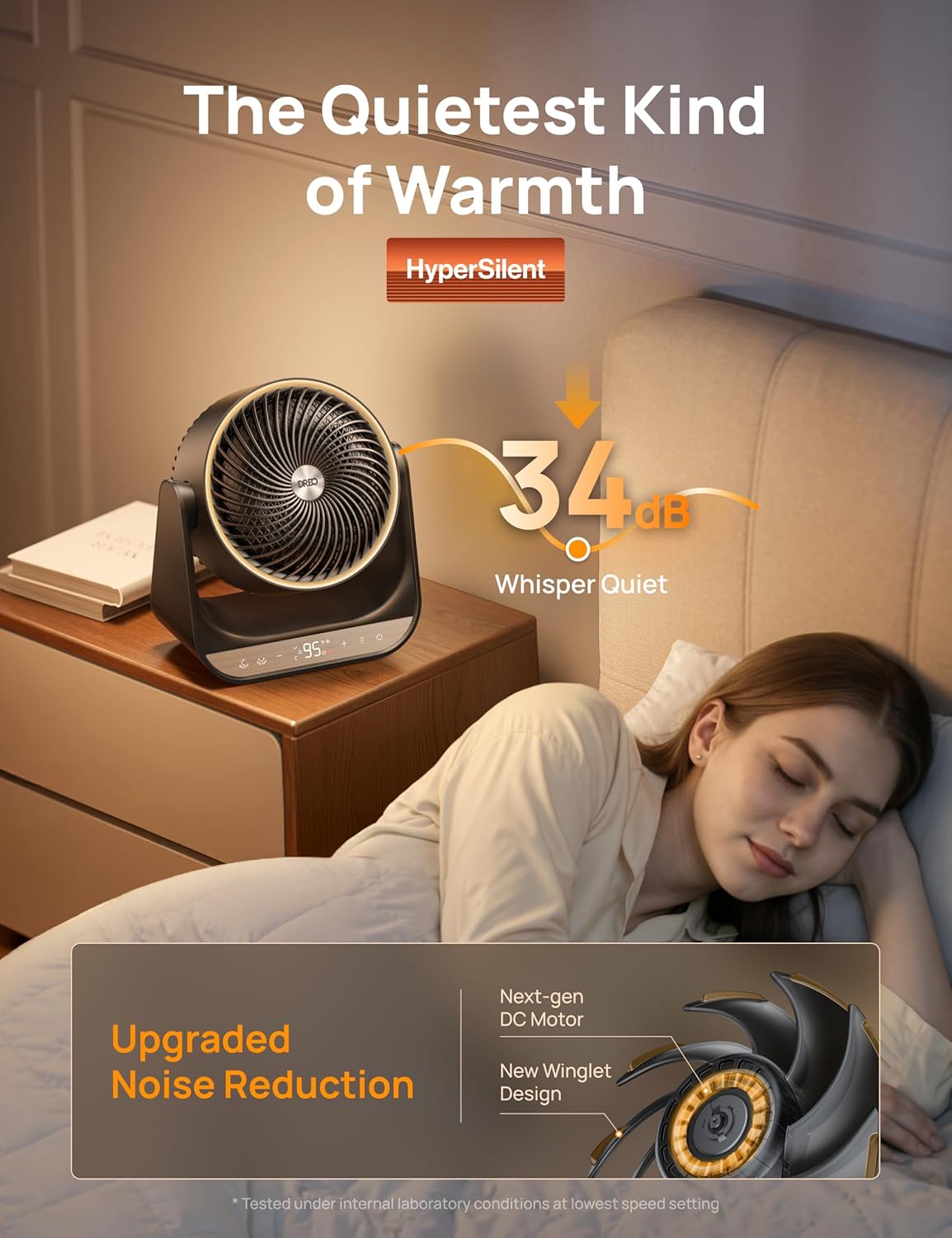
| Taumata Haruru | 34dB (Whisper Quiet) |
| Nga waahanga haumaru | Overheat Protection, Tip-Over Protection, Flame-Retardant Housing, Child Lock, ETL Listed |
| Hunga Hua | 11.02"D x 7.09"W x 12.4"H |
| Taumaha Tūemi | 6.45 pauna |
| Nga Waahanga kei roto | 1 × Dreo PTC Space Heater (DR-HSH034), 1 × Quick Start Guide, 1 × Remote Control (includes 2 × AAA Batteries), 1 × User Manual |
8. Pūtāhui me te Tautoko
Dreo provides a warranty for its products. For specific warranty terms and conditions, please refer to the warranty card included with your product or visit the official Dreo webpae.
For technical support, troubleshooting assistance, or any questions regarding your Dreo Whole Room Heater 714, please contact Dreo Customer Support:
- Webpae: www.dreo.com
- Īmēra: Tirohia to tuhinga hua mo te imeera tautoko motuhake.
- Waea: Refer to your product documentation for specific support phone number.
Please have your model number (DR-HSH034) and purchase information ready when contacting support.