
Kupu Whakataki
Welcome to the SOTAONE S350 Foldable Mini Drone user manual. This guide provides essential information for setting up, operating, and maintaining your drone to ensure a safe and enjoyable flight experience. Please read this manual thoroughly before your first flight.
Ihirangi mokete
- S350 Drone with 1080P HD Camera x 1
- Mana Mamao x 1
- Pūhiko Āhuahira x 2
- Kaitohu USB x 1
- Replaceable Propeller Guards x 4
- Tiwiri x 1
- Tiuri x 4
- Pukapuka Kaiwhakamahi x 1

Image: All components included in the SOTAONE S350 drone package.
Ka mutu te huaview
Waahanga Haruru
The SOTAONE S350 is a compact, foldable mini-drone equipped with a 1080P HD camera. Its design emphasizes portability and ease of use, making it suitable for beginners. The drone features a sleek body with integrated lights and durable plastic construction.
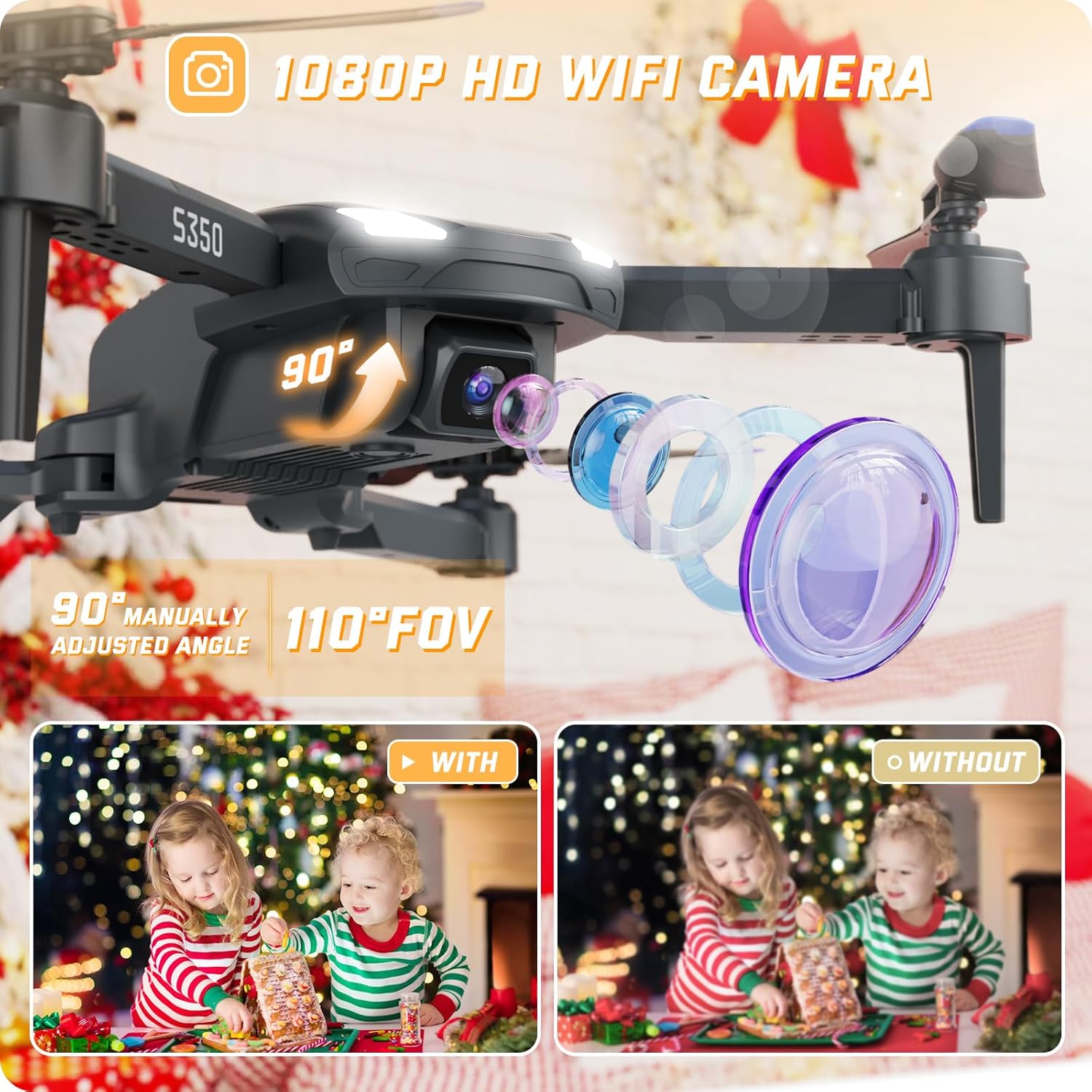
Whakaahua: He taipitopito view of the SOTAONE S350 drone, showcasing its 1080P HD camera and adjustable lens.

Image: The SOTAONE S350 drone shown both folded for portability and unfolded for flight, with dimensions.
Tatūnga
1. Battery Installation (Drone)
Insert the modular batteries into the designated slot on the drone. Ensure they are securely clicked into place. The drone comes with two modular batteries for extended flight time.
Video: A guide on how to install and charge the SOTAONE S350 drone battery.

Image: The SOTAONE S350 drone with its two modular batteries, emphasizing extended flight duration.
2. Te Tāutanga o te Ārai Porowhita
For added safety, especially for beginners or indoor flights, attach the four propeller guards to the drone's arms. Use the included screws and screwdriver if necessary to secure them.
Video: A guide on how to install the propeller guards and propellers for the SOTAONE S350 drone.
3. Tatūnga Mana Mamao
Open the battery compartment on the back of the remote control and insert 3 AAA batteries (not included). Close the compartment securely.
Charging the Drone Batteries
Connect the modular drone battery to the USB charger. Plug the USB charger into a compatible USB power source (e.g., computer, wall adapter). The indicator light on the charger will show the charging status. Ensure batteries are fully charged before each flight for optimal performance.
Connecting to the App and Camera
To utilize the 1080P HD camera and FPV (First Person View) features, download the dedicated SOTAONE drone app on your smartphone. Turn on the drone and your phone's Wi-Fi, then connect to the drone's Wi-Fi network (usually named 'SOTAONE-XXXX'). Open the app to view the live feed and control camera functions.
Video: A guide on connecting the SOTAONE S350 drone's camera to your smartphone for FPV and recording.

Image: The remote control with a smartphone showing the FPV transmission from the SOTAONE S350 drone.
Mahinga Whakaterenga
Nga Mana Rererangi Taketake
- Kotahi-Mahi Take-Whakaatu/Taunga: Press the dedicated button on the remote or app for automatic take-off or landing.
- Pupuri teitei: The drone maintains a stable height, making it easier to control and capture steady footage.
- Aratau Upoko: I roto i tenei aratau, ko te takotoranga o te haruru he hononga ki te kaiurungi, he ngawari te whakahaere ahakoa te ahunga o mua o te haruru.
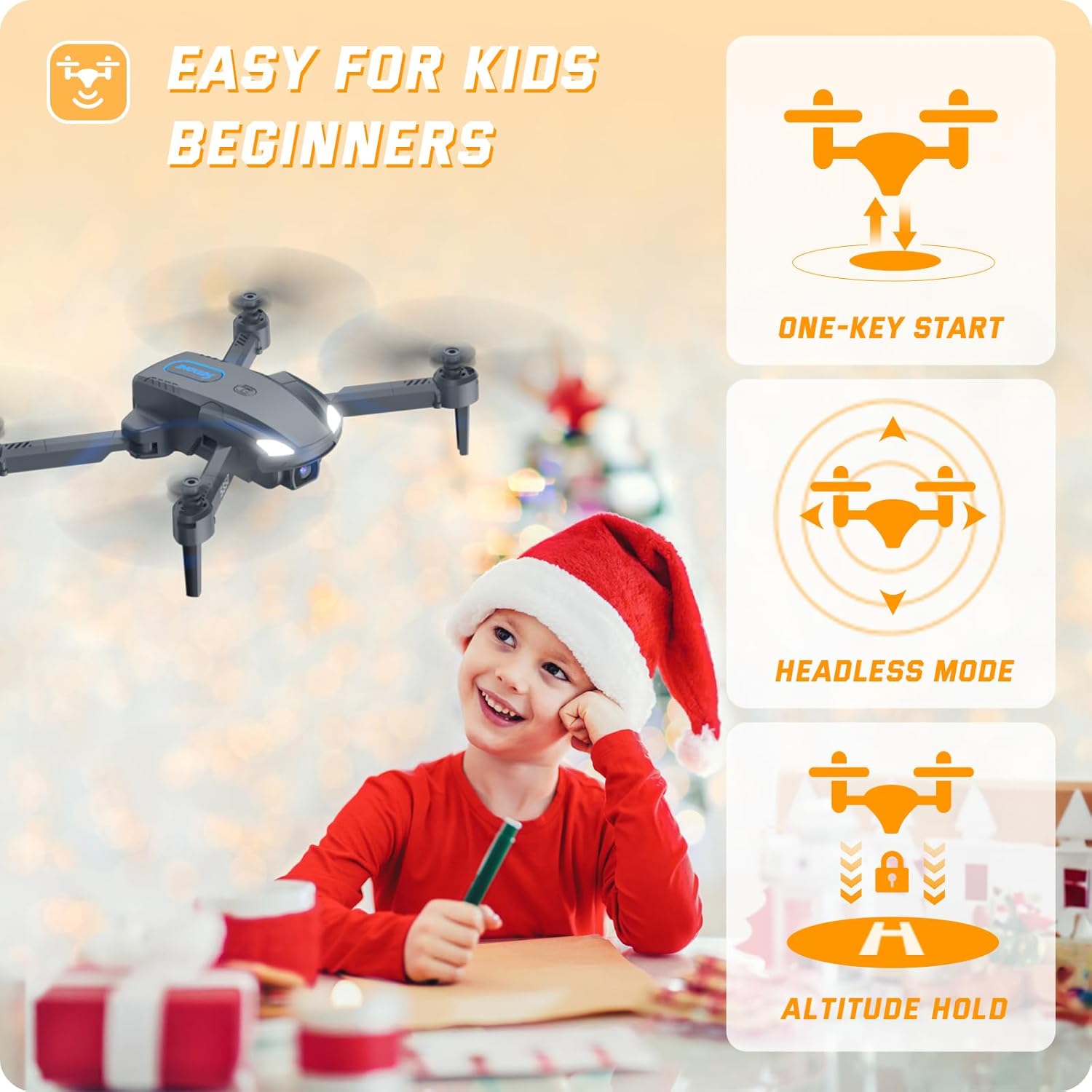
Image: The SOTAONE S350 drone in flight, illustrating its stable hovering capability and ease of control for beginners.
Ngā Āhuatanga Rererangi Matatau
- Huri Ahu-3: Execute impressive aerial stunts with a single button press.
- Hurihuri Tere-Teitei: Perform dynamic rotations for exciting maneuvers.
- Aratau Tere: Adjust between 3 different speed settings (low, medium, high) to match your skill level and environment.
- Mana Tohu: Use specific hand gestures to trigger photo or video recording via the app.
- Mana Reo: Command the drone with simple voice commands through the app.
- Rererangi Arataki: Tuhia he ara rere ki runga i te mata o to waea atamai, ka whai aunoa te haruru.

Image: The SOTAONE S350 drone demonstrating 3D flips and high-speed rotation for dynamic flight.
Nga Aratohu Haumaru
- Always fly in open, unobstructed areas, away from people, animals, and buildings.
- Kaua e rere i nga hau kaha, i nga ahuatanga kino o te rangi.
- Ensure the drone batteries and remote control batteries are fully charged before each flight.
- Puritia ngā maihao me ngā kākahu taratara kia matara atu i ngā porotiti e hurihuri ana.
- Perform pre-flight checks to ensure all components are correctly installed and functioning.
- Familiarize yourself with local drone regulations and restrictions.
- The drone features a low power alarm and emergency stop for enhanced safety.
Te tiaki
- Regularly inspect propellers for damage. Replace any bent or broken propellers immediately.
- Clean the drone body and camera lens with a soft, dry cloth. Avoid using harsh chemicals.
- Penapenahia te waka rererangi me ngā pākahiko ki te wāhi hauhautanga, maroke, kia matara atu i te rā tika me te pāmahana tino kino.
- Ensure the drone is powered off when not in use and during storage.
Raparongoā
| Putanga | Take pea | Rongoā |
|---|---|---|
| Kāore te waka rererangi korekore e aro ki te mana mamao. | Low battery in remote or drone; not paired correctly. | Charge batteries; re-pair remote and drone according to quick start guide. |
| Ka rere te haruru i te wa e rere ana. | Uncalibrated gyroscope; strong wind interference. | Calibrate the gyroscope as per instructions; fly in calmer conditions. |
| Kāore i te pumau, kāore rānei i te momotu te whāngai kāmera. | Weak Wi-Fi signal; app not properly connected. | Ensure strong Wi-Fi connection; restart app and reconnect to drone's Wi-Fi. |
| Propellers are not spinning. | Obstruction; motor issue; low battery. | Check for obstructions; ensure batteries are charged; contact support if motors are faulty. |
Whakatakotoranga Hangarau
| Āhuahira | Whakatakotoranga |
|---|---|
| Ingoa Tauira | S350 |
| Ahu (Kua Tuwhera) | 6.4"L x 5.8"W x 1.91"H |
| Taumaha Tūemi | 82 Karamu (2.89 hekere) |
| Camera Resolution (Picture) | 1920x1080P (2 MP Effective Still Resolution) |
| Taumira Kāmera (Ataata) | 1280x720P |
| Pūhiko Raukaha | 500 Miliamp Hours (x2 Modular Batteries) |
| Hangarau Hononga | Wi-Fi, 2.4GHz Remote Control |
| Momo Mana | Remote Control, APP Control |
| Rauemi | Kirihou |
| Taumata Pukenga | Kaimatamata |
Pūtāhui me te Tautoko
For warranty information, technical support, or any questions regarding your SOTAONE S350 drone, please refer to the contact information provided on the product packaging or visit the official SOTAONE website. Our customer service team is ready to assist you.