1. Kupu Whakataki
The T-WOLF G520 is a high-performance wired gaming mouse designed for precision and comfort. It features a USB2.0 wired connection, 7 customizable buttons, and dynamic RGB lighting. This manual provides essential information for setting up, operating, and maintaining your G520 gaming mouse.
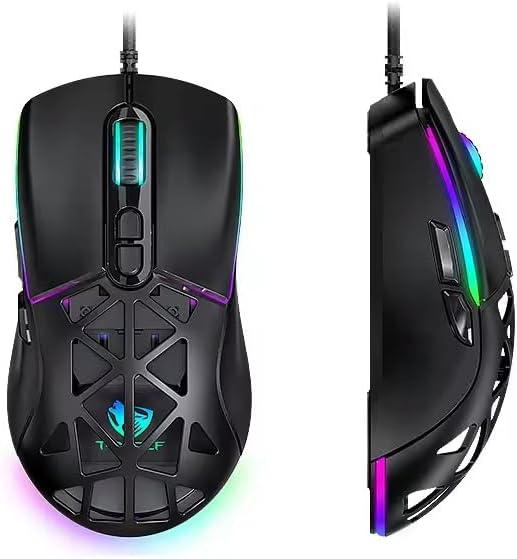
Figure 1: T-WOLF G520 Gaming Mouse (Front and Side View)
2. Nga Hua o te Hua
- Hononga: Wired USB2.0 for stable and responsive performance.
- Momo pūoko: Optical sensor for accurate tracking.
- Tautuhinga DPI: Adjustable DPI from 800 to 12800 (800 / 1600 / 3200 / 4800 / 6400 / 12800).
- Reeti Pooti: 1000Hz for rapid response times.
- Pātene: 7 programmable buttons (Left, Right, Middle, Forward, Back, DPI+, DPI-).
- Rarama RGB: 13 dynamic RGB lighting modes.
- Mauroa: 10 million click lifespan for micro switches.
- taura: 1.5m braided cable for enhanced durability and tangle resistance.
- Hoahoa: Lightweight honeycomb structure and ergonomic shape for comfortable grip and ventilation.
- Whakaritenga: Magnetic interchangeable back cover.

Figure 2: Nga Ahuatanga Matua Nekeview
3. Ihirangi mokete
- T-WOLF G520 Gaming Mouse Unit
- Interchangeable Magnetic Back Covers (2 types)

Figure 3: G520 Mouse with Interchangeable Back Covers
4. Tohutohu Tatūnga
- Connect the USB connector of the T-WOLF G520 gaming mouse to an available USB 2.0 port on your computer.
- The mouse is Plug & Play compatible and does not require additional drivers for basic functionality. Your operating system will automatically detect and install the necessary drivers.
- Once detected, the mouse will be ready for use.
5. Nga Tohutohu Whakahaere
5.1 Nga Mahi Patene
The T-WOLF G520 mouse features 7 buttons with the following default functions:
- Pātene Mauī: Mahi paato tuatahi.
- Pātene Matau: Te mahi panui tuarua (tahua horopaki).
- Middle Button / Scroll Wheel: Scroll up/down, click for universal scroll or other functions.
- Pātene Whakamua: Ka whakatere whakamua ki roto web kaitirotiro ranei file kaihōpara.
- Pātene Whakamuri: Ka whakatere whakamuri ki roto web kaitirotiro ranei file kaihōpara.
- Pātene DPI+: Ka whakanui ake i te aro o te DPI.
- Pātene DPI: Ka whakaiti i te aro o te DPI.
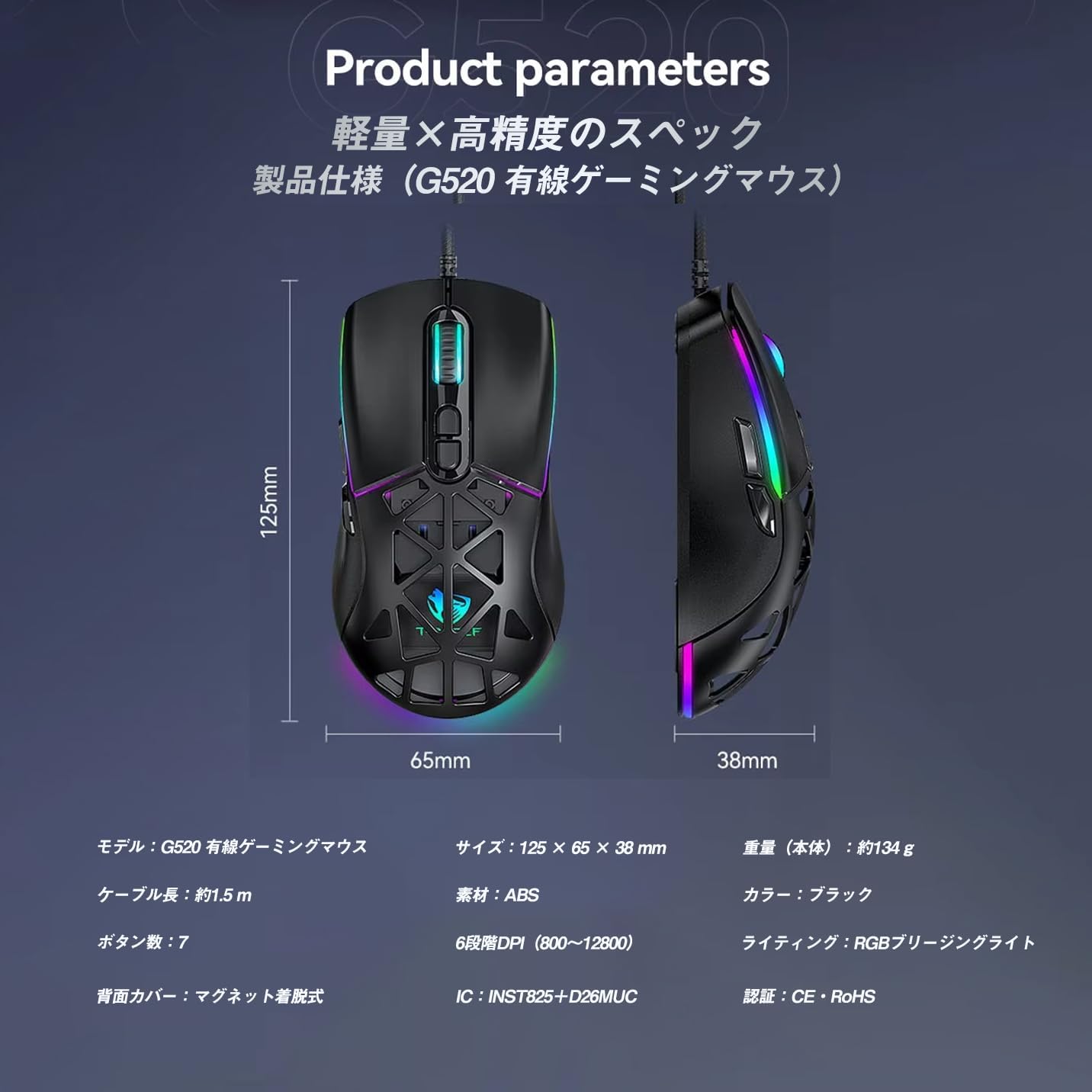
Figure 4: G520 Button Layout
5.2 Whakatikatika DPI
The mouse supports 6 adjustable DPI levels. To change the DPI, press the DPI+ or DPI- buttons located on the top of the mouse. Each press will cycle through the available DPI settings: 800, 1600, 3200, 4800, 6400, and 12800.

Figure 5: DPI Adjustment Levels
5.3 Mana Rarama RGB
The T-WOLF G520 features 13 RGB lighting modes. To change the RGB lighting mode, press and hold the Patene Whakamuri me te DPI- Patene simultaneously for approximately 3 seconds. Repeat this action to cycle through the different lighting effects.
5.4 Magnetic Back Cover
The mouse comes with two types of magnetic back covers that can be easily interchanged. To remove a cover, gently lift it from the back of the mouse. To attach a cover, align it with the mouse body and allow the magnets to secure it in place.

Figure 6: Magnetic Back Cover Exchange
6. Tiaki
- Te horoi: Whakamahia he kakahu ngohengohe, maroke hei horoi i te kiore. Mo te paru maro, he paku damp cloth can be used, ensuring no liquid enters the mouse.
- A ape i te Wai: Kaua e rumakina te kiore ki te wai, kaua hoki e tukua kia makuku rawa.
- Rokiroki: Penapenahia te kiore ki te wāhi hauhautanga, maroke, kia matara atu i te rā tika me te pāmahana tino kino.
- Tiaki taura: Avoid bending or twisting the braided cable excessively to prevent damage.
7. Te Raru
- Kaore te Kiore i te whakautu:
- Ensure the USB cable is securely connected to your computer's USB port.
- Ngana ki te hono i te kiore ki tetahi tauranga USB rereke.
- Tīmataria anō tō rorohiko.
- Kāore te DPI e Huri:
- Ensure you are pressing the correct DPI+ or DPI- buttons.
- The mouse cycles through 6 fixed DPI levels; there is no software adjustment.
- RGB Lighting Not Working/Changing:
- Me whakarite kei te hono tika te kiore.
- Patohia me te pupuri i te Patene Whakamuri a DPI- Patene simultaneously for 3 seconds to cycle through modes.
- Ngā Take Aroturuki:
- Horoia te pūoko whatu kei raro o te kiore.
- Whakamahia te kiore i runga i tētahi mata ma, ōrite, i tētahi papa kiore rānei.
8. Whakatakotoranga
| Āhuahira | Whakatakotoranga |
|---|---|
| Tauira | G520 |
| Momo Hononga | Wired USB2.0 |
| Momo Pūoko | Optical |
| Tautuhinga DPI | 800/1600/3200/4800/6400/12800 |
| Reiti Pooti | 1000Hz |
| Te maha o nga Patene | 7 |
| Te roa o te taura | 1.5m (Braided) |
| Ahu (L×W×H) | 124 × 65 × 40 mm |
| Taumaha | Approx. 132g |
| Mahinga Mahi Voltage / Onaianei | 5V / 150mA |
| Whakamarama | RGB (13 Modes) |
| Rauemi | Kirihou (ABS) |
| OS hototahi | Windows 10, Windows 11, Mac OS, Linux (OS standard, no driver required) |

Figure 7: Product Specifications Diagram
9. Pūtāhui me te Tautoko
This product is covered by a standard manufacturer's warranty. Please refer to your purchase documentation for specific warranty terms and conditions. For technical support or warranty claims, please contact the retailer or the manufacturer's customer service.