
1. Hua Neke Atuview
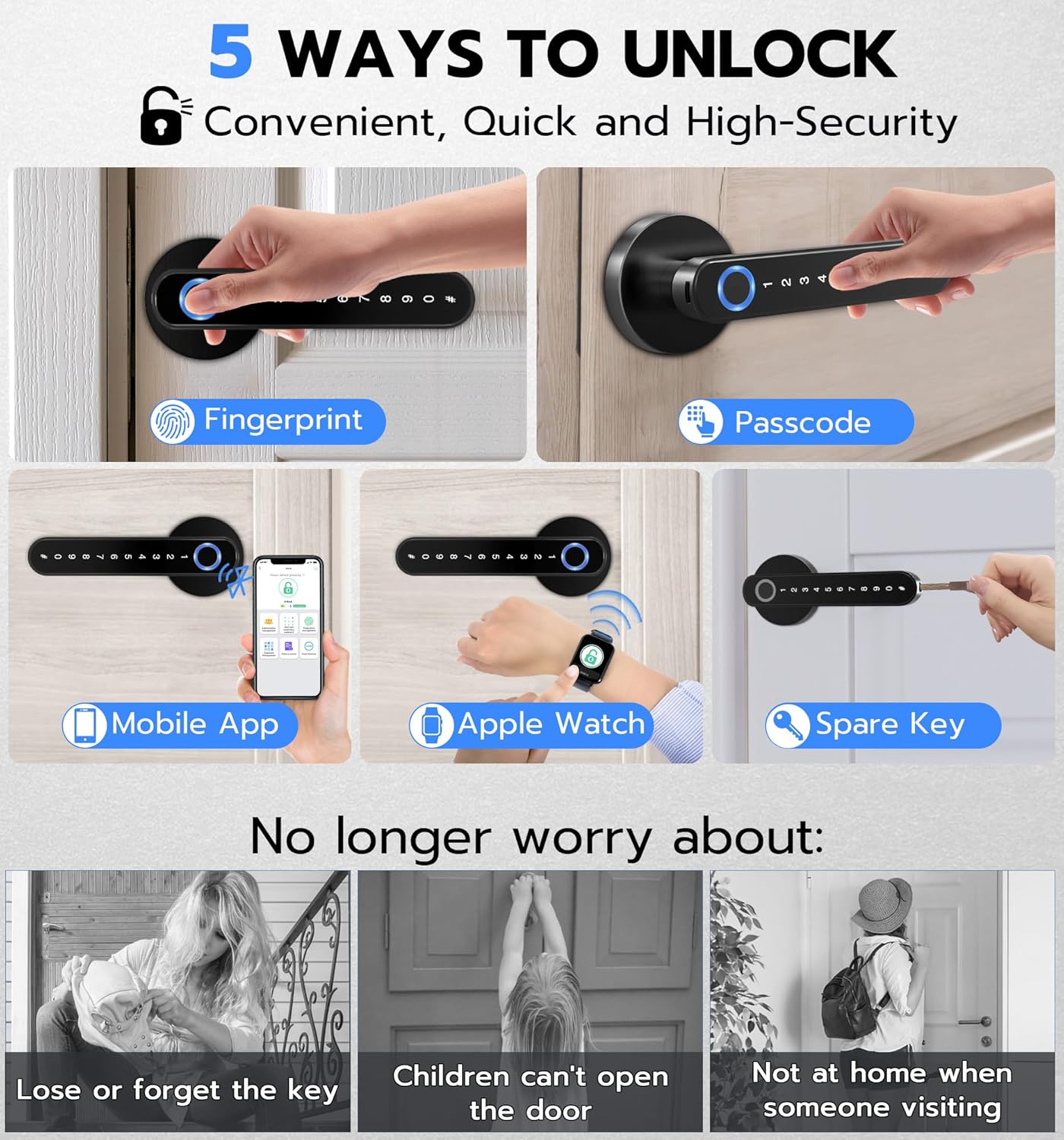
The eLinkSmart H8 Fingerprint Smart Door Lock offers advanced keyless entry solutions for various interior doors. This smart lock integrates multiple unlocking methods, including fingerprint recognition, keypad passcodes, mobile app control, Apple Watch access, and traditional mechanical keys, providing flexibility and enhanced security.
Designed for ease of use and durability, the H8 lock is constructed from alloy steel and zinc, ensuring long-term reliability. Its low power consumption design provides extended battery life, with a warning system for low battery levels and an emergency power option.
The lock is suitable for bedrooms, apartments, hotels, and other private spaces, offering a modern and convenient way to manage access without the need for physical keys.
2. Ihirangi mokete
Manatokohia kei te noho nga waahanga katoa i roto i te kete i mua i te whakaurunga.
- 1 x H8 Smart Handle Lock (All Parts)
- 1 x Kaihurihuri
- 1 x Pukapuka Kaiwhakamahi
- 2 x Spare Keys

3. Aratohu Whakauru
The eLinkSmart H8 lock is designed for easy DIY installation, typically requiring only a screwdriver. No additional drilling is needed for most standard interior doors. The handle is reversible for both left and right-handed doors.
3.1 Hototahi kuaha
- He Tautuhi: 2-3/8" (60mm) 2-3/4" (70mm rānei)
- Matotoru o te tatau: 1-3/16" ki te 2-1/8" (30mm ki te 55mm)
- Dianenga Puka: 1-17/20" ki te 2-3/8" (47mm ki te 60mm)

3.2 Nga Waahi Whakataunga
- Tāutahia te raka: Insert the latch mechanism into the door edge. Ensure the spindle hole is squarely straight to the ground. Secure it with the provided wooden screws.
- Install the Front Handle: Route the battery cable through the square spindle. Insert the battery cable and square spindle into the lock latch hole from the exterior side of the door.
- Install the Back Handle: Unscrew the battery cover screw on the back handle to open the battery cover. Route the battery cable through the back handle. Connect the battery cable. Install 4 AAA alkaline batteries (not included). Install the battery cover to the back handle and fix it with the battery cover screw.
- Secure the Handles: Align the front and back handles and secure them using the provided screws. Ensure the handles are firmly attached and operate smoothly.
Mo te aratohu tirohanga, tirohia te ataata whakaurunga i raro nei.
4. Tatūnga me nga Tohutohu Whakahaere
The eLinkSmart H8 offers multiple ways to unlock. Initial setup typically involves registering fingerprints and setting up passcodes via the mobile app.
4.1 Tatūnga Taupānga Pūkoro
- Download the eLinkSmart app from your smartphone's app store (Android or iOS).
- Open the app and follow the on-screen instructions to create an account and pair your H8 lock via Bluetooth.
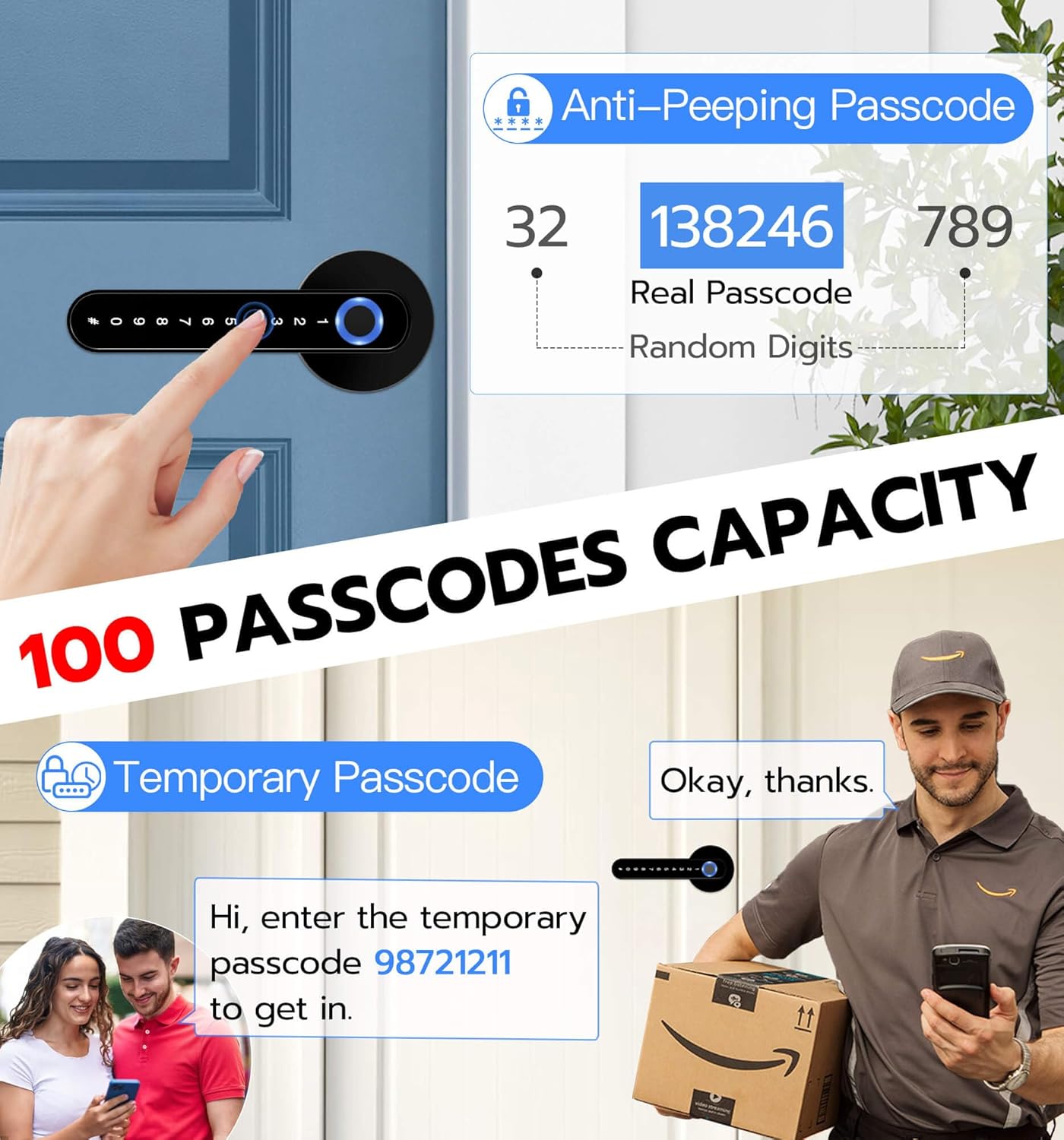
- Once paired, you can register fingerprints, create permanent or temporary passcodes, and manage user access.
- The app also allows you to view unlock records and adjust various lock settings.
4.2 Nga Tikanga Wewete
- Kauira: Place your registered finger on the fingerprint sensor. The lock will unlock in less than a second if the fingerprint is recognized.
- Waeherehipa: Enter your registered passcode on the keypad. The lock supports up to 100 passcodes, including temporary ones.
- Taupānga Pūkoro: Use the eLinkSmart app on your smartphone to remotely unlock the door via Bluetooth.
- Apple Watch: For compatible Apple Watch users, the lock can be unlocked directly from your watch.
- Kī Hangarau: In case of battery depletion or electronic malfunction, use the provided mechanical keys as a backup.


5. Tiaki
5.1 Whakahaere Pūhiko
The eLinkSmart H8 lock is designed for low power consumption, providing up to 12 months of standby time on 4 AAA alkaline batteries. The lock will provide a low battery warning when power is running low.
In case of complete battery depletion, an emergency power port (USB-C) is available on the exterior handle. Connect a power bank to this port to temporarily power the lock and gain access. Alternatively, use the mechanical backup keys.

5.2 Te horoi
Horoia ngā mata o waho o te raka ki te wai ngohengohe,amp cloth. Avoid using abrasive cleaners or solvents, as these can damage the finish and electronic components.
6. Te Raru
- Maukati kaore e whakautu: Check battery levels. If low, use emergency power or mechanical key. Ensure the handle is properly installed and all cables are connected.
- Karekau te matimati i te mohio: Ensure your finger is clean and dry. Try re-registering your fingerprint through the mobile app.
- Ko te kupuhipa kaore e mahi: Verify the correct passcode is being entered. Check for temporary passcode expiration if applicable.
- Nga take honohono taupānga: Ensure Bluetooth is enabled on your smartphone and the lock is within range. Restart the app or your phone if necessary.
If issues persist, refer to the detailed troubleshooting section in the full user manual or contact customer support.
7. Whakatakotoranga Hua
| Āhuahira | Taipitopito |
|---|---|
| Waitohu | eLinkSmart |
| Tau tauira | H8 |
| Momo Maukati | Fingerprint, Code, Smart, Keypad Handle |
| Te Wewete i ngā Huarahi | Fingerprint, Passcode, Mobile App, Apple Watch, Mechanical Key |
| Rauemi | Aluhia Steel, Zinc |
| Rahi Tūemi (L x W x H) | 6.3 x 2.6 x 2.6 inihi |
| Taumaha Tūemi | 1.8 Pauna |
| Puna Mana | 4 x AAA Battery (kaore i uru) |
| Kawa Hononga | Nihokikorangi |
| Momo Kaiwhakahaere | Android, iOS |
| Nga Whakamahinga Manakohia | Bedroom, Interior, Front Door, Room, Home, Hotel, Garage, Apartment, Cloakroom, Pantry, Closet, Office, School |
8. Pūtāhui me te Tautoko
eLinkSmart provides a 12-month warranty and free lifetime technical support for the H8 Smart Door Lock. For any queries, replacements, or refunds within the warranty period, please contact customer support.
Imeera Tautoko Kaihoko: hongjdzwj@outlook.com