
LIGE EF21-I
LIGE EF21-I Smartwatch User Manual
Model: EF21-I
Kupu Whakataki
This manual provides detailed instructions for the setup, operation, and maintenance of your LIGE EF21-I Smartwatch. Please read this manual thoroughly before using the device to ensure proper function and to maximize its features.
Nga korero haumaru
- Kaua e ngana ki te wetewete, ki te whakarereke ranei i te wati.
- Tiakina te mataaratanga mai i nga wera nui me te ra tika.
- A ape i te tuku i te mataaratanga ki nga paanga kaha, nga taka ranei.
- Do not use corrosive chemicals to clean the watch.
- This device is not a medical device. Health data is for reference only and should not be used for medical diagnosis or treatment.
- Ensure charging contacts are clean and dry before charging.
Ihirangi mokete
Manatokona kei roto katoa nga mea kei roto i to kete:
- LIGE EF21-I Smartwatch
- USB Taura Whakapaa Aukume
- Momo-C Taura Whakapae
- Pukapuka Kaiwhakamahi

Image: The package includes both a USB magnetic charging cable and a Type-C charging cable for versatile power options.
Aratohu Tatūnga
1. Whakataki Tuatahi
Before first use, fully charge your smartwatch. Connect the magnetic charging cable to the charging contacts on the back of the watch and the USB end to a power adapter (not included) or a computer USB port. The watch display will show the charging status.

Image: The smartwatch connected to its magnetic charger, indicating its 800 mAh battery capacity.
2. Taupānga Tāutanga me te Paihere
To unlock all features, download and install the "Fit CloudPro" app on your smartphone.
- Scan the QR code in the manual or on the watch (if available) or search for "Fit CloudPro" in your phone's app store (compatible with Android 8.0+ and iOS 12.0+).
- Whakatuwheratia te taupānga me te hanga i tetahi kaute, takiuru ranei.
- Me mohio kei te whakahohea te Nihokikorangi i runga i to waea atamai.
- In the app, navigate to the device section and select "Add Device" or similar option.
- Select "EF21-I" from the list of available devices to pair.
- Whaia nga tohu o runga-mata hei whakaoti i te mahi takirua.
Kia honoa, ka tukutahi te mataaratanga i te wā me ngā raraunga ki tō waea.
Nga Tohutohu Whakahaere
Whakaterenga Taketake
- Mata Pa: Swipe mauī/matau, whakarunga/iho ki te whakatere i roto i nga tahua me nga ahuatanga. Patohia hei kowhiri.
- Patene taha: Typically, one button acts as a power/back button, while others may be customizable shortcuts. Refer to the on-screen prompts for specific functions.

Image: The 1.43-inch AMOLED display offers brilliant colors and a fluid, efficient user experience.
Taumahi Waea Nihokikorangi
The EF21-I Smartwatch supports Bluetooth calls, allowing you to make and receive calls directly from your wrist.
- Ensure the watch is connected to your smartphone via Bluetooth.
- Access the "Call" or "Phone" function on your watch.
- You can use the dial pad, access your contacts, or view karanga hītori.
- Advanced noise cancellation ensures clear audio during calls.
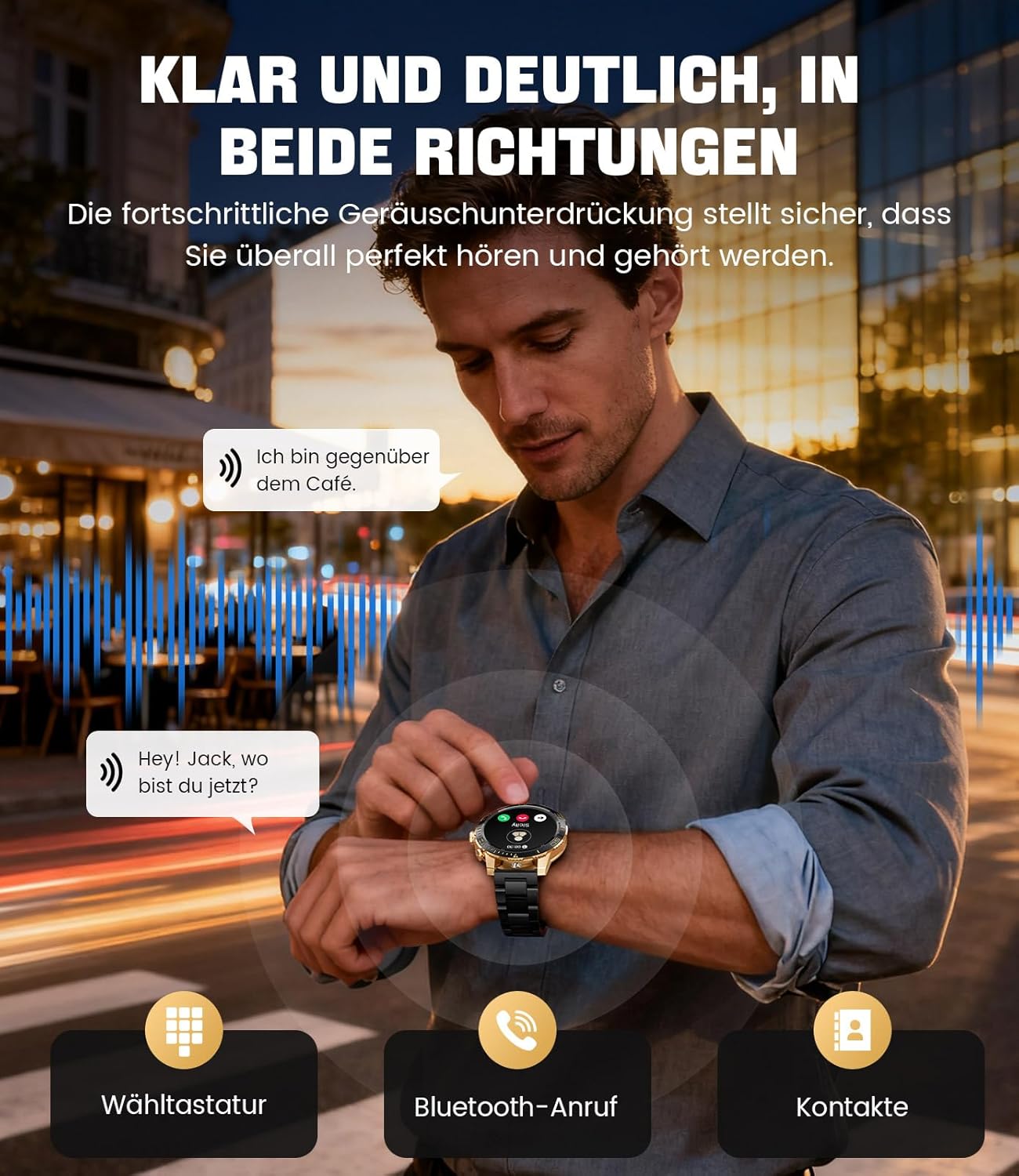
Image: The smartwatch allows clear two-way communication with advanced noise cancellation, featuring a dial pad, Bluetooth call option, and contacts access.
Whakamōhiotanga
Receive real-time notifications from your smartphone apps directly on your watch.
- Enable app notifications in the "Fit CloudPro" app settings.
- The watch will display incoming calls, SMS, and messages from social media apps (e.g., Facebook, Twitter, Instaghipi, WhatsApp).
- A quick glance at your wrist allows you to stay informed discreetly.

Image: The smartwatch displays real-time notifications from various social media applications, keeping you informed discreetly.
Te Aroturuki Hauora
The EF21-I Smartwatch acts as your 24/7 health guardian, providing continuous monitoring of key health metrics.
- Tere Manawa: Ka aro turuki i to reanga ngakau puta noa i te ra.
- Toto hāora (SpO2): Ka ine i te taumata o te hauhautanga o to toto.
- Aroturuki Moe: Analyzes your sleep patterns, distinguishing between deep sleep, light sleep, and awake times.
- Aroturuki ahotea: Tracks stress levels.
- Whakamaumahara Nohonoho: Matohi koe ki te neke i muri i nga wa kore mahi.
View detailed health data and trends in the "Fit CloudPro" app.
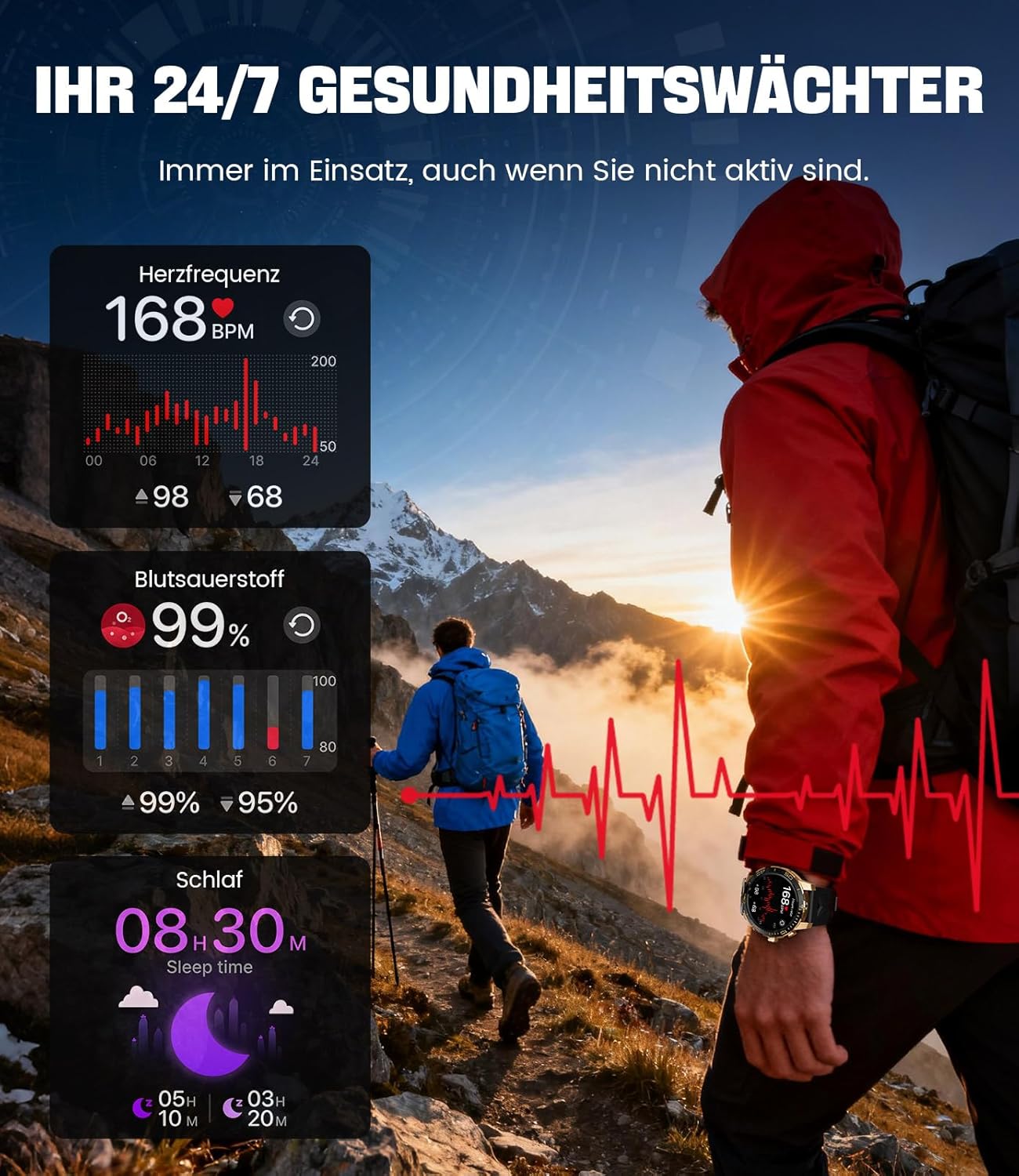
Image: The smartwatch functions as a 24/7 health guardian, monitoring heart rate, blood oxygen, and sleep patterns, even when you are not actively engaged in exercise.
Aratau hakinakina
With over 200 sports modes, the watch helps you track your workouts and achieve your fitness goals.
- Tīpakohia te aratau hākinakina e hiahiatia ana e koe mai i te tahua mataaratanga.
- The watch records data such as heart rate, calories burned, and steps taken.
- Automatic recognition for walking, running, and cycling is supported.
- Review your activity data in the "Fit CloudPro" app for performance analysis.

Image: The smartwatch supports over 200 training modes, tracking heart rate, calories, and steps for various activities.
Nga Kanohi Maataki Whakaritea
Whakawhaiarohia tō mātaaratanga atamai ki ngā momo mata mātaaratanga.
- The watch comes with several pre-installed classic watch faces.
- Access over 200 additional designs through the "Fit CloudPro" app.
- You can also upload your own photos to create custom watch faces.
Nga waahanga taapiri
- Matapae huarere: Tikina nga whakamohoatanga huarere i te waa-tūturu.
- Karaka Whakaoho: Whakatakotoria ngā whakaoho tika mai i tō ringaringa.
- Mana Kamera Mamao: Use your watch to trigger your phone's camera.
- rama rama: Activate a flashlight function on your wrist.
- Phone Locator: Find your misplaced smartphone using the watch.

Image: The smartwatch features a wrist flashlight function, providing illumination for outdoor activities.
Te tiaki
Te horoi
- Ūkuia te mata mataara me te tinana ki te kakahu ngohengohe, kore-puru.
- Mo nga stains pakeke, dampen te kakahu paku ki te wai.
- Avoid using harsh chemicals, abrasive materials, or ultrasonic cleaners.
- Ensure the charging contacts are clean and free of debris.
Ātete Wai (IP68)
The LIGE EF21-I Smartwatch is IP68 water-resistant, meaning it can withstand immersion in water up to 1.5 meters for up to 30 minutes. It is suitable for daily use, hand washing, and swimming.
- Do not use the watch in hot water, saunas, or steam rooms.
- Kaua e pēhi i ngā pātene i raro i te wai.
- After exposure to water, especially saltwater, dry the watch thoroughly.
Raparongoā
Kia mataara Kaua e Hurihia
- Me whakarite kua whakakiia te mataaratanga. Honoa ki te rihi mo te iti rawa 30 meneti.
- Patohia me te pupuri i te paatene hiko mo etahi hēkona.
Unable to Pair with App
- Me mohio kei te whakahohea te Nihokikorangi i runga i to waea atamai.
- Me whakarite kia tika te utu o te mataaratanga.
- Me whakaara ano to waea atamai me te maataki atamai.
- Try unpairing and re-pairing the device through the "Fit CloudPro" app.
- Check if the app has necessary permissions on your phone.
Raraunga Hauora Tika
- Me whakarite kia mau te wati ki runga i to ringaringa, kia kaua e wetekina rawa atu, kia kaua e piri rawa.
- Horoia te pūoko kei muri o te mataaratanga.
- A ape i te korikori nui i te wa e ine ana.
- Remember that health data is for reference and not for medical use.
Kāore i Whiwhi Ngā Pānui
- Me manatoko kei te hono te mataaratanga ki tō waea mā te Nihokikorangi.
- Check notification settings in the "Fit CloudPro" app.
- Ensure your phone's notification settings allow the app to send notifications.
- Disable any battery optimization settings for the "Fit CloudPro" app on your phone.
Whakatakotoranga
| Āhuahira | Taipitopito |
|---|---|
| Waitohu | KAUPAPA |
| Tau tauira | EF21-I |
| Rahi Whakaatu | 1.43 Inihi |
| Momo Whakaatu | AMOLED |
| Pūhiko Raukaha | 800 mAh (Rithium-polymer) |
| Hononga | Nihokikorangi |
| Hototahitanga Pūnaha Whakahaere | Android 8.0+ & iOS 12.0+ |
| Whakatauranga Atete Wai | IP68 |
| Te Rokiroki Mahara | 256 MB |
| Nga waahanga motuhake | Weather forecast, Sedentary reminder, Alarm clock, Touch screen, Always-on display, Bluetooth calling, Heart rate monitor, SpO2 monitor, Sleep monitor, 200+ sports modes, Phone locator |
| GPS | GPS ma te waea atamai |

Image: The smartwatch features impact resistance, indicated by a 'Military Grade Drop-Tested' badge.
Pūtāhui me te Tautoko
Nga korero Whakaputanga
The product is supported by a 12-month warranty. Please retain your proof of purchase for warranty claims.
Tautoko Kiritaki
For technical assistance, troubleshooting, or warranty inquiries, please contact LIGE customer support. Refer to the contact information provided with your purchase or visit the official LIGE webpae.
Ask a question about this manual
Ask about setup, troubleshooting, compatibility, parts, safety, or missing instructions. Manuals+ will review the question and use this page’s manual context to help answer it.