
1. Kupu Whakataki me Nekeview
The Jectse BT 6.0 Audio Transmitter Receiver is a versatile device designed to enhance your audio experience by converting wired audio systems into wireless ones. It supports both Bluetooth transmission and reception, offering high-definition sound with low latency. Its portable design and long battery life make it suitable for various applications, from personal use with headphones to professional settings like guided tours.
This manual provides detailed instructions for setting up, operating, and maintaining your device to ensure optimal performance.
2. Ihirangi mokete
Tirohia koa ko nga mea katoa kei raro nei kei roto i to kete:
- 1 x Jectse BT 6.0 Receiver Transmitter Unit
- 1 x USB Utaura Whakatau
- 1 x Waea taringa
- 1 x 3.5mm Waea Ororongo
- 1 x 3.5mm Pūurutau Ororongo
- 1 x Pukapuka Kaiwhakamahi
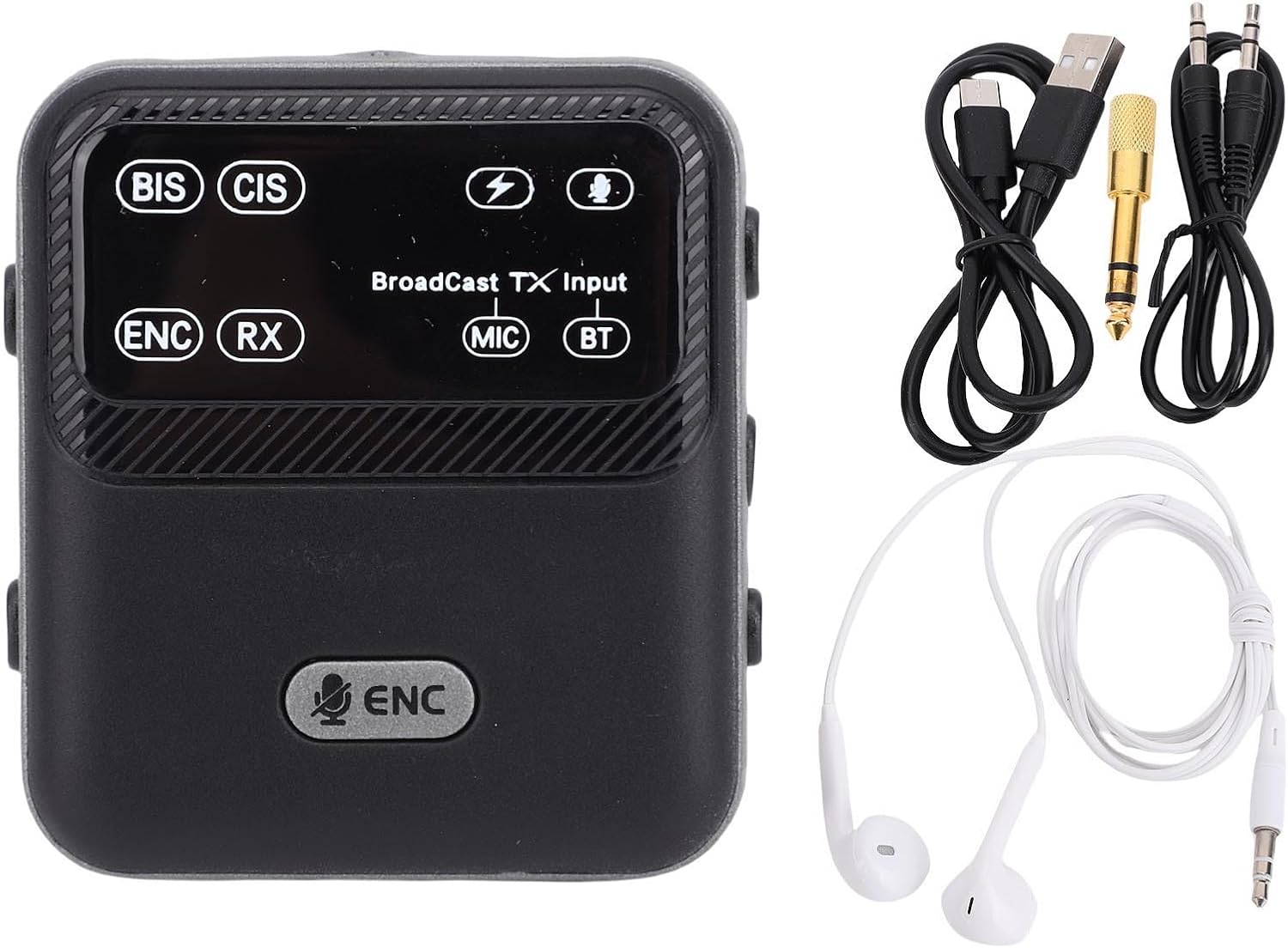
Image: The Jectse BT 6.0 Audio Transmitter Receiver unit shown alongside its included accessories: a USB charging cable, a 3.5mm audio cable, a 3.5mm audio adapter, and a pair of earphones.
3. Nga waahanga matua
- Dual BT Modes: Seamlessly switch between Bluetooth receiver (RX) and transmitter (TX) modes to suit your audio needs.
- Advanced Audio Codec Support: Supports SBC and AAC codecs for clear, HiFi sound quality.
- Whakaiti Haruru ENC: Equipped with Environmental Noise Cancellation (ENC) technology for clear sound quality in various environments.
- Mahi Wahangu: Provides added versatility for managing audio output.
- Roa te Ora o te Pūhiko: Features a built-in 550 mAh rechargeable battery, offering up to 6 hours in BT receiver mode and up to 20 hours in broadcast mode.
- 3.5mm AUX Connectivity: Supports both 3.5mm auxiliary output and input for broad compatibility with various devices.
- Hoahoa Kawe: Designed with a convenient clip for easy attachment to clothing, bags, or belts.
- Broadcast Technology: Supports one-to-many broadcast for applications like guided tours, teaching, or meetings.
- Ultra-Long Transmission Distance: Achieves a transmission distance of over 100 meters in clear, unobstructed environments.

Image: The Jectse BT 6.0 Audio Transmitter Receiver unit is displayed with graphical icons highlighting its professional features, including 100-meter transmission, one-click wireless shutdown, multi-source input, TX/RX 2-in-1, ENC noise reduction, intelligent networking, and one-to-multiple broadcast capability.
4. Tatūnga
4.1 Te Whakataki i te Pūrere
- Honoa te taura utu USB kua whakaratohia ki te tauranga utu o te pūrere.
- Plug the other end of the USB cable into a standard USB power adapter (5V/1A recommended) or a computer's USB port.
- The charging indicator light will illuminate. The device is fully charged when the light changes or turns off (refer to the device's display for specific indicators). Charging typically takes approximately 2 hours.
4.2 Kei te Hiko / Weto
- Hei whakakā, nekehia te pana hiko ki te tūranga 'ON'.
- Hei whakaweto i te mana, nekehia te pana mana ki te tūranga 'OFF'.

Image: A close-up of the Jectse BT 6.0 Audio Transmitter Receiver showing a finger sliding the power switch to the 'ON' position, indicating a 'one-click wireless shutdown' for easy management.
4.3 Te Hononga i ngā Taura Ororongo
The device features 3.5mm AUX input and output ports. Use the provided audio cables to connect to your desired audio source or receiving device.
- For Transmitter (TX) Mode: Connect the 3.5mm audio cable from your audio source (e.g., TV, computer) to the device's Tāuru (IN) tauranga.
- For Receiver (RX) Mode: Connect the 3.5mm audio cable from the device's Putanga (WHAWHAI) port to your wired headphones, speakers, or car stereo.

Whakaahua: He taipitopito view of the Jectse BT 6.0 Audio Transmitter Receiver's top panel, highlighting the 3.5mm input (IN) and output (OUT) ports, a microphone, and the power button, indicating its 'multi-source input broadcast' capability.
5. Nga Tohutohu Whakahaere
5.1 Switching Between Modes (TX/RX)
The device typically has a switch or button to toggle between Transmitter (TX) and Receiver (RX) modes. Refer to the device's display or indicators to confirm the current mode.
5.2 Bluetooth Pairing (Receiver Mode - RX)
In RX mode, the device acts as a Bluetooth receiver, allowing you to stream audio wirelessly from your smartphone, tablet, or laptop to wired headphones or speakers.
- Ensure the device is in RX mode.
- Connect your wired headphones or speakers to the device's 3.5mm OUT port.
- I runga i tō waea atamai, i tētahi atu pūrere rānei e whakahohea ana e te Nihokikorangi, whakahohea te Nihokikorangi, ka rapu i ngā pūrere e wātea ana.
- Select "Jectse BT 6.0" (or similar name) from the list of found devices to pair.
- Once paired, audio from your source device will play through the connected headphones/speakers.
5.3 Bluetooth Pairing (Transmitter Mode - TX)
In TX mode, the device acts as a Bluetooth transmitter, allowing you to send audio wirelessly from non-Bluetooth devices (like TVs, PCs) to Bluetooth headphones or speakers.
- Ensure the device is in TX mode.
- Connect your audio source (e.g., TV's audio out) to the device's 3.5mm IN port.
- Whakatakotoria ō paneoro Nihokikorangi, ō kaikorero rānei ki te aratau takirua.
- The Jectse device will automatically search for and connect to nearby Bluetooth receiving devices.
- Once connected, audio from your source will be transmitted to your Bluetooth headphones/speakers.
5.4 Using Broadcast Technology (One-to-Many)
The device supports a broadcast mode, enabling one transmitter to send audio to multiple receivers simultaneously. This is ideal for group tours, teaching, or meetings.
- Set the main Jectse unit to Broadcast Transmitter mode.
- Distribute other Jectse units (or compatible receivers) to participants and set them to Broadcast Receiver mode.
- Ensure all units are within the effective transmission range (up to 100m in clear space).
- The audio from the transmitter will be simultaneously heard on all connected receivers.

Image: An illustration showing the Jectse BT 6.0 Audio Transmitter Receiver broadcasting audio wirelessly to multiple pairs of headphones, demonstrating its 'one to many Broadcast Technology' capability.
5.5 Te Whakakore Haruru Taiao (ENC)
The integrated ENC technology actively reduces ambient noise, ensuring clearer voice transmission and reception, especially useful in noisy environments.
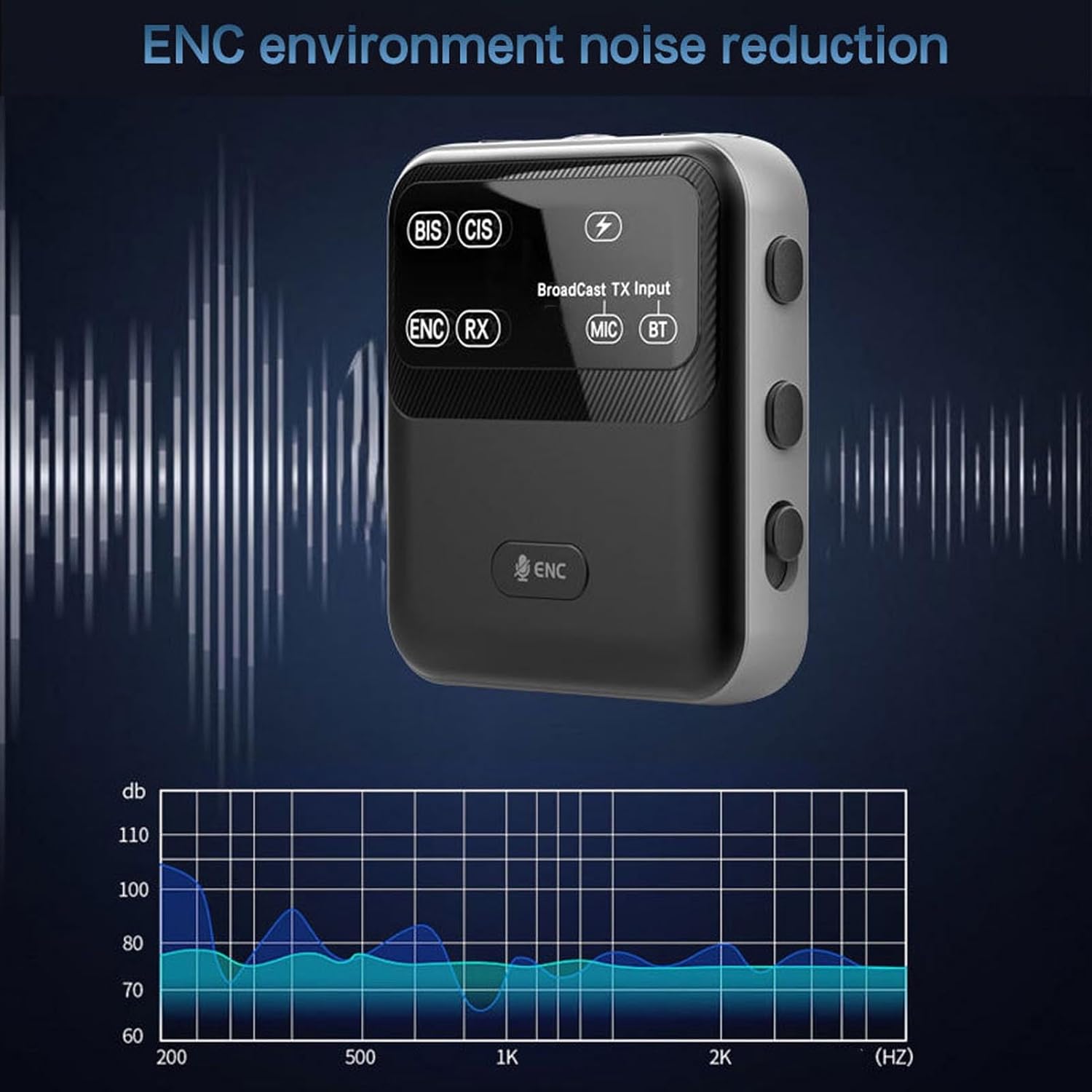
Image: The Jectse BT 6.0 Audio Transmitter Receiver is shown with a graphic representing sound waves and a frequency spectrum, illustrating the effectiveness of its 'ENC environment noise reduction' feature.
6. Tiaki
- Te horoi: Whakamahia he kakahu ngohengohe, maroke hei horoi i te taputapu. Kaua e whakamahi i ngā matū kaha, i ngā rauemi whakakoi rānei.
- Rokiroki: Whakaorangia te taputapu ki te waahi makariri, maroke atu i te ra tika me te wera nui.
- Tiaki Pūhiko: Hei whakaroa i te ora o te pākahiko, karohia te tuku katoa i te pākahiko. Me utu te taputapu i nga wa katoa, ahakoa kaore i te whakamahia mo nga wa roa.
- Puranga wai: Ehara tenei taputapu i te parewai. A ape i te pa ki te wai, te makuku nui ranei.
7. Te Raru
- Kore Mana: Ensure the device is charged. Connect it to a power source using the USB cable.
- Kaore e taea te takirua: Ensure the device is in the correct mode (TX or RX) and in pairing mode. Make sure the other Bluetooth device is also in pairing mode and within range. Turn both devices off and on again.
- Kore Oro: Check all cable connections (3.5mm AUX). Ensure volume levels are adjusted on both the Jectse device and the connected audio source/receiver. Verify that the correct audio input/output is selected on your external devices.
- Poor Sound Quality/Interference: Ensure the device is within the effective transmission range. Avoid obstacles between the device and the connected Bluetooth unit. Reduce interference from other wireless devices.
- He poto te ora o te Pūhiko: Ensure the device is fully charged. Battery life can vary based on usage volume and mode.
8. Whakatakotoranga
| Waitohu | Jectse |
| Tau tauira | Jectsezogukcnm1f |
| Momo Tuemi | Kaituku Kaituku |
| Rauemi | ABS |
| Putanga Nihokikorangi | V6.0 |
| Tawhiti Whakawhiti | >100 m (straight and unobstructed) |
| Pūhiko Hanga-i roto | Te pūhiko 550mAh Li-polymer |
| Usage Time (BT Receiver Mode) | Tae atu ki te 6 haora |
| Usage Time (Broadcast Mode) | Tae atu ki te 20 haora |
| Waa Whakatau | Tata ki te 2 haora |
| Putanga Ororongo | 3.5 mm interface |
| Whakauru Ororongo | AUX, MIC, BT |
| Ahu mōkihi | 17 x 9 x 2 cm |
| Taumaha Tūemi | 117 g |
| Whenua/Rohe Taketake | Haina |

Image: The Jectse BT 6.0 Audio Transmitter Receiver is depicted with arrows indicating an 'Ultra long distance transmission' range of 50m and 100m, highlighting its extended connectivity capabilities.
9. Pūtāhui me te Tautoko
For warranty information or technical support, please refer to the documentation provided with your purchase or contact the manufacturer directly. Keep your purchase receipt as proof of purchase for any warranty claims.