
1. Kupu Whakataki me Nekeview
The MERACH S26B4 Magnetic Stationary Exercise Bike is designed to provide an effective and quiet indoor cycling experience. It features a 15.6-inch HD screen, magnetic resistance, and seamless app integration, supporting various fitness levels and workout styles. Constructed with a sturdy alloy steel frame, it ensures stability during use.
Āhuatanga matua:
- 15.6-inch Full HD (1920x1080P) Swivel & Tilt Display
- Triple 4500Gs Magnets & Weighted Flywheel for Smooth Magnetic Resistance
- 8 Levels of Resistance Adjustment
- 300 lbs (136 kg) Maximum Weight Capacity
- Whisper-Quiet Operation (below 25 dB)
- MERACH App Integration with Google Fit, Apple Health, Kinomap, and Zwift
- 2-Way Adjustable Handlebar and 4-Way Adjustable Padded Seat
- Integrated Dumbbell Rack and Dual Water Bottle Holders

Figure 1: The MERACH S26B4 Magnetic Stationary Exercise Bike.
2. Tohutohu Tatūnga
The MERACH S26B4 exercise bike arrives 80% pre-assembled. The remaining assembly typically takes approximately 30 minutes. Please refer to the detailed assembly instructions included in your product packaging for step-by-step diagrams and specific guidance.
Nga Waahi Huihuinga Nui:
- Wewete Waenga: Tangohia marietia ngā wāhanga katoa mai i te takai, ka tirohia ki te rārangi wāhanga kei roto i tō pukapuka ā-ringa.
- Āpiti Pūmau: Secure the front and rear stabilizer bars to the main frame.
- Tāuta Pedals: Attach the left and right pedals to the crank arms. Note the 'L' and 'R' markings.
- Maunga Nohoanga: Install the seat post and then the padded seat, adjusting to a comfortable height.
- Assemble Handlebar: Attach the handlebar post and then the handlebar assembly, including the screen mount.
- Tāuta Mata: Secure the 15.6-inch HD screen to its mount and connect any necessary cables.
Me whakarite kia mau te whakau o ngā pūtu me ngā hononga katoa i mua i te whakamahinga tuatahi.
Whakaahua 2: Taha view of the MERACH S26B4 exercise bike, illustrating its assembled structure.
3. Nga Tohutohu Whakahaere
3.1 Hiko / Whakaweto
Connect the power adapter to the bike and a suitable electrical outlet. The 15.6-inch HD screen will automatically activate. To power off, disconnect the power adapter.
3.2 Screen Features and Tracking
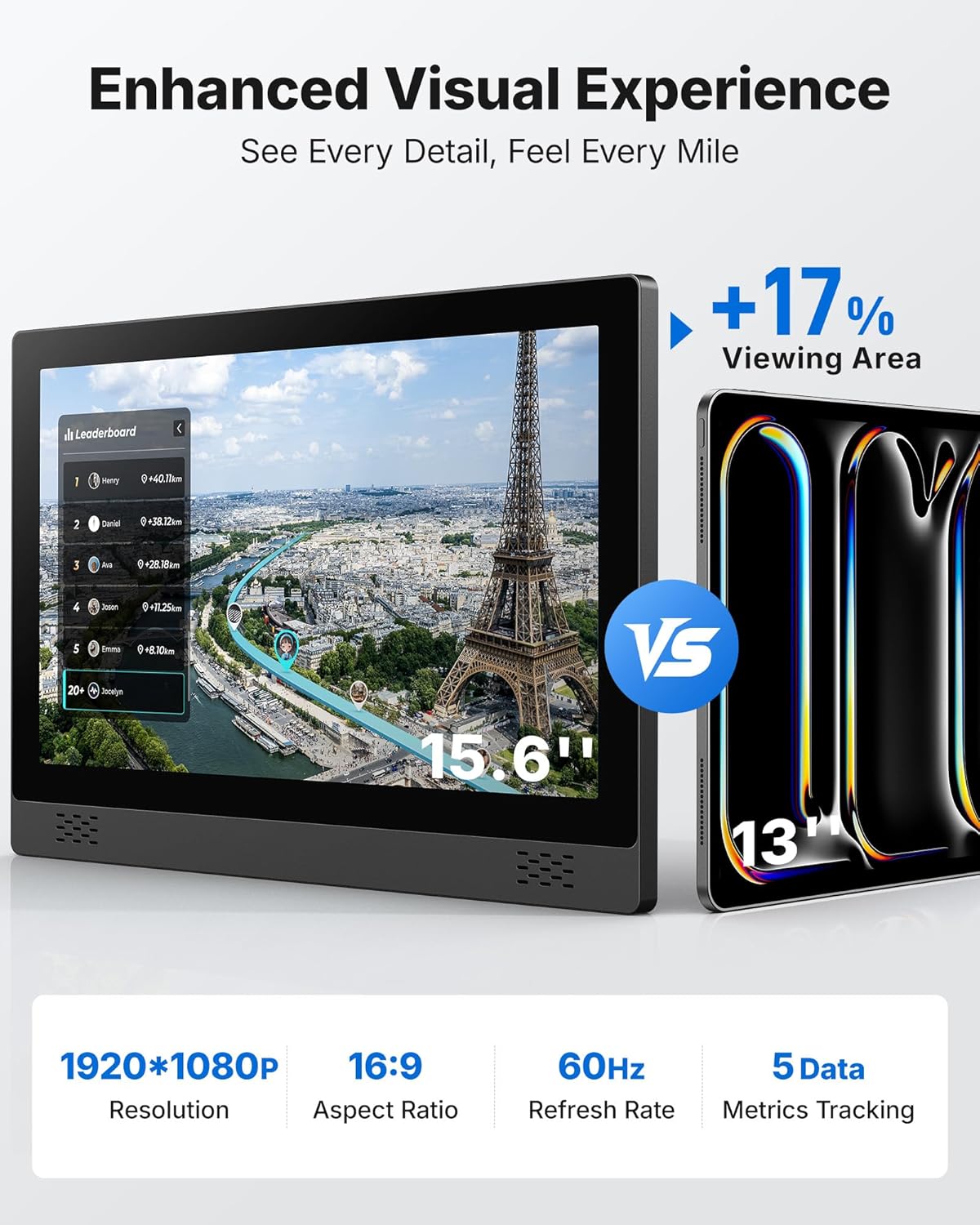
The bike features a 15.6-inch Full HD (1920x1080P) screen with a 16:9 aspect ratio and 60Hz refresh rate. The screen can swivel 90 degrees horizontally and tilt 60 degrees vertically for optimal viewing angles. It tracks 5 key metrics in real-time:
- Te wa
- Tere
- Maero
- Ko nga Calories kua wera
- Tawhiti

Figure 3: The 15.6-inch HD screen displaying real-time workout metrics.
3.3 Whakatikatika Atete
The MERACH S26B4 utilizes a magnetic resistance system with 8 adjustable levels. To increase or decrease resistance, turn the resistance knob located on the main frame. The magnetic system provides smooth transitions from warm-up (0-20%) to maximum effort (100%).
3.4 Te Whakatikatika i te Nohoanga me te Pae Kīngi
For optimal comfort and performance, adjust the handlebar and seat to your preferred position:
- Pae kakau: The handlebar is 2-way adjustable (up/down). Loosen the adjustment knob, move to the desired height, and tighten securely.
- Noho: The padded seat is 4-way adjustable (up/down, forward/backward). Loosen the adjustment knobs, position the seat for your height (suitable for riders 4'8'' to 6'2''), and tighten firmly. The seat also features a tilt adjustment of +/- 45 degrees to reduce frontal pressure and enhance comfort.

Figure 4: Illustration of the adjustable seat mechanism for optimal riding posture.
3.5 Te Whakaurunga Taupānga me te Hononga
The MERACH S26B4 bike integrates with the self-developed MERACH App and other popular fitness platforms:
- MERACH App: Download the MERACH App from the App Store or Google Play. Track real-time stats and access fitness courses.
- Tukutahi Raraunga: Effortlessly sync your workout data with Google Fit and Apple Health.
- Ngā Taupānga Tuatoru: Ride with Kinomap and Zwift for immersive training experiences.
- Whakaata Ahokore: Project movies or workout courses directly from your phone onto the larger display. Note: The screen is currently incompatible with iPhone 17 series and Google phones for direct mirroring.

Figure 5: The 15.6-inch HD screen displaying various fitness and entertainment applications.

Figure 6: MERACH App integration with leading fitness platforms.
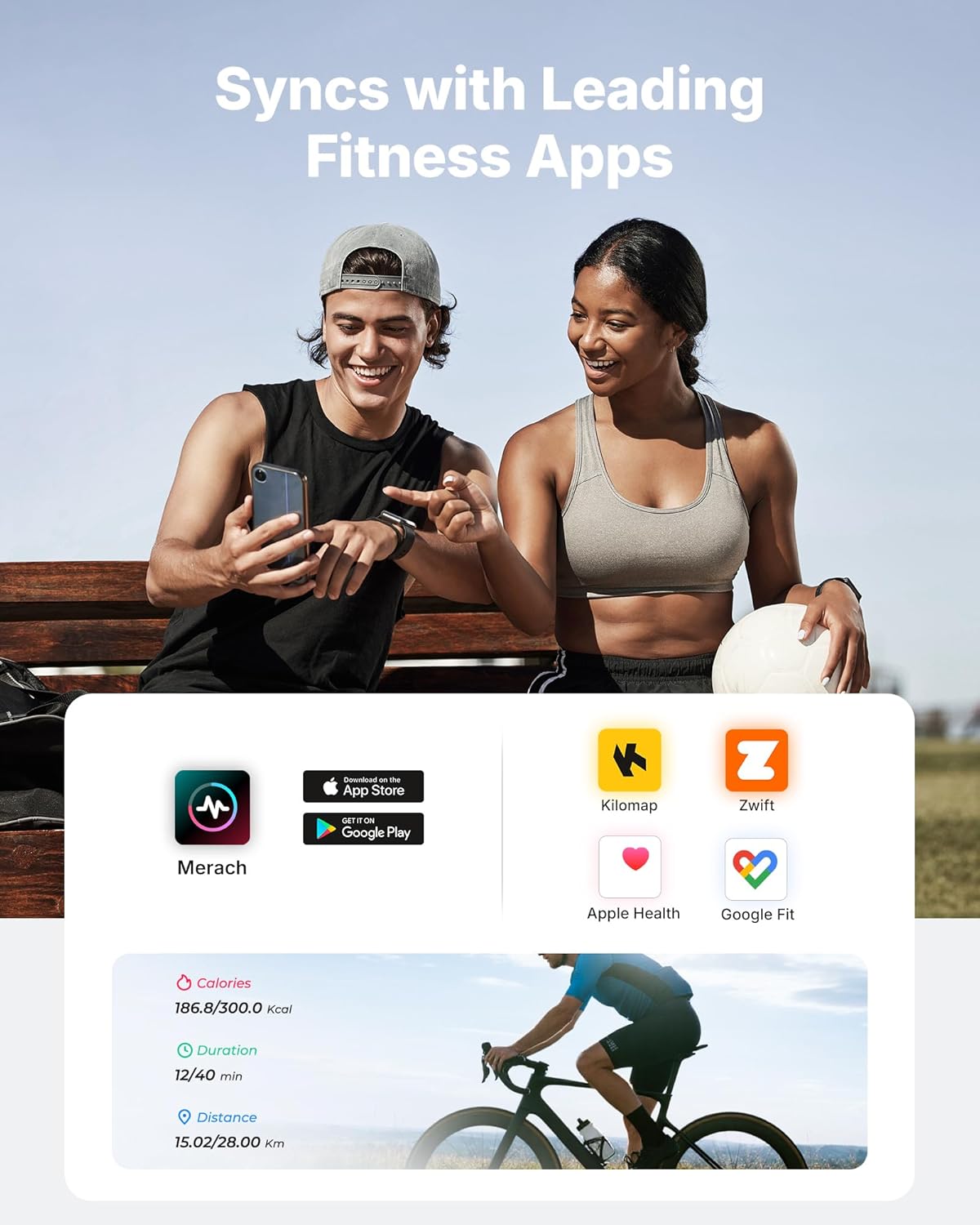
Figure 7: Immersive scenic cycling experience on the HD screen.
3.6 Nga waahanga taapiri
- Dumbbell Rack: Conveniently store dumbbells on the integrated rack.
- Water Bottle Holders: Dual holders keep your hydration accessible during workouts.
- Cage Pedals: Secure your feet during intense cycling sessions.
- Nga wira kawe: Bi-directional transport wheels allow for easy movement and storage of the bike.

Figure 8: Integrated dumbbell rack and dual water bottle holders.
4. Tiaki
Regular maintenance ensures the longevity and optimal performance of your MERACH S26B4 exercise bike.
- Te horoi: Horoia te pahikara me te panuiamp he kakahu i muri i ia whakamahinga hei tango i te werawera me te puehu. A ape i te horoi horoi.
- Taki Hononga: Periodically inspect all bolts, nuts, and moving parts for tightness. Tighten as necessary.
- Pūnaha Aukume: Keep the area around the magnetic resistance system clean and free from debris to ensure smooth operation.
- Rokiroki: Store the bike in a dry, cool environment away from direct sunlight and extreme temperatures.
5. Te Raru
If you encounter issues with your MERACH S26B4 exercise bike, refer to the following common solutions:
- Screen Incompatibility: The 15.6-inch HD screen is currently incompatible with iPhone 17 series and Google phones for direct mirroring. For these devices, consider alternative casting methods if supported by the device or use the MERACH app on a compatible device.
- Nga Take Hononga Taupānga: Ensure Bluetooth is enabled on your device and the MERACH app is updated to the latest version. Restart both the bike and your device if connection problems persist. Check the MERACH app for specific troubleshooting guides.
- Haruru rereke: The bike is designed for quiet operation (below 25 dB). If unusual noise occurs, check for loose parts or contact customer support.
- Resistance Not Adjusting: If the resistance is not changing correctly, ensure the resistance knob is fully functional and not obstructed. If the issue persists, contact customer support.
6. Whakatakotoranga
| Āhuahira | Taipitopito |
|---|---|
| Waitohu | MEREKA |
| Ingoa Tauira | S26B4 |
| Tikanga Atete | aukume |
| Puna Mana | Hiko Hiko |
| Taumaha Tūemi | 21 Kirokaramu |
| Rauemi | Korotahi Steel |
| Rahi Hua (D x W x H) | 38.37" x 11.41" x 30.11" |
| Tohunga Taumaha Morahi | 300 Pauna |
| Te maha o nga Taumata Atete | 8 |
| Pūnaha taraiwa | whitiki |
| Whakaatu | 15.6'' HD Swivel & Tilt Display |
| Hononga | Fitness data sync to Merach, Zwift, Kinomap, Google Fit, Apple Health |
| Pae Whakahoahoa | 2-ways |
| Nohoa Whakaritea | 4-ways |
| Teitei Kaiwhakamahi Manakohia | 4'8'' to 6'2'' |
7. Pūtāhui me te Tautoko
7.1 Hua Whakatau
MERACH offers a 1-tau pūtāhui for the S26B4 Magnetic Stationary Exercise Bike, covering manufacturing defects and malfunctions under normal use.
7.2 Tautoko Kiritaki
Our dedicated support team is available to assist you with any questions regarding installation, operation, or troubleshooting. We aim to respond within 12 hours via message or phone.
For support, please refer to the contact information provided in your product packaging or visit the official MERACH webpae.
8. Ataata Hua Whaimana
8.1 App-Integrated Indoor Cycling Bikes
This video demonstrates the app integration features of the MERACH S26B4 exercise bike, showcasing how it connects with various fitness applications for an interactive workout experience.
8.2 S26B4 Exercise Bike with 15.6" HD Display
He mutuview video highlighting the key features of the MERACH S26B4 Exercise Bike, including its 15.6-inch HD display and overall design.