
Kupu Whakataki
This manual provides comprehensive instructions for the installation, operation, and maintenance of your eRapta AWTCM701 Magnetic Solar Wireless Backup Camera System. Designed for enhanced safety and convenience, this system offers a high-definition view, advanced features like Blind Spot Detection (BSD), and flexible installation options for various vehicles including trailers, trucks, RVs, campers, and tractors.
Nga waahanga matua
- User-Friendly Touchscreen Operation: Intuitive interface for easy adjustments of parking lines, video recording, and playback.
- Quick & Hassle-Free Setup: Features a robust magnetic base for easy attachment to any metal surface (not for aluminum), requiring no wiring or drilling.
- Enhanced Safety with BSD Technology: Advanced Blind Spot Detection system provides audio and visual alerts for obstacles, improving reversing safety.
- Continuous Recording with Loop DVR: Includes a pre-installed 32GB SD card for automatic video recording, looping over old footage ina ki tonu.
- Versatile Dual Charging Options: Equipped with a built-in Li-ion battery and an efficient solar panel for extended usage. The camera enters auto-sleep mode to conserve battery.
- Superior Night Vision & Clarity: Eight infrared lights ensure excellent performance in low-light conditions, with HD 1080P touchscreen for clear visibility.
- Stable Wireless Transmission: Utilizes 2.4G wireless digital transmission for reliable communication up to 40ft in vehicles and 320ft in open areas.
- Rugged & Weatherproof Design: IP69K rated for waterproof durability, suitable for all weather conditions. Supports up to four cameras (one included) for comprehensive monitoring.
Ihirangi mokete

Image: All components included in the eRapta backup camera system package.
- Magnetic Solar Backup Camera
- Aroturuki 7-inihi
- Taiapa Momo Kapu
- Kaitohu Motoka
- Antenna (2x)
- Momo-C Kaitohu
- Kāri SD 32GB (kua tāutahia i mua)
Tohutohu Tatūnga
1. Whakaurunga Kamera

Image: Step-by-step guide for 1-minute install-free setup.
- Identify a suitable metal surface on the rear of your vehicle (e.g., bumper, hitch area, or trailer frame).
- Attach the magnetic solar backup camera firmly to the chosen metal surface. Ensure the solar panel faces upwards for optimal charging.
- Adjust the camera angle to achieve the desired rear view.
2. Tatūnga Aroturuki
- Attach the suction cup bracket to your vehicle's windshield or dashboard.
- Mount the 7-inch monitor onto the bracket.
- Plug the monitor's power cable into your vehicle's 12V power outlet (cigarette lighter socket).
- The system should automatically power on and pair with the camera, displaying the live feed.
Tatūnga Whakaaturanga Ataata
Video: A demonstration of the eRapta backup camera system's quick installation and features.
Nga Tohutohu Whakahaere
1. Mahi Mata Paa

Image: The 7-inch HD1080P IPS touchscreen allows direct operation or button control.
The 7-inch HD1080P IPS touchscreen allows for direct interaction. You can also use the physical buttons located on the top of the monitor for navigation and adjustments. The monitor's interface is designed for ease of use, providing quick access to various settings.
2. Parking Assisting Lines

Image: Parking assisting lines can be adjusted for width, up/down, and height.
Access the monitor settings to customize the parking assisting lines. You can adjust their width, move them up or down, and modify their height to suit your vehicle and preferences, aiding in precise parking maneuvers.
3. Blind Spot Detection (BSD)

Image: The BSD system provides audio and visual alerts for obstacles behind the vehicle.
The advanced BSD system actively monitors for obstacles or people in your blind spots while reversing. It provides both audio and visual warnings on the monitor, significantly enhancing safety during maneuvers.
4. Loop Recording (DVR)
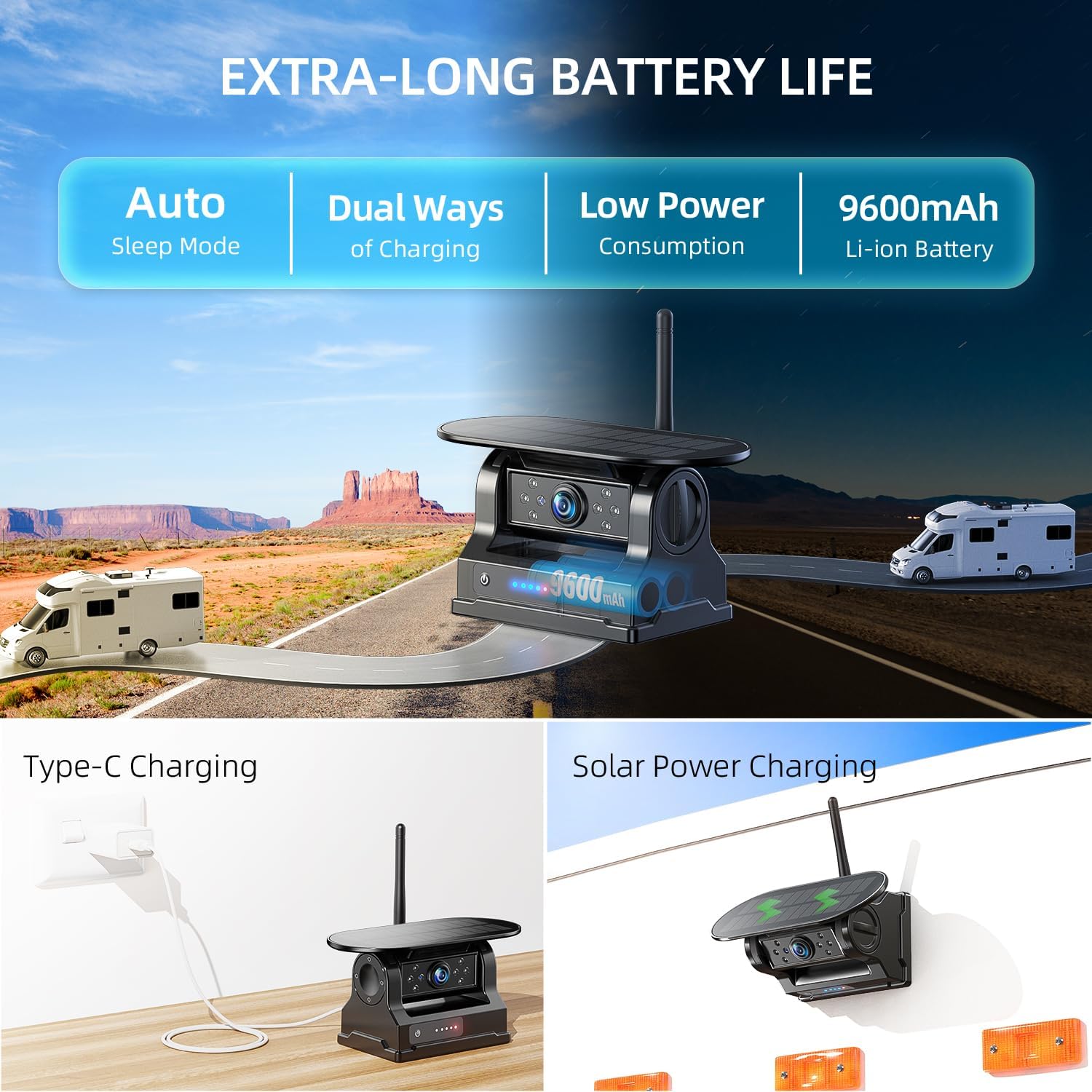
Image: The system supports loop recording with a 32GB SD card for continuous video capture.
The system automatically records video footage to the included 32GB SD card. When the card is full, the loop recording feature ensures that older footage is overwritten by new recordings, maintaining continuous surveillance without manual intervention. Recorded files can be played back directly on the monitor.
5. Multi-Channel Setting

Image: The monitor supports full, split, and quad-screen views for up to four cameras.
The monitor supports connecting up to four cameras simultaneously. You can switch between full-screen view for a single camera, split-screen for two cameras, or quad-screen for four cameras, providing comprehensive monitoring around your vehicle.
6. Mirror-Flip Setting

Image: Mirror-flip settings allow adjusting the camera view for different mounting orientations.
Depending on the camera's mounting location and your preference, you can adjust the image orientation using the mirror-flip setting. This ensures the display always shows the correct perspective, whether mounted upright or inverted.
Te Whakahaere Hiko me te Utu
1. Dual Charging Options
Image: The camera offers solar power charging and Type-C charging for its 9600mAh Li-ion battery.
The camera is equipped with a built-in 9600mAh Li-ion battery and an integrated solar panel for continuous charging during daylight hours. For additional charging or when sunlight is unavailable, a Type-C charging port is provided.
2. Tohu Taumata Pūhiko

Image: Visual battery level indicators on both the camera and monitor.
Both the camera and the monitor feature battery level indicators, allowing you to easily monitor the remaining power. The camera automatically enters an auto-sleep mode when the monitor is shut down to conserve battery life.
Te tiaki
- Whakapai Paewhiri Solar: Me horoi i nga wa katoa te panui solar ki te ngohengohe, damp cloth to ensure it remains clean and free of debris for optimal charging efficiency.
- Tiaki Arotahi Kamera: Keep the camera lens clean from dirt, dust, or water spots to maintain clear image quality. Use a lens cleaning cloth if necessary.
- Magnetic Mount Check: Periodically inspect the magnetic base for secure attachment to the vehicle. Ensure the mounting surface is clean and free of rust or paint chips that could affect adhesion.
- Whakahōu Pūmanawa: Check the eRapta official webpaetukutuku mō ngā whakahōutanga pūmanawa e wātea ana hei whakarite i te mahi tino pai me te urunga atu ki ngā āhuatanga hou.
Raparongoā
1. No Signal/Interference
- Taki Awhe: Ensure the camera and monitor are within the effective wireless transmission range (up to 40ft in vehicles, 320ft in open areas).
- Taki Arai: Verify there are no significant metal obstructions or other electronic devices interfering with the signal path between the camera and monitor.
- Tūnga Hiko: Confirm both the camera and monitor are powered on and have sufficient battery charge.
2. Image Quality Issues
- Arotahi Ma: Clean the camera lens thoroughly to remove any dirt, dust, or moisture that may be obscuring the view.
- Nga Tikanga Rama: Ensure adequate lighting. While the camera has IR night vision, extreme darkness can still affect clarity.
3. Karekau te pākahiko i te utu
- Marara o te Ra: For solar charging, ensure the solar panel is exposed to direct sunlight for several hours.
- Hononga Momo-C: If using Type-C charging, verify the cable and adapter are securely connected and functional.
Whakatakotoranga
| Āhuahira | Whakatakotoranga |
|---|---|
| Waitohu | eRapta |
| Tauira | AWTCM701 |
| Rahi Mata | 7 Inihi |
| Hangarau Pūoko Optical | CMOS infrared |
| Momo Arotahi | Koki Whanui |
| Koki Tuturu o View | 63.4 Waeine |
| Tuhinga o mua View | 150 Waeine |
| Momo Tuhono | Ahokore (2.4G) |
| Whakataunga Hopu Ataata | 1080p |
| Whakatauranga parewai | IP69K |
| Rokiroki DVR | Kari SD 32GB (kei roto) |
| Pūhiko Raukaha | 9600mAh Li-ion |
Pūtāhui me te Tautoko
The eRapta AWTCM701 Magnetic Solar Wireless Backup Camera System comes with a e rua tau te whakamana, ensuring peace of mind regarding product quality and performance. Additionally, eRapta provides tautoko hangarau ora hei āwhina i a koe me ngā pātai, ngā raruraru rānei ka pā mai ki a koe.
Mo te hokoasing additional cameras to expand your monitoring capabilities, please refer to ASIN: B0FNQZZW8L.
For further assistance, please visit the official eRapta website or contact customer support through your purchase platform.