
1. Hua Neke Atuview
The Active Pixel G16 is a 4G solar-powered outdoor security camera system featuring a 4MP resolution and a triple-lens setup with 10X optical zoom. It operates via a 4G LTE SIM card, eliminating the need for Wi-Fi, making it suitable for remote locations. The system includes two fixed-angle lenses and one 360° pan-tilt-zoom (PTZ) lens for comprehensive coverage. Integrated solar panels and a built-in battery ensure continuous operation. Key features include motion detection, two-way audio, and IP66 weather resistance.
Ihirangi mokete
- 1x Active Pixel G16 Camera Unit
- 1x Pūurutau Hiko
- 1x Manual Kaiwhakamahi
- 1x Screw Kit for Installation

2. Aratohu Tatūnga
2.1 Whakauru Kaari SIM
- Locate the SIM card slot on the camera unit. This is typically protected by a waterproof cover.
- Carefully open the cover using a small screwdriver if necessary.
- Insert a activated 4G LTE SIM card into the designated slot. Ensure the SIM card is correctly oriented according to the diagram near the slot.
- Securely close the waterproof cover to prevent water ingress.
2.2 Tāutanga Tinana
- Choose a mounting location that provides optimal sunlight exposure for the solar panels and a clear view o te waahi tirotiro e hiahiatia ana.
- Use the provided screw kit to securely mount the camera bracket to a wall or pole. Ensure the mounting surface is stable.
- Attach the camera unit to the mounted bracket. Adjust the angle of the solar panels to maximize sun exposure throughout the day.
- Connect the solar panel cable to the camera unit's power input.

2.3 Initial Power-Up and App Connection
- Ensure the camera has sufficient battery charge or is receiving sunlight.
- Download the official Active Pixel mobile application from your device's app store (iOS or Android).
- Register an account and follow the in-app instructions to add your new camera. This typically involves scanning a QR code on the camera or manually entering its device ID.
- Kia honoa, ka taea e koe te uru atu ki te whakaaturanga ora view and configure camera settings.
3. Nga Tohutohu Whakahaere
3.1 Ora View me te Mana PTZ
From the mobile application, select your camera to access the live video feed. You can switch between the two fixed-angle lenses and the PTZ lens. For the PTZ lens, use the on-screen controls to pan (horizontal rotation), tilt (vertical movement), and zoom (10X optical zoom) the camera to adjust its viewkoki.

3.2 Ororongo Waa-rua
The camera supports two-way audio communication. In the live view, tap the microphone icon to speak through the camera's speaker, and tap the speaker icon to listen to audio from the camera's vicinity. This feature can be used for communication or as an alarm deterrence.

3.3 Te Motini me nga Matohi
Configure motion detection settings within the app. You can set detection zones, sensitivity levels, and schedule times for alerts. When motion is detected, the camera will record footage and send push notifications to your mobile device.
3.4 Hopu Ataata me te Rokiroki
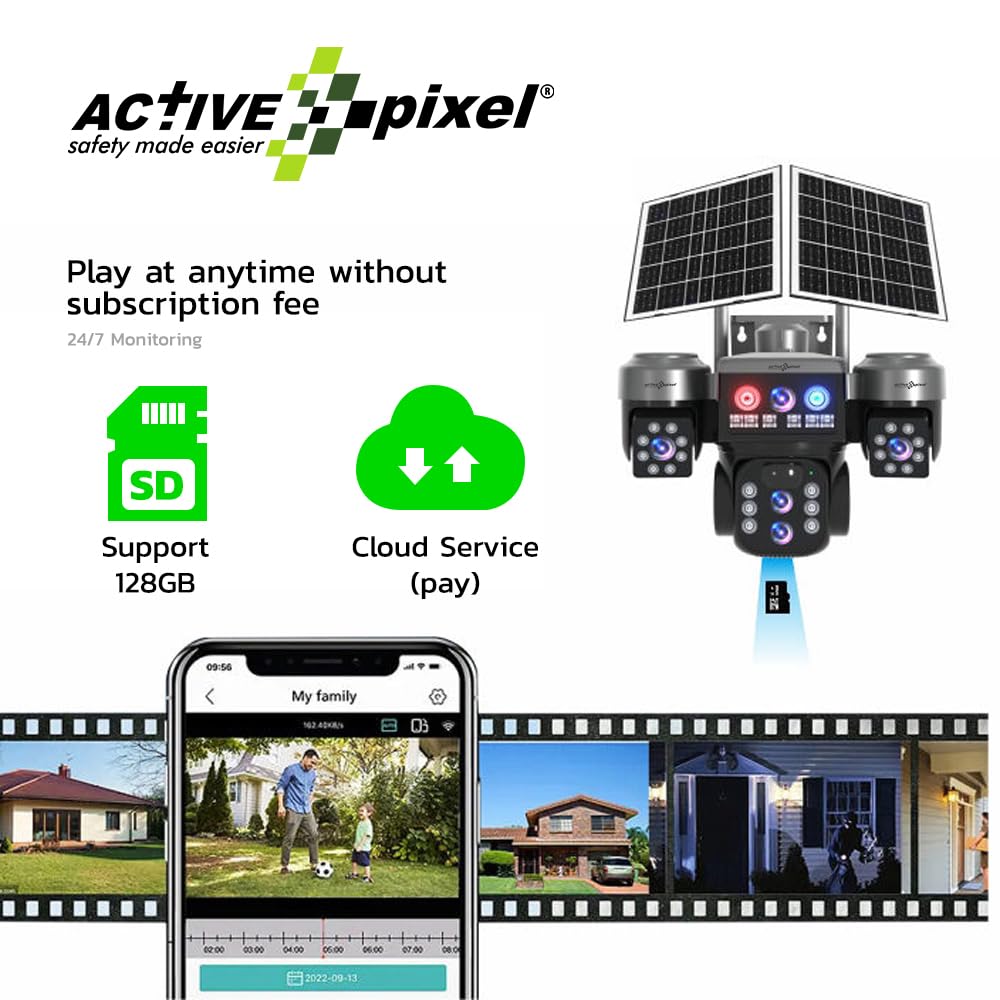
The camera supports local storage via a microSD card (up to 128GB) and cloud storage (subscription may be required). Recorded footage taea te uru atu me te reviewed through the mobile application.
4. Tiaki
4.1 Te horoi
- Regularly clean the camera lenses and solar panels with a soft, damp cloth to ensure optimal performance and image clarity.
- Avoid using harsh chemicals or abrasive materials that could scratch the surfaces.
4.2 Tiaki Pūhiko
- Ensure the solar panels receive adequate direct sunlight daily to maintain battery charge.
- In prolonged periods of low sunlight, the camera may require charging via the included power adapter.
4.3 Whakahoutanga Firmware
- Check the mobile application periodically for available firmware updates.
- Install updates as recommended to ensure the camera operates with the latest features and security enhancements.
5. Te Raru
| Raruraru | Take pea | Rongoā |
|---|---|---|
| Karekau te kamera i te hiko. | Low battery; solar panels not charging; power connection issue. | Ensure solar panels are in direct sunlight. Charge the camera using the power adapter. Check all power connections. |
| Kāore he hononga whatunga 4G. | SIM card not activated; incorrect SIM insertion; poor network coverage. | Verify SIM card activation with your provider. Reinsert SIM card correctly. Relocate camera to an area with better 4G signal. |
| Unable to connect to the camera via app. | Camera offline; incorrect device ID; app malfunction. | Check camera power and 4G status. Re-add the device in the app. Restart the app or your mobile device. |
| Te kounga ahua koretake. | He karāhe paru; he iti te māramatanga; he raruraru whānui o te whatunga. | Clean the camera lenses. Ensure adequate lighting. Check 4G signal strength. |
| Kaore e mahi ana te kitenga nekehanga. | Incorrect settings; detection zone too small; environmental factors. | Review motion detection settings in the app. Adjust sensitivity and detection zones. |
6. Whakatakotoranga Hangarau
| Āhuahira | Whakatakotoranga |
|---|---|
| Ingoa Tauira | G16 |
| Whakataunga Hopu Ataata | 4MP (2560x1440) |
| Topa | 10X Topa Optical |
| Hangarau Hononga | 4G LTE Pūkoro |
| Mahinga o roto/waho | Waho |
| Ātete Huarere | IP66 parewai |
| Momo Whakaeke | Maunga Taiepa |
| Kōwhiringa Rokiroki | MicroSD Card (up to 128GB), Cloud Storage (optional) |
| Ororongo | 2-Way Ororongo |
| Puna Mana | Solar Powered with Built-in Battery |
| Hunga Hua | 20 x 20 x 15 cm |
| Taumaha Tūemi | 1.35 g |
| Kaihanga | Active Pixel |
| Whenua Taketake | Haina |
7. Pūtāhui me te Tautoko
7.1 Nga Korero Whakaputanga
This Active Pixel G16 camera system comes with a 1-year manufacturer's warranty from the date of purchase. The warranty covers defects in materials and workmanship under normal use. It does not cover damage caused by misuse, accidents, unauthorized modifications, or natural disasters. Please retain your proof of purchase for warranty claims.
7.2 Tautoko Kiritaki
For technical assistance, troubleshooting, or warranty inquiries, please contact Active Pixel customer support:
- Tiaki Kiritaki: 9321367328
- Kai kawemai/Pake: Glorious Digital Solution Pvt Ltd, Mumbai, India