
1. Kupu Whakataki
Thank you for choosing the GOBOULT Tenet TWS Earbuds. This manual provides essential information for setting up, operating, and maintaining your earbuds to ensure optimal performance and longevity. The Tenet earbuds feature Bluetooth 5.4 connectivity, 13mm dynamic drivers, Quad Mic Environmental Noise Cancellation (ENC), and support for the Amp App for personalized audio.
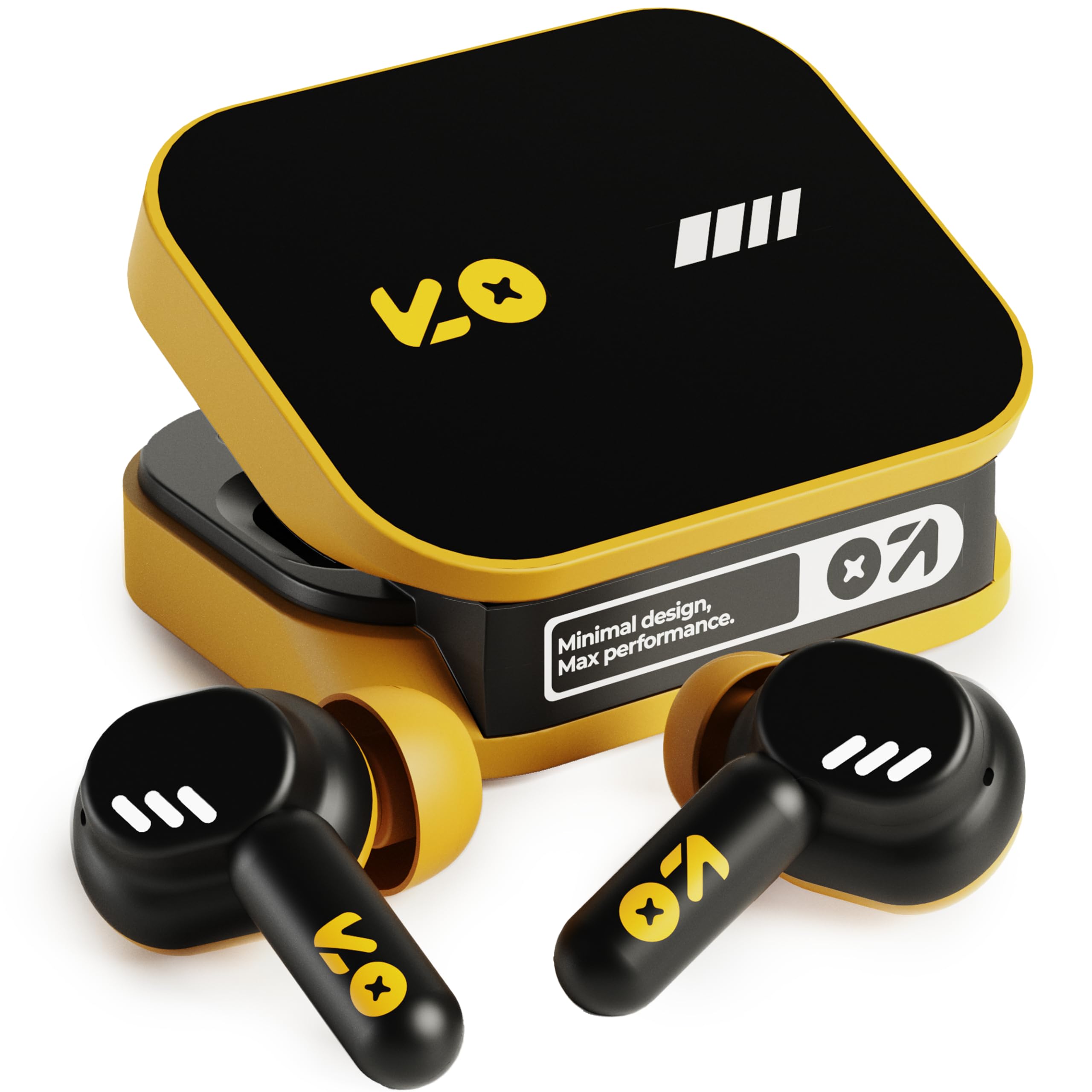
Image: The GOBOULT Tenet TWS Earbuds in Solar Yellow, shown with their charging case.
2. Ihirangi mokete
Manatokohia ko nga mea katoa e whai ake nei kei roto i to kete:
- GOBOULT Tenet TWS Earbuds (Left and Right)
- Puhi utu
- USB Momo-C Taura Whakapae
- Uinga Taringa (he rereke nga rahi)
- Pukapuka Kaiwhakamahi (tenei tuhinga)
- Kaari Raati
3. Tatūnga
3.1. Te Whakataki i nga Paorooro me te Puhi
Before first use, fully charge the earbuds and the charging case. The case provides extended battery life for the earbuds.
- Whakanohoia ngā pane taringa e rua ki roto i te pouaka utu, me te whakarite kia tika te whakanoho.
- Connect the provided USB Type-C charging cable to the charging port on the case and to a compatible USB power source (e.g., wall adapter, computer USB port).
- The indicator light on the charging case will show the charging status. Refer to the LED indicator guide in the operating section for details.
- A full charge provides up to 75 hours of total playtime with the charging case. A quick 10-minute charge can provide up to 120 minutes of playtime.

Image: The GOBOULT Tenet earbuds in their open charging case, illustrating the USB-C charging port and battery life.
3.2. Te Whakapai i nga Puka-taringa
Proper fit is crucial for sound quality and comfort. The earbuds feature a 'Vacuum Lock Earshell' design for a secure fit.
- Select the ear cushions that best fit your ears. Different sizes are provided.
- Whakauruhia mārire ngā pane taringa ki roto i te awaawa o tō taringa.
- Twist slightly to ensure a snug and comfortable seal. This helps optimize audio performance and noise isolation.

Image: A diagram illustrating the 'Vacuum Lock Earshell' design and how the earbud sits securely in the ear.
4. Nga Tohutohu Whakahaere
4.1. Te Hiko / Whakaweto
- Whakahiko: Whakatuwheratia te pukoro utu, ka hiko aunoa nga taringa.
- Weto Whakakore: Whakahokia nga purongo ki roto i te puha utu ka kati te taupoki. Ka weto aunoa ka timata ki te utu.
4.2. Takirua Nihokikorangi
The GOBOULT Tenet earbuds use Bluetooth 5.4 for stable and efficient connection.
- Me whakarite kei te utuhia nga purongo, kei roto hoki i te pukoro utu.
- Whakatuwheratia te pouaka utu. Ka uru ngā pane taringa ki te aratau takirua, e tohuhia ana e ngā rama LED e mura ana.
- I runga i to taputapu (waea atamai, papa, pona), whakaahei i te Nihokikorangi.
- Rapua available Bluetooth devices and select "GOBOULT Tenet" from the list.
- Once connected, the earbud indicator lights will stop flashing.
4.3. Hononga Pūrere Takirua
The earbuds support dual device pairing, allowing seamless switching between two connected devices.
- Pair the earbuds with your first device (e.g., smartphone) as described above.
- Momotuhia ngā pane taringa mai i ngā tautuhinga Nihokikorangi o te pūrere tuatahi (kaua e wetewete).
- Pair the earbuds with your second device (e.g., laptop).
- Reconnect the earbuds to the first device from its Bluetooth settings. The earbuds are now connected to both devices.
- To switch between devices, simply pause audio on one device and play on the other.

Image: The GOBOULT Tenet earbuds and charging case positioned between a smartphone and a laptop, demonstrating dual device connectivity.
4.4. Mana Pa
The earbuds feature intuitive touch controls for music playback, call management, and voice assistant activation.
| Mahi | Mahi |
|---|---|
| Purei/Tatari | Pao kotahi ki runga i tetahi purongo |
| Riro Panuku | Pao rua ki te purongo Matau |
| Tuhinga o mua | Pato rua ki te purongo maui |
| Whakautu/Whakamutua te Waea | Pao kotahi ki runga i tetahi purongo |
| Whakakahoretia te Waea | Pēhi roa i runga i tetahi purongo |
| Whakahohe Kaiāwhina Reo (Siri/Kaiāwhina Google) | Patohia kia toru ngā pato ki ia pane taringa |

Image: An illustration detailing the touch controls for music and calls, along with information on intelligent AI assistance and IPX5 water resistance.
4.5. Te whakamahi i te Amp Taupānga
Personalize your listening experience with the dedicated Amp Taupānga.
- Download the "Amp App" from your device's app store.
- Connect your GOBOULT Tenet earbuds to your device via Bluetooth.
- Whakatuwheratia te Amp App. It will automatically detect your earbuds.
- Within the app, you can customize EQ settings (e.g., Rock, Jazz, Natural, Bass), rename your earbuds, and access tailored widgets.

Image: The GOBOULT Amp App interface displayed on a smartphone, showing custom EQ modes and other personalization options for the earbuds.
4.6. Call Management (Quad Mic ENC)
The Quad Mic Environmental Noise Cancellation (ENC) ensures clear calls by reducing background noise.
- Use the touch controls (Section 4.4) to answer, end, or reject calls.
- The four integrated microphones work to isolate your voice from ambient sounds, providing clear communication even in noisy environments.
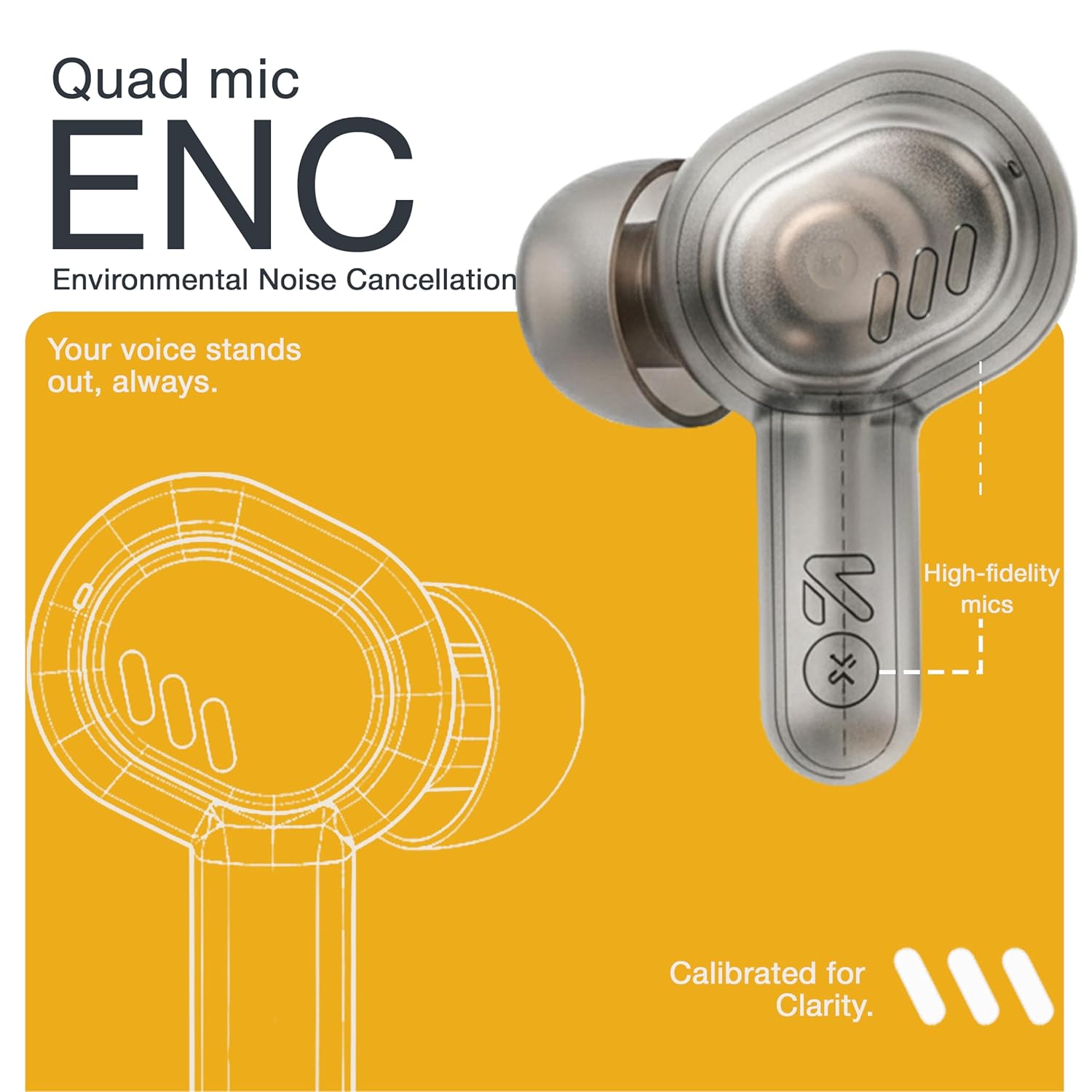
Image: A detailed diagram highlighting the Quad Mic ENC system within the earbud, designed for clear voice transmission.
4.7. Audio Performance (13mm Drivers)
The GOBOULT Tenet earbuds are equipped with 13mm dynamic drivers for a rich audio experience.
- Experience deep bass, clear vocals, and balanced audio across various music genres.
- Whakaritea te oro profile further using the Amp App's equalizer settings.

Whakaahua: He pahū view diagram of the earbud, showcasing the 13mm dynamic driver responsible for audio output.
4.8. Atete Wai
The earbuds are IPX5 water resistant, making them suitable for workouts and light splashes.
- IPX5 rating means the earbuds can resist a sustained, low-pressure water jet spray.
- Kaua e rumakina ngā pane taringa ki te wai, kaua hoki e tukua kia pāngia e te ua nui.
- Ko te keehi whakawakanga ehara i te aukati wai.
5. Tiaki
5.1. Te horoi
- Me horoi i nga wa katoa nga pukoro me te pukoro utu ki te kakahu ngohengohe, maroke, kore-puru.
- Remove ear cushions and clean them with mild soap and water if necessary, ensuring they are completely dry before reattaching.
- Kaua e whakamahia nga kai horoi, te waipiro, te whakarewa matū ranei.
- Me whakarite kia ma, kia kore he paru i ngā hononga utu o ngā pane taringa me te pouaka.
5.2. Rokiroki
- Mena karekau e whakamahia, penapenahia nga purongo ki roto i to pukoro hei tiaki kia mau tonu te utu.
- Whakaorangia te taputapu ki te waahi makariri, maroke, kia matara atu i nga wera nui me te ra tika.
5.3. Tiaki Pūhiko
- Hei whakaroa i te ora o te pākahiko, kaua e tukua kia pau katoa te wai i ngā pane taringa me te pouaka.
- Whakautua te pūrere i ia wā, ahakoa kāore e whakamahia pinepinetia, hei ārai i te pakaru nui o te taputapu.
6. Te Raru
| Raruraru | Rongoa pea |
|---|---|
| Karekau nga taringa e hono ana |
|
| Karekau he oro mai i tetahi pukoro |
|
| Nga take utu |
|
| He iti te oro, he ngoikore ranei te oro |
|
| Ko te kaiawhina reo kaore i te whakautu |
|
7. Whakatakotoranga
| Āhuahira | Taipitopito |
|---|---|
| Waitohu | GOBOULT |
| Ingoa Tauira | Tenet (Airbass) |
| Tau tauira | Ngā Taringa Airbass |
| Te Whakanoho Taringa | I te Taringa |
| Mana Haruru | Environmental Noise Cancellation (ENC), Sound Isolation |
| Putanga Nihokikorangi | 5.4 |
| Awhe Nihokikorangi | Tae atu ki te 10 mita |
| Rahi Atekōkiri Ororongo | 13 Milimetera |
| Awhe Auautanga | 20 Hz - 20,000 Hz |
| Te tairongo | 105 dB |
| Battery Average Life (with case) | Tae atu ki te 75 haora |
| Whakatau Tere | 10 meneti te utu mo te 120 meneti te wa takaro |
| Tauranga Whakatau | USB Momo-C |
| Taumata Atete Wai | IPX5 (Ngā taringa anake) |
| Momo Kaiwhakahaere | Touch, Google Assistant, Siri |
| Pūrere Hototahi | Desktops, Gaming Consoles, Laptops, Smart Watch, Tablets |
| Taumaha Tūemi | 54.5 Grams (Case + Earbuds) |
| Whenua Taketake | Haina |
8. Raihana me te Tautoko
8.1. Nga Korero Whakaputanga
The GOBOULT Tenet TWS Earbuds come with a 1-Year Manufacturer's Warranty from the date of purchase. This warranty covers manufacturing defects.
- Tena koa pupuri i to riirii hoko hei tohu mo te hoko mo nga kereme whakamana.
- Karekau te raihana e kapi i te kino na te whakamahi hee, nga aitua, nga whakarereketanga kore mana, me nga kakahu me nga roimata noa.
8.2. Tautoko Kiritaki
For any queries, technical assistance, or warranty claims, please contact GOBOULT customer support.
- Kaihanga: Exotic Mile Private Limited, B-67 Wazirpur Industrial Area, New Delhi 110052
- Kai kawemai: Exotic Mile Pvt. Ltd., B67 Wazirpur Industrial Area, New Delhi 110052
- Refer to the contact information provided on your warranty card or the official GOBOULT webpae mo nga hongere tautoko tino hou.