
1. Kupu Whakataki
This manual provides essential information for setting up, operating, and maintaining your RebotAi A9 Android Tablet. Please read it thoroughly before using the device to ensure proper functionality and safety.

Whakaahua 1.1: Mua me muri view of the RebotAi A9 Android Tablet.

Whakaahua 1.2: Ka mutuview of the RebotAi A9 Android Tablet highlighting its 8.68-inch 90Hz IPS display, MediaTek Helio G100 processor, 7.8mm thickness, 360g weight, 18GB RAM, 128GB ROM, 5000mAh battery, 2.4GHz+5GHz WiFi, GPS, and BT5.2.
2. Nga waahanga matua
- Tukatuka: Latest MediaTek Helio G100 (MT8781) octa-core CPU (up to 2.2GHz) for enhanced performance and energy efficiency.
- Pūmahara me te Rokiroki: 18GB RAM (6GB physical + 12GB virtual) and 128GB internal storage, expandable up to 1TB via microSD.
- Whakaatu: 8.68-inch high-definition IPS LCD display with 1340x800 resolution, 90Hz refresh rate, and 450 nits brightness.
- Hononga: Dual nano SIM 4G LTE support (B1 / B3 / B7 / B8 / B19 / B20), high-speed 5G Wi-Fi, Bluetooth 5.2, and integrated high-precision GPS.
- Ngā Kāmera: 13-megapixel autofocus rear camera and 5-megapixel front camera.
- Pūhiko: 5000mAh large-capacity battery with 20W PD fast charging support.
- Hoahoa: Ultra-thin 7.8mm and lightweight 360g nano-coated metal body.
- Pūmanawa: Runs on Android 15 with GMS certification, supporting various AI applications and features like face recognition (for unlocking).
3. Tatūnga
3.1 Ihirangi mokete
Manatokona kei roto katoa nga mea kei roto i te kete:
- RebotAi A9 Tablet x1
- Kaitohu x1
- Taura USB-C x1
- Stylus Pen x1
- Screen Protector (pre-applied) x1
- Instruction Manual (Japanese) x1
- SIM Card Pin x1

Image 3.1: Illustration of the RebotAi A9 tablet and its included accessories.
3.2 Whakataki Tuatahi
Before first use, fully charge the tablet using the provided USB-C cable and charger. Connect the USB-C cable to the tablet's charging port and the charger to a power outlet.
Video 3.1: This video demonstrates the physical features of the RebotAi A9 tablet, including its rear camera, side buttons, USB-C port, and speaker grille. It also shows the tablet being charged and powered on, displaying the RebotAi logo.
3.3 Kaari SIM me te Whakataunga Kaari MicroSD
Locate the card slot on the side of the tablet. Use the provided SIM card pin to open the tray. Insert up to two nano SIM cards and/or one microSD card (up to 1TB) into the tray, ensuring correct orientation. Gently push the tray back into the slot until it clicks into place.
4. Nga Tohutohu Whakahaere
4.1 Hiko / Whakaweto
- Hei Whakahiko: Press and hold the power button until the RebotAi logo appears.
- Hei Whakaweto: Pēhia te pātene mana, kātahi ka tīpako i te 'Whakaweto' mai i ngā kōwhiringa kei runga i te mata.
- Hei Tīmata anō: Press and hold the power button, then select 'Restart' from the options on the screen.
4.2 Whakaterenga Taketake
The tablet uses a touch-sensitive screen for navigation:
- Tap: Touch the screen once to select an item or open an app.
- Panui Roa: Touch and hold an item for more options.
- Swipe: Toia to maihao puta noa i te mata ki te panuku, ki te whakatere ranei i waenga i nga wharangi.
- Tiki: Whakamahia nga maihao e rua ki te topa ki roto, ki waho ranei i nga whakaahua me te web wharangi.
4.3 Mahi Wehewehe Mata
The tablet supports split-screen mode, allowing you to use two applications simultaneously. This feature is useful for multitasking, such as watching a video while chatting or browsing information.

Image 4.1: The tablet demonstrating split-screen mode, allowing two applications to be viewed i te wa kotahi.
5. Hononga
5.1 Hononga Wi-Fi
The RebotAi A9 supports dual-band 2.4GHz and 5GHz Wi-Fi (802.11ac) for fast and stable internet access.
- Haere ki Tautuhinga > Whatunga me te Ipurangi > Wi-Fi.
- Whakakā Wi-Fi.
- Tīpakohia to whatunga e hiahiatia ana mai i te rarangi ka uru ki te kupuhipa mena ka hiahiatia.
5.2 4G LTE Mobile Data and Calls
With dual nano SIM support, you can use 4G LTE for mobile data and voice calls. The tablet supports bands B1 / B3 / B7 / B8 / B19 / B20.
- Ensure SIM cards are correctly installed.
- Haere ki Tautuhinga > Whatunga me te Ipurangi > Whatunga pūkoro.
- Configure your mobile data settings as per your carrier's instructions.
5.3 Hononga Nihokikorangi
The tablet features Bluetooth 5.2 for connecting wireless accessories.
- Haere ki Tautuhinga > Nga taputapu hono > Nihokikorangi.
- Whakakā Nihokikorangi.
- Select the device you wish to pair from the list and follow the on-screen prompts.
5.4 GPS Navigation
The integrated high-precision GPS supports navigation and location-based services, compatible with Beidou, Galileo, and GLONASS.

Image 5.1: The tablet displaying GPS navigation, indicating its capability for accurate positioning.
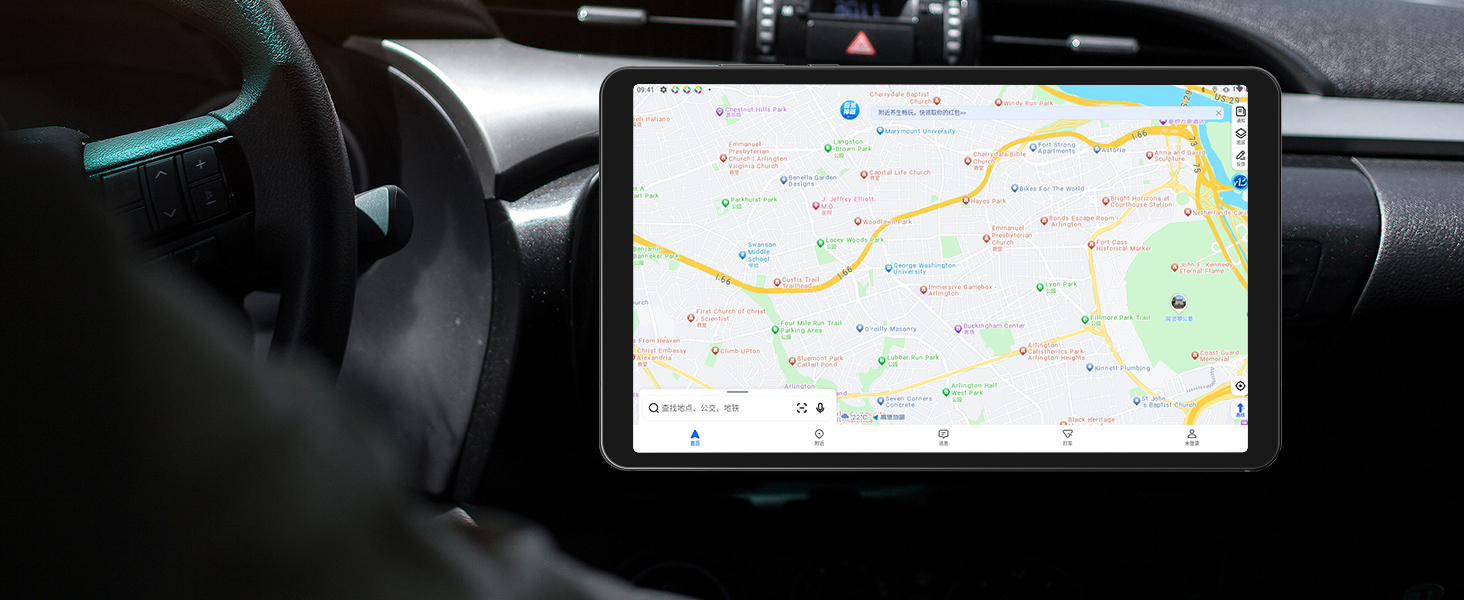
Image 5.2: The RebotAi A9 tablet being used for in-car navigation, demonstrating its GPS functionality.
6. Display and Multimedia
6.1 High-Definition Display
The 8.68-inch IPS LCD display offers a 1340x800 resolution, 90Hz refresh rate, and 450 nits brightness. Its full lamination structure ensures vibrant colors and clear visuals for videos, games, photos, and documents.

Image 6.1: The tablet screen displaying a visual representation of its 90Hz refresh rate.

Image 6.2: The RebotAi A9 tablet showcasing a colorful image on its IPS display, emphasizing visual quality.
6.2 Tautoko Widevine L1
With Widevine L1 certification, the tablet allows high-quality, full HD content streaming from services like Amazon Prime Video, Netflix, Disney+, and Hulu.

Image 6.3: The tablet highlighting its Widevine L1 support for high-definition streaming from various platforms.
6.3 Putanga Ororongo
The tablet features dual BOX speakers for clear audio and a 3.5mm headphone jack for private listening.

Image 6.4: The tablet showcasing its dual BOX speakers for enhanced audio experience.
6.4 Kaupapa Ahokore
The tablet supports wireless projection, allowing you to easily connect to a large-screen TV for sharing content.
7. Kāmera
The RebotAi A9 is equipped with a 13-megapixel autofocus rear camera and a 5-megapixel front camera, suitable for photography, video calls, and QR code scanning.

Atahanga 7.1: Whakatata view of the RebotAi A9 tablet's rear camera module.

Image 7.2: Visual representation of the tablet's 5MP front and 13MP rear cameras.
8. Rokiroki me te Mahinga
8.1 Tukatuka
The tablet is powered by the MediaTek Helio G100 (MT8781) octa-core processor, featuring two Cortex-A76 and six Cortex-A55 cores, clocked up to 2.2GHz. This configuration provides an AnTuTu score exceeding 400,000, ensuring smooth performance for various applications, including gaming.

Image 8.1: Details of the MTK Helio G100 processor, highlighting its performance and efficiency.
8.2 Te Maharahara me te Rokiroki
The RebotAi A9 comes with 18GB RAM (6GB physical + 12GB virtual) and 128GB of internal storage. Storage can be expanded up to 1TB using a microSD card, providing ampte wāhi mō ngā tono, ngā pāpāho, me ngā tuhinga.

Image 8.2: Visual representation of the tablet's 18GB RAM and 128GB ROM, with 1TB expansion capability.

Image 8.3: Illustration of the tablet's large storage capacity, including 6GB+12GB virtual memory, 128GB storage, and 1TB expansion.
8.3 Te petipeti me te Whakangahau
The combination of the Helio G100 processor, Mali-G76 GPU, 90Hz display, and 6-axis gyroscope provides a responsive and immersive experience for gaming and multimedia consumption.

Image 8.4: The tablet displaying a racing game, demonstrating its smooth performance for gaming.

Image 8.5: A user playing a game on the RebotAi A9 tablet, highlighting its suitability for gaming.

Image 8.6: A user reading comics on the RebotAi A9 tablet, showcasing its display quality for reading.
9. Pūhiko me te Whakatau
The tablet is equipped with a 5000mAh battery and supports 20W PD fast charging, providing extended usage times for various activities such as reading, online classes, video viewing, and work.
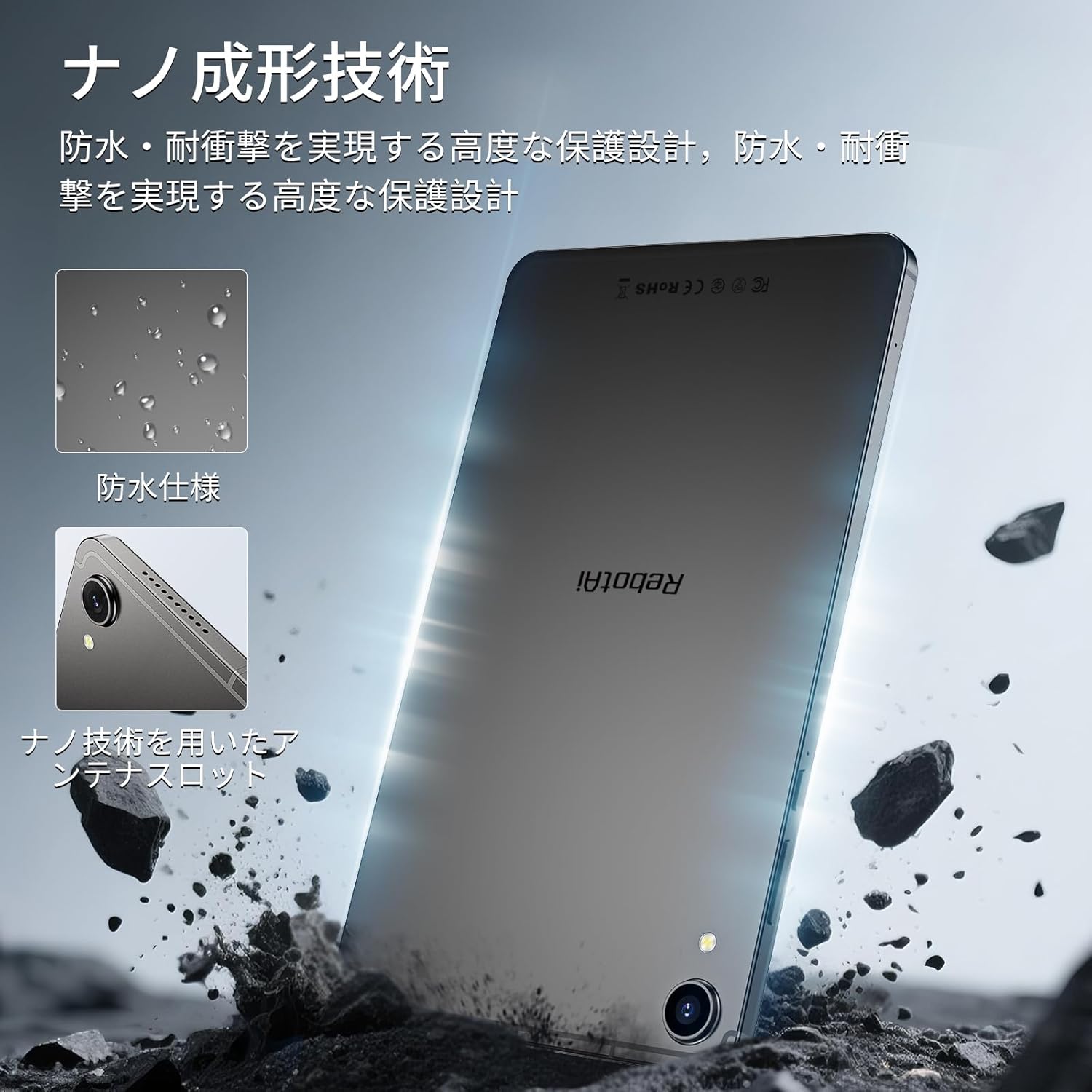
Image 9.1: The RebotAi A9 tablet connected to its charger, indicating its charging capability.

Image 9.2: Details of the tablet's 5000mAh battery and 20W fast charging, with estimated usage times for different activities.
10. Physical Design and Durability
The RebotAi A9 features a nano-coated metal body, offering a smooth and premium feel. Its ultra-thin 7.8mm profile and lightweight 360g design make it highly portable. The nano-molding technology provides enhanced protection against water and impacts.

Image 10.1: The tablet highlighting its water-resistant features and nano-molding technology for durability.

Image 10.2: The RebotAi A9 tablet emphasizing its thinness (7.8mm) and light weight (360g).

Whakaahua 10.3: Taipitopito view of the tablet's nano-molding technology, contributing to its robust design.
11. Whakatakotoranga
| Āhuahira | Whakatakotoranga |
|---|---|
| Waitohu | RebotAi |
| Ingoa Tauira | A9 |
| Pūnaha Mahi | Android 15 |
| Tukatuka | MediaTek Helio G100 (Octa-core, up to 2.2 GHz) |
| GPU | Mali-G76 |
| RAM | 18 GB (6GB tinana + 12GB mariko) |
| Rokiroki Roto | 128 GB |
| Rokiroki Whakawhanui | Tae atu ki te 1 TB mā te microSD |
| Rahi Mata | 8.68 inihi |
| Momo Whakaatu | IPS LCD |
| Whakatau | 1340x800 pika |
| Rere tāmata | 90 Hz |
| Tirohanga | 450 nits |
| Aspect Ratio | 16:10 |
| Kāmera Whakamuri | 13 MP (Arotahi Aunoa) |
| Kāmera Mua | 5 MP |
| Pūhiko Raukaha | 5000 mah |
| Te utu | Utu Tere 20W PD |
| Wi-Fi | 802.11ac (2.4GHz/5GHz) |
| Nihokikorangi | 5.2 |
| Whatunga Pukoro | 4G LTE (Dual Nano SIM, Bands: B1/B3/B7/B8/B19/B20) |
| GPS | Integrated (Supports Beidou, Galileo, GLONASS) |
| Pūoko | 6-axis Gyroscope, Light Sensor, Gravity Sensor, Hall Sensor, Proximity Sensor |
| Tauranga | USB 2.0 Type-C, 3.5mm Headphone Jack |
| Ahu | 7.8 mm te matotoru |
| Taumaha | Approx. 360 g |
| Tae | Gray-Metallic |
| Tiwhikete | PSE, TELEC, GMS |
12. Tiaki
12.1 Te horoi
Use a soft, lint-free cloth to clean the tablet screen and body. Avoid using harsh chemicals or abrasive materials that could damage the device.
12.2 Whakahōu Pūmanawa
Takitaki me te whakauru i nga whakahōu punaha kia pai ai te mahi me te haumarutanga. Haere ki Tautuhinga > Pūnaha > Whakahoutanga o te punaha.
12.3 Whakahaere Rokiroki
Ki te pupuri i te mahi, whitihia i ia wa kaore e tika files and applications. You can check storage usage in Tautuhinga > Rokiroki.
13. Te Raru
13.1 Papa Kāore e Tahuri Ana
- Me whakarite kua utaina te pākahiko. Honoa te rihi ka tatari mo etahi meneti i mua i te ngana ki te hiko ano.
- Pēhia me te pupuri i te pātene mana mō te 10-15 hēkona neke atu rānei hei akiaki i te tīmatanga anō.
13.2 Puturi te Mahi
- Katia nga tono kore e whakamahia ana kei te papamuri.
- Ūkui raraunga keteroki mō ngā taupānga whakamahia auau.
- Check for available system updates.
- Consider performing a factory reset if issues persist (back up your data first).
13.3 Nga Take Hononga Wi-Fi
- Me mohio kei te whakahohea a Wi-Fi i runga i te papa.
- Tīmataria anō tō pouara Wi-Fi.
- Wareware te whatunga i ngā tautuhinga papahiko ka hono anō.
14. Pūtāhui me te Tautoko
The RebotAi A9 tablet comes with a 2-year product warranty. This product has obtained all official certifications based on Japanese regulations, including PSE (Electrical Appliance and Material Safety Act), TELEC (Radio Act), and GMS (Google official certification).
14.1 Whakapā Tautoko
For any inquiries or issues, please contact the seller through your Amazon purchase history. Alternatively, on the product page, click the store name below the 'Add to Cart' button, then click 'Ask a question' in the upper right corner.

Image 14.1: Warranty and support information for the RebotAi A9 tablet.