
Kupu Whakataki
This manual provides essential instructions for the assembly, operation, and maintenance of your Jojoka 14-Drawer Dresser TV Stand. This versatile unit combines a spacious storage dresser with an entertainment center, designed to support televisions up to 75 inches. Please read these instructions carefully before assembly and use to ensure safe and proper functionality.
Nga korero haumaru
Ko to haumaru te mea nui. Kia mau ki nga whakatupato e whai ake nei:
- Anti-Tip Safety Kit: Always install the included anti-tip safety kit to prevent accidental tipping, especially in households with children or pets. This kit secures the dresser to the wall.
- Raukaha Taumaha: Do not exceed the maximum weight capacity of the top surface (110 lbs) or individual drawers (18 lbs for small, 22 lbs for large). Overloading can compromise stability and cause damage or injury.
- Mata Taumata: Ensure the dresser is placed on a flat, level surface. Use the adjustable leveling feet to stabilize the unit and prevent wobbling.
- Haumaru Hiko: When using the integrated power outlets, ensure all connected devices are within their specified voltage and current limits. Do not overload the power strip. Keep liquids away from electrical components.
- Huihuinga: Follow all assembly steps precisely. Do not skip steps or use unauthorized parts. Two people are recommended for assembly.

Image: Key safety and construction features, including anti-tip kits and stable frame design.
Ihirangi mokete
I mua i te tiimata o te huihuinga, tirohia kei roto i to kete nga waahanga katoa kei raro nei:
- 1 x 14 Drawers Dresser (main frame components)
- 1 x Accessory Kit (hardware, tools, anti-tip kit)
- 1 x Tohutohu Manual (tenei tuhinga)
If any parts are missing or damaged, please contact Jojoka customer support immediately.
Tatūnga me te Runanga
Assembly of the Jojoka 14-Drawer Dresser TV Stand requires careful attention to detail. Detailed, step-by-step instructions with diagrams are included in the accessory kit. Please refer to those specific instructions for the assembly process.
- Wewete Waenga: Me ata tango nga waahanga katoa mai i te kete ka whakatakoto ki runga i te mata ma, ngawari kia kore e pakaru.
- Tautuhia nga waahanga: Match all components with the labeled parts list provided in the separate assembly guide.
- Huihuia te Tāpare: Follow the sequential steps to construct the metal frame and attach the MDF wood panels. Ensure all screws are tightened securely.
- Tāuta Kaiutuutu: Whakauruhia nga kaiutuutu papanga ki o raatau waahi kua tohua.
- Whakapiri Kete Aki-Aki: Securely attach the anti-tip safety kit to the back of the dresser and to a wall stud, following the specific instructions provided with the kit.
- Whakatakotoria te Wāhanga: Adjust the leveling feet at the bottom of the dresser to ensure it stands firmly and without wobbling on your floor.
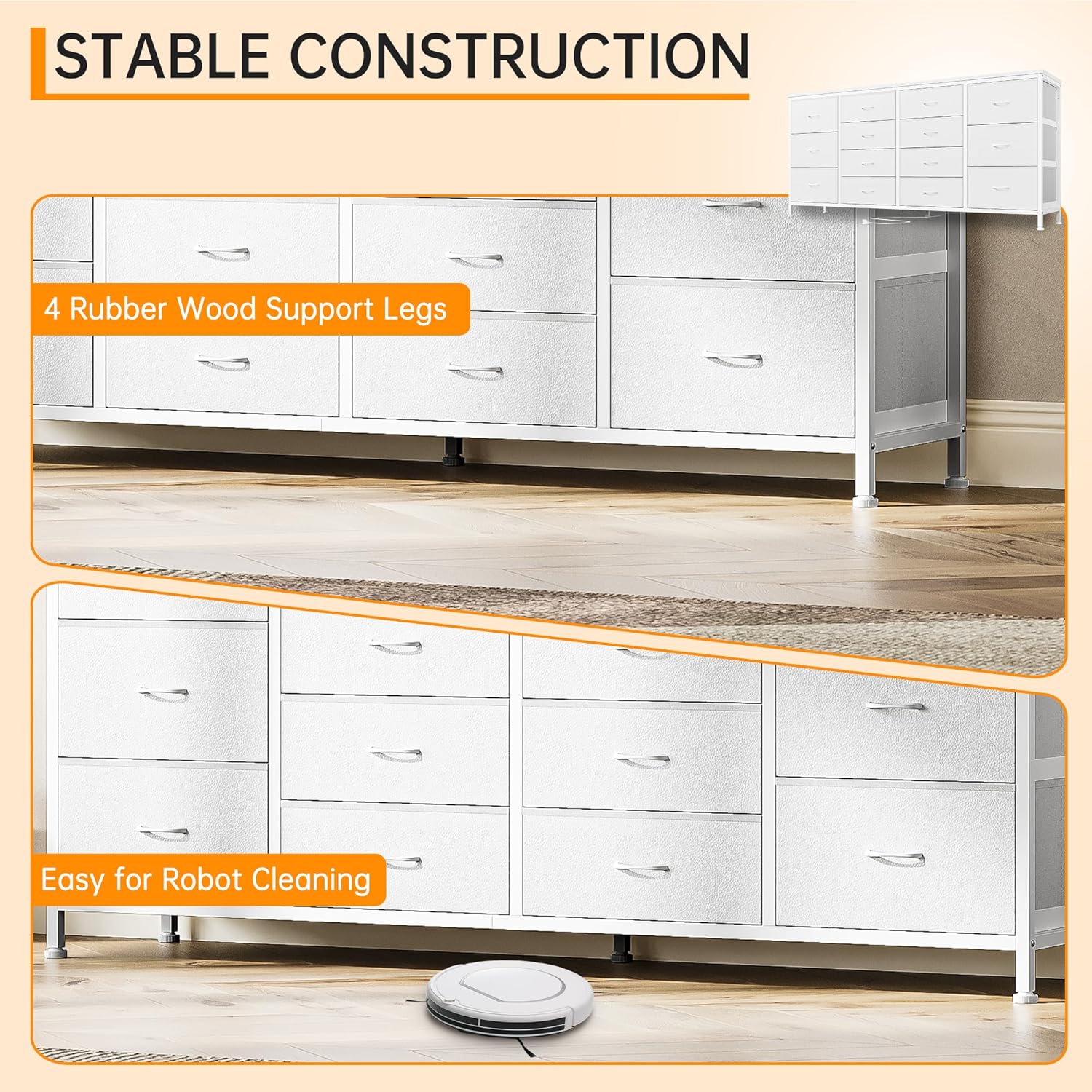
Image: Stable construction details, including support legs and clearance for cleaning.
Nga Tohutohu Whakahaere
Ma te whakamahi i nga Kaituku Rokiroki
The dresser features fourteen fabric drawers designed for organizing various items. The drawers are lightweight yet sturdy, providing ampte kaha rokiroki.
- Mahi Kaiutuutu: Gently pull and push the fabric drawers to open and close them. Avoid forcing the drawers, as this may cause damage.
- Whakahaere: Utilize the different drawer sizes to organize clothing, accessories, electronics, books, or other household items.

Whakaahua: Examples of how to organize various items within the 14 fabric drawers.
Utilizing the Integrated Power Hub
The top surface of the dresser includes an integrated power hub with two AC outlets and two USB ports for convenient device charging and power access.
- Hononga Pūrere: Plug your television, media players, lamps, or other electronic devices into the AC outlets.
- Whakatau USB: Use the USB ports to charge smartphones, tablets, smartwatches, or other USB-powered devices.
- Whakaha Uepu: Route power cords neatly to prevent clutter and tripping hazards.
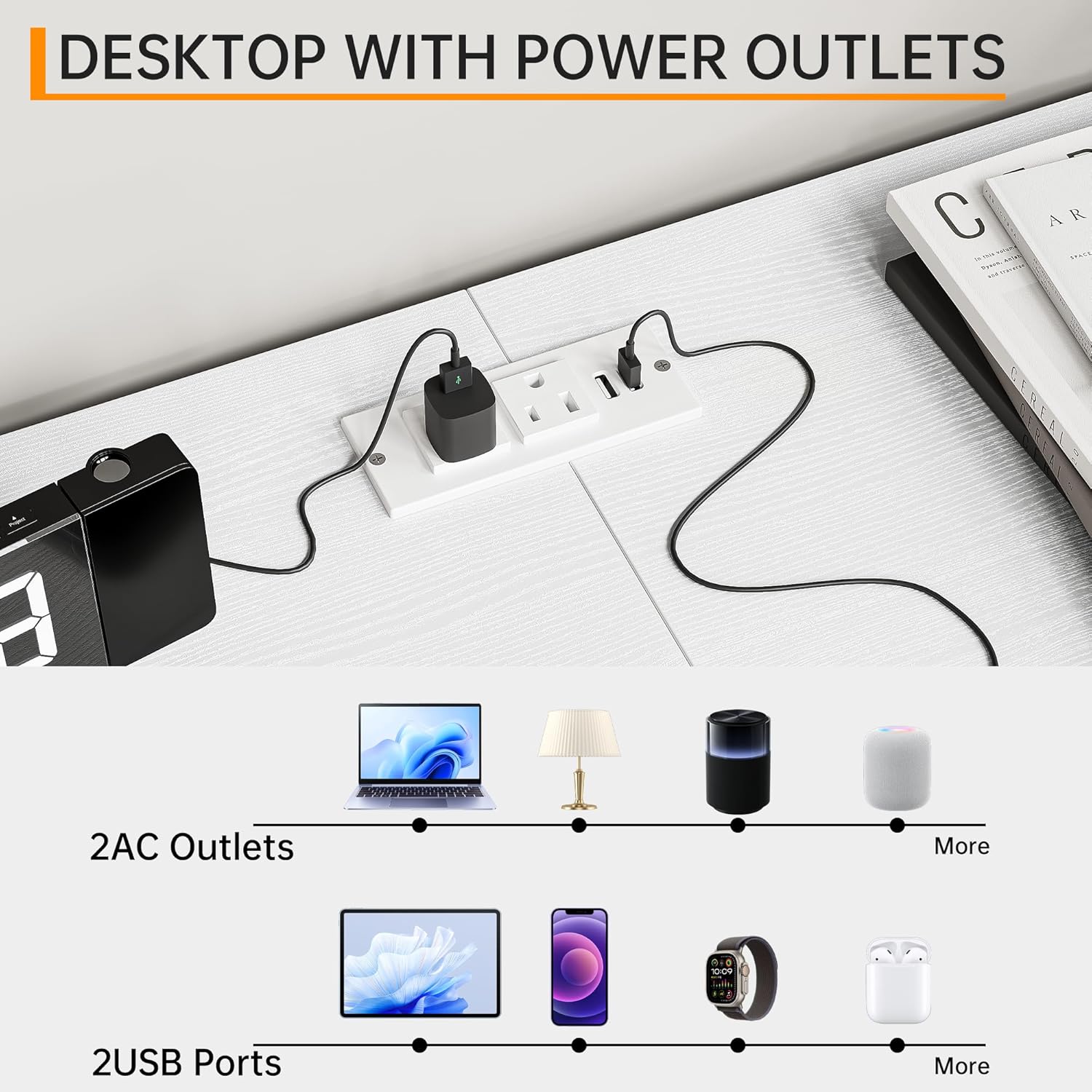
Image: Desktop with integrated power outlets and USB ports for connecting and charging devices.

Image: The dresser supporting a television up to 75 inches, demonstrating its function as an entertainment center.
Te tiaki
Proper care will extend the life and appearance of your Jojoka dresser.
- Te horoi i te Anga me te Runga: Wipe the MDF wood and iron frame surfaces with a soft, damp kakahu. A ape i nga kaihoroi awhiowhio me nga matū kino ka taea te pakaru i te otinga.
- Te Horoi i ngā Pouaka Kakahu: The non-woven fabric drawers are designed to be easy to clean. Spot clean with a mild detergent and a damp kakahu. Tukua kia maroke rawa i te hau. Kaua e horoi ki te mīhini, kaua hoki e whakamaroke ki te mīhini.
- Puehu: Horoia ngā mata katoa ki te kakahu maroke, ngohengohe i ia wā, hei ārai i te putunga puehu.
- Tirotiro: Takitaki ia ia nga wa katoa nga wiri me nga hononga kia mau tonu. Whakapiri ano mehemea e tika ana.
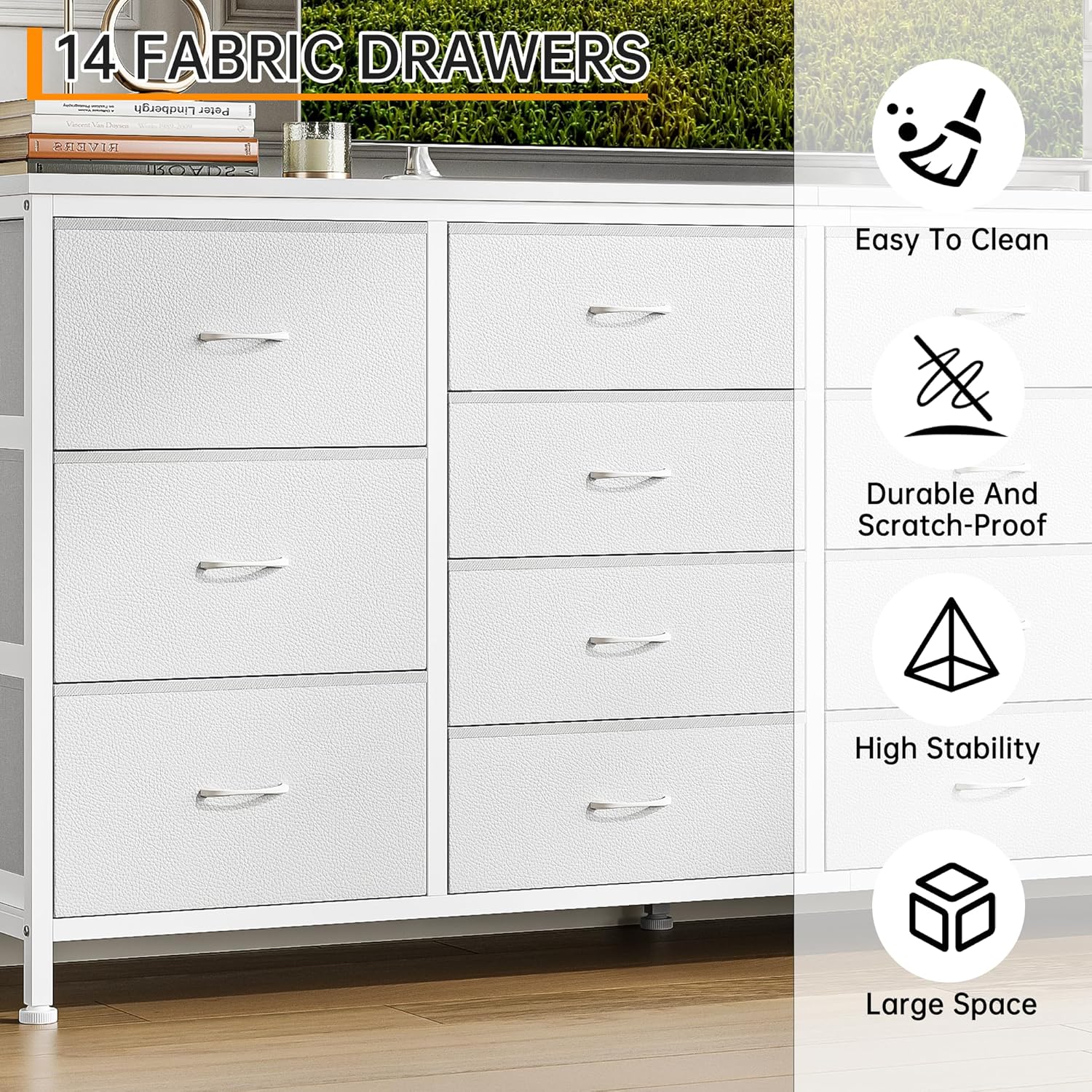
Image: Features of the fabric drawers, emphasizing ease of cleaning and durability.
Raparongoā
Mena ka raru koe ki tō kāpata, tirohia ngā otinga noa e whai ake nei:
| Raruraru | Take pea | Rongoā |
|---|---|---|
| E wiri ana, e kore rānei e pumau te kāpata. | Papa koretake; hononga wewete. | Adjust the leveling feet at the bottom. Check and tighten all assembly screws. Ensure the anti-tip kit is properly installed. |
| Karekau nga utuutu e paheke pai. | Drawer overloaded; fabric snagged; frame misalignment. | Reduce weight in the drawer. Check for any obstructions or fabric snags. Ensure the frame is assembled correctly and is level. |
| Ko nga putanga hiko / tauranga USB kaore e mahi. | No power to the unit; faulty connection; overloaded circuit. | Ensure the dresser's power cord is securely plugged into a functional wall outlet. Check if the wall outlet is working. Avoid connecting too many high-power devices. |
| Kua ngaro nga waahanga i te wa e huihui ana. | Kāore i tino tirohia te takai. | Double-check all packaging materials. If still missing, contact Jojoka customer support with your purchase details. |
Whakatakotoranga
Key technical specifications for the Jojoka 14-Drawer Dresser TV Stand:
| Āhuahira | Taipitopito |
|---|---|
| Waitohu | Jojoka |
| Tau tauira | 5HK-X16B-RADFELCV-TXKW30TBKGF |
| Rauemi | MDF Wood, Iron Frame, Non-woven Fabric Drawers |
| Ahu Taapiri (L x W x H) | 63" x 13.8" x 29.5" (whakatata) |
| Rahi Hua (D x W x H) | 35.24"D x 16.73"W x 9.25"H (as per product data, likely shipping dimensions or a specific component) |
| Tuhinga o nga Kaitoi | 14 |
| Top Surface Weight Capacity | 110 lbs |
| Taumaha o te Pouaka Iti | 18 lbs |
| Taumaha o te Pouaka Nui | 22 lbs |
| Hototahi Rahi TV | Tae atu ki te 75 inihi |
| Nga Putanga Hiko Whakauru | 2 x AC Outlets, 2 x USB Ports |
| Taumaha Tūemi | 48.7 Pauna |
| Huihuinga e hiahiatia ana | Ae |
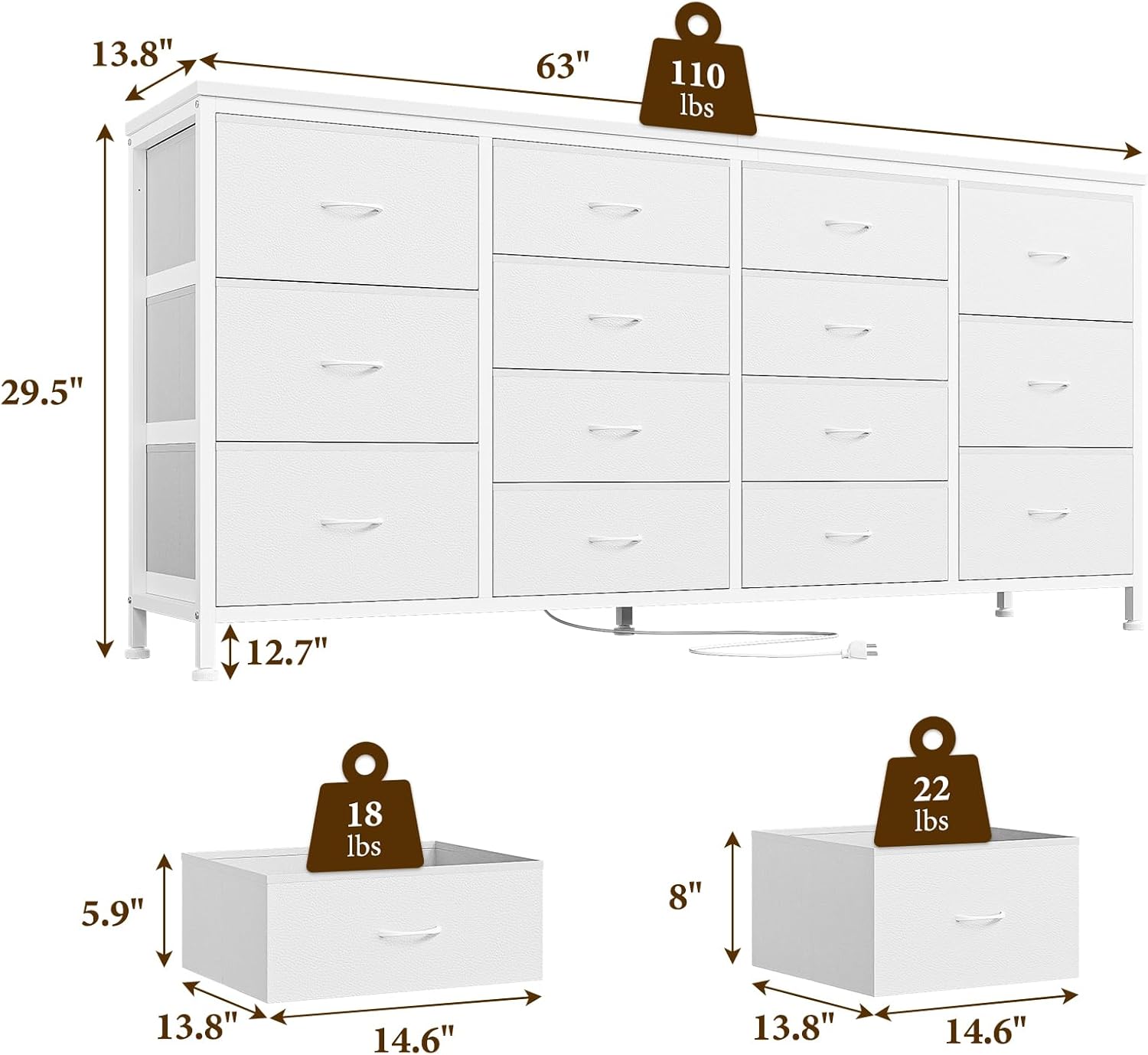
Image: Detailed dimensions and weight capacities of the dresser and its drawers.
Nga korero Whakaputanga
Jojoka products are manufactured with quality and durability in mind. Specific warranty details, including coverage period and terms, are typically provided with your purchase documentation or can be found on the official Jojoka webpae. Tena koa pupurihia to tohu mo te hoko mo etahi kereme whakamana.
Tautoko Kiritaki
For further assistance, questions, or to report missing/damaged parts, please contact Jojoka customer service:
- Tuihono: Visit the official Jojoka website for support resources and contact forms.
- Īmēra: Refer to your purchase documentation for the customer support email address.
- Waea: Refer to your purchase documentation for customer service phone numbers.
When contacting support, please have your product model number (5HK-X16B-RADFELCV-TXKW30TBKGF) and proof of purchase readily available.