Arvig Manuals & User Guides
Arvig is a US-based telecommunications company providing high-speed internet, television, and telephone services to residential and business customers in the Midwest.
About Arvig manuals on Manuals.plus
Arvig Enterprises, Inc. is a leading employee-owned telecommunications provider headquartered in Perham, Minnesota. Established in 1950, Arvig has grown to become one of the largest independent telecommunications companies in the United States.
The company offers a wide range of connectivity solutions, including broadband internet, managed WiFi, digital television (Arvig WiFi TV), and local and long-distance telephone services. In addition to residential services, Arvig provides business solutions such as Hosted PBX systems, security monitoring, and network management. Dedicated to connecting rural and suburban communities, Arvig delivers reliable technology backed by 24/7 customer support.
Arvig manuals
Nga pukapuka hou mai i manuals+ kua whakaritea mo tenei waitohu.
ACR1552U-MW ACS VAS Taputapu Whakamātautau Aratohu Kaiwhakamahi
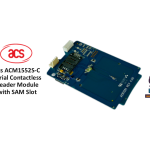
acs ACM1552S-C Rangatū Panui Whakapā Korekau Kōwae me te SAM Slot Manual Kaiwhakamahi
acs AEM004 He Kaipanui Kaari Maama Whakawhiti / Kaituhi Kaituhi
aCS ACR1555, ACR1555U NFC Nihokikorangi Panui Kaiwhakamahi Manual
aCS ACR1552U-A2 AquaGuard NFC USB Panui Kaiwhakamahi Manual
acs 23V26 Nga Wae o runga Rooftop kua Whakapaihia he pukapuka Whakaakoranga Kete Ambient Iti
acs ACR39T Whakapa atu ki te pukapuka a te Kaipupuri Kaari Ataata
acs ACM1552U-ZW Contactless Maama Maama Panui Panui Maatauranga Kaiwhakamahi
acs ACM1552U-Z2 Iti NFC Panui Panui Pukapuka Kaiwhakamahi
Arvig GigaSpire BLAST u4 Quick Start Guide: Setup and Connection
Arvig WiFi TV Aratohu Timata Tere: Tatūnga me te Whakamahinga
Arvig GigaSpire BLAST FAQ: Tatūnga Wi-Fi, Rapanga, me te Arataki Mata
MaX UC mo te Papamahi Aratohu Timata Tere - Arvig
Taupānga Kaiāwhina CommPortal Aratohu Tīmata Tere - Arvig
Arvig Max UC & Teams Integration Aratohu Timata Tere
Whakaritea Webmēra i runga i te Apple iPhone | Arvig
Arvig support FAQ
Nga patai noa mo nga pukapuka pukapuka, te rehitatanga me te tautoko mo tenei waitohu.
-
How do I self-install my Arvig internet modem?
To install your Arvig modem, connect the coax cable and power cord, wait for the online light to turn solid, and connect your device via Ethernet. Finally, visit arvig.net/selfinstall to complete the activation process.
-
What are the credentials for the Arvig WiFi TV app?
You should log in using the email address and password you created when registering your account at arvig.net.
-
Who do I contact for Arvig technical support?
You can contact Arvig Technical Support 24/7/365 at 877-290-0560 or 888-99-ARVIG. Online chat is also available at arvig.net.
-
Where can I find my Arvig account number?
Your account number can be found on your billing statement or by logging into the My Arvig portal at arvig.net.