📘 iOS 11 pukapuka • Free ipurangi PDFs

iOS 11 Pukapuka & Aratohu Kaiwhakamahi

iOS 11 is the eleventh major release of the iOS mobile operating system by Apple Inc., introducing a redesigned App Store, new Control Center, and advanced iPad multitasking.

Aki: whakauruhia te tau tauira katoa kua taia ki to tapanga iOS 11 mo te whakataetae tino pai.

Mo nga pukapuka a iOS 11 kei runga Manuals.plus

iOS 11 is a significant update to the mobile operating system developed by Apple Inc. for iPhone, iPad, and iPod touch. Released in late 2017, it introduced major interface changes including a fully redesigned Control Center that allows for greater customization, a new App Store layout focused on discovery, and major improvements to Siri's intelligence and voice options. For iPad users, iOS 11 brought desktop-class features such as a dedicated Files app, a new Dock, and drag-and-drop functionality, transforming the tablet's productivity capabilities.

Under the hood, iOS 11 laid the groundwork for modern augmented reality experiences with ARKit and introduced Core ML for machine learning tasks. It also added practical features like Do Not Disturb While Driving and new camera modes for Portrait lighting. This category provides access to user manuals, troubleshooting guides, and feature explanations specifically for devices running iOS 11.

iOS 11 pukapuka

Nga pukapuka hou mai i manuals+ kua whakaritea mo tenei waitohu.

Tautoko mo TTY me RTT i te iPhone iOS 11

Haratua 11, 2018
Mena he raru to rongo, korero korero ranei, ka taea e koe te korero ma te waea ma te whakamahi i te Teletype (TTY) me te tuhinga wa-tūturu (RTT)—nga kawa e tuku tuhinga ana i a koe e pato ana me te tuku i te kaiwhiwhi ki te…

Awhina a te Kamera a Apple mo iOS 11

Haratua 11, 2018
Tango whakaahua Ka taea e koe te tango whakaahua me nga ataata me nga kamera anga-mua me muri. Kia tere haere ki te kāmera, swipe mauī i te mata Maukati. Kōwhiria he aratau whakaahua.…

Kaua e Porearea i te taraiwa

Haratua 11, 2018
Kaua e Whakararuraru i te wa e taraiwa ana Ka whakahohehia te "Kaua e whakakorikoria i te taraiwa", ka awhina koe ki te arotahi ki te huarahi. Ko nga karere kuputuhi me etahi atu whakamohiotanga kua wahangu, kua iti ranei.…

Matawai he tuhinga kei roto i te iOS 11 Notes

Haratua 11, 2018
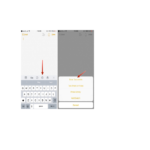
Matawai tuhinga Ka taea e koe te whakamahi i te kamera ki te matawai i nga tuhinga ki roto Notes, katahi ka taapiri tohu tohu, hainatanga ranei. Matawai tuhinga. Paoa , ka kowhiria nga Tuhinga Matawai. Ina tuu koe i te iPhone…

iOS 11 support FAQ

Nga patai noa mo nga pukapuka pukapuka, te rehitatanga me te tautoko mo tenei waitohu.

  • What devices are compatible with iOS 11?

    iOS 11 is compatible with iPhone 5s and later, iPad Air and later, iPad Pro models, iPad mini 2 and later, and iPod touch (6th generation).

  • How do I update to iOS 11?

    Go to Settings > General > Software Update on your device. Note that newer devices may require a more recent version of iOS.

  • How do I customize the Control Center in iOS 11?

    Go to Settings > Control Center > Customize Controls. You can add, remove, and rearrange shortcuts for quick access.

  • What is the "Do Not Disturb While Driving" feature?

    This safety feature automatically detects when you may be driving and silences incoming notifications to reduce distractions. It can be configured in Settings > Do Not Disturb based on vehicle movement or Bluetooth connection.