Kupu Whakataki
This manual serves as an essential guide for both new and experienced owners of the Tesla Model 3. It provides detailed instructions and insights to help you maximize the potential of your vehicle, personalize your driving experience, enhance performance, and master Tesla's advanced technology.
The information contained herein is designed to help you unlock every feature of your Tesla Model 3, ensuring a confident and optimized driving experience.

Image: Front cover of the "Tesla Model 3 Accessories 2025" owner's manual, featuring a blue Tesla Model 3 car.
Setup and Smart Integration
Proper initial setup ensures a seamless and optimized Tesla experience. This section covers the fundamental steps for integrating your personal devices and configuring your vehicle.
- Tukutahitanga Waea Atamai: Learn how to effortlessly sync your smartphone with your Tesla Model 3 for keyless entry, media control, and remote vehicle management.
- Atekōkiri Profile Tatūnga: Create and customize individual driver profiles to save preferred seat positions, mirror settings, steering wheel adjustments, and climate control preferences.
- Initial Connectivity: Connect your vehicle to Wi-Fi and set up cellular data for over-the-air software updates and online features.
Operating Your Tesla Model 3
This section details the operation of your Tesla Model 3, from navigating the touchscreen to utilizing advanced driving features.
Touchscreen Mastery and Customization
The central touchscreen is the primary interface for controlling most vehicle functions. Understanding its layout and capabilities is crucial.
- Navigation and Media: Access and control navigation, music, and communication features.
- Mana rangi: Adjust temperature, fan speed, and air distribution.
- Tautuhinga Waka: Explore hidden settings and fine-tune driving modes, including acceleration, steering, and regenerative braking.
- Whakahōu Pūmanawa: Monitor and manage over-the-air software updates that introduce new features and improvements.
Advanced Features and Pro Tips
Leverage Tesla's cutting-edge technology for enhanced safety and convenience.
- Autopilot and Full Self-Driving (FSD) Capability: Understand the functionalities and limitations of Autopilot, including Traffic-Aware Cruise Control and Autosteer. Learn about FSD features if applicable to your vehicle.
- Whakapiki Haumaru: Familiarize yourself with active safety features such as Automatic Emergency Braking, Lane Departure Avoidance, and Blind Spot Collision Warning.
- Kōwhiringa Hononga: Utilize premium connectivity features for live traffic visualization, satellite-view maps, video streaming, and Caraoke.
- Whakahaere Pungao: Tips for optimizing battery range, understanding charging options (Supercharging, Destination Charging, Home Charging), and monitoring energy consumption.
Te Tiaki me te Tiaki
Regular maintenance is key to ensuring the longevity and optimal performance of your Tesla Model 3. This section provides guidance on routine care and diagnostics.
- Nga Tirotiro Mahi: Information on checking tire pressure, fluid levels (windshield washer fluid), and brake wear.
- Software Diagnostics: How to access basic vehicle diagnostics through the touchscreen.
- Te Horoi me te Whakatakoto Taipitopito: Recommendations for interior and exterior cleaning to protect your vehicle's finish and materials.
- Hauora Pūhiko: Tips for maintaining optimal battery health, including charging habits and temperature management.
Raparongoā Nga take noa
This section addresses common issues you might encounter with your Tesla Model 3 and provides quick fixes and diagnostic steps.
- Kore Whakautu Mata Pa: Steps to perform a soft or hard reset of the touchscreen.
- Nga Raruraru Toha: What to do if your vehicle is not charging or charging slowly.
- Nga take hono: Troubleshooting steps for Wi-Fi or cellular connectivity problems.
- Door Handle Not Presenting: Solutions for issues with automatic door handle presentation.
- Rama Whakatupato: Understanding common warning indicators and recommended actions.
Whakatakotoranga
Key specifications for the Tesla Model 3 Accessories 2025 owner's manual.
| Huanga | Uara |
|---|---|
| Kaiwhakaputa | VoltEdge Publishing |
| Te Ra Whakaputa | Maehe 7, 2025 |
| Reo | Ingarihi |
| Te roa o te tuhi | 192 wharangi |
| ISBN-10 | 1300506202 |
| ISBN-13 | 978-1300506201 |
| Taumaha Tūemi | 1.26 pauna |
| Ahu | 8.5 x 0.44 x 11 inihi |
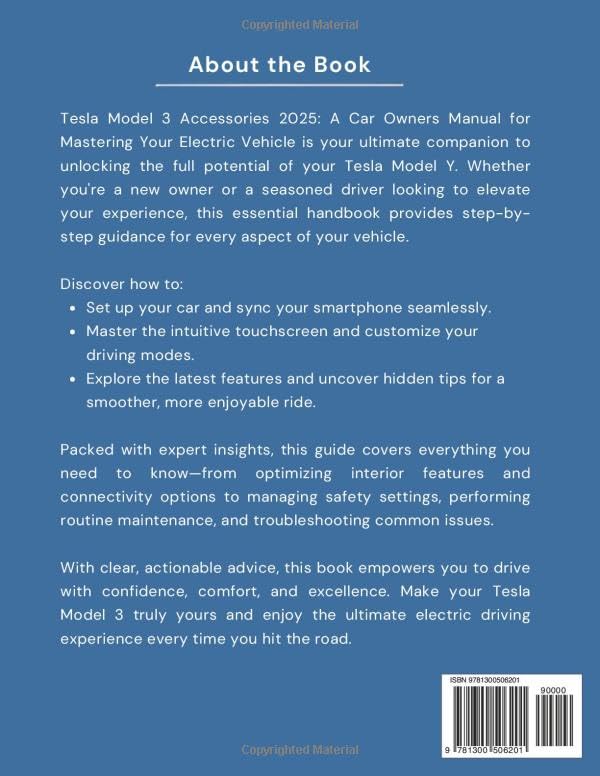
Image: Back cover of the "Tesla Model 3 Accessories 2025" owner's manual, showing a summary of the book's content.
Pūtāhui me te Tautoko
Information regarding product warranty and direct support channels for the Tesla Model 3 vehicle itself is typically provided by Tesla, Inc. This manual, being a third-party accessory guide, does not contain specific warranty details for the vehicle or direct support contacts for Tesla products.
For official Tesla Model 3 warranty information, service appointments, and direct support, please refer to the official Tesla website, your Tesla mobile app, or contact Tesla customer service directly.