Ka mutu te huaview
The Coby CVE05 Dynamic Digital Stereo Mini Ear-buds are designed for personal audio listening, offering a lightweight and compact solution for various audio devices. These ear-buds provide digital stereo sound through a standard 3.5mm L-shape stereo plug, making them compatible with a wide range of smartphones, tablets, computers, and portable media players.
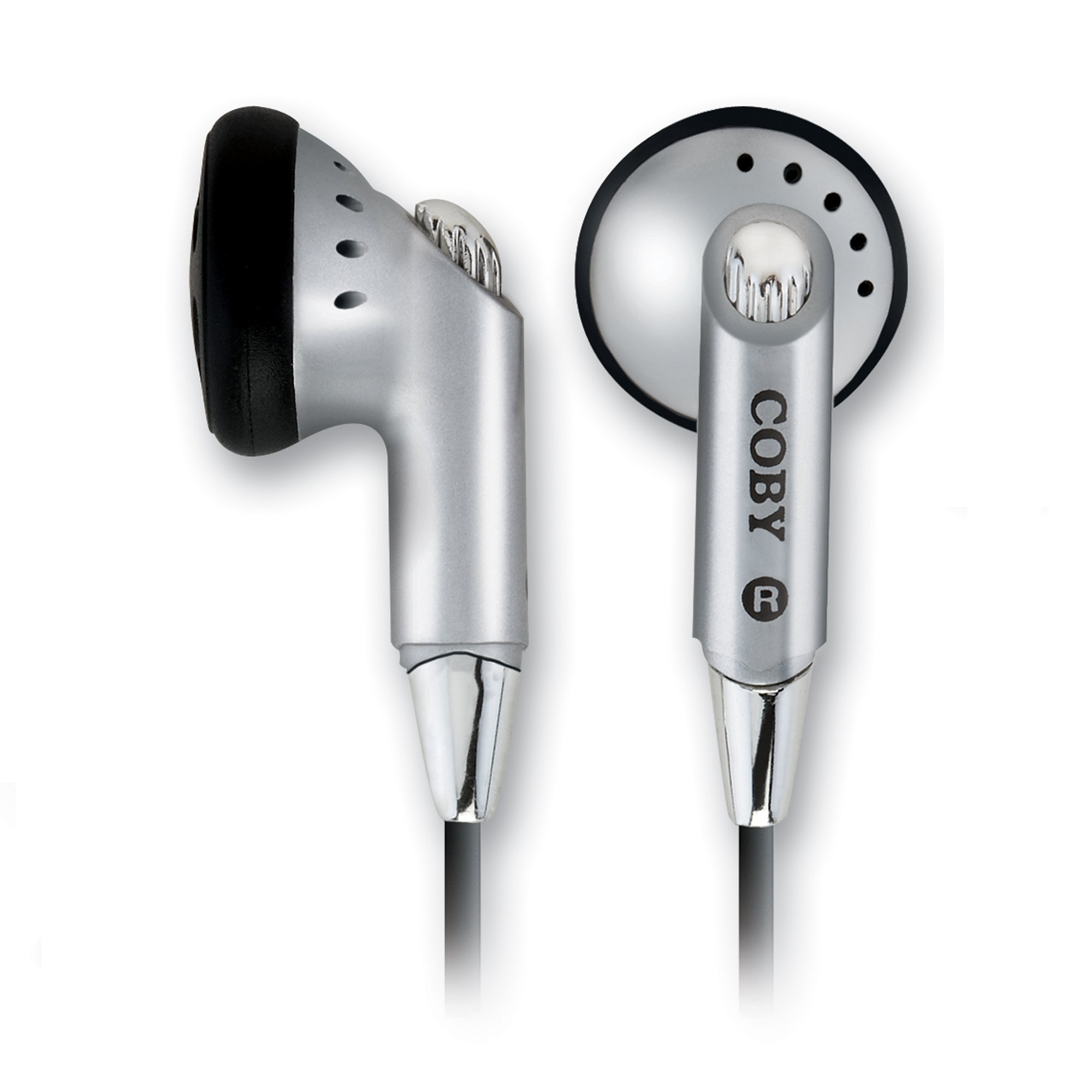
Figure 1: Coby CVE05 Dynamic Digital Stereo Mini Ear-buds. This image displays the Coby CVE05 ear-buds. The left ear-bud is shown from a side profile, highlighting its silver body, black ear tip, and small sound vents. The right ear-bud is shown from a front-facing angle, revealing the 'COBY' logo and 'R' for right ear, along with the silver speaker grille and sound vents. Both ear-buds feature a sleek, compact design with a chrome-like accent where the cable connects.
Tatūnga
- Identify Left and Right Ear-buds: The ear-buds are typically marked with 'L' for left and 'R' for right. Ensure correct placement for optimal stereo sound.
- Insert Ear-buds: Gently insert each ear-bud into the corresponding ear canal. Adjust for a comfortable and secure fit. The lightweight design is intended for extended wear comfort.
- Hono ki te Puna Ororongo: Locate the 3.5mm audio jack on your device (e.g., smartphone, tablet, computer). Insert the L-shape stereo plug of the Coby CVE05 ear-buds firmly into the device's audio jack.
- Whakaritea Rōrahi: Once connected, play audio on your device and adjust the volume to a comfortable listening level using your device's volume controls.
Nga Tohutohu Whakahaere
The Coby CVE05 ear-buds are designed for simple plug-and-play operation. Once connected to an audio source, they will reproduce the audio output from your device.
- Whakahoki Ororongo: Begin playing audio (music, podcasts, videos, etc.) from your connected device. The ear-buds will transmit the digital stereo sound directly to your ears.
- Mana Rōrahi: All volume adjustments must be made directly on your audio source device. The Coby CVE05 ear-buds do not feature integrated volume controls.
- Pausing/Skipping Tracks: Control audio playback functions (play, pause, skip, rewind) directly from your audio source device.
Te tiaki
Proper maintenance ensures the longevity and optimal performance of your Coby CVE05 ear-buds.
- Te horoi:
- Gently wipe the exterior of the ear-buds and the cable with a soft, dry, lint-free cloth.
- Mo te paru maro, paku dampHoroia te kakahu ki te wai. Āta karohia te whakamahi i ngā matū kino, ngā whakarewa, ngā kaihoroi whakakoi rānei.
- Do not immerse the ear-buds or the plug in water or any liquid.
- Rokiroki:
- When not in use, store the ear-buds in a clean, dry place, away from extreme temperatures and direct sunlight.
- Avoid tangling the cable. Consider coiling it loosely to prevent damage.
- Te whakahaere:
- Always pull the plug, not the cable, when disconnecting the ear-buds from your device.
- Avoid sharp bends or excessive pulling on the cable, as this can damage internal wiring.
Raparongoā
If you encounter issues with your Coby CVE05 ear-buds, refer to the following common troubleshooting steps:
| Raruraru | Take pea | Rongoā |
|---|---|---|
| No sound from ear-buds. |
|
|
| Ka paheke, ka paheke ranei te oro. |
|
|
| Sound only from one ear-bud. |
|
|
Whakatakotoranga
| Ingoa Tauira | CVE05 |
| Waitohu | Coby |
| Hangarau Hononga | Waea |
| Pooro Jack | 3.5 mm Jack (L-shape stereo plug) |
| Tauwehe Puka | In Ear (Ear-bud) |
| Tae | Hiriwa |
| Rauemi | Kirihou |
| Taumaha Tūemi | 0.08 Pauna (tata ki te 36.85 karamu) |
| Rahi Hua (L x W x H) | 2.29 x 2.29 x 8.51 cm |
| Kaihanga | Coby Electronics - Canada |
| Whenua Taketake | Haina |
Pūtāhui me te Tautoko
For detailed warranty information regarding your Coby CVE05 Dynamic Digital Stereo Mini Ear-buds, please refer to the warranty card included with your original purchase or visit the official Coby Electronics webpae. Ka rereke pea nga tikanga me nga tikanga mo te rohe me te ra hoko.
For technical support, product inquiries, or service requests, please contact Coby customer service through their official website or the contact information provided in your product packaging. When contacting support, please have your product model number (CVE05) and purchase details readily available.
Tuhipoka: This manual provides general instructions. Specific features and troubleshooting steps may vary slightly depending on the audio device connected to the ear-buds.


