Kupu Whakataki
The Minolta Dimage Z1 is a 3.2-megapixel digital camera designed for both advanced photographers and enthusiasts. It features a powerful 10x optical zoom lens, a rapid autofocus system, and various shooting modes to capture high-quality images and TV-quality video. This manual provides detailed instructions on setting up, operating, maintaining, and troubleshooting your Dimage Z1 camera.
Tatūnga
Te Wetewete me nga Ihirangi
Before using your camera, ensure all components are present. The package typically includes:
- Minolta Dimage Z1 Digital Camera
- 16 MB Secure Digital (SD) Memory Card
- E wha nga AA Alkaline Battery
- Tauira USB
- AV Pūrere
- Tae Tae
- Pouaka Hua Apatoko
- Herea kaki
- Dimage Viewer Software CD-ROM
- ArcSoft VideoImpression Software CD-ROM
Tāuta Pūhiko
The Dimage Z1 operates on four AA batteries. For optimal performance and longer shooting times, rechargeable NiMH (Nickel Metal Hydride) batteries are recommended. To install:
- Rapua te wahanga pākahiko kei raro o te kamera.
- Whakatuwheratia te uhi o te wahanga pākahiko.
- Whakauruhia nga pākahiko AA e wha, kia tika te polarity (+/-) kua tohua ki roto i te waahanga.
- Katia kia mau te uhi o te wahanga pākahiko.

Whakaahua 1: Raro view of the Minolta Dimage Z1, highlighting the battery compartment and tripod mount.
Tāuta Kaari Mahara
The camera uses Secure Digital (SD) or MultiMediaCard (MMC) memory cards. A 16 MB SD card is included to get you started.
- Kimihia te mokamoka kāri mahara, i te taha, i te raro rānei o te kāmera i te nuinga o te wā.
- Whakatuwheratia te uhi mokamoka kaari mahara.
- Insert the SD or MMC card with the metal contacts facing the correct direction (refer to the diagram near the slot).
- Peia ata te kaari kia paato noa.
- Katia kia mau te taupoki mokamoka kāri mahara.
Hia Tuatahi
After installing batteries and a memory card, turn on the camera using the power switch. The camera should power on in approximately 2 seconds. You may be prompted to set the date and time during the first startup.
Te whakahaere i te kamera
Whakaahua Taketake
The Dimage Z1 features a 3.2-megapixel CCD sensor, producing images up to 2048 x 1536 pixels. It boasts a 10x optical zoom lens (equivalent to 38-380mm in 35mm format) and a 4x digital zoom.
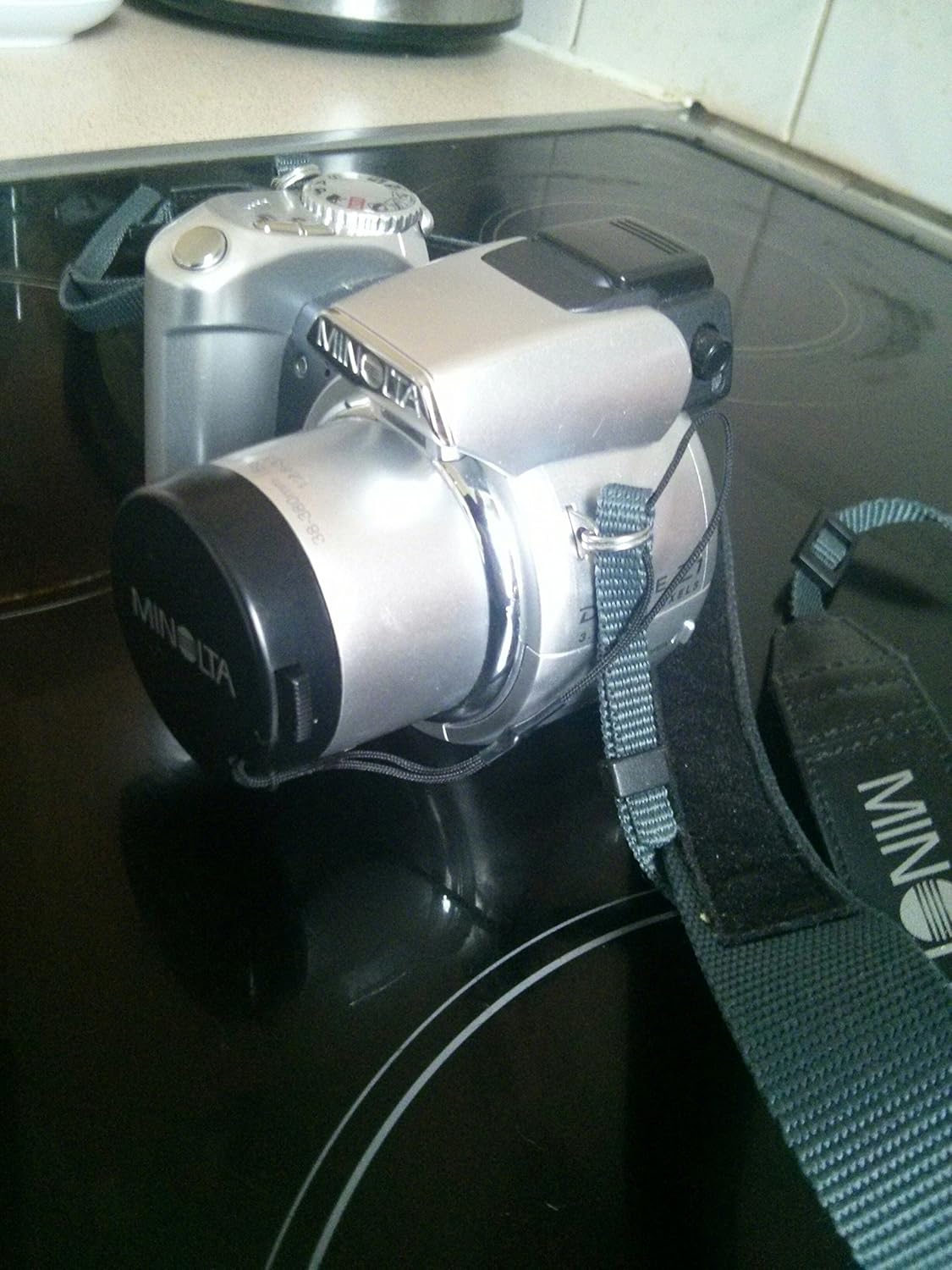
Whakaahua 2: Taha-mua view of the Minolta Dimage Z1 camera, showcasing its design and lens.
Hei tango pikitia:
- Turn the mode dial to your desired shooting mode (e.g., AUTO for automatic settings).
- Frame your shot using the 1.5-inch LCD monitor or the electronic viewKaituku.
- Press the shutter button halfway down to activate autofocus. The camera will quickly focus on your subject.
- Patohia te patene marumaru hei hopu i te ahua.

Whakaahua 3: Runga view of the Minolta Dimage Z1, illustrating the main controls including the mode dial.
Aratau Whakapupuri
Ko te waea aratau ka taea e koe te kowhiri i nga momo momo pupuhi:
- MOTO: Fully automatic mode for general photography.
- Papatono (P): Ka whakatauhia e te kamera te tuwhera me te tere marumaru, engari ka taea e koe te whakatika i etahi atu tautuhinga.
- Pūwero-Matua (A): Ka tautuhia e koe te kohao, ka whakatauhia e te kamera te tere marumaru.
- Kaupapa Mataara (S): Ka whakatauhia e koe te tere marumaru, ka whakatauhia e te kamera te tuwhera.
- ā-ringa (M): Ka whakahaere koe i te kohao me te tere marumaru.
- Digital Subject Programs: Includes Portrait, Sports Action, Sunset, and Night Portrait for optimized settings in specific scenarios.
Modes Flash
The built-in flash offers several modes:
- Aunoa: Ka mura aunoa te uira ina hiahiatia.
- Auto with Red-eye Reduction: Fires a pre-flash to reduce red-eye.
- Fill-flash: Ka mura ahi ahakoa te mārama o te taiao.
- Slow-Sync: Combines flash with slow shutter speed for balanced exposure of subject and background.
- Weto: Kua monoa te uira.
The camera also features a hot shoe for compatible Minolta external flash units.
White Balance
Adjust white balance to ensure accurate color reproduction under different lighting conditions:
- Aunoa: Camera automatically adjusts white balance.
- Tatūkē: Daylight, Cloudy, Tungsten, Fluorescent, Flash.
- Ritenga: Allows you to manually set white balance based on a white object in the scene.
Aratau Tae
Experiment with different color modes to achieve desired artistic effects:
- Tae Taiao
- Vivid Color
- Pango me te Ma
- Sepia
Aratau Kiriata
The Dimage Z1 can record TV-quality video (comparable to S-VHS) with sound. You can select from three resolution modes: 640 x 480 (VGA), 320 x 240, and 160 x 120. Video can be captured at 30 frames per second (fps) for smooth playback, or 15 fps to maximize recording time. Recording length is limited only by your memory card capacity.
LCD Aroturuki me Viewkimi
The camera features a 1.5-inch polysilicon TFT color LCD with an anti-reflection coating and auto amplification. It also includes a unique Switch Finder system that reflects the LCD image to the viewfinder, allowing you to see what the CCD sees through the viewKaituku.

Whakaahua 4: Whakamuri view of the Minolta Dimage Z1, displaying the LCD monitor and control layout.
Image Storage and Transfer
Images and videos are stored on SD or MMC memory cards. To transfer files to a computer, connect the camera via the supplied USB 1.1 cable. The camera is compatible with Windows Me/2000/XP and Mac OS 8.6 or later without requiring additional software installation.
Te tiaki
Tiaki Whānui
- Keep the camera away from extreme temperatures, humidity, dust, and strong magnetic fields.
- Avoid dropping or subjecting the camera to strong vibrations.
- When not in use, store the camera with the lens cap on and in a protective case.
- Tangohia ngā pākahiko mēnā kāore te kāmera e whakamahia mō te wā roa hei ārai i te turuturu.
Te horoi i te kamera
- Tinana kāmera: Horoia ki te kakahu ngohengohe, maroke. Mo te paru maro, kia ngawari te whakamahi i te kakahu dampened with water and then dry thoroughly. Do not use organic solvents or strong cleaning agents.
- Arotahi: Use a lens brush or a blower to remove dust. For smudges, use a specialized lens cleaning cloth and lens cleaning fluid. Avoid touching the lens surface with your fingers.
- Aroturuki LCD: Me ata muru ki te kakahu ngohengohe, maroke. A ape i te pehi kaha ki te mata.
Raparongoā
This section addresses common issues you might encounter with your Minolta Dimage Z1.
| Raruraru | Take pea | Rongoā |
|---|---|---|
| Karekau te kamera i te hiko. | Kua mate nga pākahiko, kua he ranei te whakaurunga. | Replace batteries or reinsert them with correct polarity. Ensure battery compartment is closed. |
| "Unable to use card" error. | Kua kī te kāri mahara, kua pakaru, kāore rānei e hototahi. | Mukua kore e tika files, format the card (this will erase all data), or try a different compatible SD/MMC card. |
| Ko nga whakaahua kei te rangirua. | Te rūrū o te kāmera, te nekehanga o te kaupapa, te kore rānei e arotahi. | Hold the camera steady, use a tripod, or increase shutter speed. Ensure autofocus locks onto the subject. Clean the lens. |
| Ko te Flash e kore e mura. | Flash mode is set to "Off" or batteries are low. | Change flash mode to Auto or Fill-flash. Replace batteries. |
| Kaore e taea te whakawhiti whakaahua ki te rorohiko. | USB cable not connected properly, or driver issue. | Ensure USB cable is securely connected to both camera and computer. Try a different USB port. Restart computer. |
Whakatakotoranga
| Āhuahira | Whakaahuatanga |
|---|---|
| Ingoa Tauira | Minolta Dimage Z1 |
| Whakataunga Tonu Whaihua | 3.2 MP |
| Rahi Pūoko Whakaahua | 1/2.7-inihi CCD |
| Rahi Atahanga Morahi | 2048 x 1536 pika |
| Topa Optical | 10x |
| Huringa Mamati | 4x |
| Arotahi | f/2.8-3.5, 38-380mm (35mm equivalent) |
| Tere Marumaru iti | 15 hēkona |
| Tere Marumaru Morahi | 1/1000 hēkona |
| Rahi Mata | 1.5 inihi (113,000 ira) |
| Viewkimi | Electronic (Switch Finder) |
| Rokiroki Media | kāri SD/MMC |
| Hononga | USB 1.1, AV Out |
| Puna Mana | 4 x AA pākahiko |
| Ahu (LxWxD) | Te Maamaa. 4.31 x 3.05 x 3.15 inihi |
| Taumaha | Approx. 10.8 ounces (excluding battery) |
| Whakatau Ataata | 640x480 (VGA) at 30fps |
| Tautokohia File Hōputu | JPEG (still images), MOV (video) |
Pūtāhui me te Tautoko
Nga korero Whakaputanga
The Minolta Dimage Z1 comes with a 1 Tau Rarangi Rarangi from the manufacturer. Please retain your proof of purchase for warranty claims. For specific terms and conditions, refer to the warranty card included with your product or contact Minolta customer service.
Tautoko Tāpiri
For further assistance or detailed information, you may refer to the official Pukapuka Kaiwhakamahi (PDF) wātea ipurangi.


