Kupu Whakataki
This manual provides comprehensive instructions for the installation, operation, and maintenance of your Broan-NuTone 665RP Heater, Fan, and Light Combo. This unit is designed to enhance comfort and air quality in bathrooms up to 65 sq. ft. by providing heating, ventilation, and illumination from a single, integrated fixture. Please read all instructions carefully before beginning installation or operation to ensure safe and efficient use.
Nga Korero Haumaru Nui
WHAKATPATO: Ma tenei hua e whakaatu koe ki nga matū tae atu ki te tima, e mohiotia ana e te Kawanatanga o California kia pa mai te mate pukupuku me nga whanautanga o te whanau, me etahi atu whara whanau ranei. Mo etahi atu korero haere ki www.P65Warnings.ca.gov.
- Me momotu te hiko i te papa ratonga i mua i te mahi, i te horoi rānei i te waeine.
- Installation must comply with all local electrical codes and standards.
- Me whakarite te turanga tika kia kore ai e ru te hiko.
- Do not use this unit in areas where water may come into direct contact with electrical components.
- A dedicated 20-Amp circuit is required for safe operation of this unit.
- Refer to the wiring diagram for correct electrical connections.
Nga waahanga hua
The Broan-NuTone 665RP combines three essential bathroom functions into one efficient unit:
- Whakawera: A 1300-watt heater with a metal blower wheel provides efficient warmth.
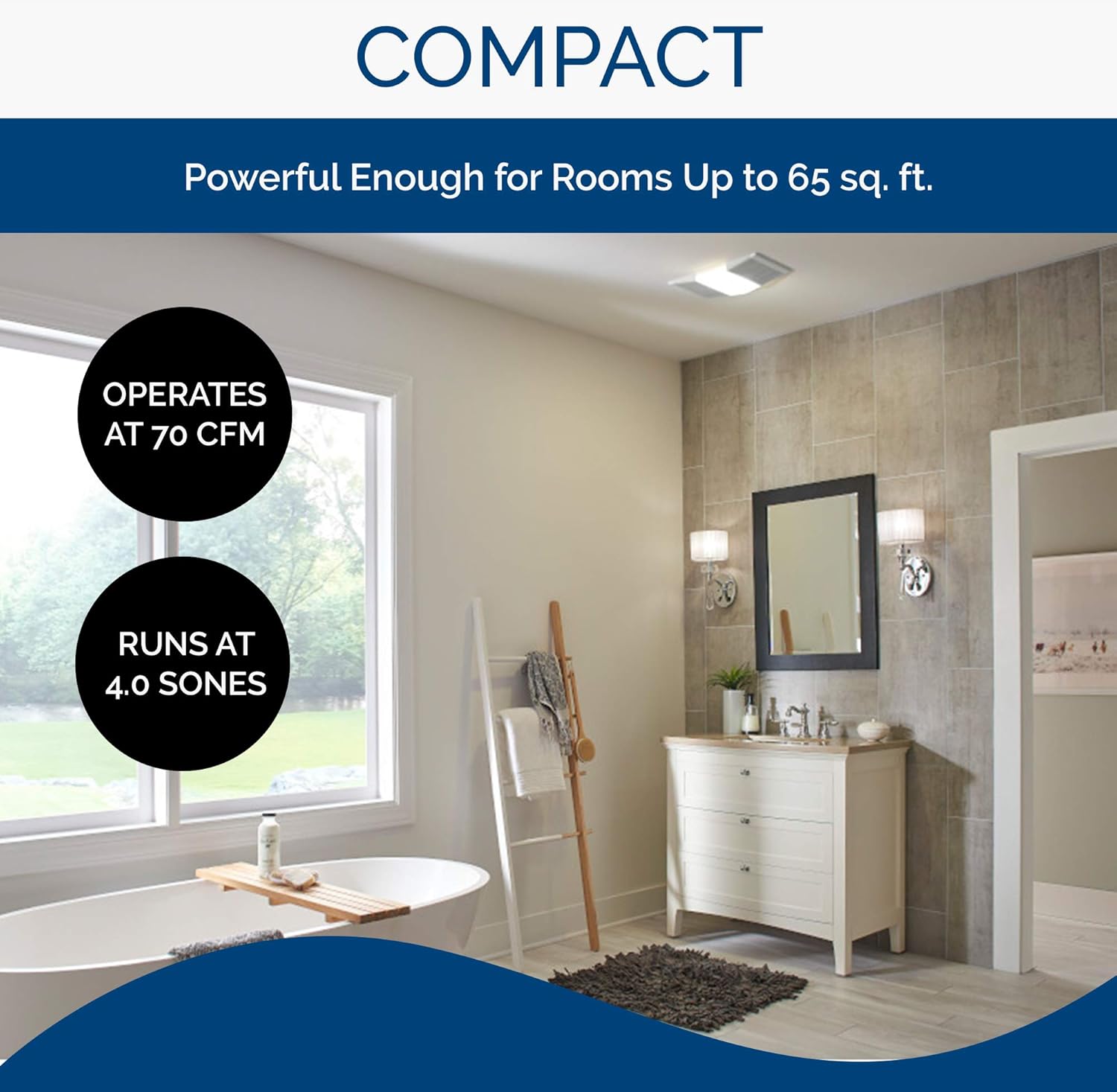
- Kaiwhaiwhai: A 70 CFM exhaust fan effectively vents bathrooms up to 65 sq. ft. at 4.0 Sones for quiet operation.
- Maama: Features a snap-in light diffusing lens for a 100-watt incandescent bulb (bulb not included).
- Independent or Combined Operation: All three functions can operate together or independently.
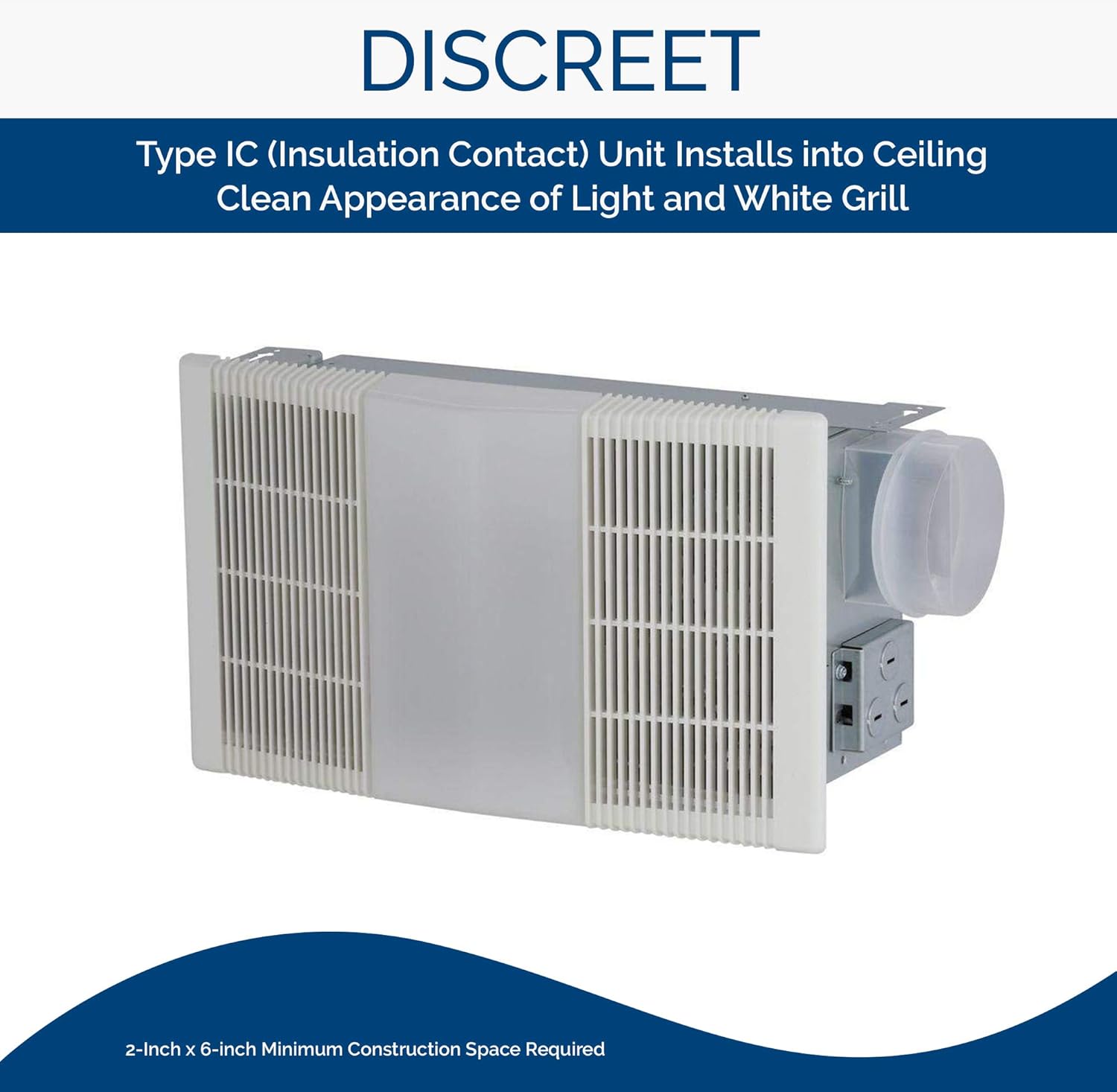
- Hoahoa Ataahua: Type IC (Insulation Contact) unit installs into the ceiling, leaving only the white polymeric grille and light visible.
- Compact Fit: Designed for 2" x 6" ceiling construction.

Tohutohu Tāuta
- Whakaritenga: Ensure the power supply to the installation area is turned off at the circuit breaker. A dedicated 20-Amp iahiko hiahiatia te.
- Tauwāhi Whakapuru: This unit is designed for 2" x 6" ceiling construction. Select a location that allows for proper ducting and electrical connections.
- Tāutanga Whare:
- The unit includes four-way adjustable hanger bars and mounting clips to facilitate installation between ceiling joists.
- Securely fasten the housing to the ceiling joists.
- Hononga Wairere: Connect a 4-inch duct to the fan's exhaust port. Ensure the ductwork is sealed properly to prevent air leakage.
- Waea hiko:
- Follow the wiring diagram provided with the unit.
- Connect the electrical supply wires to the unit's wiring according to local electrical codes.
- Note that multi-function wall switches are sold separately and are required for independent control of the heater, fan, and light.
- Tāuta Wae: Install the fan and heater components into the housing. These are designed for easy plug-in installation.
- Grille and Light Lens Installation:
- Install a 100-watt incandescent bulb (not included) into the light socket.
- Snap the polymeric grille and light diffusing lens into place.

Nga Tohutohu Whakahaere
The Broan-NuTone 665RP unit offers flexible operation for its heater, fan, and light functions. These functions can be activated independently or simultaneously, depending on your needs and the type of wall switch installed.
- Mahinga Fan: Activate the exhaust fan to remove moisture and odors from the bathroom. The fan operates at 70 CFM, suitable for rooms up to 65 sq. ft.
- Mahi Whakawera: Turn on the 1300-watt heater for supplemental warmth. Allow a few minutes for the heater to reach its full operating temperature.
- Mahi Maama: Switch on the light for illumination. The unit accommodates a 100-watt incandescent bulb (not included).
- Whakamahinga Whakakotahi: For maximum comfort and air quality, the heater, fan, and light can be used together. For example, use the fan and heater during a shower to manage humidity and provide warmth.
Tuhipoka: Multi-function wall switches are required to control each function separately and are sold separately. Consult the instructions provided with your chosen wall switch for specific operation details.


Te tiaki
Regular maintenance ensures optimal performance and longevity of your Broan-NuTone 665RP unit.
- Momotu Hiko: Always turn off power at the circuit breaker before performing any maintenance.
- Horoi Roopu:
- Remove the grille and light lens by gently pulling them down.
- Wash the grille and lens with mild soap and water. Rinse thoroughly and dry completely before reinstallation.
- Motor and Blower Cleaning:
- Carefully vacuum or wipe dust from the motor housing and blower wheels. Accumulated dust can reduce efficiency and increase noise.
- Kaua e rumakina nga waahanga hiko ki te wai.
- Whakakapi Purama:
- Ensure the light is off and the bulb has cooled before attempting to replace it.
- Replace with a 100-watt incandescent bulb or an equivalent LED bulb.
- Huinga Anō: Reinstall the blower wheels, grille, and light lens. Restore power at the circuit breaker.
Raparongoā
| Raruraru | Take pea | Rongoā |
|---|---|---|
| Unit does not operate (no fan, heat, or light) | No power supply; tripped circuit breaker; faulty wiring connection. | Check circuit breaker and reset if tripped. Verify all wiring connections are secure. Ensure power is supplied to the unit. |
| Fan runs, but no heat | Heater element failure; incorrect wall switch setting. | Ensure the heater function is selected on the wall switch. If problem persists, contact qualified service personnel. |
| Kaore te marama e mahi | Burned out bulb; loose bulb; faulty light switch. | Replace the light bulb. Ensure the bulb is screwed in tightly. Check wall switch functionality. |
| Reduced airflow or excessive noise | Clogged grille or blower wheels; obstructed ductwork. | Clean the grille and blower wheels as described in the Maintenance section. Check ductwork for obstructions. |
Whakatakotoranga
| Āhuahira | Taipitopito |
|---|---|
| Tau tauira | 665RP |
| Waitohu | Broan-NuTone |
| Nga Mahi | Heater, Fan, Light |
| Te Rerenga Hau | 70 CFM (Waewae Putoru ia meneti) |
| Taumata oro | 4.0 Tamaiti |
| Whakawera Wattage | 1300 Watts |
| Lighting Wattage | 100 Watts (incandescent, bulb not included) |
| Voltage | 120V |
| Ampwhakatipu | 12.5 Amps |
| Rahi Rūma Manakohia | Tae atu ki te 65 sq. |
| Rahi Wairere | 4 inihi |
| Momo Whakaeke | Ceiling Mount (2" x 6" construction) |
| Rauemi | Metal housing, Polymeric grille |
| Tae | Mā |
| Taumaha Tūemi | 10 pauna |
| Tiwhikete | UL Tiwhikete |
Rauemi Ataata
Watch the official product line video for an overview of Broan-NuTone ventilation solutions.
Pūtāhui me te Tautoko
The Broan-NuTone 665RP Heater, Fan, and Light Combo comes with a 1-tau iti pūtāhui.
For technical assistance, warranty claims, or to purchase replacement parts, please contact Broan-NuTone customer support. Refer to the official Broan-NuTone webpaetukutuku mō ngā mōhiohio whakapā hou me ngā tikanga taipitopito o te pūtāhui.
You can visit the official Broan-NuTone Store for more products and information: Toa Broan-NuTone


