1. Kupu Whakataki
This manual provides instructions for the Insignia 7" Widescreen LCD Digital Photo Frame, model NS-DPF7WA-09. This device allows you to display digital photos from memory cards or its internal memory, offering various slideshow options and display settings. It features a 7-inch TFT-LCD screen with a 16:9 widescreen aspect ratio, 800 x 480 resolution, and 500:1 contrast ratio for clear image presentation.
Please read this manual thoroughly before operating your digital photo frame to ensure proper use and to maximize its features.
2. Ihirangi mokete
Manatokona kei roto katoa nga mea kei roto i te kete:
- Insignia 7" Widescreen LCD Digital Photo Frame
- Mana Mamao
- Pūurutau Hiko
- Pukapuka a te Kaipupuri (tenei tuhinga)
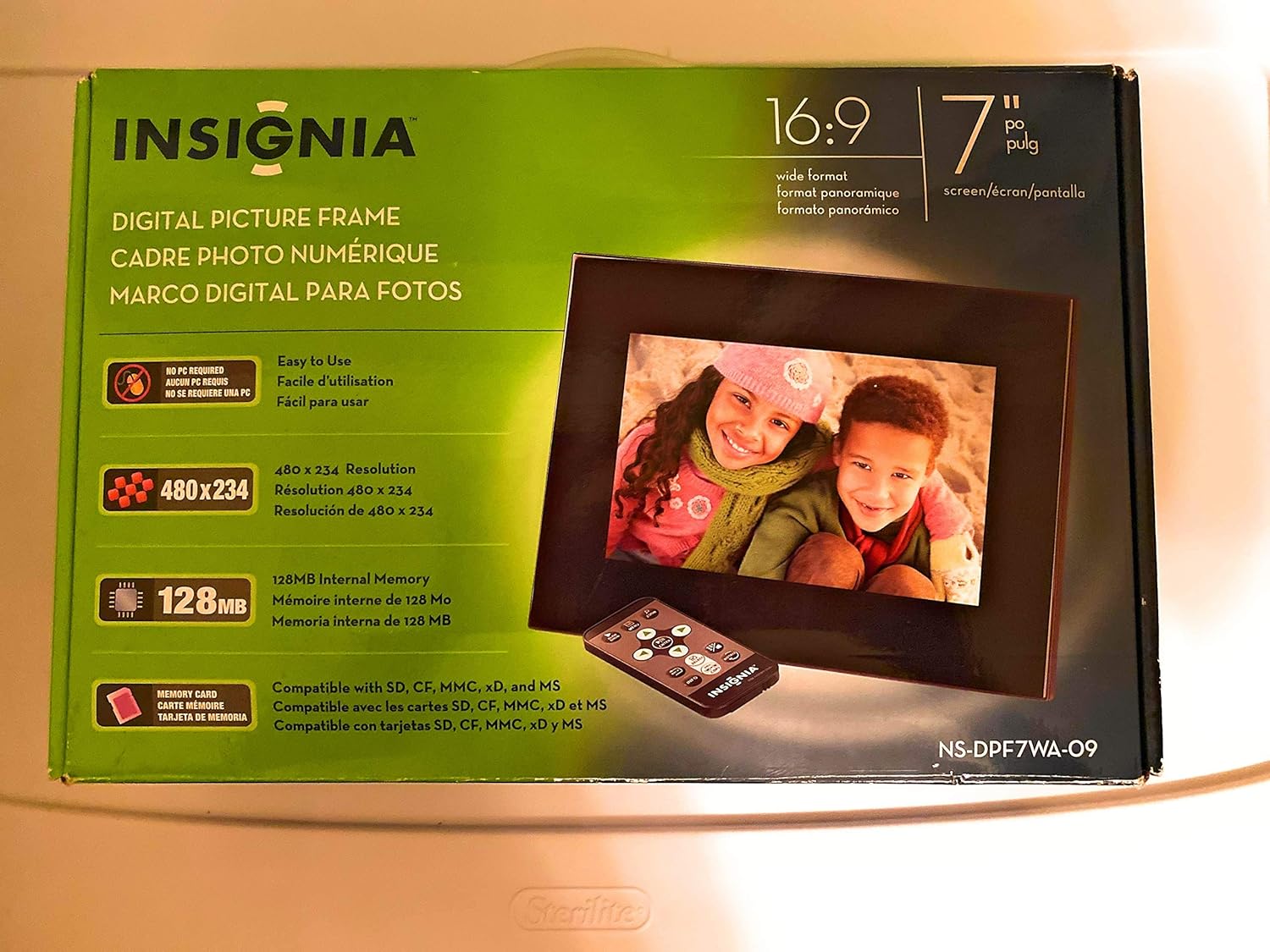
Image 1: Retail packaging of the Insignia 7" Widescreen LCD Digital Photo Frame, highlighting key features like screen size, resolution, internal memory, and supported memory card types.
3. Tatūnga
3.1 Positioning the Frame
The digital photo frame includes a multiple-position adjustable stand. Adjust the stand to achieve an optimal viewing angle for your desired location.
3.2 Hononga Hiko
- Connect the power adapter to the DC IN port on the back of the digital photo frame.
- Monohia tetahi pito o te urutau hiko ki tētahi putanga hiko noa.
- The frame will typically power on automatically or enter standby mode.
3.3 Te Whakauru i ngā Kāri Mahara
The frame supports various memory card formats. Locate the memory card slot(s) on the side or back of the frame.
- Supported formats include: Secure Digital (SD), Secure Digital High Capacity (SDHC), microSD, Memory Stick (MS), Memory Stick PRO Duo, MultiMediaCard (MMC), and xD-Picture Card.
- Insert the memory card gently into the appropriate slot until it clicks into place. Ensure the card is inserted in the correct orientation.

Image 2: The Insignia 7" Widescreen LCD Digital Photo Frame unboxed, showing the frame, remote control, and a portion of the manual. This view helps identify the physical components.
4. Nga Tohutohu Whakahaere
4.1 Mana Mamao Nekeview
The included remote control provides full functionality for navigating menus and controlling playback. Ensure the remote's battery is functional. A small tray on the back of the digital photo frame is provided for remote storage.
4.2 Playing a Slideshow
The digital photo frame can play slideshows from either an inserted memory card or its 128MB internal memory.
- Tīpako Pūtake: Use the remote control to navigate to the main menu and select your desired photo source (e.g., "Memory Card" or "Internal Memory").
- Tīmatahia te Whakaaturanga Kiriata: Once the source is selected, the frame will typically begin a slideshow automatically.
- Tautuhinga Whakaatakiriata: Access the settings menu to customize slideshow options, including:
- Transitional Styles: Choose from multiple visual effects between photos.
- Te Huringa Kounga: Adjust the duration each photo is displayed.
4.3 Adjusting Photo View
Within the slideshow or photo browsing mode, you can often adjust how individual photos are displayed. Options may include zoom, rotate, or fit-to-screen. Refer to the on-screen menu for specific controls.
4.4 Changing Display Settings
The frame's settings menu allows you to modify various display parameters:
- Tirohanga/Prata: Whakatikatikahia te kanapa me te rerekētanga o te mata kia tino pai viewing i roto i nga ahuatanga rama rereke.
- Ahuatanga ōwehenga: Configure how images are scaled to fit the 16:9 widescreen display.
- Whakaweto Aunoa: Enable or disable the auto power off feature, which conserves energy by turning off the frame after a period of inactivity.
- Rā/Wā: Tautuhia te ra me te wa o naianei.
5. Tiaki
- Te horoi i te Mata: Use a soft, lint-free cloth to gently wipe the LCD screen. For stubborn smudges, slightly dampen the cloth with water or a screen-cleaning solution designed for electronics. Avoid harsh chemicals or abrasive materials.
- Te horoi i te Tapare: Wipe the exterior of the frame with a soft, dry cloth.
- Rokiroki: When not in use for extended periods, store the frame in a cool, dry place, away from direct sunlight and extreme temperatures.
- Pūurutau Hiko: Ensure the power adapter cable is not bent or damaged.
6. Te Raru
If you encounter issues with your Insignia digital photo frame, refer to the following common solutions:
| Raruraru | Rongoā |
|---|---|
| Karekau te anga i te hiko. |
|
| Ko te mana mamao kaore e aro. |
|
| Photos are not displaying or appear distorted. |
|
| Slideshow transitions are slow or clumpy. |
|
7. Whakatakotoranga
| Āhuahira | Taipitopito |
|---|---|
| Tau tauira | NS-DPF7WA-09 |
| Rahi Mata | 7 Inihi |
| Momo Whakaatu | TFT-LCD |
| Aspect Ratio | 16: 9 Matapihi Matawhānui |
| Whakatau | 800 x 480 (SVGA) |
| Tauwehenga Purata | 500:1 |
| Mahara o roto | 128MB |
| Kaari Mahara Tautoko | Secure Digital (SD), Secure Digital High Capacity (SDHC), microSD, Memory Stick (MS), Memory Stick PRO Duo, MultiMediaCard (MMC), xD-Picture Card |
| Hunga Hua | 2.2 x 9.2 x 6.5 inihi |
| Taumaha Tūemi | 1.2 pauna |
| Puna Mana | Pūurutau Hiko (kei roto) |
| Pūhiko Mana Mamao | 1 pūhiko Lithium Metal (hiahiahia) |
8. Pūtāhui me te Tautoko
Mō ngā mōhiohio pūtāhui, mō te tautoko hangarau rānei, tirohia te kāri pūtāhui kei roto i tō hua, tirohia rānei te tautoko Insignia mana. webpae. Puritia to rihiti hoko mo nga kereme whakamana.
Tautoko Aipurangi: www.insigniaproducts.com/support


