Kupu Whakataki
This manual provides detailed instructions for the installation, operation, and maintenance of your Weiser Welcome Home Toluca Lever Lock Entry. This product features the innovative SmartKey cylinder technology, offering enhanced security and convenient rekeying capabilities. Please read this manual thoroughly before beginning installation or operation to ensure proper function and longevity of your lock.
He aha kei roto i te Pouaka
Carefully unpack all components and verify that all items listed below are present. If any parts are missing or damaged, please contact Weiser customer support.

Image: Contents of the Weiser Welcome Home Toluca Lever Lock Entry package.
- Taumata o waho
- Taumata o roto
- Adjustable Latch (with Round Front Option or a Drive-In Collar)
- Pahi Wharahi
- SmartKey® Tool
- 2 Weiser® Keys
- Ngā Taputapu Tāutanga (ngā tīwiri)
- Ko Allen Wrench
Tatūnga me te Tāuta
The Weiser Welcome Home Toluca Lever Lock is designed for easy installation and is reversible for both right-handed and left-handed doors. Ensure your door is prepared according to standard door lock specifications (adjustable backset 2-3/8" or 2-3/4").
Te Tukunga Kuaha

Image: The reversible design allows installation on both left-handed and right-handed doors.
This lever is non-handed, meaning it can be used with both right and left-hand doors without modification. The reversible design simplifies installation.
Nga Waahi Whakataunga
A pee i enei taahiraa mo te whakaurunga angitu:
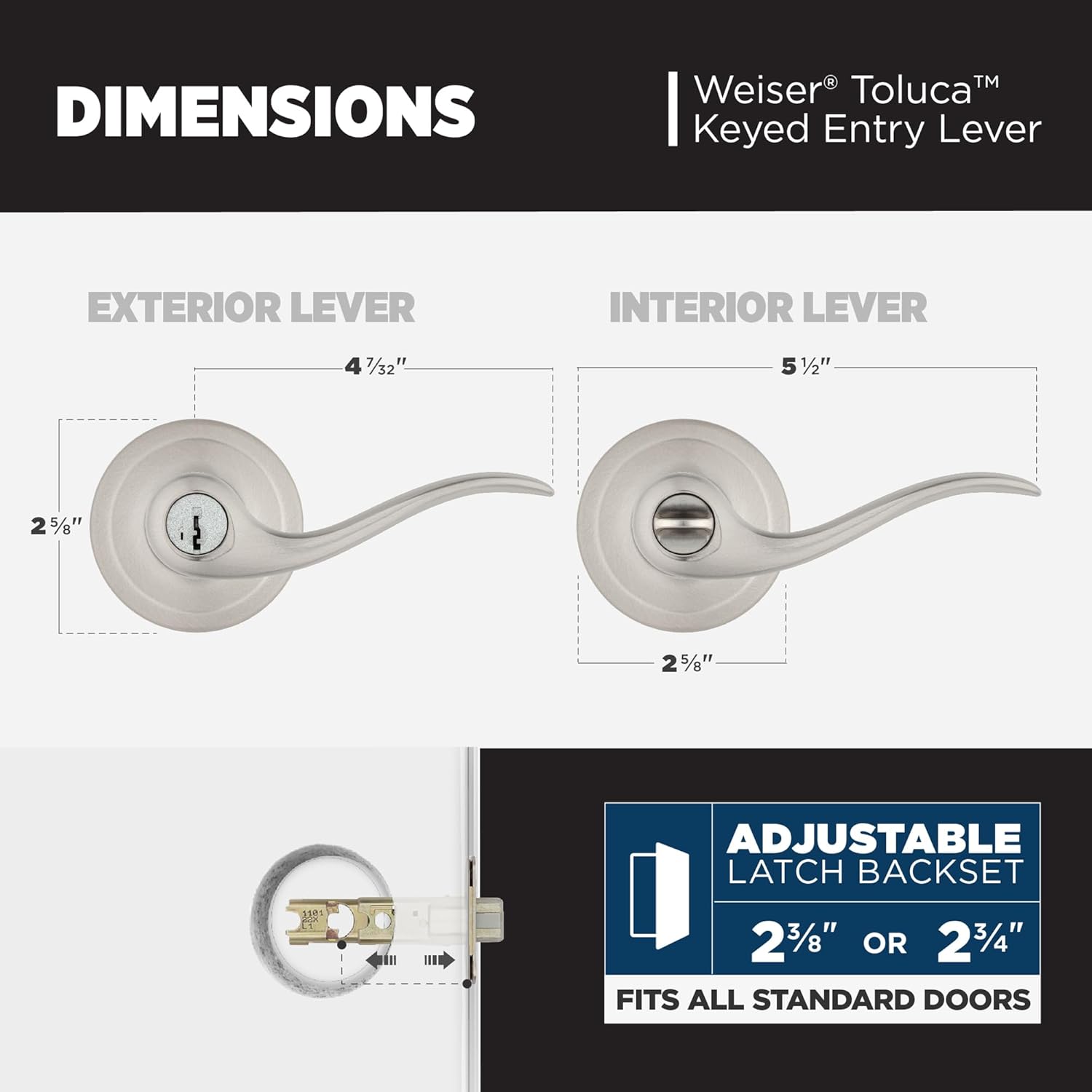
Image: Visual guide for the easy installation process.
- Install Latch and Exterior Lever: Screw in the adjustable latch into the door edge. Place the exterior lever assembly onto the door, ensuring the spindle passes through the latch mechanism.
- Pereti Whakapiri Haumaru: Easily access mounting screw holes by removing the rosette. Secure the mounting plate to the door with the provided screws. Ensure the turn button is kept horizontal as shown in the diagram.
- Attach Interior Lever: Reattach the rosette to the mounting plate. Position the interior handle onto the chassis, aligning the spindle.
- Te Whakapumautanga Whakamutunga: Secure the interior handle to the chassis using the supplied Allen wrench. Install the strike plate on the door frame, aligning it with the latch.
For detailed visual instructions, refer to the "Easy Install" diagram provided.
Nga Tohutohu Whakahaere
SmartKey® Cylinder Technology
Your Weiser Toluca Lever Lock features SmartKey cylinder technology, which allows you to rekey your lock yourself in seconds. This is particularly useful for situations such as moving to a new home, losing keys, or consolidating multiple locks to a single key.

Image: SmartKey Security allows for easy re-keying.
To rekey your lock:
- Insert your functioning key fully into the cylinder.
- Hurihia te kī 90 nekehanga ki te taha matau.
- Insert the SmartKey tool fully into the small hole on the cylinder face.
- Remove the SmartKey tool and the functioning key.
- Insert the new key you wish to use fully into the cylinder.
- Hurihia te kī hou kia 90 nekehanga ki te taha maui.
- Remove the new key. Your lock is now rekeyed to the new key.
The SmartKey cylinder is designed to be bump-resistant and highly pick-resistant, providing enhanced security.
Te tiaki
To ensure the long-lasting performance and appearance of your Weiser Toluca Lever Lock, follow these maintenance guidelines:
- Te horoi: Horoia te raka ki te wai ngohengohe,amp kakahu. A ape i nga kai horoi, nga whakarewa, nga matū kino ranei, ka taea e enei te pakaru te mutunga.
- Whakahinuhinu: Periodically apply a silicone-based lubricant to the latch mechanism and cylinder to ensure smooth operation. Do not use oil-based lubricants as they can attract dirt.
- Tirotiro: Regularly inspect all screws and connections to ensure they are tight. Loose components can affect the lock's performance and security.
- Tiaki Matua: Keep keys clean and free of debris. Do not force a key into the cylinder if it does not insert smoothly.
Raparongoā
If you encounter issues with your Weiser Toluca Lever Lock, refer to the following common problems and solutions:
| Raruraru | Take pea | Rongoā |
|---|---|---|
| Key does not turn or is difficult to insert. | Debris in cylinder, worn key, or misaligned cylinder. | Clean key and cylinder. Try a spare key. If issue persists, contact customer support. |
| Lever is loose or wobbly. | Loose mounting screws or worn internal components. | Tighten mounting screws. If wobble persists, the premium chassis ensures long-term stability, but contact support if excessive. |
| Latch does not retract fully or sticks. | Misalignment with strike plate, dirt in latch mechanism, or dry lubricant. | Check strike plate alignment. Clean and lubricate the latch mechanism with silicone spray. |
| Cannot rekey the lock. | Incorrect rekeying procedure, wrong key, or damaged SmartKey tool. | Review the "Operating Instructions" section for the correct rekeying steps. Ensure the original working key is used first. |
If you are unable to resolve an issue using the troubleshooting guide, please contact Weiser customer support for assistance.
Whakatakotoranga
Key technical specifications for the Weiser Welcome Home Toluca Lever Lock Entry:
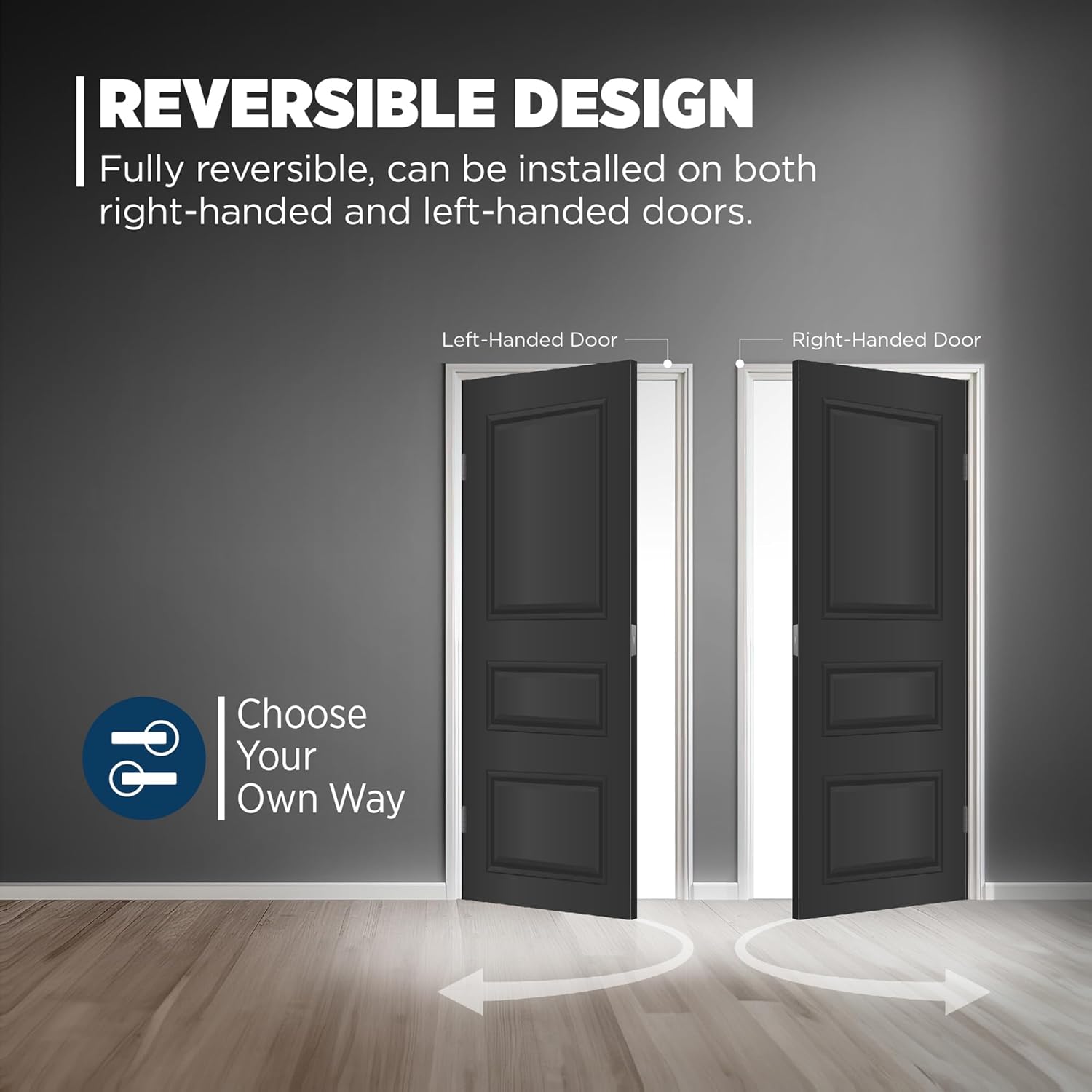
Image: Internal features and premium chassis design of the lever lock.
Image: Dimensional specifications for the Weiser Toluca Lever Lock.
- Tau tauira: 9GLA5350-071
- Mutu: Satin Nickel
- Takotoranga ringa: Right (non-handed, reversible for left)
- Momo Maukati: Key Lock (Entry Function)
- Momo Porotakaro: SmartKey® Cylinder Technology
- He Tautuhi: Ka taea te whakarite 2-3/8" 2-3/4" rānei
- Matotoru o te tatau: Fits all standard doors
- Rauemi: Zinc (Handle Material)
- Ahu: 4.6 x 8.88 x 3.1 inihi (Ahu Hua)
- Taumaha Tūemi: 1 Pauna
- Nga waahanga motuhake: Easy to Install, Bump-resistant, Higher Pick-resistant
- Tiwhikete: ANSI Grade 2 BHMA Certified (Premium Chassis)
Pūtāhui me te Tautoko
Weiser stands behind the quality of its products. For specific warranty information regarding your Weiser Welcome Home Toluca Lever Lock, please refer to the warranty card included with your purchase or visit the official Weiser webpae. Puritia to tohu hoko mo nga kereme whakamana.
For technical support, replacement parts, or further assistance, please contact Weiser customer service. Contact information can typically be found on the product packaging or the official Weiser webpae.
Kaihanga: Weiser


