Kupu Whakataki
This manual provides detailed instructions for the setup, operation, maintenance, and troubleshooting of your Coby CRA54 Digital AM/FM Alarm Clock Radio. Please read this manual thoroughly before using the device to ensure proper function and longevity.
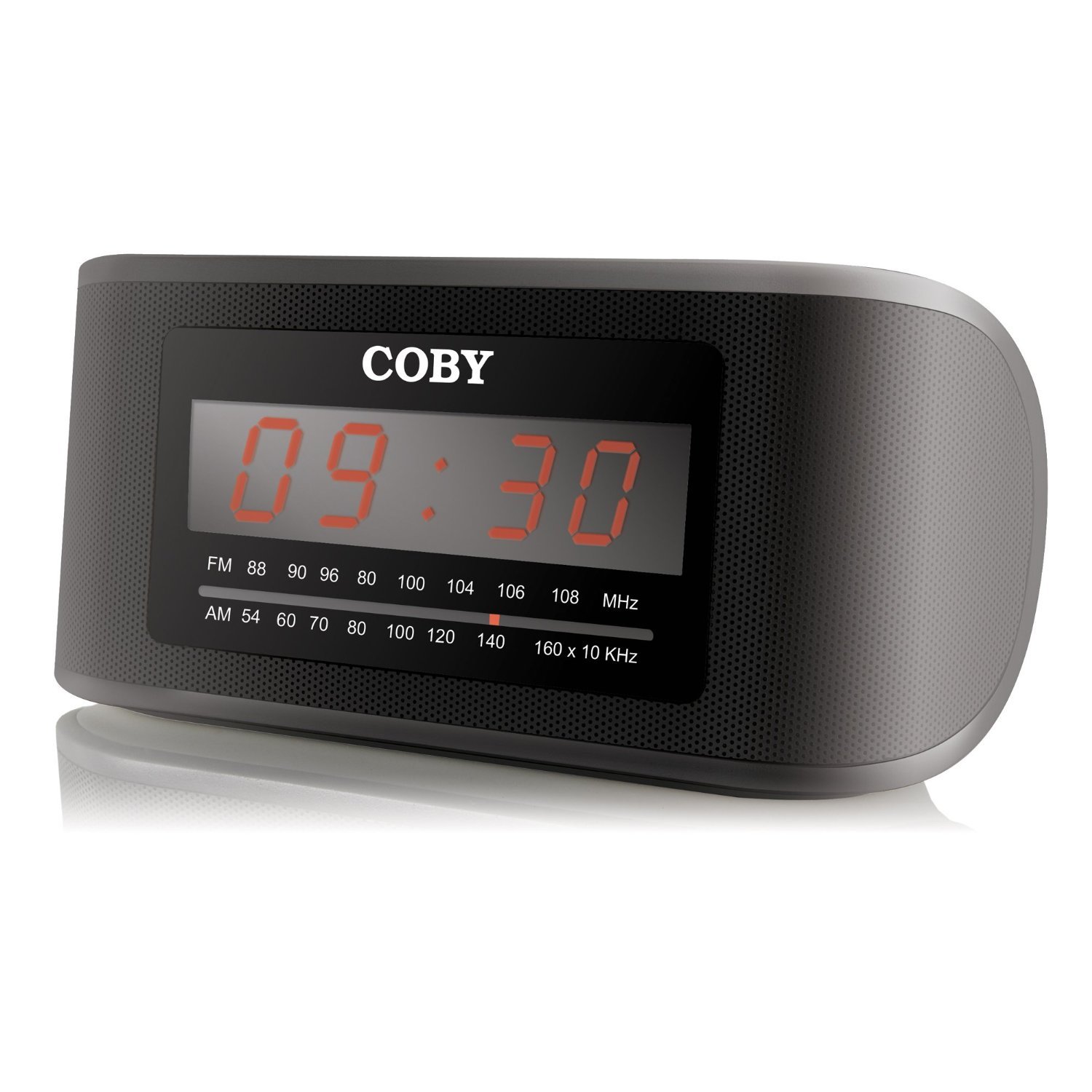
Whakaahua 1: Mua view of the Coby CRA54 Digital AM/FM Alarm Clock Radio, showing the digital display and control buttons.
Tatūnga
- Wewete ana: Carefully remove the alarm clock radio from its packaging. Retain the packaging materials for future transport or storage.
- Hononga Hiko: Connect the AC power cord to the 110V power outlet. The unit is designed for wired operation.
- Pūrua Pūhiko (Kōwhiringa): While the unit operates on AC power, it may have a compartment for backup batteries (not included) to maintain time settings during power outages. Refer to the battery compartment cover for the correct battery type and polarity. Note: Batteries are not included with this product.
- Whakaritenga Antenna: Extend the FM wire antenna fully for optimal FM reception. For AM reception, rotate the unit for the best signal.
Nga Tohutohu Whakahaere
Te Whakaritenga i te Wa
- Patohia me te pupuri i te PANUITANGA TIME button (location may vary, typically on the front or top panel) until the display flashes.
- Whakamahia te HOUR a MINI buttons to adjust the time. Observe the AM/PM indicator if present.
- Perehi PANUITANGA TIME ano ki te whakaū me te puta atu i te aratau tautuhi wa.
Te Whakaritea i te Whakaoho
- Patohia me te pupuri i te WHAKATAHI PANUI patene tae noa ki te whiti te whakaaturanga wa whakaoho.
- Whakamahia te HOUR a MINI pātene hei whakarite i te wā whakaoho e hiahiatia ana.
- Perehi WHAKATAHI PANUI again to confirm. You may then be prompted to select the alarm source (radio or buzzer) using the PANUI PANUI pātene.
- Ensure the alarm is activated by checking for an alarm indicator icon on the display.
Te Mahi Reo Irirangi
- Hiko Whakaka/Weto: Pehia te MANA pātene hei whakakā, whakaweto rānei i te reo irirangi.
- Tīpakonga Band: Pehia te AM/FM te paatene hei whakawhiti i waenga i nga roopu AM me FM.
- Whakatika: Whakamahia te WHAKARANGA dial or TUNE +/- buttons to find your desired station. Some models may feature auto-scan functionality.
- Mana Rōrahi: Whakaritehia te puoro ma te whakamahi i te ROTO dial or VOL +/- pātene.
Mahi Whakamoe
Ka tangi te whakaoho, pehia te rahi Whakatā button (usually located on the top of the unit) to temporarily silence the alarm. The alarm will sound again after a few minutes (typically 9 minutes).
Te tiaki
- Te horoi: Disconnect the power before cleaning. Use a soft, dry cloth to wipe the exterior of the unit. Do not use abrasive cleaners or solvents.
- Turanga: Place the unit on a stable, flat surface. Avoid placing it in direct sunlight, near heat sources, or in areas with high humidity.
- Whakahau: Me whakarite kia pai te hau huri noa i te waahanga kia kore ai e wera rawa. Kaua e araia nga whakatuwheratanga hau.
Raparongoā
| Raruraru | Take pea | Rongoā |
|---|---|---|
| Karekau te waeine i te hiko. | Ko te taura hiko kaore i te hono tika. | Ensure the power cord is securely plugged into both the unit and a working 110V outlet. |
| He pai te powhiri reo irirangi. | Karekau te Antenna i whakaroahia, te tuunga wae ranei. | Extend the FM wire antenna fully. For AM, rotate the unit to improve signal. Avoid interference from other electronic devices. |
| Kare e tangi te whakaoho. | Alarm not set or activated. | Verify that the alarm time is correctly set and the alarm function is activated (check for alarm icon on display). Ensure volume is not at minimum. |
| Time display is incorrect or runs fast/slow. | Internal clock deviation or power interruption. | Reset the time. If the issue persists, ensure stable power supply and consider using fresh backup batteries if applicable. |
Whakatakotoranga
- Waitohu: Coby
- Tau tauira: CRA54
- Rahi Hua: 17.78 x 10.16 x 8.89 cm
- Taumaha Hua: 522 g
- Voltage: 110 Volts
- Momo Whakaatu: Mamati
- Momo Whakapuru: Ripanga
- Karaka Whakaoho: Ae
- Aratau Mahi: Hiko
- Nga Kaikōrero Roa-roto: Ae
- Hangarau Hononga: Waea
Pūtāhui me te Tautoko
For information regarding warranty coverage and customer support, please refer to the warranty card included with your product or contact Coby customer service directly. Keep your purchase receipt as proof of purchase.


