Kupu Whakataki
Thank you for choosing the Casio AW-90H-2BVDF Wristwatch. This manual provides essential information regarding the setup, operation, and maintenance of your watch. Please read it carefully to ensure proper use and to maximize the lifespan of your timepiece.

Whakaahua: Mua view of the Casio AW-90H-2BVDF Wristwatch, displaying its analog and digital time displays.
Aratohu Whānui
Your Casio AW-90H-2BVDF watch features both analog hands and a digital display. It typically includes multiple buttons for various functions. While specific button labels may vary, common functions are usually assigned to buttons located on the sides of the watch case.
- Patene Aratau: Cycles through different modes (Timekeeping, Alarm, Stopwatch, Dual Time).
- Whakaritea te Patene: Used to select items for setting in various modes.
- Paatene Tiimata / Kati: Used to start/stop stopwatch, or change values during setting.
- Pātene Māmā: Activates the backlight for illumination.
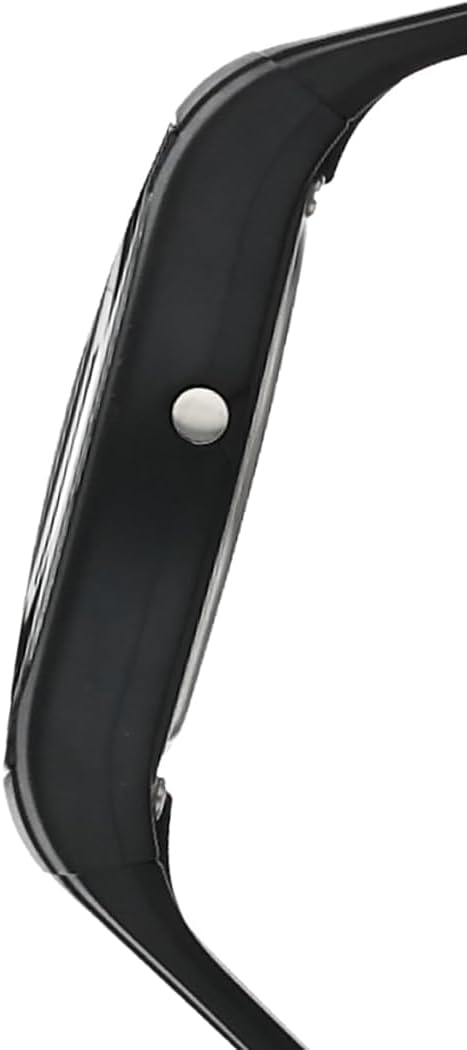
Whakaahua: Taha view of the Casio AW-90H-2BVDF Wristwatch, highlighting one of the control buttons.
Tatūnga me te Whakaritea Wā
Te Tautuhi Waa Mamati me te Ra
- I roto i te Aratau Timekeeping, pēhia te Whakaritea pēhi i te pātene kia tīmata rā anō te kimo o ngā mati o ngā hēkona, e tohu ana i te mata tautuhinga.
- Pehia te Aratau button to cycle through the setting options: Seconds → Hour → Minutes → Year → Month → Day.
- Whakamahia te Tīmata/Kati button to increase the flashing value. Hold down to change rapidly.
- Kia tika nga tautuhinga katoa, pehia te Whakaritea pātene ki te puta i te mata tautuhinga.
Adjusting Analog Hands
The analog hands are typically synchronized with the digital time. If they are out of alignment, refer to the specific hand adjustment procedure in the full module manual (available on the Casio website by searching your model number). Generally, this involves entering a hand setting mode and using buttons to move the hands.
Aratau Mahi
Pehia te Aratau pātene hei tirotiro i ngā mahi rerekē o te mataaratanga:
- Aratau Waahi: Ka whakaatu i te wa me te ra o naianei.
- Aratau Whakaoho: Tautuhia, ka whakahohehia hoki ngā whakaoho o ia rā.
- Aratau Tapukati: Ine i te wa kua hipa.
- Aratau Waa Takirua: View the time in a different time zone.
Ma te Whakaoho
- Enter the Alarm Mode using the Aratau pātene.
- Pehia te Whakaritea button to enable setting the alarm time. The hour digits will flash.
- Whakamahia te Tīmata/Kati button to change the hour. Press Aratau to switch to minutes and adjust.
- Perehi Whakaritea hei whakaū i te wa whakaoho.
- Hei whakakā/whakaweto i te whakaoho, pēhia te Tīmata/Kati button while in Alarm Mode (not in setting mode).
Te whakamahi i te Stopwatch
- Enter the Stopwatch Mode using the Aratau pātene.
- Pehia te Tīmata/Kati te paatene hei timata i te mataaratanga.
- Perehi Tīmata/Kati kia mutu ano.
- Pehia te Whakaritea te patene ki te tautuhi ano i te mataaratanga ki te kore.
Whakamaramatanga
Pehia te Maama button (if available) to illuminate the digital display for a few seconds in low-light conditions.
Tiaki me te Tiaki
Ātete wai
Your watch is marked with "WATER RESIST" on the case back, indicating it is suitable for everyday use and can withstand splashes or brief immersion in water. However, it is not designed for diving or prolonged water exposure. Do not operate buttons while the watch is wet or submerged.

Whakaahua: Rear view of the Casio AW-90H-2BVDF Wristwatch, showing the stainless steel case back with "WATER RESIST" engraving.
Te horoi
Horoia te mataara ki te kakahu ngohengohe, maroke hei tango i te paru me te makuku. Mo te paru maro, whakamahia he kakahu ngohengohe dampened with water and a mild neutral detergent, then wipe dry. Avoid using volatile agents like thinner or benzine, which may damage the resin components.
Mōhiohio Pūhiko
This watch uses one CR123A battery (included). When the display becomes dim or functions become erratic, it is time to replace the battery. Battery replacement should ideally be performed by a qualified watch technician to ensure proper sealing and water resistance.
Rokiroki
When not in use for extended periods, store your watch in a dry place away from direct sunlight, extreme temperatures, and strong magnetic fields.
Raparongoā
- Wā Hē: Ensure you have correctly set both the digital and analog times. If the analog hands are misaligned, refer to the hand adjustment procedure.
- Whakaaturanga Patea, Ataahua ranei: Kei te iti, kei te mimiti ranei te pākahiko. Whakakapihia te pākahiko.
- Patene Kaore i te Whakautu: Ensure the watch is not in a locked mode (if applicable) or that it is not wet. If the issue persists after drying, the battery may be low.
- Mataara Wai Roto: If you notice condensation or water droplets inside the watch, have it inspected immediately by a qualified technician to prevent further damage.
Whakatakotoranga
| Tau tauira | AW-90H-2BVDF |
| Kaihanga | Casio |
| Hunga Hua | 2.44 x 4.09 x 3.7 inihi |
| Taumaha Tūemi | 2.08 hekere |
| Momo Pūhiko | 1 CR123A (kei roto) |
| Ātete wai | Water Resistant (suitable for splashes, not diving) |
| Reo | Ingarihi |
Nga korero Whakaputanga
Ka hipokina to mataaratanga Casio e te whakamana a te kaiwhakanao mo nga hapa o nga rawa me nga mahi. Ko nga kupu motuhake me te roanga o te raihana ka rereke pea i ia rohe. Tena koa tirohia te kaari whakamana kua whakauruhia ki to hokonga ka toro atu ranei ki te Casio mana webpae mo nga korero taipitopito taurangi.
Tautoko Kiritaki
For further assistance, technical support, or service inquiries, please contact Casio customer support. You can find contact information and frequently asked questions on the official Casio website. When contacting support, please have your watch model number (AW-90H-2BVDF) readily available.


