Kupu Whakataki
This manual provides instructions for the proper installation, operation, and maintenance of your Stinger SI823 3-Foot 2-Channel 8000 Series Audiophile Grade RCA Interconnect Cable. Please read this manual thoroughly before use to ensure optimal performance and longevity of your cable.

Nga waahanga matua
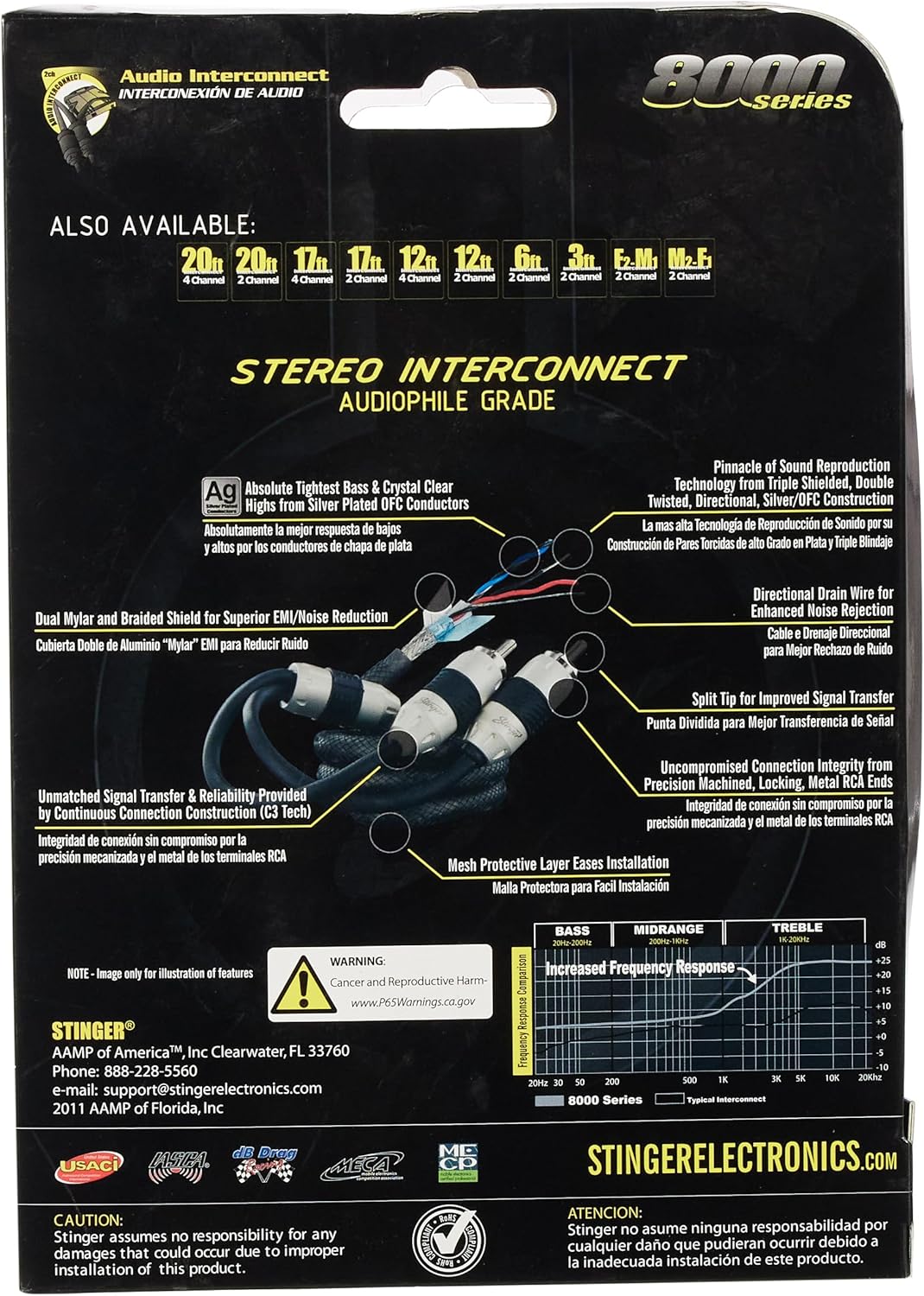
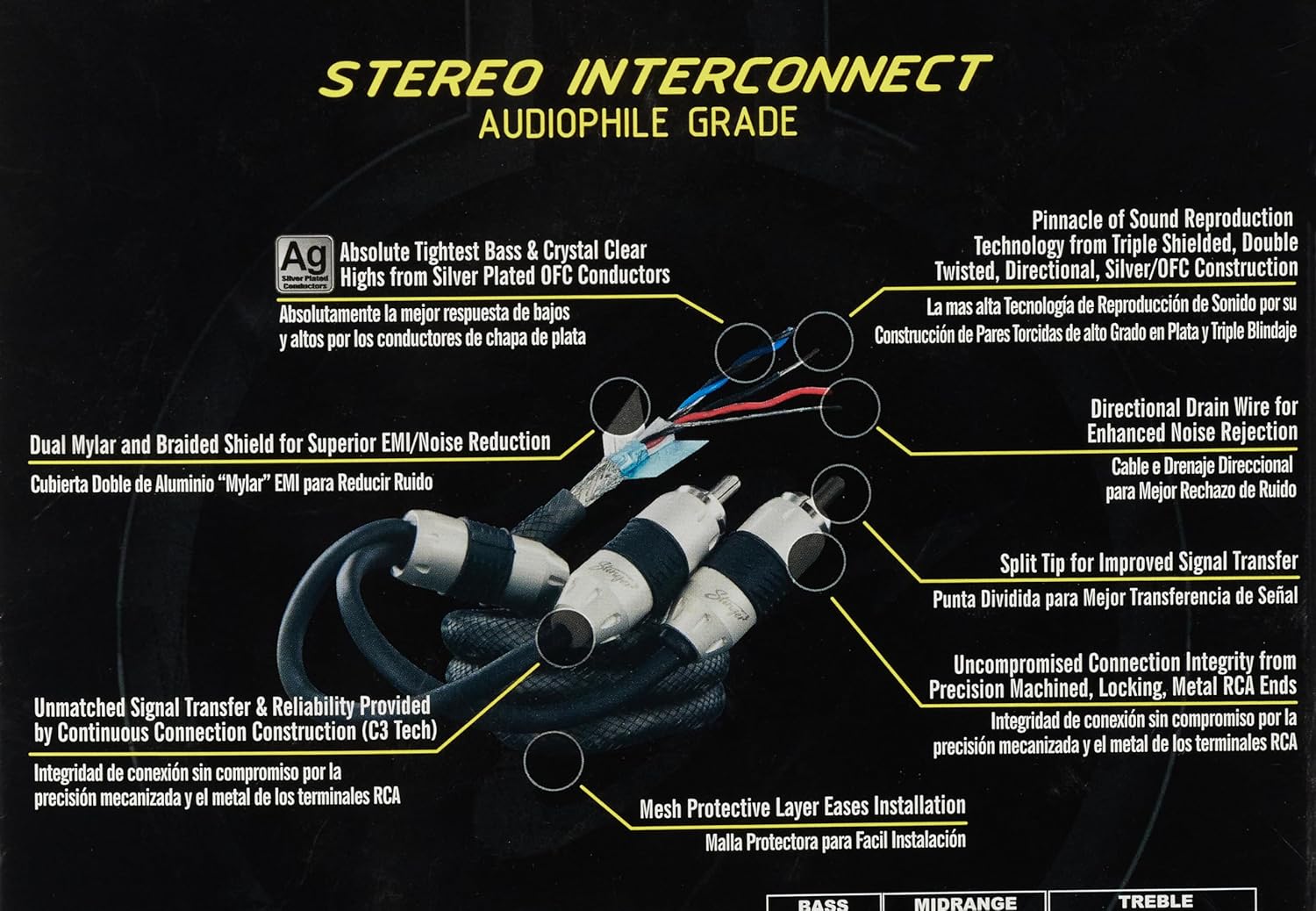
- Silver-Plated Copper Conductors: Provide tight bass response and crystal clear highs.
- Continuous Connection Construction (C3 Tech): Ensures unmatched signal transfer.
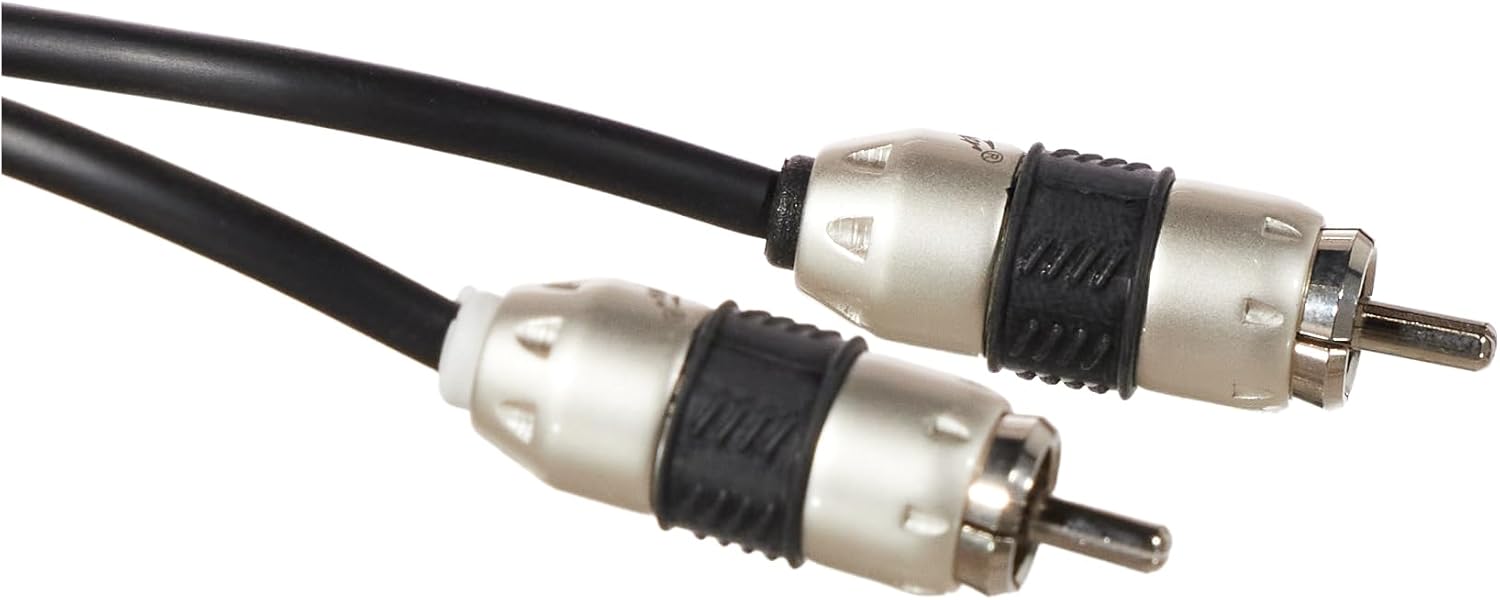
- Locking Split-Tip Connectors: Allow for better signal transfer and secure connections.
- No Solder Joints: Ensures constant connection and true channel separation.
- Dual Mylar and Braided Shield: Offers superior EMI/RFI noise reduction.
- Directional Drain Wire: Enhances noise rejection.
Tatūnga me te Tāuta
Follow these steps to properly connect your Stinger SI823 RCA interconnect cable:
- Identify Channels: The Stinger SI823 cable uses a small ring on the connector ends to differentiate channels. The connector with the white ring tohu te Mauī audio channel, and the connector with the black ring tohu te Matau hongere ororongo.
- Prepare Connectors: The locking split-tip connectors require a specific method for secure attachment. Before connecting, gently twist the bottom part of the connector (the metal sleeve) approximately halfway counter-karaka to loosen the locking mechanism.
- Tūhono ki te Pūrere: Carefully push the RCA connector onto the corresponding audio output/input jack of your component (e.g., amplifier, receiver, DAC). Ensure the white-ringed connector goes to the left channel input and the black-ringed connector to the right channel input.
- Hononga Haumaru: Once the connector is fully seated, twist the bottom part of the connector karaka until it feels secure. This action locks the connector onto the jack, preventing accidental disconnections and ensuring optimal signal transfer.
- Whakahokia mō ngā Hononga Katoa: Apply the same procedure for all necessary connections between your audio components.
Mahi
The Stinger SI823 RCA interconnect cable is a passive component designed to transmit audio signals between compatible devices. Once properly connected, no further operational steps are required for the cable itself. Ensure all connected audio components are powered on and configured correctly according to their respective manuals.
For optimal audio performance, ensure that the cable is not subjected to excessive bending, kinking, or placed near strong electromagnetic interference sources.
Tiaki me te Tiaki
- Te horoi: Use a soft, dry cloth to gently wipe the cable and connectors. Avoid using harsh chemicals or abrasive cleaners, as these can damage the cable's outer material or plating.
- Rokiroki: When not in use, store the cable in a clean, dry environment. Avoid tightly coiling the cable, which can stress the internal conductors. A loose coil is recommended.
- Te whakahaere: Always grasp the connector housing when plugging or unplugging the cable, rather than pulling on the cable itself. This prevents damage to the internal wiring and connections.
- Nga Tikanga Taiao: While the cable is designed for durability, avoid exposing it to extreme temperatures, direct sunlight for prolonged periods, or excessive moisture.
Raparongoā
If you experience issues with your audio system after installing the Stinger SI823 cable, consider the following troubleshooting steps:
- Kore Oro:
- Ensure both ends of the RCA cable are securely connected to the correct input/output jacks.
- Verify that the locking split-tip connectors are fully engaged (twisted clockwise).
- Check the power status of all connected audio components.
- Confirm the correct input source is selected on your receiver or ampkaikawe
- Test with another known-good RCA cable if available to rule out other component issues.
- Poor Sound Quality (Static, Hum, Distortion):
- Ensure all connections are tight and free from debris.
- Check for proper channel identification (white ring for left, black ring for right).
- Verify that the cable is not running parallel to power cables or other sources of electromagnetic interference. Try rerouting the cable if necessary.
- Inspect the cable for any visible damage (cuts, kinks).
- Ensure the volume levels on all components are set appropriately to avoid clipping or distortion.
- Hononga Wewete:
- If a connector feels loose, ensure it was properly locked by twisting the sleeve clockwise after insertion.
- If the connection remains loose, gently twist the bottom part of the connector counter-clockwise, push it firmly onto the jack, and then twist clockwise to lock.
Whakatakotoranga
| Āhuahira | Taipitopito |
|---|---|
| Tau tauira | SI823 |
| Waitohu | Tuhinga o mua |
| Momo Tauera | RCA Interconnect |
| Nga hongere | 2-Teihana |
| Te roa | 3 Puawai |
| Rauemi Kaiwhakahaere | Silver-Plated Copper |
| Te whakamarumaru | Dual Mylar and Braided Shield |
| Kaihono | Locking Split-Tip RCA (Male-to-Male) |
| Nga waahanga motuhake | Continuous Connection Construction (C3 Tech), Directional Drain Wire |
| Hunga Hua | 9 x 0.8 x 6.7 inihi |
| Taumaha Tūemi | 4.7 hekere (0.29 Pauna) |
| UPC | 609098805469 |
Nga korero Whakaputanga
Stinger products are designed for durability and performance. For specific warranty terms and conditions applicable to the SI823 RCA Interconnect Cable, please refer to the official Stinger website or contact Stinger customer support directly. Retain your proof of purchase for any warranty claims.
Tautoko Kiritaki
If you require further assistance or have questions regarding your Stinger SI823 cable, please contact Stinger customer support:
- Webpae: www.stinger.com
- Īmēra: tautoko@stingerelectronics.com
- Waea: 888-228-5560
When contacting support, please have your product model number (SI823) and proof of purchase available.


