1. Kupu Whakataki
This manual provides essential information for the safe and efficient operation of your Panasonic VIERA TC-P55GT50 55-Inch Full HD 3D Plasma TV. Please read these instructions thoroughly before using your television and retain them for future reference. The TC-P55GT50 features a 55-inch 1080p display, 600Hz refresh rate, Full HD 3D capabilities, an Infinite Black Pro Panel, and built-in VIERA Connect Wi-Fi for smart functionality.
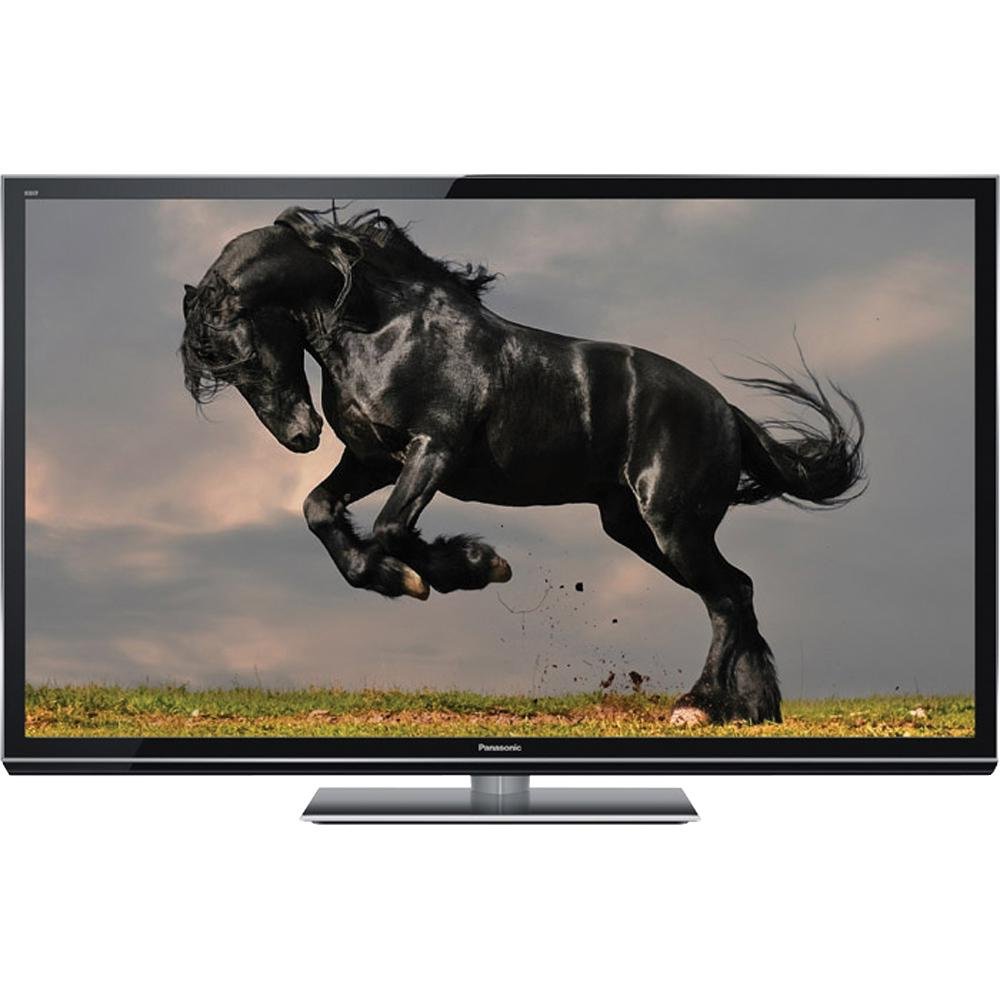
Image 1.1: The Panasonic VIERA TC-P55GT50 Plasma TV displayed in a living room setting, showcasing its slim design and large screen.
2. Nga korero haumaru
Observe the following safety precautions to prevent damage to the television and ensure personal safety.
- Puna Hiko: Connect the TV only to an AC 120 V, 60 Hz power supply. Do not overload power outlets.
- Whakahau: Ensure adequate ventilation around the TV. Do not block ventilation openings. Maintain a minimum distance of 10 cm (4 inches) from walls and other objects.
- Turanga: Place the TV on a stable, level surface. Avoid placing it in direct sunlight, near heat sources, or in areas with high humidity or dust.
- Wai me te makuku: Kaua e tukuna te pouaka whakaata ki te ua me te makuku. Kaua e tuu i nga mea kua whakakiia ki te wai, penei i nga ipu, ki runga i te pouaka whakaata.
- Te horoi: Momotuhia te taura hiko i mua i te horoi. Whakamahia he kakahu ngohengohe, maroke. Kaua e whakamahia nga kai horoi wai me nga kai horoi aerosol.
- Haumaru Tamariki: This product includes a Child Safety Guide. Follow its recommendations to prevent tip-over accidents.
3. He aha kei roto i te Pouaka
Verify that all the following items are included with your Panasonic VIERA TC-P55GT50 TV:
- Panasonic VIERA TC-P55GT50 Plasma TV
- Mana Mamao
- Waea hiko AC
- Pedestal (TV Stand)
- Pukapuka a te Kaipupuri (tenei tuhinga)
- Aratohu Haumaru Tamariki
- Aratohu Timata Tere
- Kaari Rehita Hua (USA)
- 2 x Pūhiko AA (mō te mana mamao)
4. Tatūnga
4.1. Pedestal Assembly
Carefully place the TV screen-down on a soft, clean cloth on a flat surface. Attach the pedestal to the TV using the provided screws, ensuring it is securely fastened. Refer to the Quick Start Guide for detailed diagrams.
4.2. Pūrere hono
Connect your external devices such as Blu-ray players, cable/satellite boxes, and gaming consoles to the TV's input ports (HDMI, Component, etc.).
- HDMI: Mo te ataata whakamarama me te ororongo. Whakamahia nga taura HDMI mo te kounga pai.
- Antenna/Cable: Connect an antenna or cable TV line to the RF input.
- Ororongo Kei: Use the optical digital audio output for connecting to a soundbar or home theater system.
Whakaahua 4.2: He tata view of the side of the Panasonic VIERA TC-P55GT50, illustrating the various input and output ports available for connecting external devices.
4.3. Te Hiko Tuatahi me te Tatūnga Whatunga
- Plug the AC power cord into the TV and then into a wall outlet.
- Patohia te paatene Mana i runga i te mana mamao, i te TV ranei.
- Follow the on-screen instructions to select your language, country, and perform an initial channel scan.
- For internet features, navigate to the Network Settings menu. Select your Wi-Fi network and enter the password. The TV supports VIERA Connect for accessing online services.
5. Nga Tohutohu Whakahaere
5.1. Nga Mahi TV Taketake
- Mana: Pehia te MANA pēhi i te pātene i te mana mamao hei whakakā, hei whakaweto rānei i te pouaka whakaata.
- Rōrahi: Whakamahia te VOL +/- pātene hei whakatika i te rōrahi.
- Channel: Whakamahia te CH +/- nga paatene hei huri i nga hongere.
- Tāuru: Pehia te WHAKATOHU button to select connected devices (HDMI 1, HDMI 2, etc.).
- Tahua: Pehia te MENU button to access picture, sound, and other settings.
5.2. VIERA Connect (Smart Features)
VIERA Connect provides access to various internet services and applications. Ensure your TV is connected to the internet.
- Pehia te VIERA Connect pātene i runga i to mana mamao.
- Navigate through the available applications using the arrow buttons.
- Select an application (e.g., YouTube, Hulu Plus, Netflix) and press OK ki te whakarewa.
- Ko te hanga-i roto web browser allows for general internet browsing.
5.3. Full HD 3D Viewing
Your TC-P55GT50 supports Full HD 3D content. Active 3D glasses (sold separately) are required for 3D viewing.
- Play 3D content from a compatible source (e.g., 3D Blu-ray player).
- Put on your active 3D glasses. The TV should automatically detect the 3D signal and activate 3D mode.
- If 3D mode does not activate automatically, press the 3D button on your remote control and select the appropriate 3D format.
- Adjust 3D settings (depth, viewpoint) via the Picture menu if desired.
6. Tiaki
6.1. Te horoi i te Mata
To clean the plasma screen, first turn off the TV and unplug the power cord. Gently wipe the screen with a soft, dry, lint-free cloth. For stubborn marks, lightly dampen the cloth with water or a specialized screen cleaner designed for plasma displays. Do not apply pressure or use abrasive materials.
6.2. Te horoi i te rūnanga
Wipe the TV cabinet with a soft, dry cloth. Do not use strong detergents, waxes, or solvents as they can damage the finish.
6.3. Aukati i te Pupuri Atahanga (Tahu-roto)
Plasma displays can exhibit temporary image retention if static images are displayed for extended periods. To minimize this:
- Avoid displaying static images (e.g., channel logos, video game HUDs, computer desktop) for more than a few hours.
- Use the TV's built-in pixel orbiter or screen saver functions if available.
- Regularly watch varied content to help clear any temporary image retention.
7. Te Raru
I mua i te whakapā atu ki te tautoko a nga kaihoko, ngana ki nga otinga e whai ake nei mo nga take noa:
| Raruraru | Te Take Taea / Rongoa |
|---|---|
| Karekau he kaha |
|
| Karekau he pikitia, engari he oro |
|
| Karekau he oro, engari he pikitia kei reira |
|
| Cannot connect to Wi-Fi / Internet |
|
| Image retention (temporary burn-in) |
|
8. Whakatakotoranga
Key technical specifications for the Panasonic VIERA TC-P55GT50 Plasma TV:
| Āhuahira | Taipitopito |
|---|---|
| Tau tauira | TC-P55GT50 |
| Rahi Mata | 55 Inihi (hauroki) |
| Hangarau Whakaatu | Plasma |
| Whakatau | 1080p (1920 x 1080) |
| Rere tāmata | 600Hz Sub-field Drive |
| Te kaha 3D | Full HD 3D (Active Shutter) |
| Hononga | Wi-Fi Hanga-roto |
| Ratonga Ipurangi | VIERA Connect (Skype, FOX Sports, SHOUTcast, AccuWeather, Hulu Plus, MLB.tv, Pandora, Youtube) |
| Ahu Hua (kare he tu) | 50.6-Inch (W) x 14.1-Inch (H) x 1.7-Inch (D) |
| Ahu Hua (me te turanga) | 50.6-Inch (W) x 32.3-Inch (H) x 14.1-Inch (D) |
| Taumaha Tūemi | 59.6 Pauna |
| Nga Waahanga kei roto | Remote Control, AC Power Cord, Pedestal, Owner's Manual, Child Safety Guide, Quick Start Guide, Product Registration Card (U.S.A.), 2 x AA Batteries |
9. Pūtāhui me te Tautoko
This product is covered by the manufacturer's warranty. The seller offers no additional warranty beyond the remainder of the original manufacturer's warranty. For specific warranty terms, please refer to the Product Registration Card or contact Panasonic customer support directly.
For technical assistance, troubleshooting beyond this manual, or warranty claims, please contact Panasonic customer support. Contact information can typically be found on the Panasonic official website or on the Product Registration Card included with your TV.


