Kupu Whakataki
This instruction manual provides essential information for the proper handling, installation, and maintenance of your Konica Minolta TN321K Black Toner Cartridge. This genuine toner cartridge is designed to work seamlessly with compatible Konica Minolta BizHub laser printers, ensuring optimal print quality and performance. Please read this manual carefully before use.

Image: The Konica Minolta TN321K Black Toner Cartridge shown alongside its brown cardboard packaging box, indicating the product and its original packaging.
Tatūnga me te Tāuta
Follow these general steps to install the toner cartridge into your compatible Konica Minolta BizHub printer. Refer to your printer's specific user manual for detailed, model-specific instructions.
- Whakaweto Pūreretā: Ensure the printer is powered off and unplugged from the electrical outlet before beginning installation.
- Tuwhera Uhi o Mua: Open the front cover or access panel of your Konica Minolta BizHub printer to expose the toner cartridge slots.
- Tango Kaata Tawhito: Carefully remove the used toner cartridge by pulling it straight out. Place it in a sealed bag for proper disposal.
- Whakaritea te Kaata Hou: Gently shake the new TN321K toner cartridge horizontally 5-6 times to distribute the toner evenly inside. Do not touch the green drum surface.
- Tango Hiri Tiaki: Remove any orange protective caps or sealing tapes from the new cartridge.
- Kōkuhu Kaata Hōu: Align the new TN321K cartridge with the corresponding slot in the printer and push it firmly until it clicks into place.
- Katia te Uhi: Close the printer's front cover or access panel securely.
- Hiko i te Pūreretā: Plug in and power on the printer. The printer will typically perform a self-test and recognize the new cartridge.

Whakaahua: He tata view of the Konica Minolta TN321K Black Toner Cartridge, highlighting its cylindrical shape and black end cap.
Nga korero whakahaere
Once installed, the Konica Minolta TN321K toner cartridge operates automatically as part of your printer's normal function. It is designed to provide consistent, high-quality black prints.
- Hua Whārangi: This cartridge has an estimated yield of 27,000 pages at 5% coverage, which is a standard industry measurement. Actual yield may vary significantly based on content of printed pages and other factors.
- Kounga Tā: For best results, use genuine Konica Minolta paper and ensure your printer's settings are optimized for the type of document you are printing.
- Low Toner Warnings: Your printer will display warnings when the toner level is low. It is advisable to have a replacement cartridge ready when these warnings appear to avoid interruptions.
Te tiaki me te rokiroki
Ko te whakahaere tika me te rokiroki ka roa te ora o to kaata toner me te whakarite i te mahi tino pai.
- Rokiroki: Store new, unopened toner cartridges in their original packaging in a cool, dry place, away from direct sunlight and extreme temperatures. Avoid areas with high humidity.
- Te whakahaere: Always handle the cartridge by its body. Avoid touching the photosensitive drum (usually green or blue) as oils from your skin can damage it and affect print quality.
- Te tukunga: Used toner cartridges should be recycled according to local regulations. Many manufacturers and retailers offer recycling programs. Do not dispose of them in regular household waste.
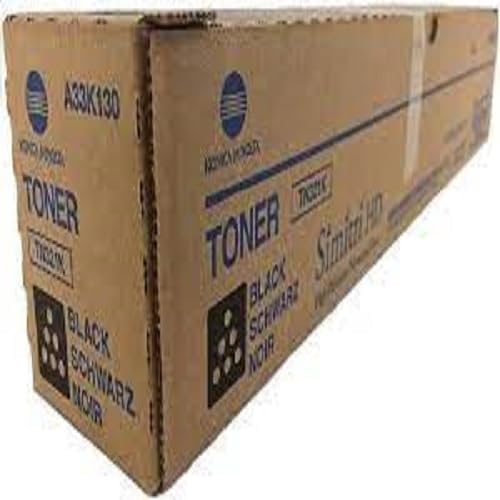
Image: The brown cardboard packaging box for the Konica Minolta TN321K Black Toner Cartridge, displaying product information and branding.
Raparongoā
If you encounter issues with your Konica Minolta TN321K toner cartridge, consider the following common solutions:
- Poor Print Quality (Streaks, Fading, Spots):
- Gently remove the cartridge and shake it horizontally a few times to redistribute the toner. Reinsert it.
- Check if the printer's drum unit (if separate) needs cleaning or replacement.
- Ensure you are using genuine Konica Minolta toner.
- Kei te mau tonu te karere "Iti te toner" me te "Whakakapia te toner":
- Me whakarite kia tino noho te kātere ki roto i tōna mokowā. Tangohia, ka whakauru anō kia mau.
- Verify that you have installed the correct model of toner cartridge for your printer.
- If the cartridge is new, check for any remaining protective seals or tabs that need to be removed.
- Kaata Kaore i te Mohiotia:
- Power off the printer, unplug it, wait for 30 seconds, then plug it back in and power on. This can reset the printer's internal sensors.
- Inspect the cartridge's chip (if visible) for any damage or debris.
If problems persist, consult your printer's specific user manual or contact Konica Minolta customer support.
Whakatakotoranga
| Āhuahira | Taipitopito |
|---|---|
| Ingoa Hua | Konica Minolta TN321K Black Toner Cartridge |
| Tau tauira | A33K130 |
| Tae Waituhi | Pango |
| Hua Whārangi Whakatau | 27,000 pages @ 5% coverage |
| Ngā Tauira Pūreretā Hototahi | Konica Minolta bizhub C224, C224e, C284, C284e, C364, C364e |
| Taumaha Tūemi | 1.8 pauna (tata ki te 0.82 kg) |
| Hunga Hua | 19.5 x 3.2 x 3.3 inihi (tata ki te 49.5 x 8.1 x 8.4 cm) |
| Kaihanga | KONICA-MINOLTA |
| UPC | 708562023771 |
| Nga Waahanga kei roto | 1 x Kaata Toner |
Pūtāhui me te Tautoko
For information regarding the warranty of your Konica Minolta TN321K Black Toner Cartridge, please refer to the warranty documentation provided with your purchase or visit the official Konica Minolta website. Support for this product is typically provided by Konica Minolta or your authorized reseller.
For technical assistance or further inquiries, please contact Konica Minolta customer service or the vendor from whom you purchased the cartridge.


