1. Kupu Whakataki
The Comet AD-35M is a robust antenna mount adapter designed to facilitate the connection of antennas with a 3/8"-24 threaded stud to equipment or mounts featuring a UHF Female (SO-239) connector. This adapter provides a secure and reliable interface for various radio communication setups, particularly for mobile and HF antenna applications.
2. Nga Hua o te Hua
- Connector Conversion: Seamlessly converts a UHF Female (SO-239) connection to a 3/8"-24 threaded stud.
- Hototahi whanui: Ideal for use with a wide range of mobile and HF antennas.
- Hanga Roa: Manufactured from heavy-duty metal for long-lasting performance and reliability.
- Integrated Grounding Screw: Features a dedicated screw for establishing a solid ground connection, enhancing signal integrity and safety.
- Hoahoa Kiato: Engineered for easy integration into existing mobile mounting systems.
3. Tatūnga me te Tāuta
Follow these steps to properly install your Comet AD-35M antenna mount adapter:
- Tautuhia nga Hono: Locate the UHF Female (SO-239) port on your antenna mount or coaxial cable and the 3/8"-24 threaded stud on your antenna.
- Connect to Mount/Cable: Screw the UHF Male end of the AD-35M adapter into the UHF Female (SO-239) port. Ensure it is hand-tightened securely.
- Tūhono Antenna: Screw the 3/8"-24 threaded stud of your antenna onto the corresponding threaded end of the AD-35M adapter. Hand-tighten until snug.
- Establish Ground (Recommended): Utilize the integrated grounding screw on the side of the adapter. Connect a suitable ground wire from this screw to a reliable chassis ground or ground plane. This step is crucial for optimal performance and safety.

Whakaahua 1: View of the Comet AD-35M adapter, illustrating the UHF Female (SO-239) connector end. This is where your coaxial cable or mount with a UHF Male connector will attach.
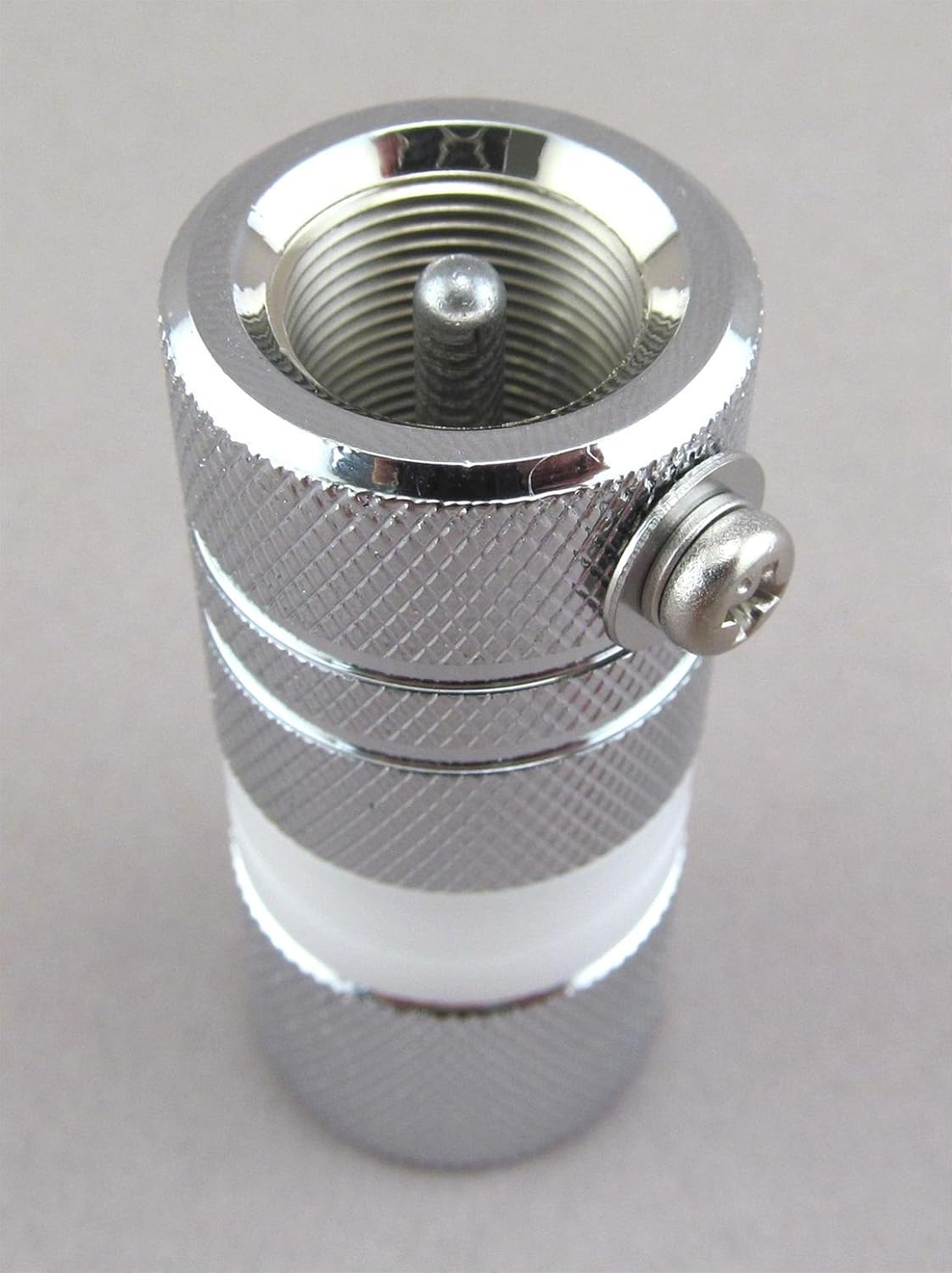
Whakaahua 2: View of the Comet AD-35M adapter, highlighting the 3/8"-24 threaded stud for antenna attachment and the side-mounted grounding screw for electrical connection to a ground plane or chassis.
4. Nga Tohutohu Whakahaere
The Comet AD-35M is a passive adapter and does not require active operation. Its function is to provide a stable mechanical and electrical connection between your antenna and radio system. Once installed, ensure the connections remain secure for consistent performance.
- Hononga Haumaru: Verify that all connections are tight to prevent signal loss or intermittent operation.
- Whakapapa: Confirm that the grounding screw, if utilized, maintains a solid electrical contact with the ground source.
5. Tiaki
To ensure the longevity and optimal performance of your AD-35M adapter, consider the following maintenance guidelines:
- Tirotiro auau: Periodically inspect the adapter and its connections for any signs of wear, corrosion, or physical damage.
- Te ma: Keep the connector surfaces clean and free from dirt, moisture, and debris. Use a soft, dry cloth for cleaning.
- Tirohanga Maama: Over time, vibrations or environmental factors can loosen connections. Periodically check and re-tighten all connections, including the grounding screw, to ensure they remain snug.
- Tiaki Taiao: If used in harsh outdoor environments, consider applying weather-proofing measures (e.g., self-amalgamating tape) to exposed connections to prevent moisture ingress.
6. Te Raru
If you experience issues with your antenna system after installing the AD-35M adapter, consider these troubleshooting steps:
- Poor Signal or High SWR:
- Ensure all connections are fully tightened. Loose connections are a common cause of signal degradation.
- Inspect the adapter and connected cables for any visible damage or corrosion.
- Verify that the grounding connection is secure and making good electrical contact.
- Physical Instability:
- Confirm that the antenna and mount are securely fastened to the adapter.
- Check the integrity of the antenna mount itself.
7. Whakatakotoranga
| Tau tauira | AD-35M |
| Connector Type 1 | UHF Male (for SO-239 connection) |
| Connector Type 2 | 3/8"-24 Threaded Stud |
| Rauemi | Te hanga whakarewa taumaha |
| Taumaha Tūemi | 6.2 hekere (tata ki te 176 karamu) |
| Hunga Hua | 6.5 x 3 x 1 inihi (tata ki te 16.5 x 7.6 x 2.5 cm) |
| Kaihanga | Kometa |
8. Nga Korero Whakaputanga
The Comet AD-35M Antenna Mount Adapter is covered by a 1-tau pūtāhui from the date of purchase. This warranty covers defects in materials and workmanship under normal use. For warranty claims or further details, please retain your proof of purchase and contact Comet customer support.
9. Tautoko
For technical assistance, product inquiries, or support regarding your Comet AD-35M adapter, please refer to the official Comet website or contact their customer service department. Ensure you have your product model number (AD-35M) available when seeking support.


