1. Kupu Whakataki
This user manual provides detailed instructions for the Baseus Bluetooth 5.0 Car Audio Adapter. This high-quality P2 Bluetooth receiver adapter is designed to enable wireless audio streaming from your mobile device to your car's auxiliary input, even if your car's sound system does not have built-in Bluetooth. It supports Bluetooth 5.0 for stable and high-quality stereo sound transmission without delays or noise. The adapter also features an integrated microphone for hands-free calling, allowing you to answer phone calls with audio routed through your car's speakers.
Please read this manual thoroughly before using the product to ensure proper operation and to maximize its performance and longevity.
2. Nga korero haumaru
- Kaua e tukuna te taputapu ki te wera nui, te ra tika, te makuku nui ranei.
- Tiakina te taputapu mai i te wai me etahi atu wai.
- Kaua e ngana ki te wetewete, ki te whakatika, ki te whakarerekē rānei i te taputapu māu ake. Tukuna ngā mahi tiaki katoa ki ngā kaimahi whai tohu.
- Ensure all connected equipment (speakers, USB input, P2 input, mobile phone, etc.) are functioning correctly and in good condition for optimal performance.
- Avoid operating the device in a manner that distracts you from driving. Always prioritize road safety.
3. Hua Neke Atuview
The Baseus Bluetooth 5.0 Car Audio Adapter is a compact and versatile device designed to enhance your in-car audio experience. It features a durable zinc alloy construction and a flexible coiled cable for convenient use.

Whakaahua 3.1: The Baseus Bluetooth 5.0 Car Audio Adapter, showcasing its main unit, coiled cable, and 3.5mm P2 audio jack. The adapter is made of zinc alloy and features a control button and an indicator light.

Whakaahua 3.2: He tata view of the Baseus Bluetooth adapter, highlighting its compact design and the coiled cable, which allows for flexible placement and reduces clutter.

Whakaahua 3.3: The product packaging, illustrating the adapter's features and components, including the main unit, 3.5mm P2 jack, and the coiled cable.
Āhuatanga matua:
- Nihokikorangi 5.0: Provides a stable and fast wireless connection.
- Oro Tirohanga-Kounga teitei: Delivers clear audio without delays or noise.
- Pukuoro Whakauru: Enables hands-free calling through your car's speakers.
- Hototahi Whānui: Works with Android and iOS Apple devices.
- Hanga Roa: Made from zinc alloy for enhanced longevity.
- Plug-and-Play Power: Powered via USB, no internal battery required.
4. Tatūnga
Follow these steps to set up your Baseus Bluetooth 5.0 Car Audio Adapter:
- Tūhono ki te Hiko: Plug the USB end of the adapter into a USB port in your car (e.g., car stereo USB port, cigarette lighter adapter with USB output). The adapter does not have an internal battery and requires continuous power.
- Tūhono ki te Tāuru Ororongo: Plug the 3.5mm P2 audio jack into your car's auxiliary (AUX) input port. This is typically labeled "AUX" or has a headphone jack icon.
- Power On Car Stereo: Turn on your car's stereo system and select the AUX input source.
- Tauhoa ki to Pūrere:
- On your mobile phone (Android or iOS), go to the Bluetooth settings.
- Kia mahara kua whakahohea te Nihokikorangi.
- Scan for available devices. The adapter should appear as "Baseus" or a similar name.
- Select the adapter to pair. Once paired, the indicator light on the adapter may change or stop blinking, indicating a successful connection.
- Hononga Whakamatau: Play some audio from your phone (e.g., music from Spotify, Deezer, YouTube) to confirm that sound is coming through your car's speakers.
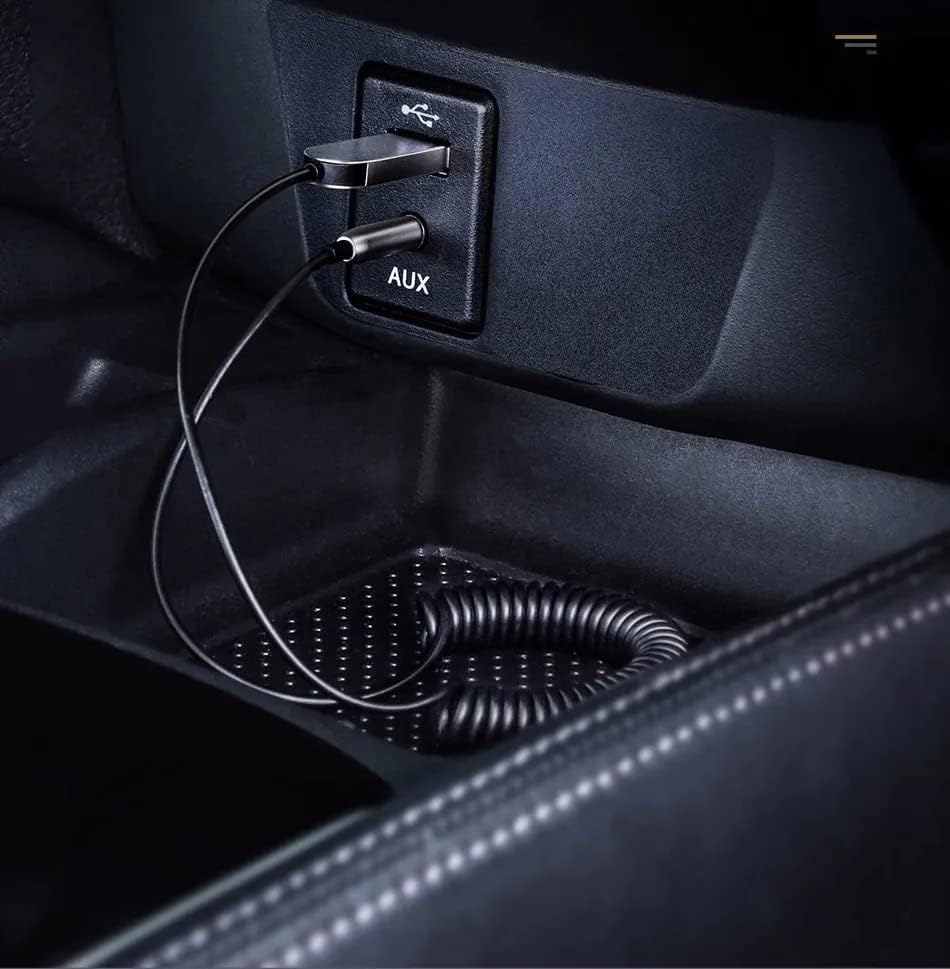
Whakaahua 4.1: The Baseus adapter correctly connected to both the USB power source and the 3.5mm AUX input in a car's center console.
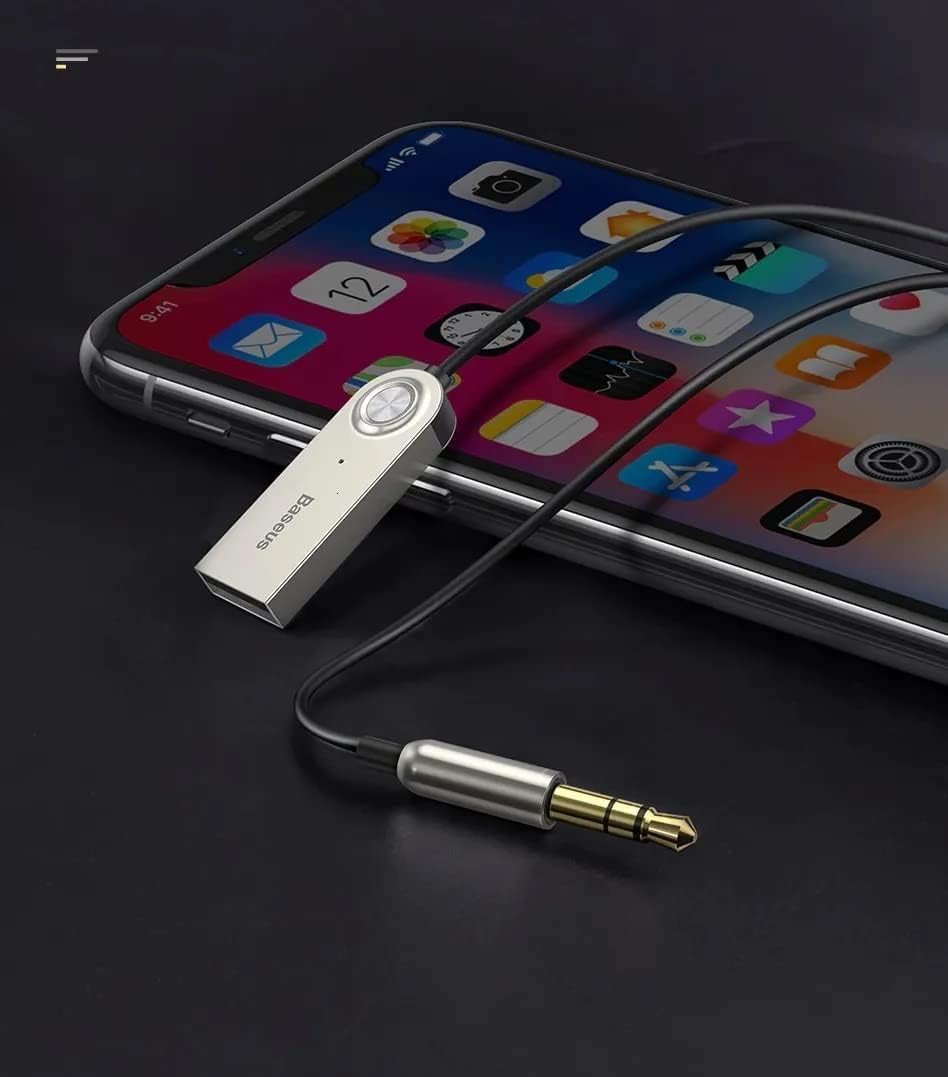
Whakaahua 4.2: The Baseus adapter connected to a smartphone, illustrating the wireless audio connection for streaming music or making calls.
The adapter will automatically connect to the last paired device when powered on, provided the device's Bluetooth is active and within range.
5. Nga Tohutohu Whakahaere
5.1 Purei Waiata
- Once paired, open your preferred music application (e.g., Spotify, Deezer, YouTube, local music player) on your mobile device.
- Start playing music. The audio will be transmitted wirelessly to your car's stereo system via the AUX input.
- Control music playback (play/pause, next/previous track, volume) directly from your mobile device. The adapter itself does not have dedicated music control buttons.

Whakaahua 5.1: The adapter can be used with any audio system that has a 3.5mm AUX input, such as a home stereo or portable speaker, extending its versatility beyond just car use.

Whakaahua 5.2: Demonstrating the adapter's use with a laptop and a portable speaker, showing its capability to provide wireless audio to various devices with an AUX input.
5.2 Waea-Waea-a-ringa
- When a call comes in, the audio will automatically switch from music to the call.
- Answer calls directly from your mobile phone. The integrated microphone on the adapter will pick up your voice, and the caller's voice will be heard through your car's speakers.
- To ensure the best call quality, position the Baseus receiver as close as possible to yourself. The further away the receiver is, the lower the voice call quality may be.
- End calls from your mobile phone. Audio will resume to music playback if it was active before the call.
6. Tiaki
- Te horoi: Whakamahia he kakahu ngohengohe, maroke hei horoi i te urutau. Kaua e whakamahi i ngā wai horoi, i ngā waipara rānei.
- Rokiroki: Ki te kore e whakamahia, rongoatia te urutau ki te wāhi hauhautanga, maroke, kia matara atu i te rā tika me te pāmahana tino kino.
- Tiaki taura: Avoid excessive pulling or bending of the coiled cable to prevent damage.
7. Te Raru
| Raruraru | Take pea | Rongoā |
|---|---|---|
| Kāore he oro mai i ngā pūoro o te motuka. |
|
|
| Kounga oro ngoikore (pūmau, pōturi). |
|
|
| He kino te kounga o te waea. |
|
|
| Adapter not discoverable for pairing. |
|
|
8. Whakatakotoranga
| Āhuahira | Taipitopito |
|---|---|
| Waitohu | Baseus |
| Tauira | B00GHAKZ2A |
| Putanga Nihokikorangi | 5.0 |
| Putanga Ororongo | 3.5mm P2 Auxiliary Jack |
| Whakauru Mana | USB (no internal battery) |
| Rauemi | Kohanga Konutea |
| Waea Whakakotahi | Ae |
| Te Roa Uera Morahi | 1.20 mita (tata ki te 3.9 putu) |
| Awhe Nihokikorangi | Tae atu ki te 5 mita (tata ki te 16 putu) |
| Tae | Hiriwa |
9. Pūtāhui me te Tautoko
For warranty information and technical support, please refer to the documentation provided with your purchase or visit the official Baseus webpae. Puritia to tohu hoko mo etahi kereme whakamana.
For further assistance, you may contact Baseus customer support through their official channels. Ensure you have your product model number (B00GHAKZ2A) ready when contacting support.


