1. Kupu Whakataki
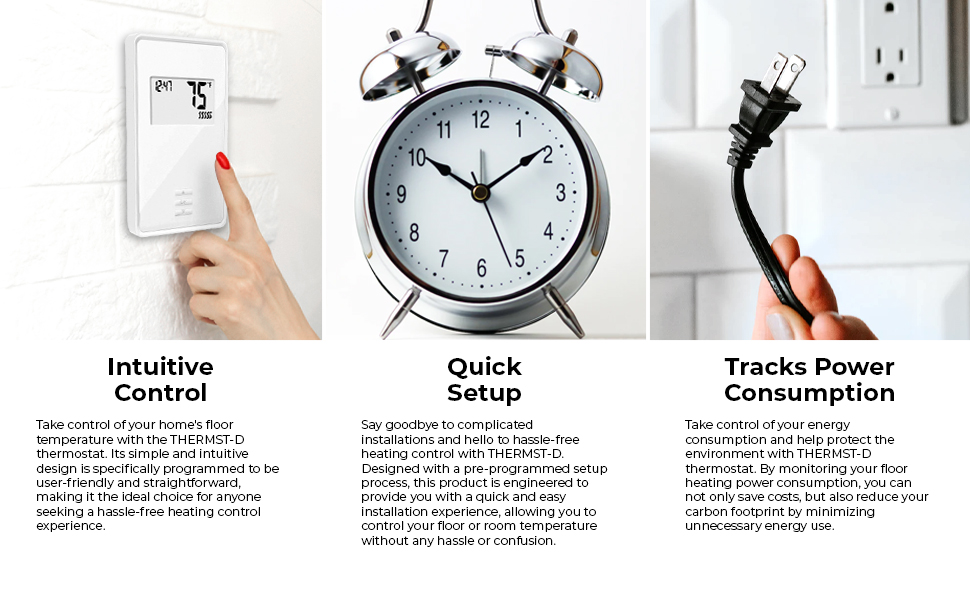
The QuietWarmth THERMST-D Non-Programmable Thermostat is designed to provide reliable control for 120V or 240V electric radiant floor heating systems. This thermostat offers flexible temperature management, allowing you to configure it for control based on floor temperature, room temperature, or a combination of room temperature with a floor temperature limit. It features a built-in Ground Fault Circuit Interrupter (GFCI) for enhanced safety and a clear, backlit display for easy monitoring and operation. A floor sensor is included to ensure accurate temperature readings and optimal comfort.

Whakaahua 1: Mua view of the THERMST-D Thermostat.
2. Nga korero haumaru
Please read all instructions carefully before installation and operation. Failure to follow these instructions may result in electric shock, fire, or property damage.
- WHAKATŪPATO: To reduce the risk of electric shock, do not connect this device to a circuit with any phase operating down more than 150 volts to ground.
- Ko te whakaurunga me mahi e tetahi tohunga hiko i runga i nga tikanga hiko o te rohe me te motu.
- The thermostat requires connection to a dedicated 20 Amp porowhita.
- The resistive load connected to the thermostat must not exceed 15 Amps.
- Electric radiant floor heating systems are required by the National Electrical Code to be protected by a Ground Fault Circuit Interrupter (GFCI). This thermostat has a built-in GFCI.
- Always turn off power at the circuit breaker before installing or servicing the thermostat.

Whakaahua 2: Taha view of the thermostat with safety warning label.
3. Ihirangi mokete
Manatokona kei roto katoa nga mea kei roto i te kete:
- QuietWarmth THERMST-D Non-Programmable Thermostat
- Pūoko Papa
4. Hua Neke Atuview
4.1 Nga waahanga matua
- Non-Programmable operation for radiant floor heat systems.
- Compatible with both 120V and 240V heating systems.
- Integrated Ground Fault Circuit Interrupter (GFCI) for safety.
- Clear, backlit LED display for easy reading.
- Includes a floor sensor for precise temperature control.
- Configurable for floor temperature, room temperature, or room temperature with a floor temperature limit.
- Seven-day energy log to monitor power consumption.
- Supports multiple QuietWarmth mats: up to 120 sq ft for 120V systems, or 240 sq ft for 240V systems.
4.2 Waehanga
The thermostat consists of a front display unit with control buttons and a back plate for electrical connections.
- Paewhiri Mua: Features a digital display showing time and temperature, along with 'Up', 'OK', and 'Down' buttons for navigation and setting adjustments.
- Paataki Hoki: Contains wiring terminals for power input (L1, L2) and load output, as well as a connection point for the floor sensor.

Whakaahua 3: Hoki view of the thermostat with wiring terminals.

Figure 4: Included floor sensor.
5. Tatūnga me te Tāuta
Ko te whakaurunga me mahi e tetahi tohunga hiko anake.
5.1 Whakapiki
- The thermostat is designed for wall mounting.
- Ensure the mounting location is free from direct sunlight, drafts, or other heat sources that could affect temperature readings.
5.2 Waea Whakahoahoa
Before wiring, ensure power is OFF at the circuit breaker.
- Connect the thermostat to a dedicated 20 Amp porowhita.
- Identify the Line (power supply) and Load (heating mat) wires.
- Connect the Line wires to the L1(L) and L2(N) terminals on the thermostat's back panel.
- Connect the Load wires from the heating mat to the 'Load' terminals on the thermostat.
- Me whakarite kia tika te turanga i runga i nga tohu hiko o te rohe.
- The thermostat is dual-voltage; it can be used with either 120V or 240V heating mats, but not simultaneously. Verify your heating mat's voltage ōrite ana ki te tuku hiko.
5.3 Floor Sensor Placement
The floor sensor is crucial for accurate floor temperature control.
- Place the sensor next to the long edge of the QuietWarmth heating mat.
- Ensure the sensor is positioned in the heated area and not near any unheated zones or external heat sources.
- Route the sensor wire carefully to avoid damage during installation of flooring materials.

Whakaahua 5: Example of radiant heat film installation under floating floors.
Whakaahua 6: Example of radiant heat film installation under tile and glued floors.
6. Nga Tohutohu Whakahaere
6.1 Te Whakahaa
After installation, restore power at the circuit breaker. The thermostat display will illuminate.
6.2 Te Whakatau i te Pawera
- Whakamahia te Up a Ki raro pātene hei whakatika i te pāmahana e hiahiatia ana.
- Pehia te OK pātene hei whakaū i to whiringa.
6.3 Aratau Mana
The thermostat can be configured to operate in one of three control modes:
- Floor Temperature Control: The thermostat maintains the floor at the set temperature using the floor sensor.
- Mana Paemahana Rūma: The thermostat maintains the room air temperature at the set point.
- Room Temperature Control with Floor Limit: The thermostat primarily controls room air temperature but prevents the floor temperature from exceeding a specified maximum limit, protecting sensitive flooring materials.
Refer to the full installation guide for instructions on how to select and configure these control modes.
6.4 Energy Log
The thermostat features a seven-day energy log, allowing you to monitor the power consumption of your radiant heating system. Consult the detailed manual for accessing and interpreting this data.
7. Tiaki
7.1 GFCI Testing
For continued safety, the built-in GFCI should be tested monthly.
- Pehia te WHAKAMAHI button located on the bottom of the thermostat.
- The GFCI should trip, cutting power to the heating system and indicating a fault.
- Pehia te WHAKATURU button to restore power.
- If the GFCI does not trip or reset correctly, discontinue use and contact a qualified electrician.

Figure 7: Bottom of the thermostat with GFCI test button.
7.2 Te horoi
Horoihia te taha o waho o te whakamaarama me te ngohengohe, damp kakahu. Kaua e whakamahi i nga kai horoi me nga whakarewa.
8. Te Raru
If you encounter issues with your QuietWarmth THERMST-D thermostat, refer to the following common problems and solutions:
- Karekau he Whakaaturanga/Karekau he Mana:
- Check the circuit breaker for the dedicated circuit and ensure it is in the ON position.
- Manatokohia he haumaru, he tika hoki nga hononga waea.
- Heating System Not Activating:
- Ensure the thermostat is set to a temperature higher than the current room or floor temperature.
- Check if the GFCI has tripped (press the RESET button if it has).
- Confirm the correct control mode is selected (floor, room, or room with limit).
- GFCI Trips Frequently:
- This indicates a ground fault. Immediately turn off power at the circuit breaker.
- Inspect the heating mat and wiring for any damage or moisture.
- Ensure the total resistive load does not exceed 15 Amps.
- Contact a qualified electrician for diagnosis and repair.
- Ko nga Panuitanga Paahua Kore:
- Verify the floor sensor is correctly installed and not damaged.
- Ensure the thermostat is not exposed to drafts, direct sunlight, or other external heat sources.
For issues not covered here, please contact QuietWarmth customer support or a qualified electrician.
9. Whakatakotoranga
| Whakatakotoranga | Taipitopito |
|---|---|
| Waitohu | TeMahana |
| Ingoa Tauira | QuietWarmth Non-Programmable Thermostat |
| Nama Wahi | THERMST-D |
| Hunga Hua | 3"D x 4"W x 6"H |
| Taumaha Tūemi | 11.4 hekere |
| Tae | Mā |
| Rauemi | Kirihou |
| Voltage | 120 volts, 240 volts |
| Kawenga Ātete Mōrahi | 15 Amps |
| Puna Mana | Maamaa |
| Momo Kaiwhakahaere | Patene Pana |
| Momo Mana Pawera | ā-ringa |
| Momo Whakaatu | LED (Backlit) |
| Hangarau Hononga | Waea |
| Āhuahira Motuhake | Energy Usage Tracking, Built-in GFCI |
| Momo Whakaeke | Maunga Taiepa |
| Momo Whakatakotoranga | UL |
| UPC | 696087109103 |
10. Pūtāhui me te Tautoko
10.1 Nga Korero Whakaputanga
The QuietWarmth THERMST-D Non-Programmable Thermostat comes with a 3-year limited warranty from the date of purchase. This warranty covers defects in materials and workmanship under normal use. Please retain your proof of purchase for warranty claims.
10.2 Tautoko Kiritaki
For technical assistance, troubleshooting, or warranty inquiries, please contact QuietWarmth customer support. Refer to the product packaging or the manufacturer's webpae mo nga korero whakapā o naianei.


