Nga Korero Haumaru Nui
Please read these instructions carefully before using the shredder. Keep this manual for future reference.
- Tiakina nga tamariki me nga kararehe mai i te kaitapahi.
- Puritia ngā kākahu tahanga, ngā whakapaipai, ngā makawe me ētahi atu mea ke kia matara atu i te pūaha o te mīhini haehae.
- Kaua e kuhua ō ringaringa, ō maihao rānei ki roto i te pūaha o te mīhini haehae.
- Wewetehia te kaitapa i te wa e kore e whakamahia, i mua ranei i te horoi.
- Do not shred metal objects, large paper clips, or hard plastic (except credit cards as specified).
- Do not use aerosol products, petroleum-based lubricants, or other flammable products on or near the shredder.
- Kaua e whakahaeretia te kaitapahi mena kua pakaru te taura hiko.
- The shredder is equipped with overheat protection. If it overheats, it will automatically shut off. Allow it to cool down before resuming operation.
Ihirangi mokete
Me whakarite kei te wātea ngā tūemi katoa:
- Amazon Basics AS665C Paper Shredder Unit
- Para Parapara
- Pukapuka Tohutohu (tenei tuhinga)
Tatūnga
- Wewetehia te Kaitapahi: Kia ata tangohia nga waahanga katoa mai i te kete.
-
Position the Waste Bin: Place the shredder head securely on top of the provided waste bin. Ensure it is properly seated.
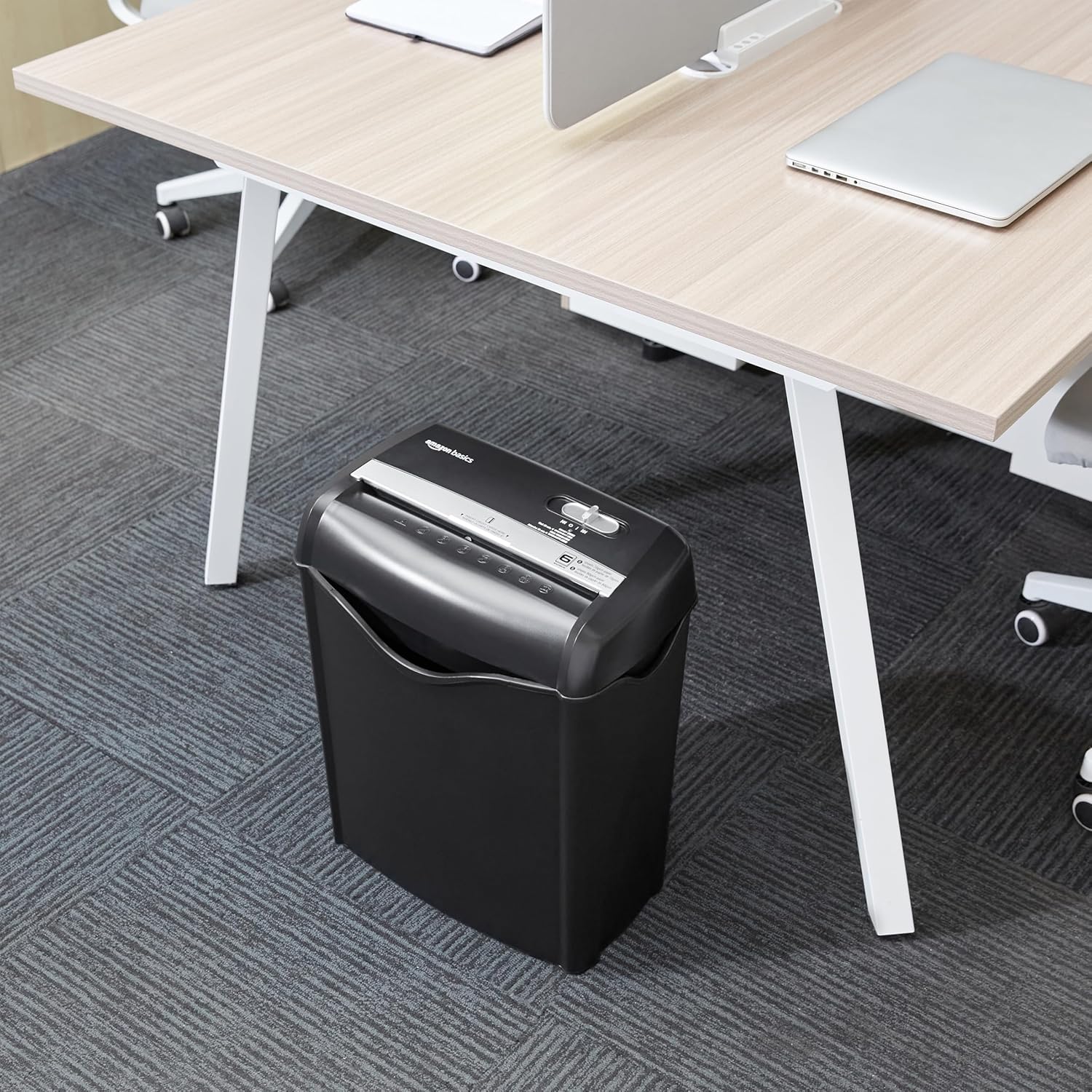
Image: The Amazon Basics AS665C Paper Shredder positioned under a desk, demonstrating its compact size and ease of placement in an office or home environment.
- Hono Hono: Monohia te taura hiko ki te putanga hiko paerewa.
Nga Tohutohu Whakahaere
Whakawhiti Mana
The shredder features a slide switch with three positions:
- AUTO (I): The shredder will automatically start when paper is inserted and stop when shredding is complete.
- MATE (O): Ka weto te kaitapahi.
- REV (<<): Activates the reverse function to clear paper jams.

Whakaahua: He taipitopito view of the shredder's control switch, showing the "AUTO", "OFF", and "REV" settings, along with the "READY" (green) and "OVERHEAT" (red) indicator lights.
Tuhituhi Tuhinga
- Tīpako Aratau: Tautuhia te pana mana ki te AUTO (I) position. The "READY" indicator light (green) will illuminate.
-
Kōkuhu Pepa: Insert up to 6 sheets of 70gsm paper (or 5 sheets of 80gsm paper) straight into the paper entry slot. The shredder will automatically start and stop.
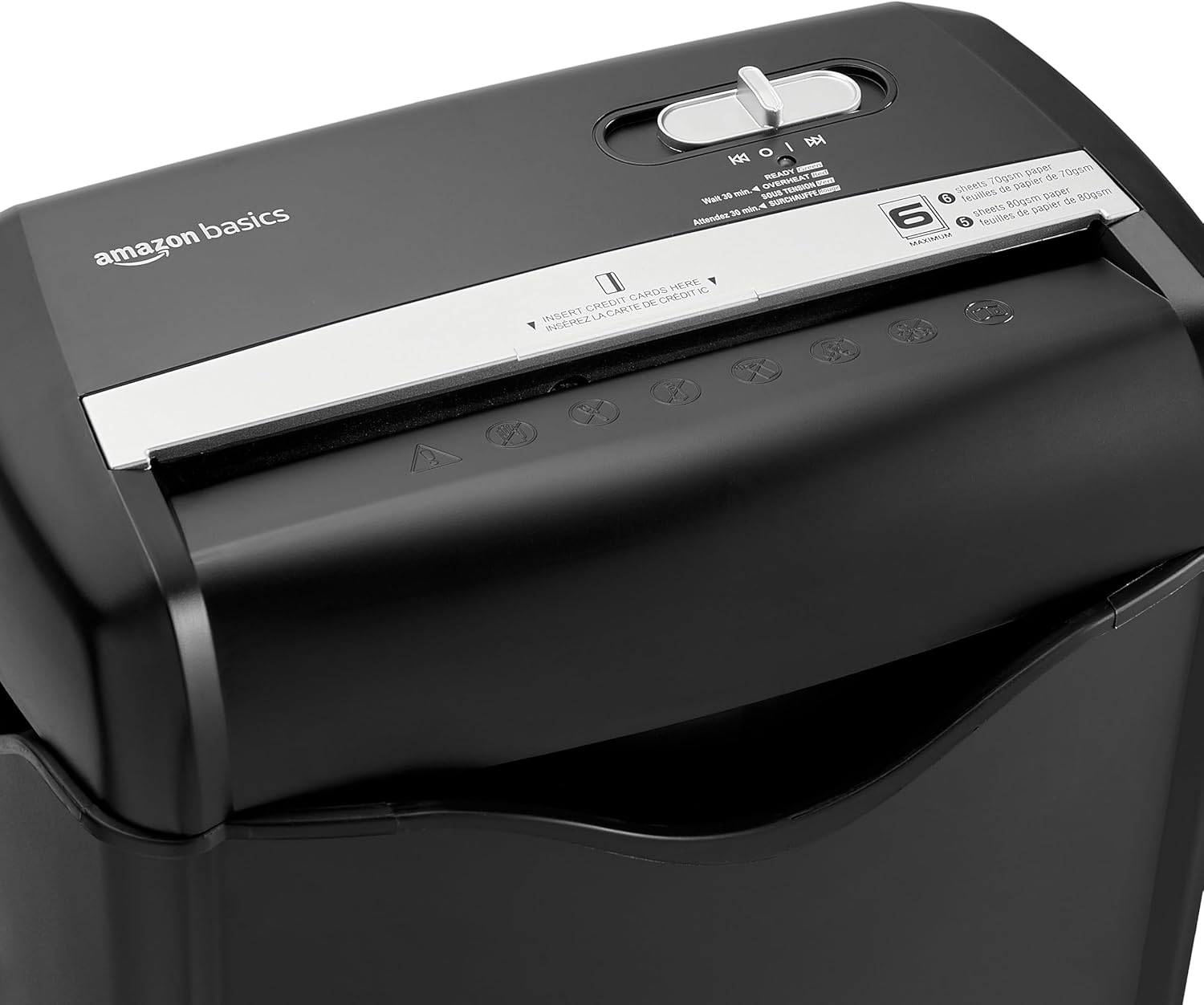
Whakaahua: Runga view of the shredder, highlighting the paper entry slot, the control switch, and the "MAXIMUM" sheet capacity label.

Image: A close-up of the shredder's label indicating the maximum sheet capacity: 6 sheets of 70gsm paper or 5 sheets of 80gsm paper.
-
Kati i nga kaari nama: Insert one credit card at a time into the dedicated credit card slot.

Whakaahua: He tata view of the shredder's dedicated slot for inserting credit cards, clearly labeled "INSERT CREDIT CARDS HERE".
- Parenga werawera: The shredder will automatically shut off if it runs continuously for too long or if the motor overheats. The "OVERHEAT" indicator light (red) will illuminate. Allow the shredder to cool down for approximately 30 minutes before resuming operation.

Image: A pile of cross-cut shredded paper, demonstrating the small particle size for enhanced security. A quarter coin is placed next to it for scale.
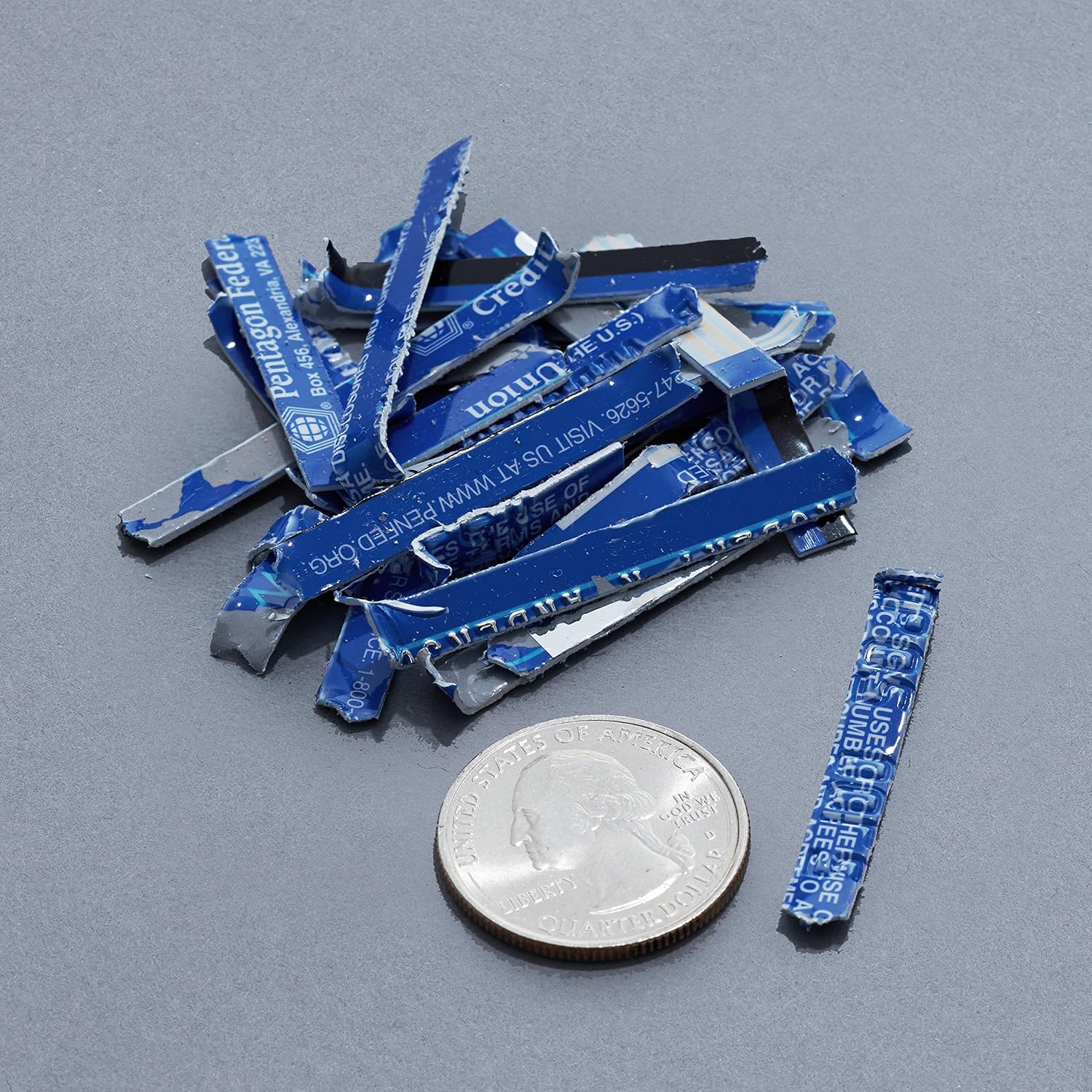
Image: A collection of shredded credit card pieces, illustrating the secure destruction of plastic cards. A quarter coin is included for size reference.
Te tiaki
Te Putua i te Parapara
Regularly empty the waste bin to prevent paper jams and ensure optimal performance. Unplug the shredder before removing the head to empty the bin.
Te horoi
- Wewetehia te kaitapa i mua i te horoi.
- Horoia te waho o te kaitapahi ki te kakahu ngohengohe, maroke.
- Kaua e whakamahi i nga kai horoi me nga whakarewa.
- For optimal performance, periodically oil the shredder blades with shredder oil sheets or liquid shredder oil. Follow the oil product's instructions.
Raparongoā
| Raruraru | Take pea | Rongoā |
|---|---|---|
| Kaore e timata te kaipatu. |
|
|
| Pepa tāmi. |
|
|
| Ka mutu te kaipatu i te wa e mahi ana. |
|
|
Whakatakotoranga
| Āhuahira | Taipitopito |
|---|---|
| Waitohu | Amazon Basics |
| Tau tauira | AS665C (Manufacturer Model: AS662C-EU) |
| Momo Karipi | Whakawhitiwhiti |
| Raukaha Rau | 6 sheets (70gsm paper) / 5 sheets (80gsm paper) |
| Nga Riu | Pepa, Kaari nama |
| Puna Mana | Hiko Hiko |
| Nga waahanga motuhake | Portable, Overheat Protection, Manual Reverse |
| Rahi Hua (L x W x H) | 30.7 x 19.6 x 38.1 cm (12.1 x 7.7 x 15 inihi) |
| Taumaha Hua | 3.72 kg (8.2 lbs) |
| Rauemi | Kirihou me te Metal |
Pūtāhui me te Tautoko
For warranty information and customer support, please refer to the Amazon Basics webpaetukutuku, whakapā atu rānei ki te ratonga kiritaki a Amazon. Puritia tō rīhiti hoko mō ngā kereme pūtāhui.