1. Neke atu i teview
Thank you for choosing the Baseus NGW05-03 True Wireless Earbuds. This manual provides essential information on how to set up, operate, and maintain your new earbuds to ensure optimal performance and longevity.
Āhuatanga matua:
- True Wireless Stereo (TWS) functionality
- Bluetooth 5.0 for stable and efficient connection
- Pouaka utu iti, kawe hoki
- Long battery life with charging case (up to 30 hours)
- Momo-C atanga utu
- Wide compatibility with wireless devices

Figure 1.1: Baseus NGW05-03 True Wireless Earbuds in their open charging case, showcasing the earbuds and the charging indicators.

Figure 1.2: A pair of Baseus NGW05-03 True Wireless Earbuds, highlighting their sleek design.
2. Tatūnga
2.1 Te Whakataki i nga Paorooro me te Puhi
Before first use, fully charge the earbuds and the charging case. The charging case has a battery capacity of 400mAh, and each earbud has a 30mAh battery.
- Ka utua te Waea: Connect the provided USB Type-C cable to the charging port on the case and a power source. The charging time for the case is approximately 1.5 hours.
- Whakataunga Ahokore: Place the charging case on a compatible wireless charging pad. Wireless charging takes approximately 2 hours.
The earbuds will charge automatically when placed inside the charging case, provided the case has power.
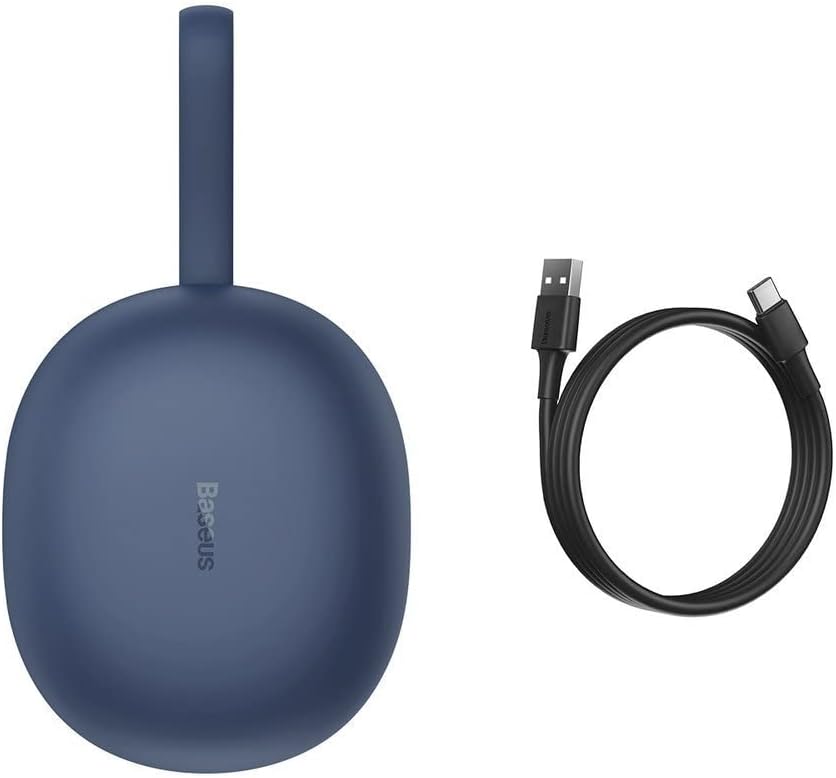
Figure 2.1: The Baseus NGW05-03 charging case alongside its USB Type-C charging cable.
2.2 Paihere ki te Pūrere
- Me whakarite kua utuhia nga purongo ka tuu ki roto i te putunga utu.
- Whakatuwherahia te putea utu. Ka uru aunoa nga taringa ki te aratau takirua.
- I runga i to taputapu (waea atamai, papa, aha atu), whakaahei i a Nihokikorangi.
- Rapua nga taputapu Nihokikorangi e waatea ana.
- Select "Baseus Encok W05" from the list of found devices.
- Ina hono ana, ka rongo koe i te tangi whakau, ka reri nga taringa mo te whakamahi.
The earbuds are compatible with all wireless devices that support Bluetooth connectivity.
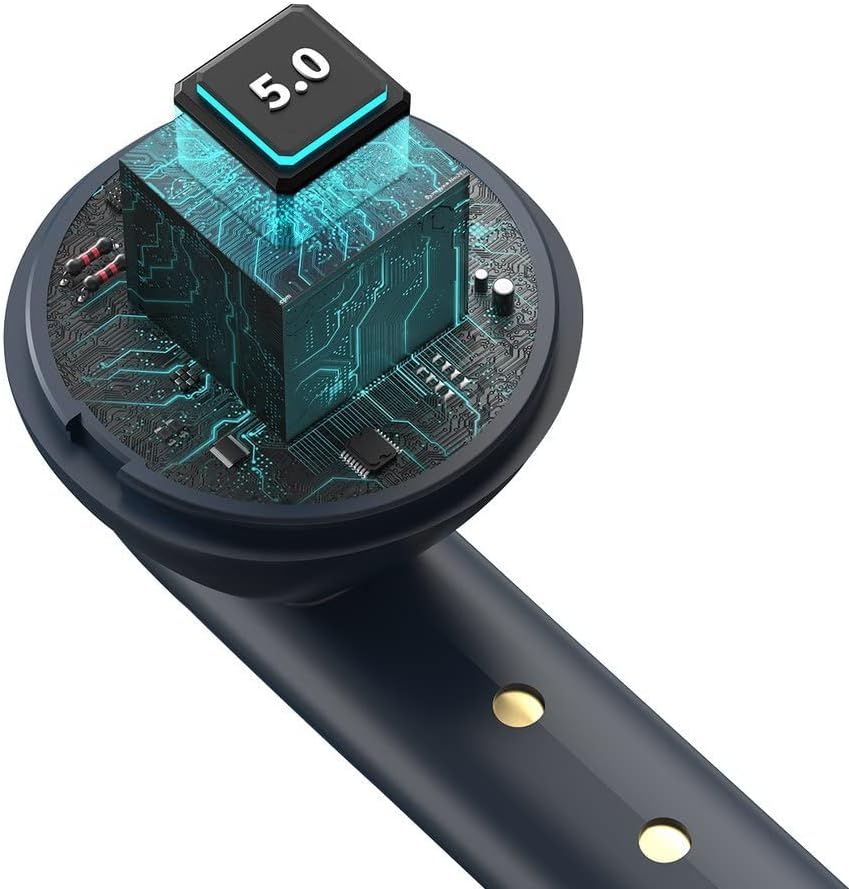
Whakaahua 2.2: He roto view of the earbud, highlighting the integrated Bluetooth 5.0 chip for advanced connectivity.
3. Te whakahaere i nga Puka-taringa
3.1 Te Whakamaunga i nga Paoro
Whakauruhia mārire ngā pane taringa ki roto i ō taringa, kia pai ai te noho, kia mau hoki te urunga. Mā te hoahoa ergonomic ka noho tonu i roto i ngā mahi maha.

Figure 3.1: A user demonstrating the proper way to wear one of the Baseus NGW05-03 earbuds while holding the charging case.
3.2 Mana Taketake
Specific touch or button controls for music playback, call management, and voice assistant activation are typically located on the earbuds. Please refer to the quick start guide included in your product packaging for detailed instructions on these functions, as they may vary.
3.3 Purei Waiata
Once connected, you can play music from your device. The earbuds provide up to 4 hours of continuous music playback on a single charge (at 70% volume). With the charging case, total playback time extends to 25-30 hours.

Figure 3.2: A user enjoying audio with the Baseus NGW05-03 earbuds while interacting with their smartphone.
3.4 Whakahaere Waea
When a call comes in, you can typically answer or end calls using the touch controls on the earbuds. Consult your quick start guide for precise instructions on call handling.
4. Tiaki
4.1 Te horoi
- Me horoi i nga wa katoa nga pukoro me te pukoro utu ki te kakahu ngohengohe, maroke, kore-puru.
- Kaua e whakamahia nga kai horoi, te waipiro, te whakarewa matū ranei.
- Puritia kia ma ngā hononga utu o ngā pane taringa me te pouaka kia tika ai te utunga.
4.2 Rokiroki
- Whakaorangia nga purongo i roto i o raatau putea karekau e whakamahia ana hei tiaki me te pupuri i te utu.
- Avoid exposing the earbuds and case to extreme temperatures, humidity, or dust.
- The product is not water resistant; avoid contact with liquids.

Figure 4.1: An exploded diagram showing the internal components of a Baseus NGW05-03 earbud, illustrating its intricate design.
5. Te Raru
Nga take me nga otinga noa:
- Karekau e honoa nga taringa: Ensure both earbuds are charged. Place them back in the case, close the lid, then open it again to re-enter pairing mode. Forget the device on your phone's Bluetooth settings and try pairing again.
- Kotahi anake te pukoro e mahi ana: Ensure both earbuds are charged. Try resetting the earbuds (refer to the quick start guide for specific reset instructions).
- Karekau he tangi: Tirohia te taumata oro o tō pūrere me ngā pane taringa. Me whakarite kei te hono tika ngā pane taringa ki tō pūrere.
- Nga take utu: Clean the charging contacts on both the earbuds and the case. Try a different charging cable or power adapter.
If you encounter persistent issues, please refer to the warranty and support section for further assistance.
6. Whakatakotoranga
| Āhuahira | Whakatakotoranga |
|---|---|
| Waitohu | Baseus |
| Ingoa Tauira | NGW05-03 (W05) |
| Hangarau Hononga | Ahokore (Nihokikorangi 5.0) |
| Te Whakanoho Taringa | I te Taringa |
| Rauemi | ABS + Polycarbonate |
| Tae | Kahurangi |
| Whakatauhia te kaha o te pākahiko | 400mAh / 1.48Wh |
| Raukaha Puku Earbud | 30mAh / 0.111Wh (each) |
| Music Playback Time (Earbuds) | Approx. 4 haora (i te 70% rōrahi) |
| Tapeke Wā Whakahoki (me te Pū) | Approx. 25-30 haora |
| Wā tūtatari | Approx. 300 haora |
| Charging Time (Wired) | Approx. 1.5 haora |
| Wa Tukohii Ahokore | Approx. 2 haora |
| Atanga Whakatau | USB Momo-C |
| Awhe Whakautu Auautanga | 20Hz - 20kHz |
| Taumaha Tūemi | 50 karamu |
| Hunga Hua | 10 x 2 x 3 cm |
| Taumata Atete Wai | Ehara i te wai ātete |
| Pūrere Hototahi | All wireless devices |
7. Pūtāhui me te Tautoko
Baseus products are designed with quality and reliability in mind. For information regarding warranty coverage, technical support, or service, please refer to the warranty card included with your product or visit the official Baseus webpae. Puritia to riirii hoko hei tohu mo te hoko mo nga kereme whakamana.

Figure 7.1: A user holding the compact Baseus NGW05-03 charging case, demonstrating its portability.


