Kupu Whakataki
Thank you for choosing the Coby Portable CD Player CD191. This device is designed to provide a versatile and enjoyable audio experience, combining classic CD playback with modern features like FM radio and MP3 compatibility. Its compact and shockproof design makes it ideal for both home use and on-the-go listening. Please read this manual thoroughly to understand the proper operation and maintenance of your new CD player.

He mua view of the Coby Portable CD Player, showcasing its compact design, LCD display, control buttons, and the included wired earbuds and Micro USB charging cable.
Nga korero haumaru
Hei whakarite i te mahi haumaru me te aukati i te kino, me whai i nga whakatupato e whai ake nei:
- Kaua e tukuna te waeine ki te ua, te makuku, te wera nui ranei.
- Avoid dropping or subjecting the unit to strong impacts, as this may damage internal components.
- Kaua e wetewete i te waeine. Tukuna atu nga ratonga katoa ki nga kaimahi whai tohu.
- Use only the specified battery type (2 AA batteries) and ensure correct polarity.
- Kaua e whakarongo ki te nui rawa o te oro mō te wā roa hei ārai i te kino o te whakarongo.
- Keep the CD compartment clean and free of dust or debris.
Ihirangi mokete
Manatokona kei roto katoa nga mea kei roto i te kete:
- Coby Portable CD Player CD191
- Te Roopu Toto
- USB Micro Cable

The high-fidelity wired stereo earbuds that come with the CD player, providing a personal listening experience.
Ka mutu te huaview
Nga Waehanga me nga Mana Whakahaere
Familiarize yourself with the main components and controls of your CD player:
- Whakaaturanga LCD: E whakaatu ana i te tau ara, te wā, te aratau, me te tūnga pākahiko.
- Wāhanga CD: Where the CD is inserted.
- Pātene Purei/Tatari: Ka tiimata ka okioki ranei i te purei ano.
- Pato Kati: Ka mutu te purei.
- Skip/Search Buttons (◀◀ / ▶▶): Ka peke i ngā ara, ka tere whakamua/whakamuri rānei.
- Patene Aratau: Switches between CD, FM, and MP3 modes.
- Pihi Papatono: Whakamahia mō te whakarite i te raupapa ara.
- Ngā Pātene Rōrahi +/-: Whakaritea te taumata whakaputa ororongo.
- Jack Puoro (3.5mm): Mo te hono i nga taringa, i nga taputapu oro o waho ranei.
- Tauranga USB Iti: Mō te tuku hiko o waho.
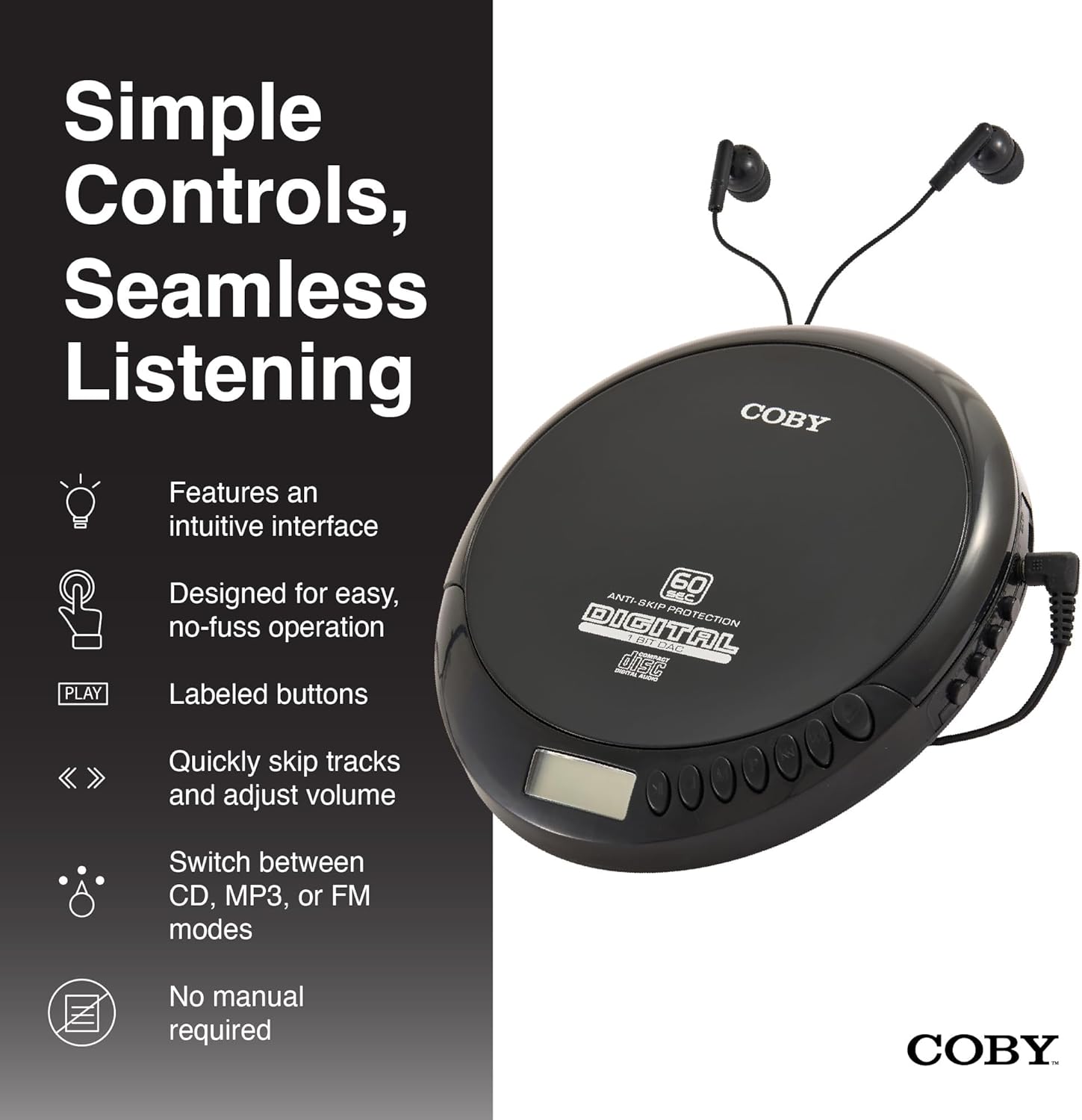
An illustration of the Coby CD Player highlighting its simple controls and intuitive interface.

He taipitopito view of the player's LCD screen, which displays the current track number, elapsed time, and battery status.

A close-up of the player's intuitive control buttons, including Play/Pause, Stop, Skip/Search, Mode, and Program functions, designed for easy operation.
Tatūnga
Whakakaha i te Pūrere
The Coby CD Player can be powered by 2 AA batteries (not included) or via the included Micro USB cable.
- Tāuta Pūhiko: Open the battery compartment cover on the back of the unit. Insert 2 AA batteries, ensuring correct polarity (+/-). Close the cover securely.
- Kaha Power: Connect the Micro USB cable to the Micro USB port on the CD player and the other end to a USB power source (e.g., USB wall adapter, computer USB port).

An image showing a user enjoying music with the Coby CD player, highlighting its versatility with both battery and USB power options.

The included Micro USB cable, used for powering the CD player when not using batteries.
Te Hononga Paneoro
Insert the 3.5mm plug of your headphones into the headphone jack on the side of the CD player.
Te whakauru i tetahi CD
- Press the OPEN button to open the CD compartment lid.
- Āta whakatakotoria te CD ki runga i te poupou waenga me te taha tapanga e anga ana ki runga.
- Patohia te CD ki raro kia paato noa.
- Katia kia mau te taupoki o te wahanga CD kia mau ra ano.
Nga Tohutohu Whakahaere
Whakahoki CD
- Insert a CD (CD, CD-R, CD-RW, or CD-MP3).
- Pehia te TAKARO/PAUSE pātene hei tīmata i te purei. Ka whakaatuhia te tau o te ara me te wā kua hipa e te mata LCD.
- Kia okioki te purei ano, perehi TAKARO/PAUSE ano. Pēhia kia kotahi anō kia tīmata anō.
- Hei whakamutu i te purei ano, paatohia te KATI pātene.
The player features 60-second anti-skip protection to ensure continuous audio during movement.
Whakaterenga Aroturuki
- Perehi ▶▶ ki te mokowhiti ki te ara e whai ake nei.
- Perehi ◀◀ to return to the beginning of the current track. Press it twice quickly to go to the previous track.
- Pēhi me te pupuri ▶▶ to fast-forward through the current track.
- Pēhi me te pupuri ◀◀ to rewind through the current track.
Mana Rōrahi
Whakamahia te PUKAPUKA + a ROTO - buttons to adjust the listening volume to a comfortable level.
Mahi irirangi FM
- Pehia te MODE button until 'FM' appears on the LCD display.
- The player will automatically scan and tune to available FM stations.
- Whakamahia te ◀◀ a ▶▶ buttons to manually tune to specific frequencies or to scan for the next/previous strong station.

This image illustrates the built-in FM radio feature of the Coby CD player, allowing users to tune into their favorite radio stations.
Purei MP3
The Coby CD Player supports MP3 files burned onto CD-R or CD-RW discs. When an MP3 CD is inserted, the player will automatically detect the format and begin playback.
Connecting to External Audio Systems
You can connect your Coby CD Player to external speakers or a car audio system using a 3.5mm AUX cable (not included).
- Connect one end of the 3.5mm AUX cable to the headphone jack on the CD player.
- Connect the other end to the AUX input of your external speaker or car audio system.
- Ensure the external device is set to its AUX input mode.

The CD player connected to an external speaker, demonstrating its ability to deliver enhanced sound with features like Super Bass and Crystal Clear Sound when connected to compatible audio systems.

The portable CD player integrated into a car's audio system via an AUX connection, allowing for on-the-go music playback through car speakers.
Te tiaki
Te horoi i te Waehe
- Horoia te waho o te waeine ki te kakahu ngohengohe, maroke. Kaua e whakamahi i nga kai horoi me nga whakarewa.
- To clean the CD lens, use a specialized CD lens cleaning disc (not included).
Tiaki Pūhiko me te Rokiroki
- Tango pākahiko ki te kore te wae e whakamahia mo te wa roa kia kore ai e pakaru.
- Whakaorangia te waeine ki te waahi makariri, maroke atu i te ra tika me te wera nui.
Raparongoā
| Raruraru | Take pea | Rongoā |
|---|---|---|
| Karekau te waeine i te hiko. | Batteries are dead or incorrectly inserted. USB cable not connected properly. | Replace batteries with new ones, ensuring correct polarity. Check USB cable connection. |
| Disc skipping or distorted sound. | Disc is dirty, scratched, or damaged. Unit is subjected to excessive vibration. | Clean the disc with a soft, lint-free cloth. Try a different disc. Ensure the anti-skip protection is active. Avoid strong impacts. |
| Kaore he tangi mai i nga taringa. | Headphones not fully plugged in. Volume is too low. Headphones are faulty. | Ensure headphones are fully inserted into the jack. Increase the volume. Try a different pair of headphones. |
| He pūmau te reo irirangi FM, he ngoikore rānei te whiwhinga. | Tohu ngoikore. Ngā pokanoa. | Adjust the position of the unit. Try moving to a different location. |
| MP3 CD not recognized. | Disc format not supported or disc is corrupted. | Me whakarite te MP3 files are properly encoded and the disc is finalized. Try a different MP3 CD. |
Whakatakotoranga
| Āhuahira | Taipitopito |
|---|---|
| Hunga Hua | 5.5 x 1 x 5 inihi |
| Taumaha Tūemi | 7 hekere |
| Tau tauira | CD-191-BLK |
| Puna Mana | 2 AA batteries (not included), Micro USB |
| Hangarau Hononga | Tautoko, USB |
| Āhuahira Motuhake | Portable, FM Radio, MP3 Compatible |
| Parenga Anti-Skip | 60 hēkona |
| Hōputu Kōpae Hototahi | CD, CD-R, CD-RW, CD-MP3 |
Ataata Hua Whaimana
He whakaaturanga ataata hua whaimanacasing the features and benefits of the Coby Portable CD Player with Stereo Earbuds.
Pūtāhui me te Tautoko
Mō ngā mōhiohio pūtāhui me te tautoko kiritaki, tirohia ngā tuhinga kua whakaurua mai i tō hoko, tirohia rānei te paetukutuku mana o Coby. website. Contact details for support are typically found on the manufacturer's product page or in the warranty card.
Coby Official Webpae: Visit the Coby Store on Amazon


