1. Kupu Whakataki
This manual provides essential information for the safe and efficient operation of your Motorola RMU2040 Two-Way Radio Walkie Talkie. Please read this manual thoroughly before using the device to ensure optimal performance and to prevent damage.

Figure 1: Motorola RMU2040 Two-Way Radio Walkie Talkie with belt clip.
2. Ihirangi mokete
Your Motorola RMU2040 package includes:
- Motorola RMU2040 Two-Way Radio (4 units)
- Single-unit charger for each radio
- 15-hour Lithium-Ion battery for each radio
- Swivel belt holster for each radio

Figure 2: Included accessories: single-unit charger, Lithium-Ion battery, and swivel belt holster.
3. Tatūnga
3.1. Tāuta Pūhiko
- Me mohio kua weto te reo irirangi.
- Tiarohia te pākahiko ki te wahanga pākahiko kei muri o te reo irirangi.
- Peia ata te pākahiko ki tona waahi kia paoho pai.
3.2. Te Whakataki i te Pūhiko
- Place the radio with the installed battery into the single-unit charger.
- Honoa te rihi ki te putanga hiko.
- The charging indicator light on the charger will illuminate to show charging status. A full charge typically takes several hours.
3.3. Attaching the Belt Holster
- Slide the radio into the swivel belt holster until it locks into place.
- Attach the holster to your belt or clothing for convenient carrying.
4. Nga Tohutohu Whakahaere
4.1. Te Hiko / Whakaweto me te Mana Rōrahi
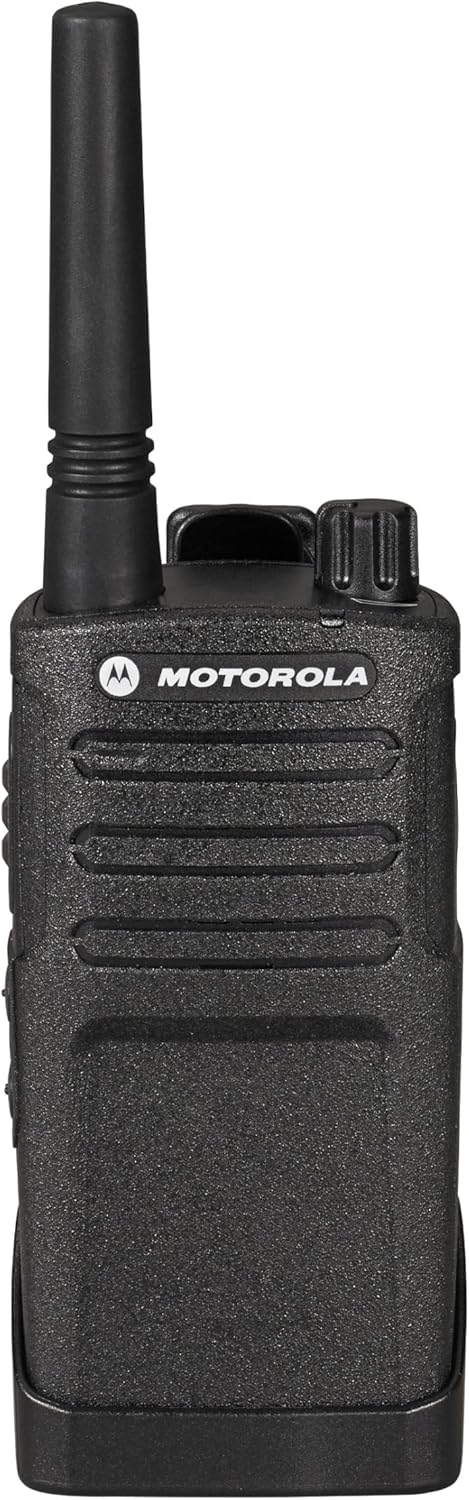
Whakaahua 3: Runga view of the radio with power/volume and channel knobs.
- To power on the radio, rotate the On/Off/Volume knob (leftmost knob on top) clockwise until you hear a click.
- Continue rotating the knob to adjust the volume to your desired level.
- Hei whakaweto i te mana, hurihia te porowhita ki te taha maui kia pāorooro rā anō.
4.2. Kōwhiringa Hongere

Whakaahua 4: Mua view of the radio, showing the display and control buttons.
- Rotate the Channel Selector knob (rightmost knob on top) to choose one of the available channels.
- The RMU2040 supports 4 channels, with 2 activated out of the box.
4.3. Te Tuku me te Whiwhi

Whakaahua 5: Taha view of the radio, highlighting the Push-to-Talk (PTT) button.
- To transmit, press and hold the Push-to-Talk (PTT) button located on the side of the radio. Speak clearly into the microphone.
- Tukua te paatene PTT kia mutu te tuku me te whakarongo mo te whakautu.
- Ensure you are on the same channel as the person you wish to communicate with.
4.4. Hononga Taringa
The radio features a port for connecting an earpiece for private communication. This port is typically located on the side of the radio, covered by a protective flap.
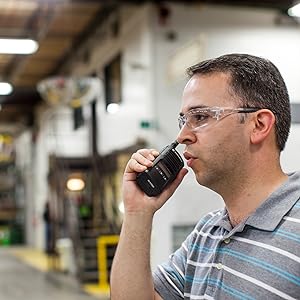
Figure 6: User demonstrating proper radio usage in a work environment.
5. Nga ahuatanga
- Putanga Hiko: 2-watt, covering up to 20 floors or 250,000 square feet.
- Hongere: 4 communication groups total, with 2 channels activated by default.
- Auautanga: Set to factory default UHF frequencies, suitable for both indoor and outdoor use.
- Ora Pūhiko: Equipped with a 15-hour Lithium-Ion battery.
- Mauroa: Designed as a reliable, simple, heavy-duty radio.
- Ātete wai: Wai ātete.
6. Tiaki
- Te horoi: Whakamahia he ngohengohe, damp he kakahu hei horoi i waho o te reo irirangi. A ape i nga matū kino me nga kai horoi.
- Tiaki Pūhiko: Fully charge batteries before first use. Store radios and batteries in a cool, dry place when not in use for extended periods.
- Antenna: Do not bend or force the antenna, as this can affect signal quality.
7. Te Raru
7.1. Karekau he Mana
- Me whakarite kia tika te whakaurunga o te pākahiko me te whakakii katoa.
- Check that the On/Off/Volume knob is rotated clockwise past the click.
7.2. Kaore e taea te tuku, te whiwhi ranei
- Verify that both radios are on the same channel.
- Ensure the PTT button is fully pressed when transmitting.
- Check the radio's range; obstacles and distance can affect communication. The maximum talking range is 36 miles in optimal conditions.
7.3. Poor Audio Quality
- Whakaritea te puku oro.
- Kia tino mohio kei te āraia te hopuoro me te kaikorero.
- Move to an area with fewer obstructions or closer to the other radio.
8. Whakatakotoranga
| Whakatakotoranga | Uara |
|---|---|
| Taumaha Tūemi | 8.6 hekere (0.54 Pauna) |
| Hunga Hua | 7.38 x 1.5 x 2.25 inihi |
| Tauira Tuemi | SG_B012B7J2FS_US |
| Pūhiko | 4 nga pākahiko Lithium Ion e hiahiatia ana (kei roto) |
| Waitohu | Motorola |
| Tae | Pango |
| Te maha o nga hongere | 4 |
| Āhuahira Motuhake | UHF |
| Awhe Auautanga | 450-512Mhz |
| Awhe Korero Morahi | 36 Maero |
| Voltage | 3.7 Volts |
| Taumata Atete Wai | Wai Atete |
9. Pūtāhui me te Tautoko
Your Motorola RMU2040 Two-Way Radio comes with a 2 Year Manufacturer Replacement Warranty. For warranty claims or technical support, please contact an authorized Motorola dealer or refer to the official Motorola support channels.
Legal Disclaimer: Motorola Recommends Only Purchasing From An Authorized Dealer.


